
Real-Time AI Audio Translation (2026): Hands-On Comparison for Meetings, Events & Live Streaming


Imagine you’re in a high-stakes board meeting. Your Japanese counterpart is presenting a game-changing strategy. You have the best AI translation tool running, but there’s a 5-second lag. By the time you understand his point about "capital efficiency," the conversation has already moved to "market expansion." You’re not just behind; you’re out of the loop.
What “Real-Time AI Audio Translation” Actually Means
Real-time AI audio translation” is a messy umbrella term. Vendors use it to describe at least three different experiences—and if you buy the wrong one, you don’t get “slightly worse.” You get a workflow that collapses mid-call.
Think of it like “video.” A TikTok clip, a Zoom recording, and a live TV broadcast are all “video,” but you wouldn’t use the same toolchain for all three. Translation is the same: the output format and the operational reality matter as much as raw accuracy.
Live captions vs. live speech interpreting vs. instant translation
Here are the three concepts you’ll see repeatedly:
Live captions (subtitles): Translated text appears on a screen in near real time. Some tools position this for meeting platforms .
Live speech interpreting (audio interpreting): You hear the translated voice (human or AI) as an audio channel—closer to “simultaneous interpretation.
Instant translation (near-immediate after recording): The system translates right after a recording finishes—fast, but often not truly “real time.” Many transcription tools emphasize translating transcripts/files, which is great for post-meeting work, not for live back-and-forth.
Now the key: captions help understanding, interpreting helps conversation, and instant translation helps documentation. Different wins.
The 3 use cases that drive buying decisions
Most buyers get stuck comparing “accuracy.” But accuracy is not a single metric—and the KPI changes by use case. Use this fork first, then compare tools inside the right bucket.
Meeting (conversation-first)
Your goal is smooth turn-taking. If translation arrives late, it doesn’t matter how correct it is.
Event (audience access at scale)
Your goal is attendee experience + operational delivery (QR codes, device access, concurrent viewers, in-room screens).Broadcast / streaming (subtitle operations)
Your goal is subtitle workflow + scaling + QA, not “chatting.” Broadcast localization often lives in caption pipelines and integrations—where reducing lag by seconds can be the difference between watchable and frustrating.
Who This Guide Is For
Choosing a real-time translation tool is not about finding the "smartest" AI; it’s about finding the one that won't leave you stranded when the pressure is on. Depending on whether you are in a quiet meeting room, a bustling convention center, or a high-tech broadcast studio, the "perfect" tool changes completely.
Global meetings (Sales, CS, internal syncs)
Global meetings fail when teams optimize for the wrong thing. The usual mistake: choosing the tool with the “best translation model” but ignoring everything around it.
Where meetings break in practice: ・Latency: if captions lag, participants stop using them (or interrupt more). misunderstandings become expensive. |
A good meeting tool isn’t just “accurate.” It’s fast enough to preserve conversation—and structured enough to turn the meeting into reusable outputs.
That’s why some “meeting minutes” tools position value beyond translation—capturing, sharing, and editing outcomes after the call. For example, Rimo describes secure sharing and collaborative editing workflows for meeting minutes, which changes what “success” looks like for multilingual teams (translation + reuse, not translation alone).
Conferences & webinars (audience access at scale)
Events look similar to meetings until you try to run one.
In events, the product you’re really buying is audience access:
Can attendees get captions fast (QR code, link, no app friction)?
Can you support many concurrent users without chaos?
Can on-site staff actually operate it (AV, audio routing, backup plans)?
Tools built for conferences often highlight QR-based access and view captions on your own device patterns (which is very different from join my Zoom and turn on captions). EventCAT is one example that explicitly documents QR-code access for live translated subtitles on attendee devices.
And importantly: conference needs can pull you toward interpretation-grade operations, not a convenient meeting add-on.
Live streaming & broadcast localization
Success looks like:
multilingual subtitle scaling
stable output formats and pipelines
QA controls (glossaries, review loops, timing)
minimal lag (because viewers see the delay immediately)
Broadcast and live streaming workflows often rely on caption/subtitle infrastructure and vendor integrations. For instance, SyncWords highlights live captions/subtitles/voice dubbing and streaming protocol support for live workflows.
And DeepL has published work on real-time translation in broadcast contexts with SyncWords, including reducing caption lag in live scenarios.
Bottom line: even when two tools both claim real-time translation, they may be optimized for totally different KPIs. Buying the wrong category is the fastest way to end up with a tool nobody uses.
Top Picks by Use Case: 2026 Scorecards & Comparison
To give you the most honest results, we moved away from marketing brochures and put these tools through a real-world "stress test." We didn't use professional studio mics or high-speed fiber lines. Instead, we simulated a standard remote work setup to see how these tools perform for an average professional:
Method snapshot (A/B/C):
Scenario A: 2-minute mock marketing meeting by two native Japanese speakers speaking English (EN→JA).
Scenario B: Native speaker dialogue as source material (one-to-many/event-style).
Scenario C: A self-produced demo webinar video to evaluate subtitle workflow and timing.
Latency was measured as time from spoken audio to first readable translated output on screen (average across segments). Accuracy reflects our hands-on demo environment unless labeled “vendor-published”.
Hardware: Built-in laptop microphone and speakers (a 2-year-old mid-range model).
Environment: A quiet home office with standard background acoustics (minimal echo).
Network: Stable home Wi-Fi —comfortable, but not enterprise-grade fiber.
[Bucket A] Best for Global Meetings
Meetings are dynamic, two-way conversations where timing is everything. Accuracy matters, but it is useless if the translation arrives too late to respond. To keep the momentum, a tool must prioritize ultra-low latency and the ability to correctly capture proper nouns, technical jargon, and business terminology that define the professional context.
For Bucket A, we specifically tested these tools in real-world environments featuring non-native English speakers and various regional accents. In a global setting, a tool’s true value is measured by its ability to parse diverse pronunciations and maintain high accuracy despite linguistic nuances.
Tool | Live Translation Quality (English to Japanese) | Latency | Cross Talk | Proper Nouns | Setup | Output | Reuse |
Notta | 70% (Fair) | 2~3 seconds | Cross-talk mixed | Good | Medium | Text | High |
Votars | 75% (Good) | 4~5 seconds | Pass (crosstalk recognized; no word substitution) | Strong | Fast | Text | High |
Talo | N/A (Excellent) | 2~3 seconds | Pass (crosstalk recognized; no word substitution) | Strong | Fast | Audio/text | No |
DeepL Voice | 92% (Excellent) | 2~3 seconds | Cross-talk mixed | Strong | Fast | text | Yes (with DeepL meeting) |
Rimo Voice | 90% (Excellent) | 3~4 seconds | Pass (crosstalk recognized; no word substitution) | Strong | Fast | text/visual | High |
JotMe | N/A * (Spec: High) | N/A* | N/A* | N/A* | Ultra Fast | text | High |
*JotMe was excluded from these specific metrics due to hardware installation constraints on our test device.
Notta
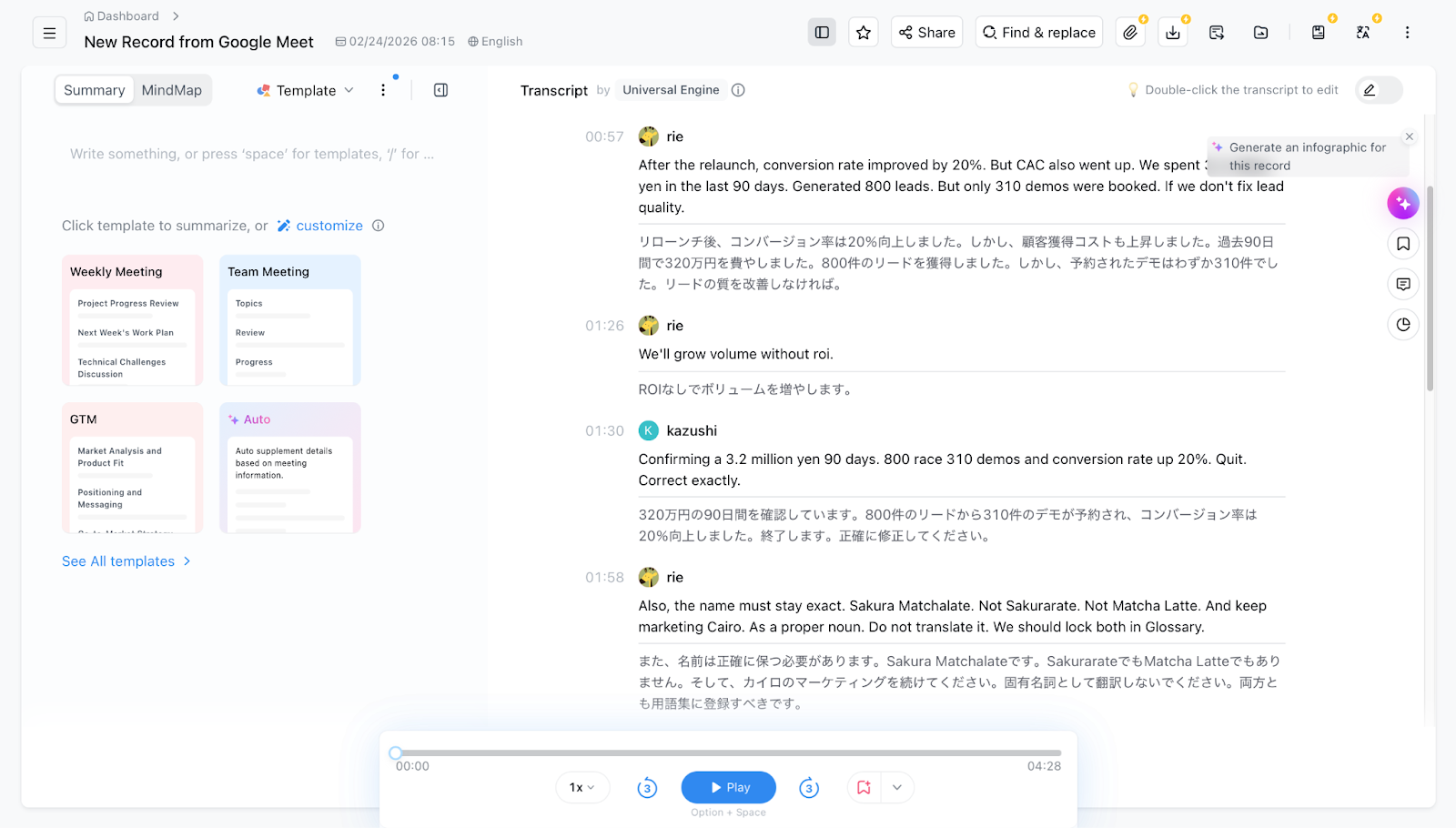
Notta is a productivity-first transcription tool designed to turn messy live conversations into high-quality, searchable text assets for remote teams.
Pros ・Solid Transcription Accuracy: Achieved a reliable 70% quality score in our live English- to-Japanese tests. makes sharing and editing results effortless. reliability. |
Cons ・Struggles with Cross-talk: During our stress test, overlapping voices resulted in a mixed, confusing transcript. to "Fast" click-and-go tools.. |
Votars
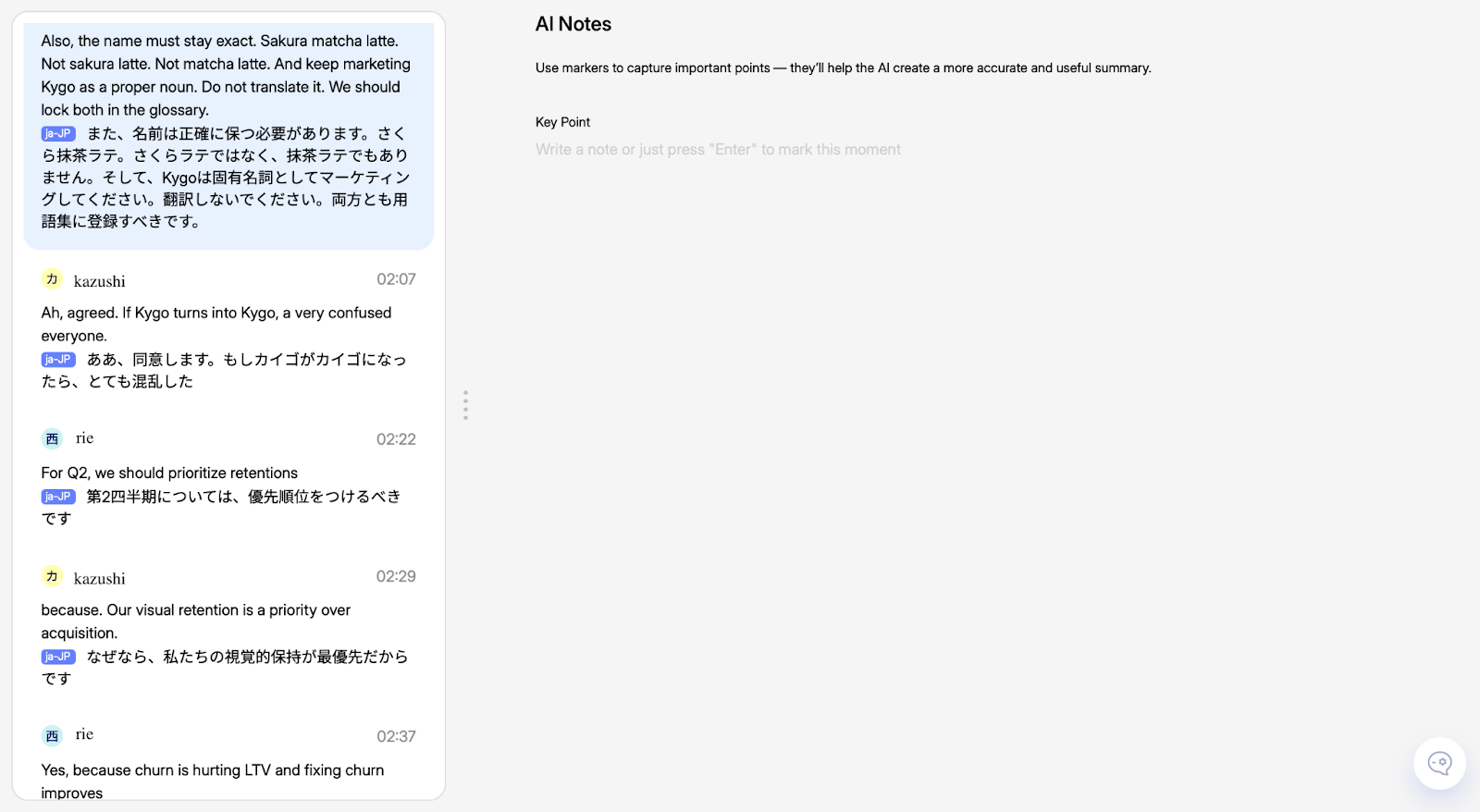
Votars positions itself as a "precision-first" engine, specifically engineered to handle complex speaker separation and technical terminology without substitution errors.
Pros ・Elite Speaker Separation: One of the few tools to "Pass" our cross-talk test, accurately recognizing different speakers without word substitution. complex business jargon. |
Cons ・Noticeable Lag: A 4–5 second latency makes it difficult for fluid, back-and-forth participation. |
Talo
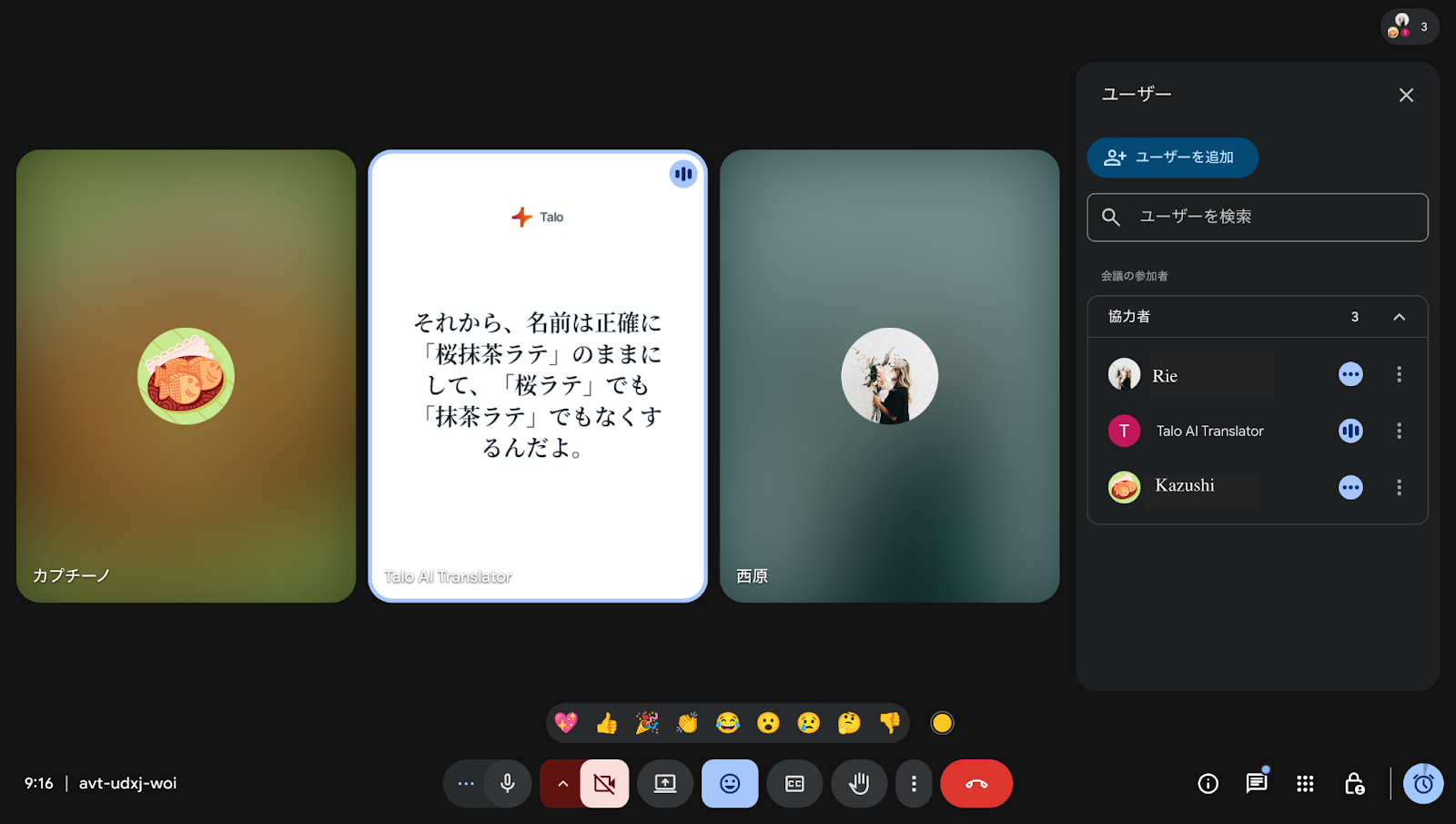
Talo is a specialized "speech-to-speech" interpreter that skips the text screen entirely to provide a near-instant, natural-sounding audio translation for fluid dialogue.
Pros ・Top-Tier Naturalness: Rated as "Excellent" for its human-like audio quality and 2–3 second ultra-low latency. making it feel like a real simultaneous interpreter. and specific terms. |
Cons ・Zero Archival Value: Does not support post-meeting reuse as it lacks text logs or summary features. |
DeepL Voice
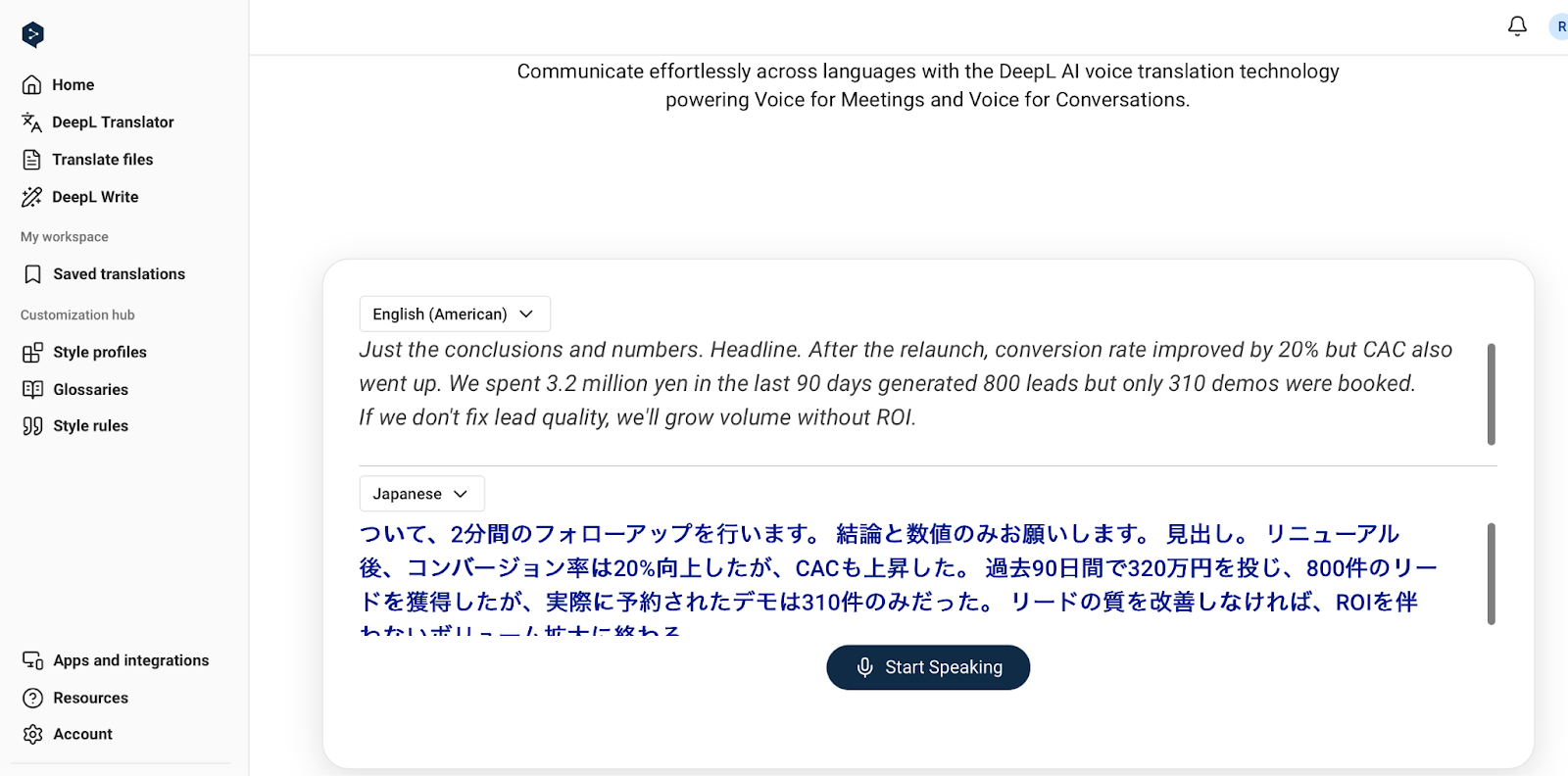
DeepL Voice leverages the world’s most accurate translation engine to provide high-context, professional-grade interpretation directly within Zoom and Microsoft Teams.
Pros ・Unmatched Accuracy: Achieved the highest quality score in our test (92%), capturing professional nuances other AIs miss. the conversation. follow-up documentation. |
Cons ・Weak Cross-talk Handling: Like Notta, it struggled during overlapping speech, resulting in a mixed transcript. |
Rimo Voice
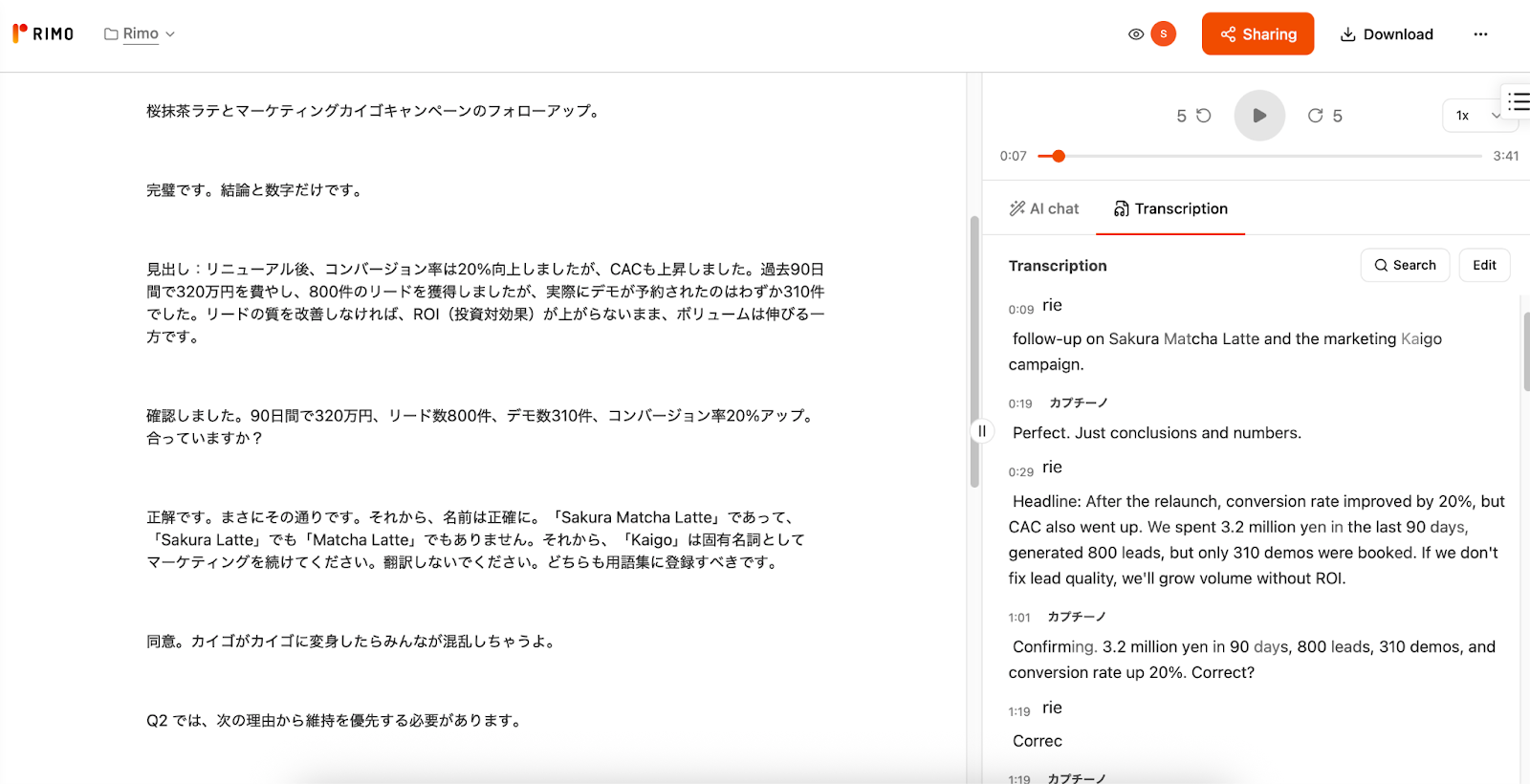
Rimo Voice is a high-precision real-time translation platform optimized for complex Japanese-English business contexts, transforming live dialogue into structured visual intelligence.
Pros ・Elite Translation Accuracy (90%): Achieved top-tier precision in capturing technical jargon and proper nouns, passing the cross-talk test with clear speaker separation. professional-grade summaries and meeting minutes. Most impressively, it automatically creates visual maps and diagrams of the discussion, allowing you to grasp complex decision flows at a glance. ・Long-term Knowledge Asset: Turns real-time streams into a searchable database with AI-generated summaries, maximizing the post-meeting ROI. |
Cons ・Stable but Moderate Latency: A 3–4 second lag is slightly slower than audio-only tools, though this provides the necessary context for its high-grade structural analysis. |
JotMe
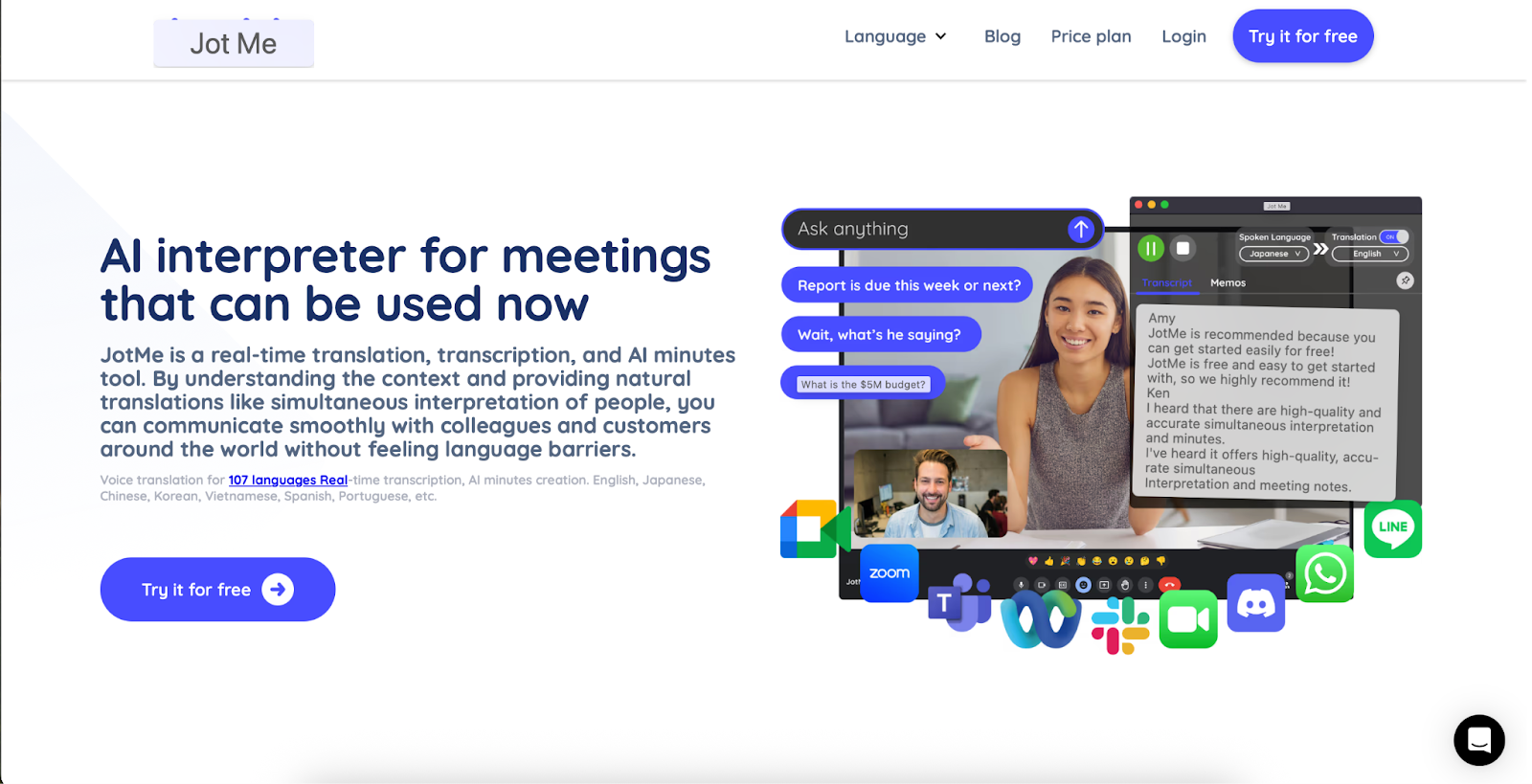
JotMe is a lightweight browser extension that provides the fastest path to real-time Google Meet translation without the need for external meeting bots.
※Note on Verification: Please note that due to hardware compatibility issues, we were unable to conduct a full hands-on test. The following points are based on officially published specifications and user documentation.
Pros ・Instant Click-to-Translate: As a Chrome extension, it allows users to start real-time translation and transcription instantly within Google Meet—no bot invitations required. and structured meeting notes almost immediately after the session ends. |
Cons ・Hardware Compatibility Barriers: In our attempt to verify the tool, we found that it was incompatible with older hardware (e.g., older MacBook Air models), preventing the installation entirely. Users with legacy systems should check specific requirements before choosing this tool. and archival features found in enterprise-grade platforms like Rimo Voice. |
[Bucket B] Best for Large-Scale Events
When shifting from internal meetings to large-scale events, the "winning formula" changes fundamentally. In this category, success is defined by Attendee Experience, Massive Concurrency, and Operational Stability.
To test these limits, we evaluated these tools using a dynamic, natural dialogue between two native speakers. This session, characterized by its spontaneous flow and nuanced expressions, served as a stress test for the AI’s ability to maintain real-time accuracy during high-energy exchanges. We examined whether the tools could capture the essence of this interaction and deliver it across a diverse array of target languages simultaneously without lag. For Bucket B, our evaluation assumes a "one-to-many" environment where the tool must serve thousands of participants at once, requiring a level of robustness and AV integration that standard meeting plugins simply cannot provide.
Tool | Translation Accuracy (English to Japanese) | Latency | Delivery method | Attendee experience | Ops complexity | Scale notes | Outputs Saved |
EventCAT | 98% | 1~2 Seconds | Visual Subtitles (Overlay/QR) | Frictionless Web-based; no app download. | Low Web integration. | Unlimited via RTMP. | Transcripts & Summaries. |
KUDO | (92–95% )* | - (No data) | Audio & Text (Web/Teams) | Professional Multichannel Audio. | High Routing/Scheduling. | 3,000+ per session. | Audio/Text logs & AI data. |
Wordly | 95.0% - 96.0% | 2~3 Seconds | Audio & Text (QR/Mobile) | Convenient "Bring Your Own Device." | Low Self-service setup. | tens of thousands | Transcripts & AI Recaps. |
Interprefy | - (No data) | - (No data) | Audio & Text (multiple access modes; integrations with major meeting platforms) | Seamless Embedded in Teams/Zoom. | Medium Project Support. | Unlimited; Global Infra. | Recordings & Subtitles. |
Boostlingo | - (No data) | - (No data) | Audio & Text (Unified) | Interactive Slides/Polls/Chat. | Medium Support-assisted. | Enterprise Scalability. | Transcripts & Recordings. |
*Data based on KUDO’s published specifications; not independently tested.
EventCAT
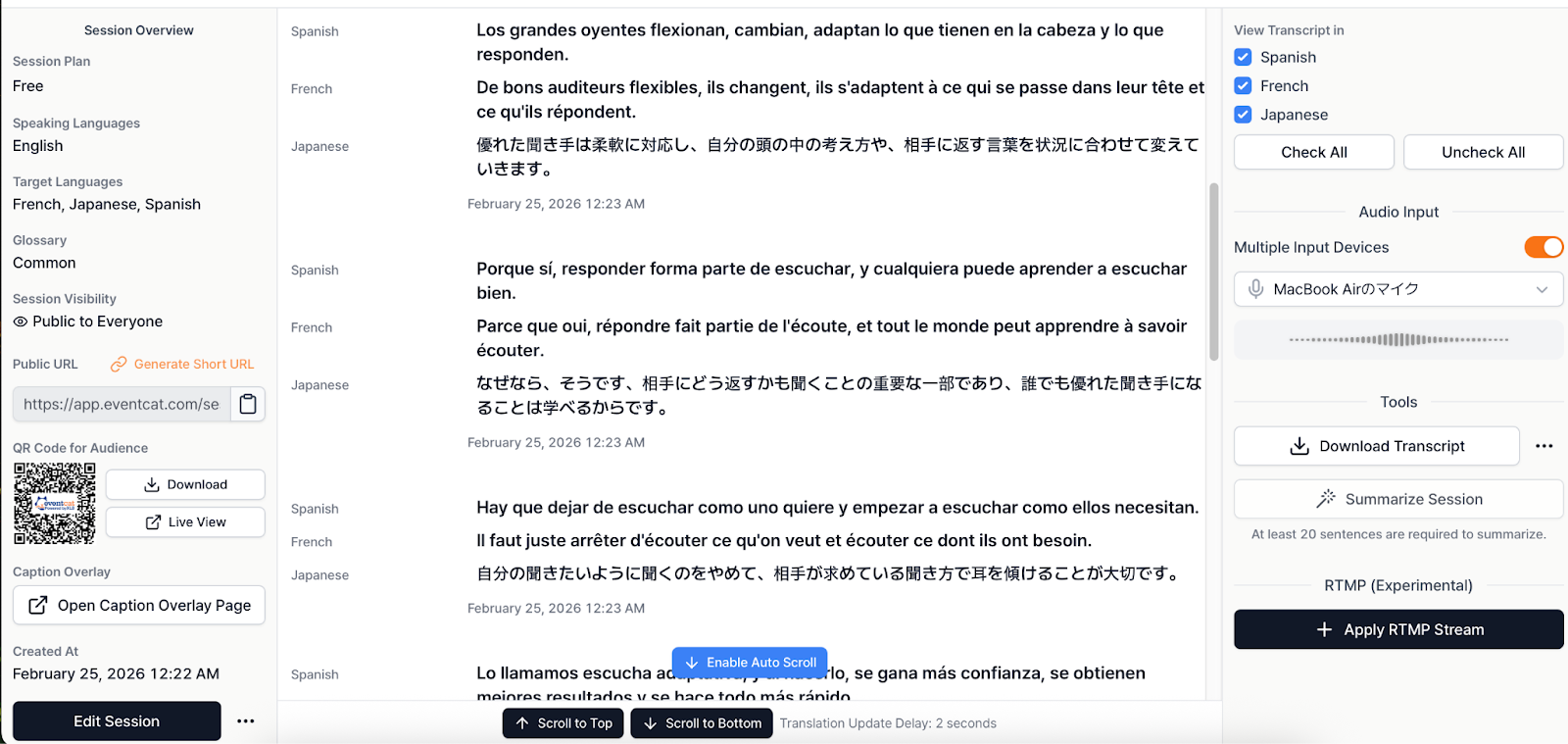
EventCAT is a powerful broadcast-oriented tool that excels in high-accuracy subtitle overlays for webinars and keynotes.
Pros ・Industry-Leading Accuracy (98%): Achieved the highest translation quality in our one-way broadcast test, with near-perfect terminology handling. with the speaker's rhythm. it ideal for scale. |
Cons ・One-Way Focus: Optimized for "one-to-many" scenarios; less effective for interactive, multi-speaker roundtable discussions. |
KUDO
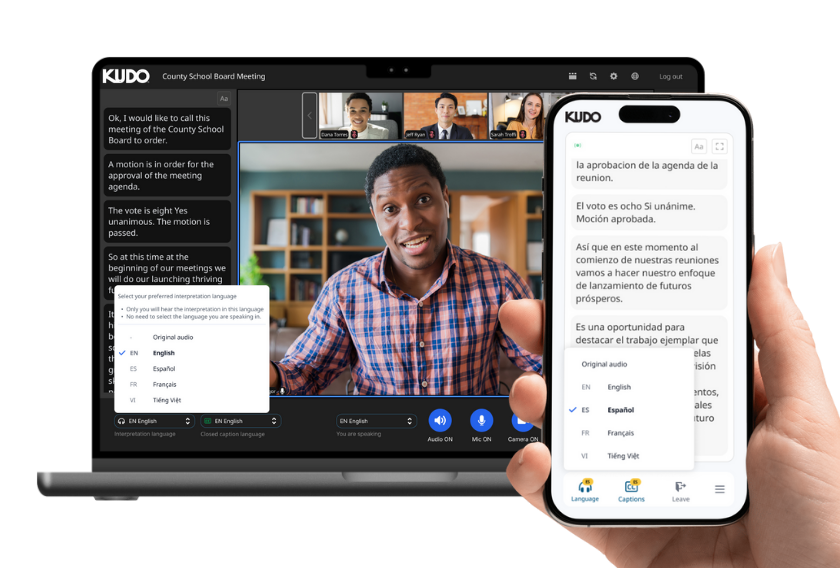
KUDO is an enterprise-grade Remote Simultaneous Interpretation (RSI) infrastructure that bridges the gap between AI efficiency and professional human expertise.
※Note on Accessibility: Please note that KUDO does not offer a public free trial. To test the platform, you must contact their sales team for a managed demo.
Pros ・Hybrid Intelligence: Allows seamless switching between 92-95% accurate AI translation and professional human interpreters for high-stakes content. summits and corporate boardrooms. |
Cons ・High Operational Complexity: Requires professional audio configuration and scheduling, making it a "heavy" solution for simple meetings. |
Wordly
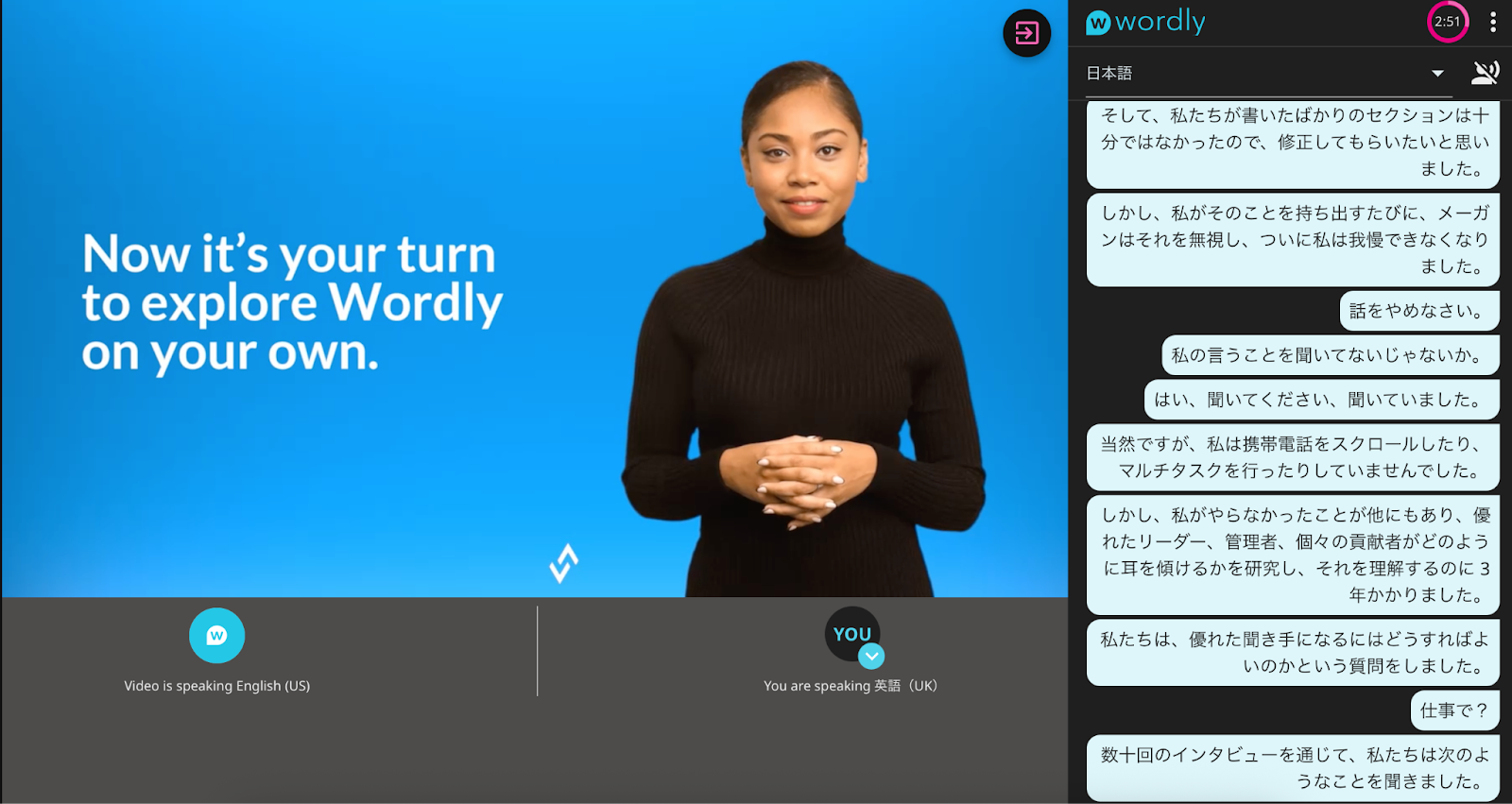
Wordly is a highly accessible "Bring Your Own Device" platform designed for inclusivity at massive conferences and hybrid events.
Pros ・Proven Reliability (95-96%): Demonstrated consistent high accuracy across dozens of languages during our live stress test. attendee with their choice of audio or text. specialized AV equipment. |
Cons ・Standard Audio Latency: A 2–3 second lag is acceptable for events but may feel slightly disconnected for fast-paced interactive sessions. |
Interprefy
Interprefy provides a robust, global infrastructure for multilingual communication, integrating deeply with major platforms like Zoom and Microsoft Teams.
Pros ・Global Scalability: Backed by enterprise-ready infrastructure designed to support unlimited participants across 80+ languages. and Google Meet for a consistent user experience. |
Cons ・Managed Services Overhead: Often requires project-specific support, which may increase lead times and total operational costs. |
Boostlingo
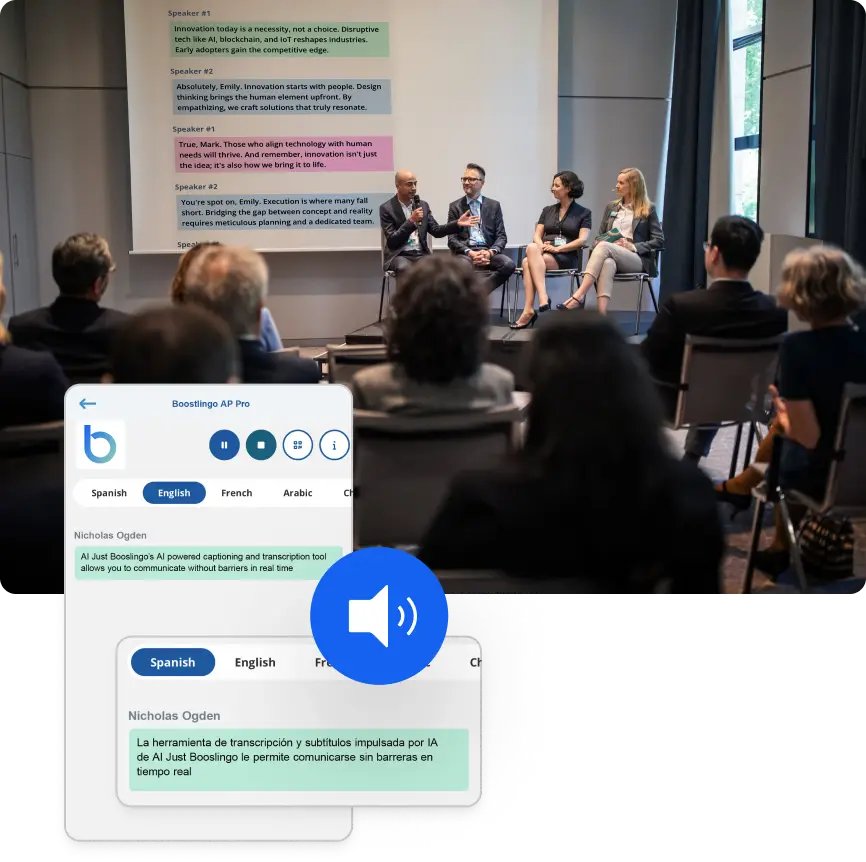
Boostlingo localizes the entire event ecosystem, ensuring that interactive elements like polls and slides are translated alongside live speech.
※Note on Accessibility: This platform is strictly enterprise-facing. You cannot test the service immediately; a consultation with their sales department is required.
Pros ・Unified Experience: Synchronizes real-time translation across speech, live chat, slides, and audience polls for true inclusivity. and legal interpretation. |
Cons ・Complex Ecosystem: The full feature set requires a centralized command center approach, which may be complex for small-scale event organizers. |
[Bucket C] Best for Broadcast & Streaming
In the world of professional broadcasting and 24/7 streaming, the "winning formula" is defined by multilingual scalability, subtitle workflow integration, and rigorous quality control. Unlike standard meetings, broadcast environments require captions that adhere to strict timing and formatting standards (such as CEA-608/708) while scaling to millions of viewers simultaneously.
We evaluated these tools based on their ability to integrate into professional AV pipelines (RTMP/SRT/HLS), their support for "Human-in-the-loop" QA, and their robustness in high-concurrency environments.
Tool | Technical Workflow & Integrations | Translation Accuracy | Compliance & Formats | Scalability & Load |
DeepL + SyncWords | Top-tier. API-driven; fits into standard broadcast chains. | 95.0% | CEA-608 SRT, VTT, DVB-TTML | Unlimited (Cloud-native) |
Maestra AI | All-in-One. Cloud dashboard with live player embed. | 94.0% | SRT, VTT, MP4, Embeddable | Medium to High |
DeepL + SyncWords
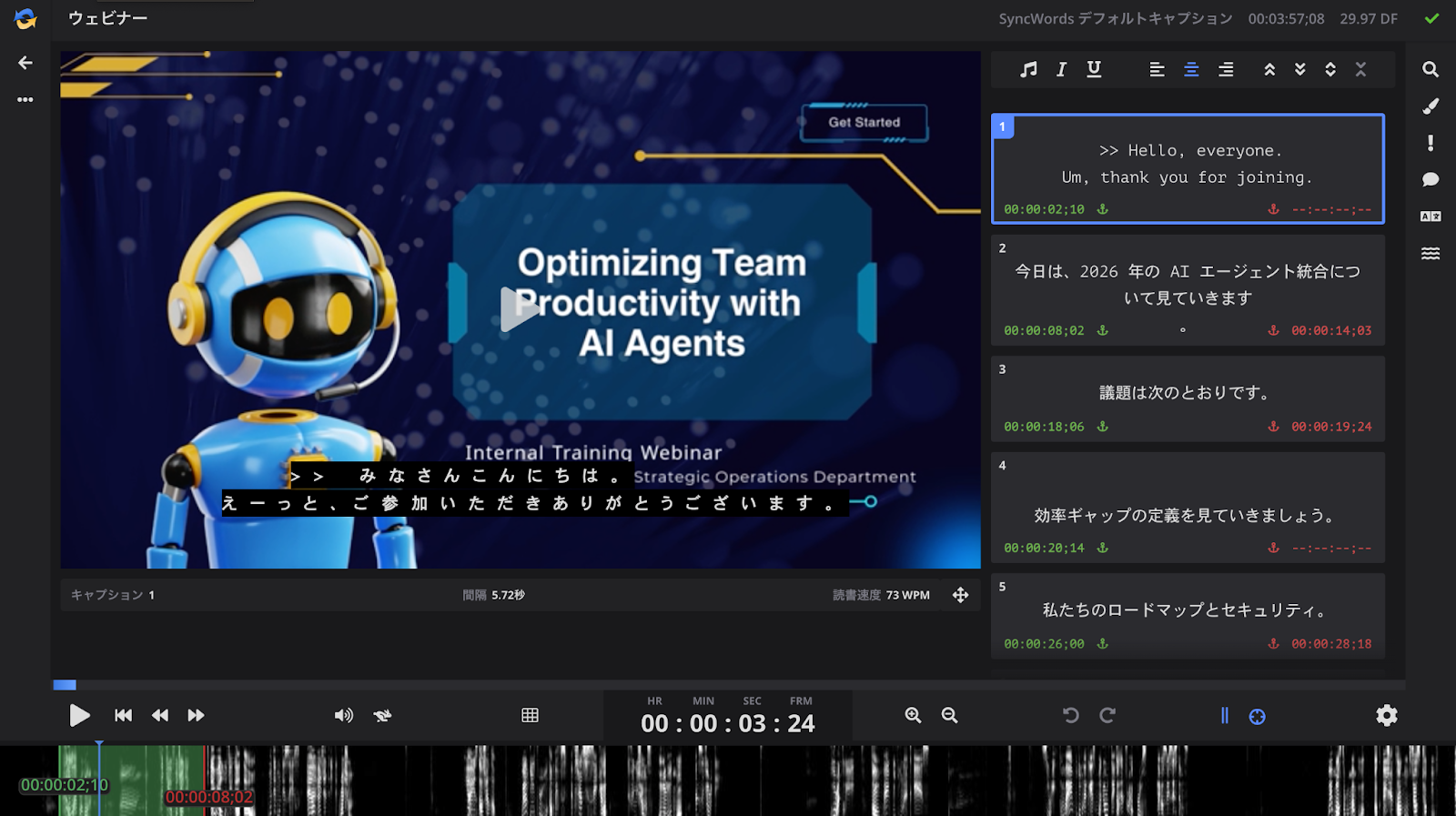
DeepL + SyncWords is the gold standard for broadcast-grade subtitle pipelines, combining world-class translation API with professional captioning infrastructure.
Pros ・Broadcast Compliance: Fully supports professional standards like CEA-608/708 and DVB-TTML, ensuring subtitles are accessible and legally compliant for live TV and streaming. near-perfect synchronization and timing, making it indistinguishable from high-end manual captioning. HLS protocols. |
Cons ・Complex Ecosystem: This is not a "plug-and-play" app; it requires a deep understanding of captioning workflows and API configurations. |
Maestra AI
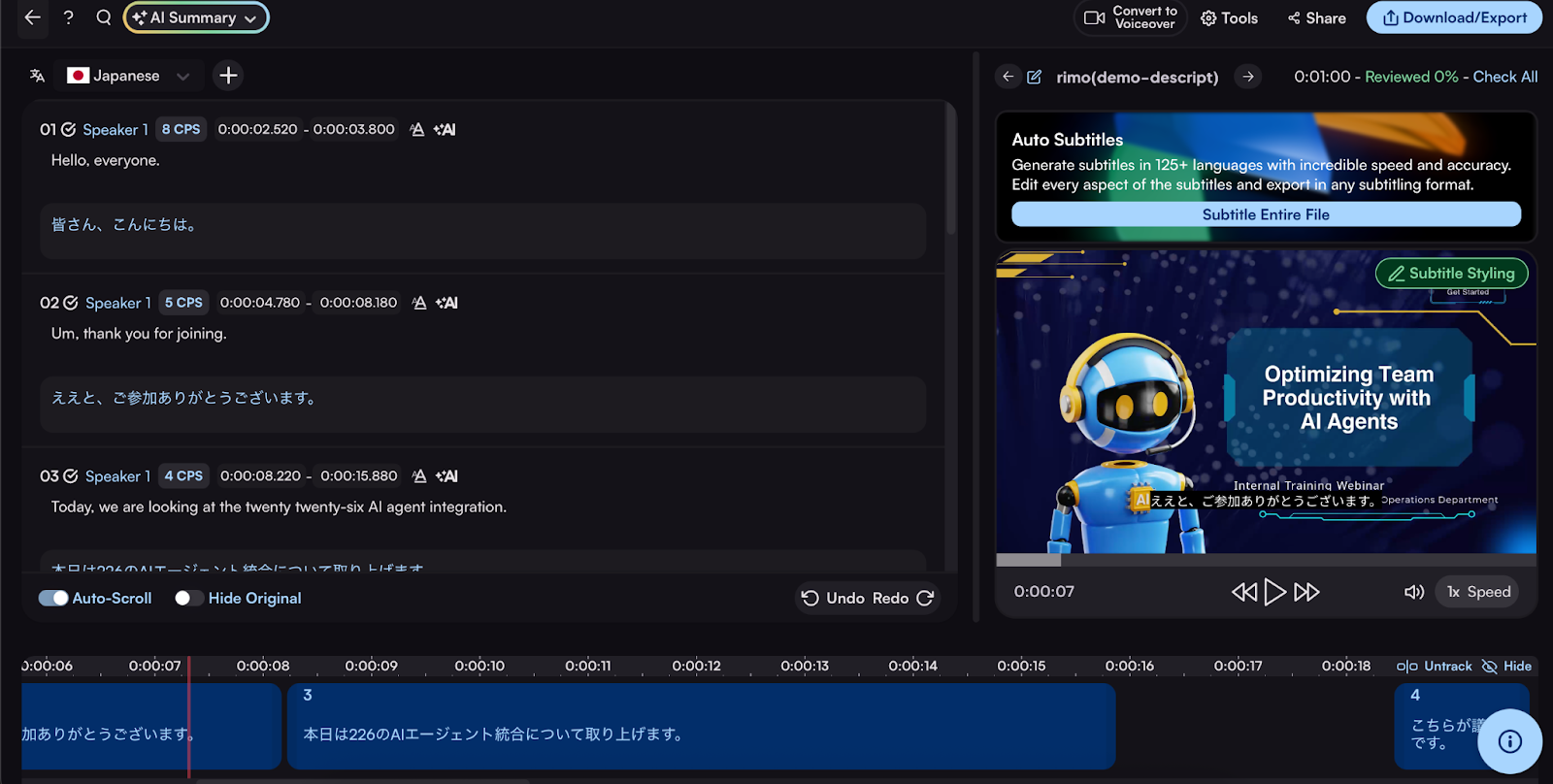
Maestra AI is an all-in-one content localization suite that simplifies the journey from live stream to multilingual on-demand assets.
Pros ・Vast Language Support: Impressed in our tests with support for over 125 languages across transcription, translation, and even AI dubbing. MP4 files for use in external video editing pipelines (e.g., YouTube localization). and voiceovers in a single cloud interface. |
Cons ・Moderate Scalability: While excellent for creators and medium-sized streams, it may lack the unlimited concurrency of cloud-native giants like SyncWords for million-viewer events. |
Pricing Models Compared (What You’ll Actually Pay)
Is a $50/month subscription cheaper than a $500 per-event fee? Not always. In 2026, we look at the "True Cost of Ownership." If a cheap tool requires your engineers to spend 5 hours fixing glossary errors before every call, that "cheap" tool just cost you $1,000 in labor.
H3: Subscription vs. usage-based vs. event-based pricing
Most real-time translation tools land in one of these buckets:
Pricing type | How it’s billed | Best for | Watch-outs |
Subscription | per seat / per month | steady meeting volume | you pay even when usage drops |
Usage-based | per minute / per hour | variable volume, pilots | costs spike with long events |
Event-based | per event / per day | conferences, one-offs | staffing/setup costs can dominate |
The Invisible Expenses: Setup Time, Glossaries, and QA Resources
List price ignores the real killers:
Setup time (who configures audio routing, languages, access?)
Glossaries (proper nouns, product names, industry terms)
QA loops (someone must spot-check, fix, re-run, or publish)
In streaming, for example, reducing lag can require better infrastructure and integration—SyncWords’ broadcast-oriented messaging explicitly focuses on live workflow delivery and scaling across outputs, which is a different cost structure than a meeting bot.
How to estimate ROI (simple back-of-the-envelope)
Instead of complex financial models, focus on the two biggest "time-thieves" in global business: Inefficient Meetings and Manual Documentation. If the sum of these exceeds the tool's cost, you have an immediate business case.
The Time-Saved Formula Monthly Value=Lost Hours Recovered×Hourly Wage |
Calculation Example: 10-Person Global Sync
The Meeting: 10 people ($50/hr average) meeting for 1 hour, 4 times a month.
The Savings: 1. Meeting Gain: 8 hours recovered (10 people × 4 hrs × 20% efficiency boost). 2. Minutes Gain: 8 hours recovered (Manager stops spent 2 hrs/week translating).
Total Value: 16 hours × $50 = $800 / month.
Against a $30 subscription, the tool pays for itself 26 times over every month.
How to Choose the Right Real-Time Translation Tool
Real-time translation tools are not interchangeable.
The right choice depends less on “which tool is best” and more on what problem you are solving:
Smooth conversations
Audience delivery
Subtitle operations
Content reuse
Enterprise reliability
Use the decision rules below to map your scenario directly to the right category of tools.
If you need smooth conversations (prioritize latency & overlap handling)
When translation is part of live discussion, conversational flow matters more than raw translation metrics.
Prioritize:
Low latency
Cross-talk handling
Speaker continuity
Incremental translation (not delayed full sentences)
Recommended choice ・Rimo Voice →meeting-first workflows & collaborative conversations |
If participants must think, respond, and collaborate in real time, choose tools built for meetings — not events.
If you need audience access (prioritize delivery & ops)
Large events are delivery problems, not conversation problems.
Prioritize:
QR/browser access
No installation required
Scalable viewer delivery
Operator simplicity
Recommended tools ・Wordly → strong one-to-many delivery |
Because audience onboarding friction matters more than conversational latency in large events.
If you need subtitle operations (prioritize workflow & QA)
Streaming workflows require production pipeline compatibility.
Prioritize:
Audio capture flexibility
Subtitle overlays
Glossary control
Export formats
Recommended tools: ・SyncWords workflows → broadcast-style caption pipelines |
These tools integrate better into production environments than meeting platforms.
If you need post-meeting reuse (prioritize outputs & shareability)
This is where most teams make the wrong decision. Instead of: Which tool translates best? Ask: Does the meeting move forward afterward?
Primary recommendation ・Rimo Voice |
Why:
Converts conversations into structured assets
AI summaries accelerate follow-up work
Shareable outputs reduce manual documentation
Translation accuracy alone does not increase productivity — usable outputs do.
If you’re accuracy-first (what to prioritize—and what to ignore)
Accuracy is often misunderstood. Do NOT evaluate based only on word-level translation.
Evaluate in this order:
Stability of proper nouns, numbers, technical terms
Cross-talk tolerance
Acceptable latency
Which to choose:
Enterprise or high-stakes multilingual meetings: tools with structured interpretation workflows (e.g., KUDO).
Large events: delivery-focused platforms where stability and scale matter more than conversational precision.
Streaming workflows: tools optimized for subtitle timing and operational reliability.
Even if you prioritize accuracy, remember that events and streaming environments often favor delivery reliability over linguistic perfection.
If you’re price-first (how to compare true cost, not list price)
Price isn’t just the subscription — it’s the total operational cost over time.
True cost = Monthly fee + (setup hours × hourly rate) + (QA minutes × meetings)
If price is your main concern, choose based on how you actually plan to use the tool:
If you run frequent meetings and want to reduce manual follow-up work
Choose workflow-focused tools like Rimo Voice, where transcription, summaries, and sharing reduce ongoing labor costs.If you only need translation occasionally for events
Event-oriented platforms like Wordly or similar tools may be more cost-efficient since pricing is often session-based.If you need enterprise governance or professional interpretation workflows
Tools like KUDO may have higher setup or operational costs but can justify the investment in regulated or large-scale environments.
A cheaper monthly plan can become expensive if it requires heavy manual correction or additional workflow steps after every session.
If you’re ease-of-use first (setup time, UX, and team adoption)
Ease-of-use means low deployment friction — how quickly teams can start, how easily participants join, and how smoothly sessions run without technical stress.
If ease of use is your priority, choose based on what kind of workflow you need:
If you want the fastest path from meeting → usable output
Choose Rimo Voice.
Designed for meetings first, it minimizes setup friction and turns conversations into structured summaries and shareable assets immediately after the session.If your biggest concern is making audience onboarding effortless
Choose Wordly.
Participants can join via browser or QR code without installing software, making it ideal for multilingual events.
If you need deep admin control and enterprise-grade management
Choose KUDO.
Setup is heavier, but it offers structured control for organizations that prioritize reliability and governance.
Final Verdict: The Best AI Translation Tools for 2026
In 2026, the “best tool” is the one that matches your operating reality:
Meetings: conversation survival (latency + overlap) + reuse (outputs)
Events: attendee delivery + ops + scale
Streaming: workflow + formats + QA + low-lag pipelines
The trend line is clear: language AI is moving closer to real-time voice experiences—DeepL Voice includes offerings for meetings and has announced real-time speech transcription/translation capabilities via its Voice API.
But human responsibility doesn’t disappear—it shifts into setup, governance, terminology, and quality control.
FAQ — Real-Time AI Audio Translation
If you’re still feeling a bit skeptical about letting an AI handle your next big conversation, don’t worry—you’re not alone. Here are the honest answers to the questions we hear most from professionals in the field.
What’s the best real-time AI audio translator for Zoom/Meet/Teams?
There’s no single “best” tool—because Zoom/Meet/Teams users actually need two different things: understanding (captions) or conversation flow (interpreted audio).
If you need low-friction captions inside your meeting platform:
DeepL Voice for Meetings is purpose-built for virtual meetings, enabling multilingual live captions in Microsoft Teams and Zoom.If you need speech-to-speech interpreting (audio) for smoother back-and-forth:
Microsoft Teams’ Interpreter agent provides real-time speech-to-speech translation (closer to simultaneous interpreting than subtitles).If you want a reusable meeting asset (minutes, summaries, sharing) after the call:
Tools like Rimo Voice or Notta make the transcript and follow-up workflow the product—not just the translation.If it’s a 100+ person webinar or one-to-many session:
Use delivery-first platforms like Wordly (QR / browser access, no downloads) or enterprise event stacks like Interprefy for meeting and event integrations.
See the scorecards section for how we measured latency, cross-talk handling, and output reuse in our A/B/C scenarios.
Is real-time AI translation accurate enough for negotiations?
To be honest: Trust the gist, but verify the specifics.
AI is excellent at capturing the "flow" of a negotiation, but it can still struggle with numbers, "not/don't" (negations), or specific legal conditions. For high-stakes moments.
Best Practice: Always have the Live Transcript open. If something sounds weird, look at the original text immediately. Use the AI to understand, but use the final written transcript to confirm.
Why do translations lag?
Lag usually isn't about your internet; it’s about Contextual Patience. AI needs to hear a full sentence before it can translate it accurately. If it translates word-by-word, the grammar will be a disaster. To reduce the feeling of lag.
How do you handle fast speakers and cross-talk?
AI is a smart listener, but it's not a miracle worker. You need some Meeting Hygiene.
The One Mic Rule: Use the host’s power to ensure only one person speaks at a time. Cross-talk is the #1 reason for AI "meltdowns."
Strategic Muting: If you aren't speaking, mute your mic. This removes background noise that confuses the AI.
Moderator Guidance: If someone is speaking too fast, have a moderator politely ask for a "pause for translation." It helps the humans in the room too!
When does accuracy drop (accents, noise, jargon)?
AI has its "kryptonites." Accuracy drops sharply in these three scenarios:
Heavy Background Noise: A coffee shop’s clatter or a fan blowing into a mic will ruin the translation.
Strong Accents: While 2026 models are better, non-native speakers with very heavy accents still face higher error rates.
New Jargon: If your project name was invented yesterday, the AI won't know it. Pre-load your glossary into the tool whenever possible.
Related articles
Krisp AI Review 2025: The Ultimate Meeting Assistant or Just a Noise-Canceling App?
Oct 24, 2025
Tired of AI Bots in Your Meetings? Granola AI Review: Our Hands-On Test vs. Otter & Fireflies (2025)
Nov 11, 2025
Fireflies.ai Review for 2025: Why This AI Teammate Is Changing How Teams Run Meetings
Dec 25, 2025
Return to List