
Return to List
Metaview AI Review (2026): The Recruiting Notetaker That Autofills Scorecards


(Note: This is a review of metaview.ai, the AI recruitment platform, not to be confused with Meta's hardware or other legacy 'Metaview' software.)
Picture this: It’s 6:17 PM, and that dreaded Slack ping arrives: “Can everyone submit scorecards by tonight?”
If your hiring loop is plagued by messy notes and late feedback, Metaview is built for you. It’s not just a transcription tool; it’s a decision engine. By turning raw conversation into structured evidence, a recruiter handling 10+ interviews can reclaim 5–8 hours of high-focus time every single week. Instead of staring at a blank page, Metaview bridges the gap between a great interview and a confident hire—helping your team move fast without the guesswork.
Metaview, Explained Like You’re Hiring Tomorrow
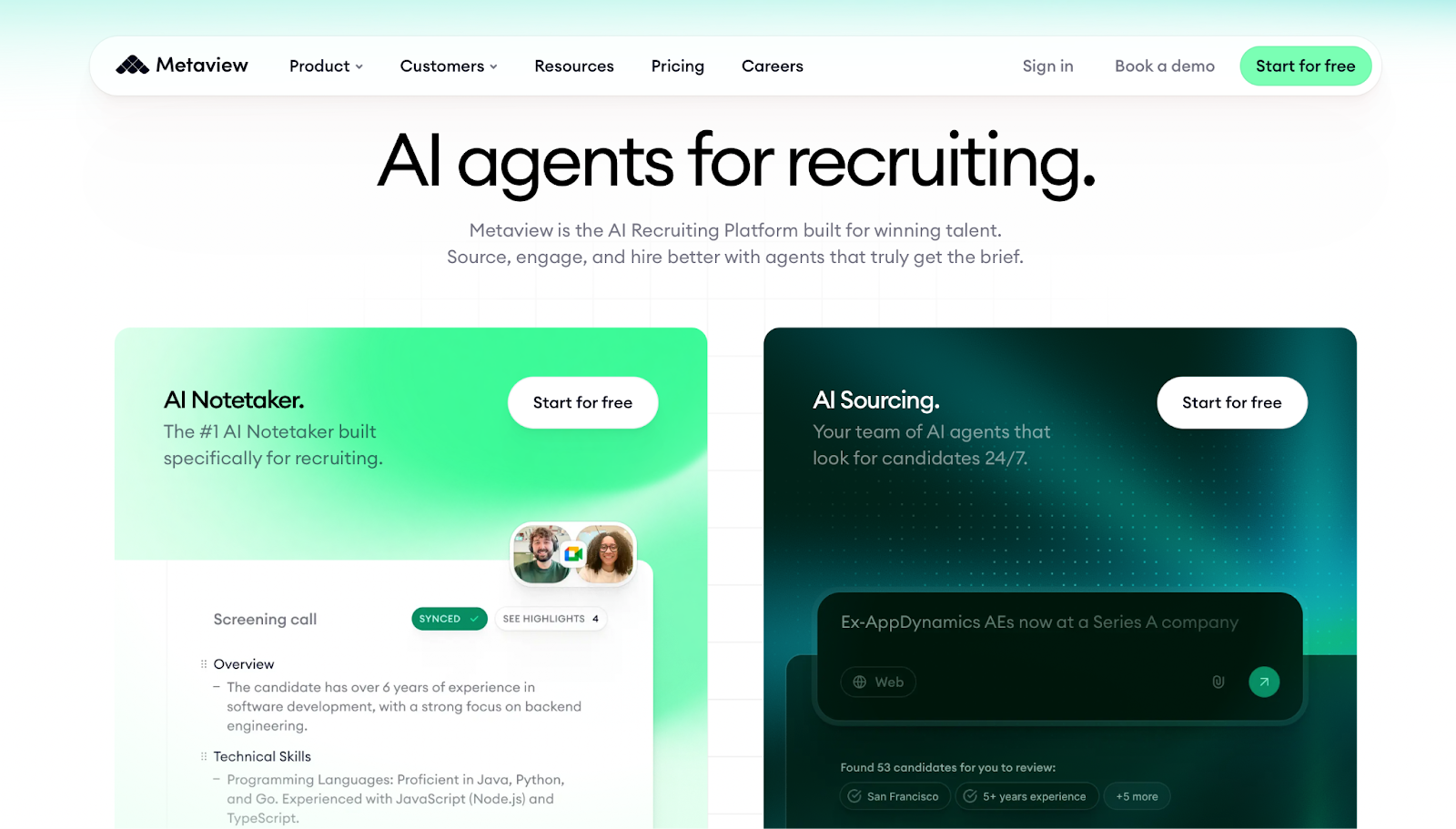
Most AI tools try to do everything for everyone. Metaview does one thing for one person: it helps the hiring manager who is tired of guessing. Before we dive into the "how," let’s look at why this isn't just another recording bot, but a dedicated brain for your recruiting pipeline.
What is Metaview?
Metaview is an AI-powered "interview intelligence" platform designed to transcribe, summarize, and organize hiring conversations into actionable data. Unlike a generic recorder, it doesn’t just give you a transcript; it prepares the evidence you need to make a hiring decision.
In short: It turns your messy interview chatter into a perfectly drafted candidate scorecard.
What does “interview intelligence” mean ?
“Interview intelligence” is a fancy phrase for something surprisingly simple: turning interview conversations into hiring-ready evidence.
Regular meeting notes answer: “What did we talk about?”
Interview intelligence answers: “What did the candidate prove—and what should we decide next?”
That difference matters because hiring isn’t a memory test. It’s a decision under time pressure, across multiple humans, with inconsistent standards. Metaview’s pitch is that it helps your team keep the standards consistent—and the evidence easy to find.
What Metaview does better than normal meeting notes
Most notetakers are timeline-first: a neat recap, a list of action items, a transcript in case you need it. That’s perfect for weekly standups—and weirdly unhelpful for hiring.
In hiring, the pain shows up after the call: you still have to translate messy notes into a structured scorecard. Metaview tries to skip that “translation tax” by organizing notes around interview questions and evaluation signals—so your feedback starts closer to “decision-ready” instead of “raw notes.”
The “Aha” Moment — When Metaview Starts Paying for Itself
To see if Metaview lives up to the hype, I didn’t just read the manual—I ran a series of simulated "demo interviews" to put the AI through its paces. By recreating high-pressure hiring scenarios (from technical deep dives to behavioral rounds), I wanted to see if the tool handles the chaos of a real conversation or just creates more work.
During my demo runs, there was a specific moment where the value became undeniable. It’s the "Aha!" moment when you realize you’re no longer fighting your memory to reconstruct what was said. Here are the three standout features I discovered during my testing that turn a messy transcript into a strategic asset.
Notes that follow questions, not timestamps
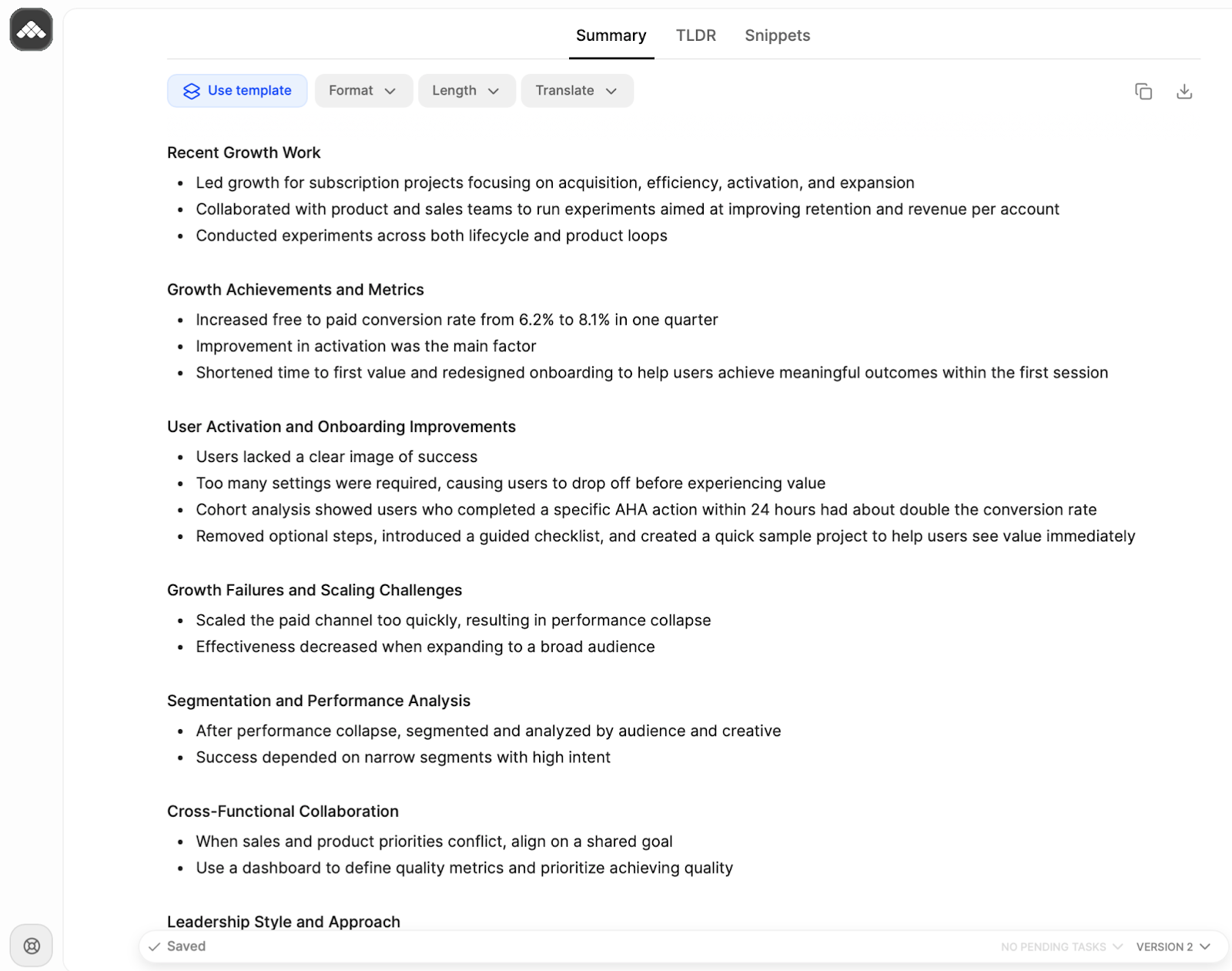
The first “aha” is when notes stop looking like a timeline and start looking like a scorecard-in-progress.
Imagine a behavioral interview. You ask about conflict, ownership, decision-making. With generic notes, you later scroll through a recap trying to find the one sentence that mattered. With question-shaped notes, you jump straight to the section you need—and your brain finally stops doing detective work.
Evidence, not vibes: pulling quotable signals
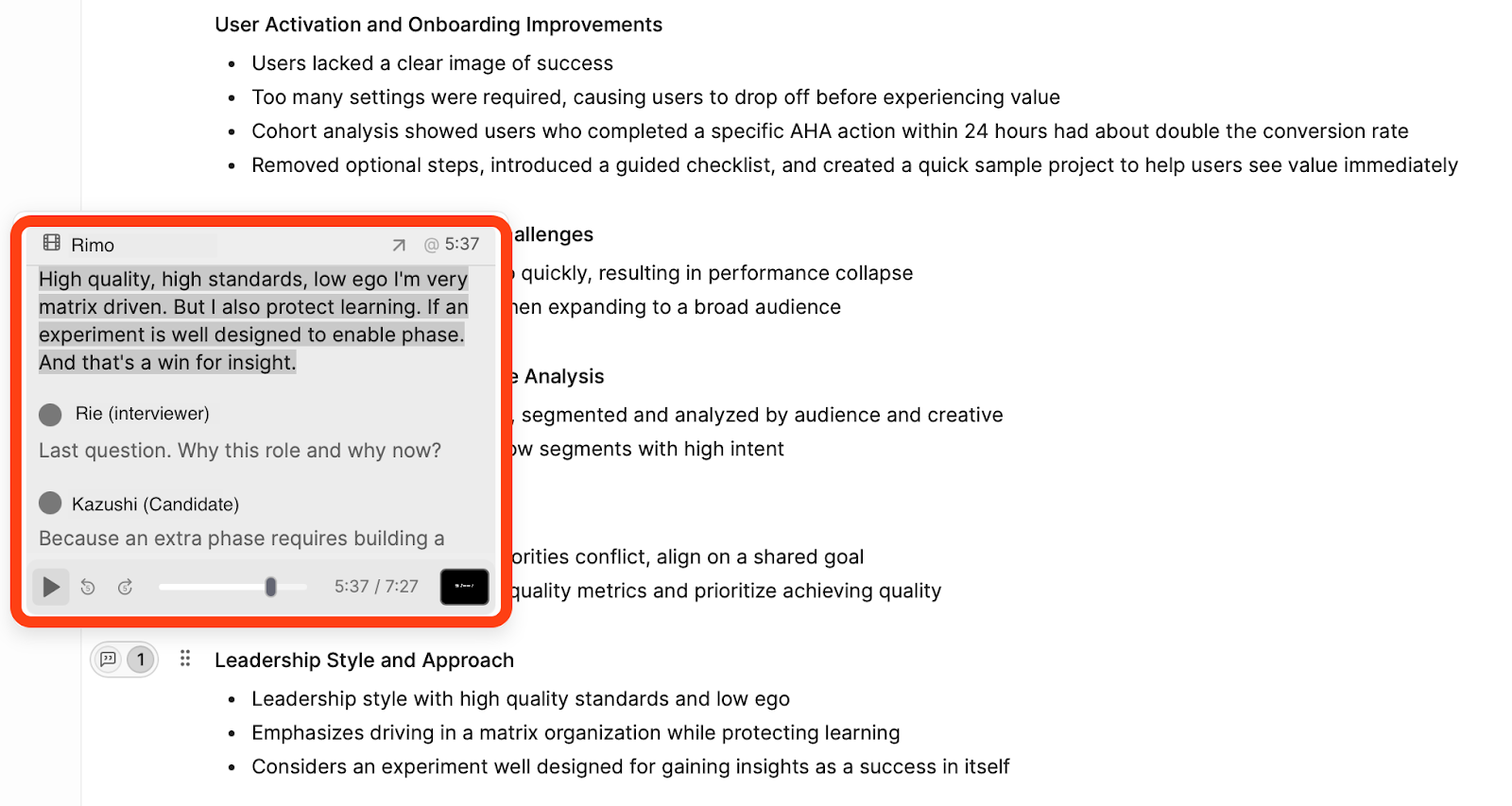
Metaview turns "I liked them" into "Here’s what they demonstrated." Instead of vague summaries, it pins feedback to specific evidence.
In my test, a question about peer feedback revealed a "High Standards / Low Ego" leadership style through concrete signals:
High Standards: Quotable proof of blocking a release to maintain data integrity.
Low Ego: Specific examples of driving results in a matrix org by sharing credit.
Protecting Learning: Reframing a failed launch as "a successful experiment for insights."
This transforms debriefs from a battle of gut feelings into a data-driven decision based on verbatim evidence.
Scorecards: the autofill / draft workflow that saves real time
This is the main event: scorecards.
The best mental model is: AI drafts, humans decide. Metaview can help create a structured draft so the interviewer only has to validate, edit, and add judgment—rather than rebuilding everything from scratch after a long day.
If your current reality is “scorecards take 15–25 minutes and half of them are late,” even a small reduction becomes a compounding win across dozens (or hundreds) of interviews.
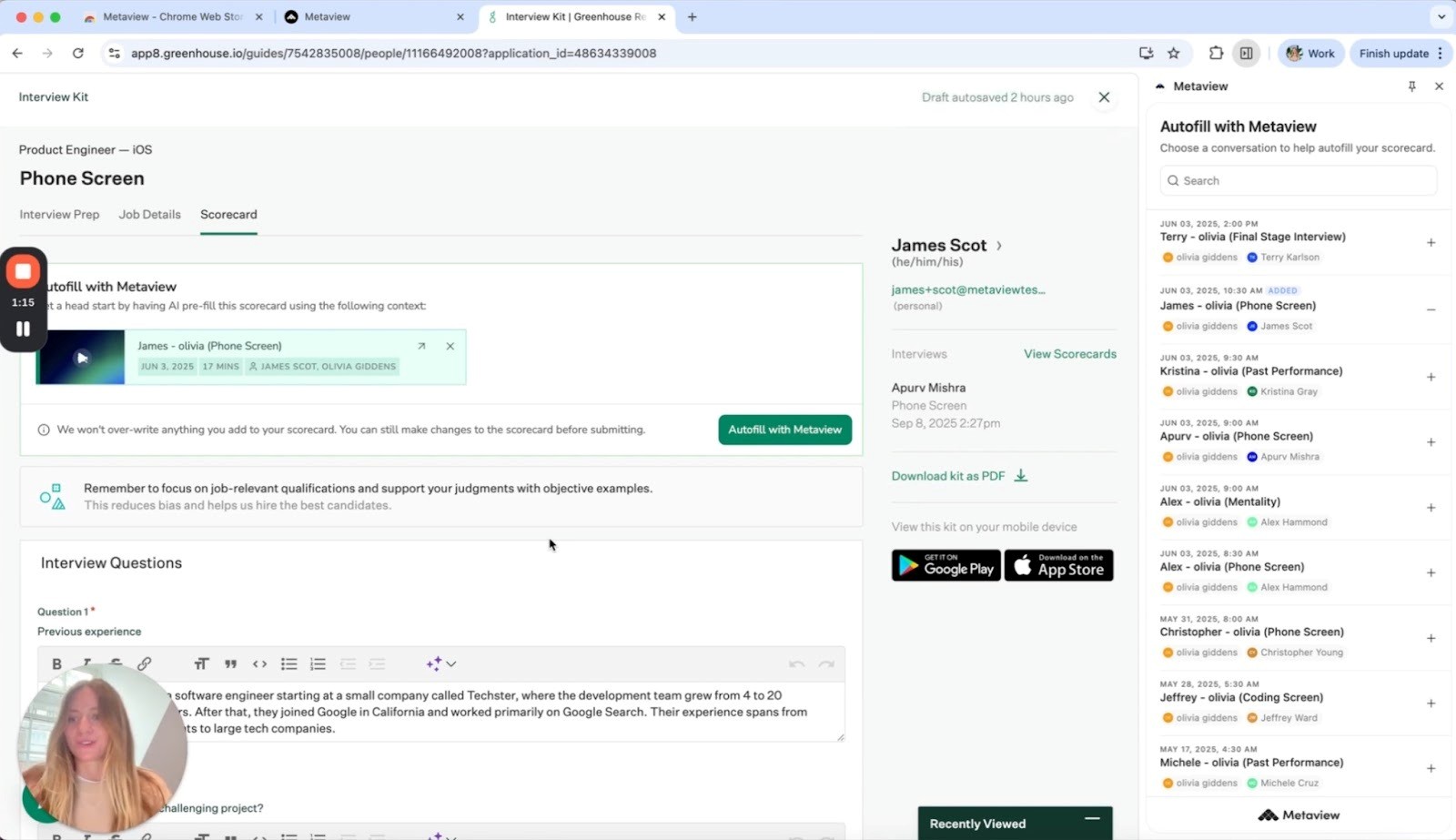
The Real-World Workflow: One Hiring Loop, Start to Finish
What does it actually feel like to have an AI assistant in your corner? Based on the end-to-end workflow I tested during my trial runs, here is a step-by-step look at how Metaview transforms the entire interview hour—from the moment you open the calendar to the final click of the scorecard.
Before the call: what you set up and what you don’t
What you do: Invite the Metaview bot to your live meeting (via calendar integration) or upload a recording file after the interview is over.
What you DON'T do: You don't need to write out a manual prompt for every meeting or worry about starting a recording. If it's on your calendar as an interview, Metaview is ready.
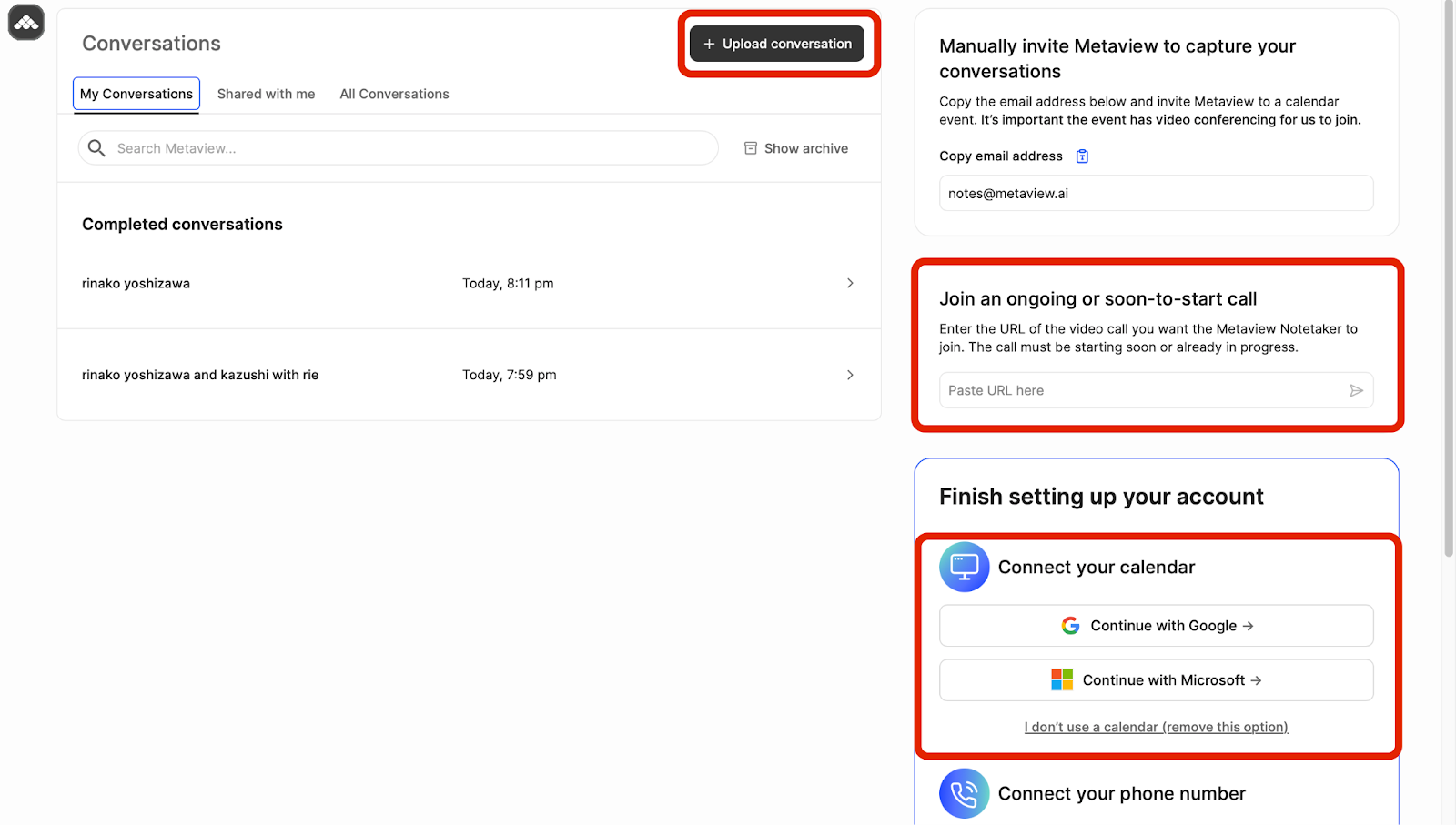
During the call: what changes for the interviewer
The heavy lifting of note-taking is gone, replaced by genuine human connection. You are no longer a transcriber; you are an evaluator.
What you do: Look the candidate in the eye, notice their micro-expressions, and ask those "killer" follow-up questions that reveal their true potential.
What you DON'T do: You don't stare at your keyboard, frantically scribbling half-finished sentences while missing the nuance of the candidate’s story.
After the call: how feedback becomes decision-ready
The moment you hang up, Metaview’s engine fires up. While you’re grabbing a glass of water, the AI is already busy turning a messy conversation into a professional, structured scorecard.
What you do: Switch between interview templates at will to generate the perfect note for your needs. You can translate the text, adjust the formatting (like bullet points), and toggle the length or level of detail. Simply review the evidence provided and click "Submit" to your ATS.
What you DON'T do: You don't spend 30 minutes wrestling with a blank page or re-listening to the recording to find that one missing detail.
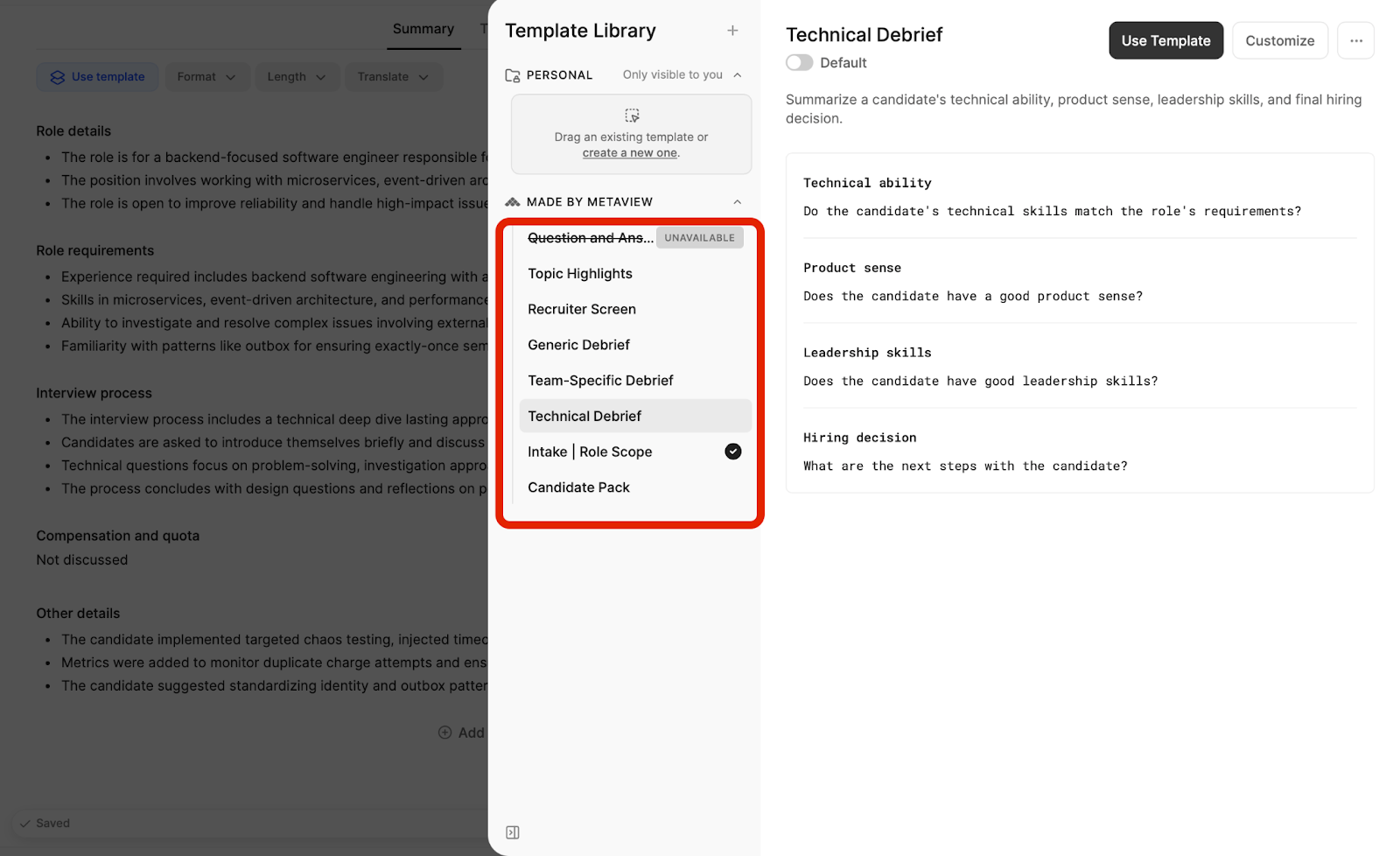
Metaview vs Alternatives — The Hiring Game Showdown
No tool exists in a vacuum. To give you a clear picture, I mapped out where Metaview sits in the current market alongside other popular options. By looking at how different tools handle the same hiring tasks, you can see which one aligns best with your team's existing workflow and goals. Whether you need a specialized hiring platform or a more general meeting assistant, here is how the landscape looks.
To make it easier to choose, I’ve grouped these tools into three simple categories based on what they do best:
Interview-Intelligence Specialists: Tools like Metaview that are laser-focused on hiring and scorecards.
HR-Ready Workflow Tools: Great for managing repeatable templates across all HR-related meetings.
General-Purpose AI Notetakers: Versatile tools built for everyday business meetings of all kinds.
Metaview vs interview-intelligence competitors
Metaview: “Get me to a usable scorecard draft—fast.
If your hiring loop lives in Greenhouse, Metaview’s most recruiter-friendly move is straightforward: open a Greenhouse scorecard → click “Autofill with Metaview.” (Self-Correction: To make this "Autofill" button appear, you’ll need to install the Metaview Chrome Extension. Once active, it bridges the gap between the meeting data and your ATS interface seamlessly.)
It pulls structured interview notes into both text fields and attribute ratings, while positioning subjective judgment as your job.
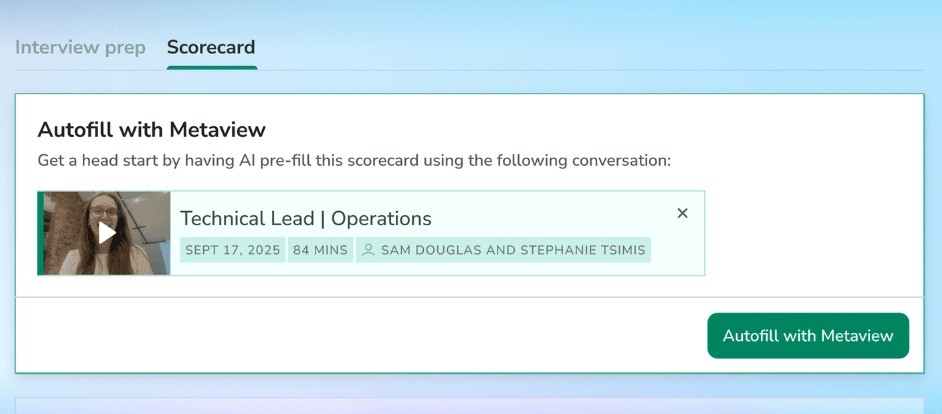
Metaview’s AI Notes also include templates such as a Question and Answer style (with some constraints), which matters if you want notes to follow the interview structure rather than a timeline.
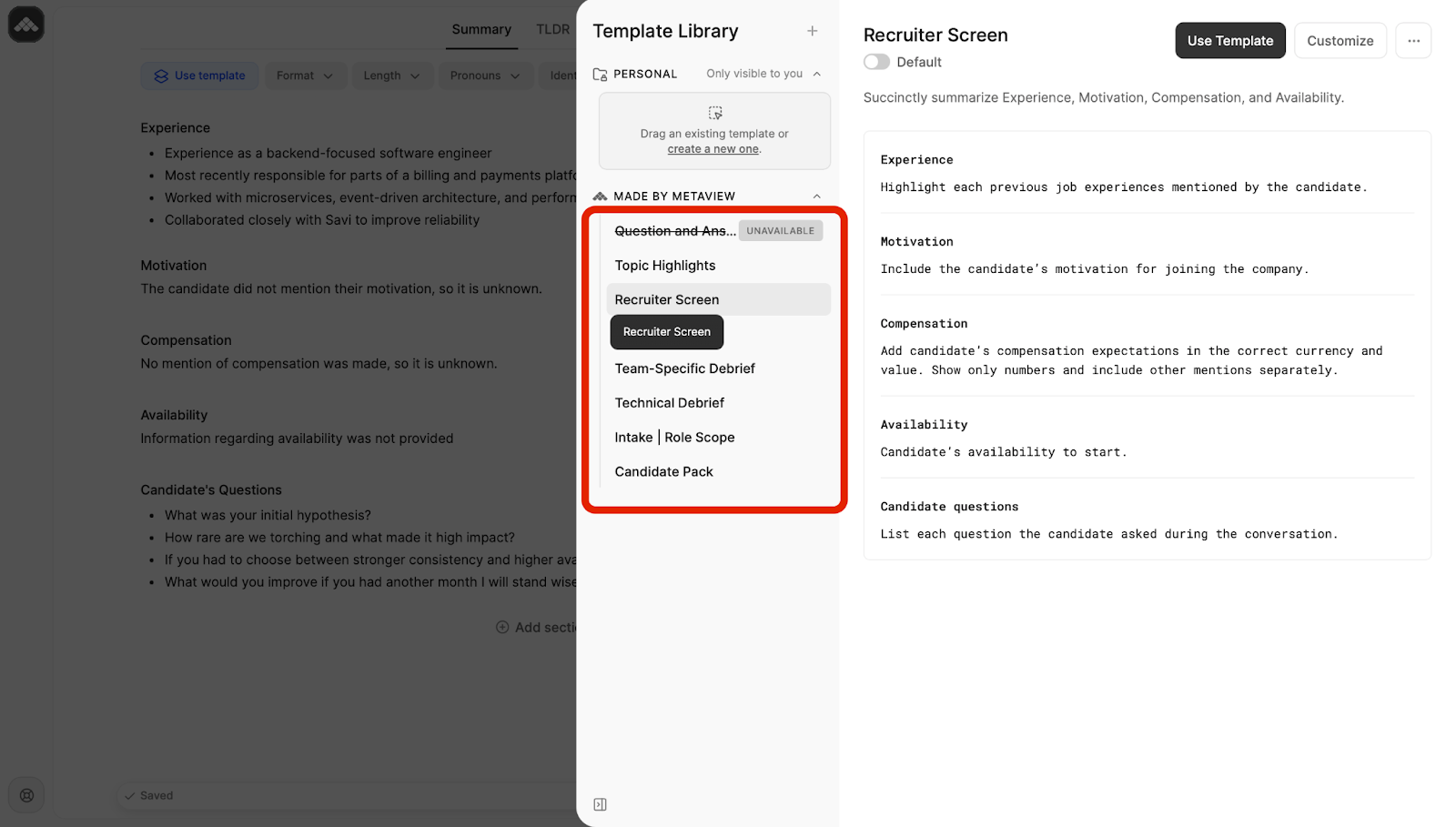
When Metaview is the obvious fit ・You’re chasing scorecards every day. |
BrightHire: “Make interviews consistent while they’re happening.”
BrightHire puts weight on structured interview plans and real-time interviewer guidance, so interviewers don’t wing it and don’t repeat questions.
If you’re on Greenhouse, it can even surface scorecard questions in real time inside Zoom/Teams/Meet and sync notes back to candidate records; Greenhouse’s help center also describes filling out scorecards via the integration.
Pick BrightHire when your real pain is “interviewer variance.” BrightHire is trying to fix the interview itself—not just the paperwork after. |
Screenloop: “Make the ATS the platform (and bake interview intelligence into it).”
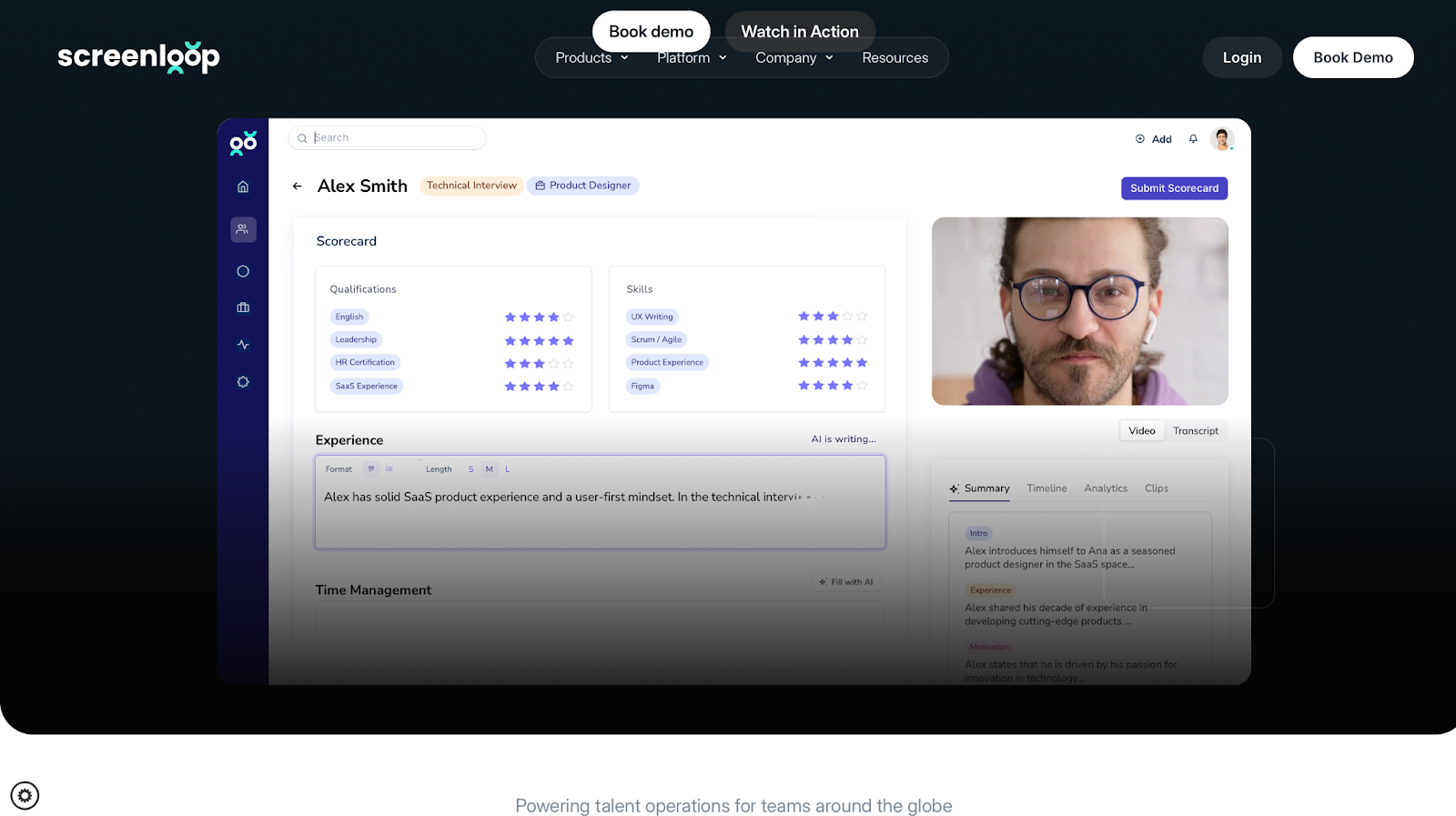
Screenloop markets itself as an AI-native ATS—a unified hiring platform that combines applicant tracking with interview insights and automation.
Its interview intelligence product highlights recording/transcription and syncing notes to ATS scorecards automatically.
Pick Screenloop when tool sprawl is your bottleneck. is selling the “one place to run hiring” story. |
HR-ready notetakers with interview templates:MeetGeek / Fellow
This bucket is for you if interviews are only part of your HR workload—and you want repeatable workflows more than “perfect scorecards.”
MeetGeek: Searchable interview library + flexible templates + optional voice agent
MeetGeek is a great fit if you want recruiting notes to be easy to find, easy to standardize, and reusable—not necessarily “ATS-first scorecard autofill.” It promotes an Interview workflow where you store interview recordings/notes in one place, search them, and sync notes to your ATS to enrich candidate profiles over time.
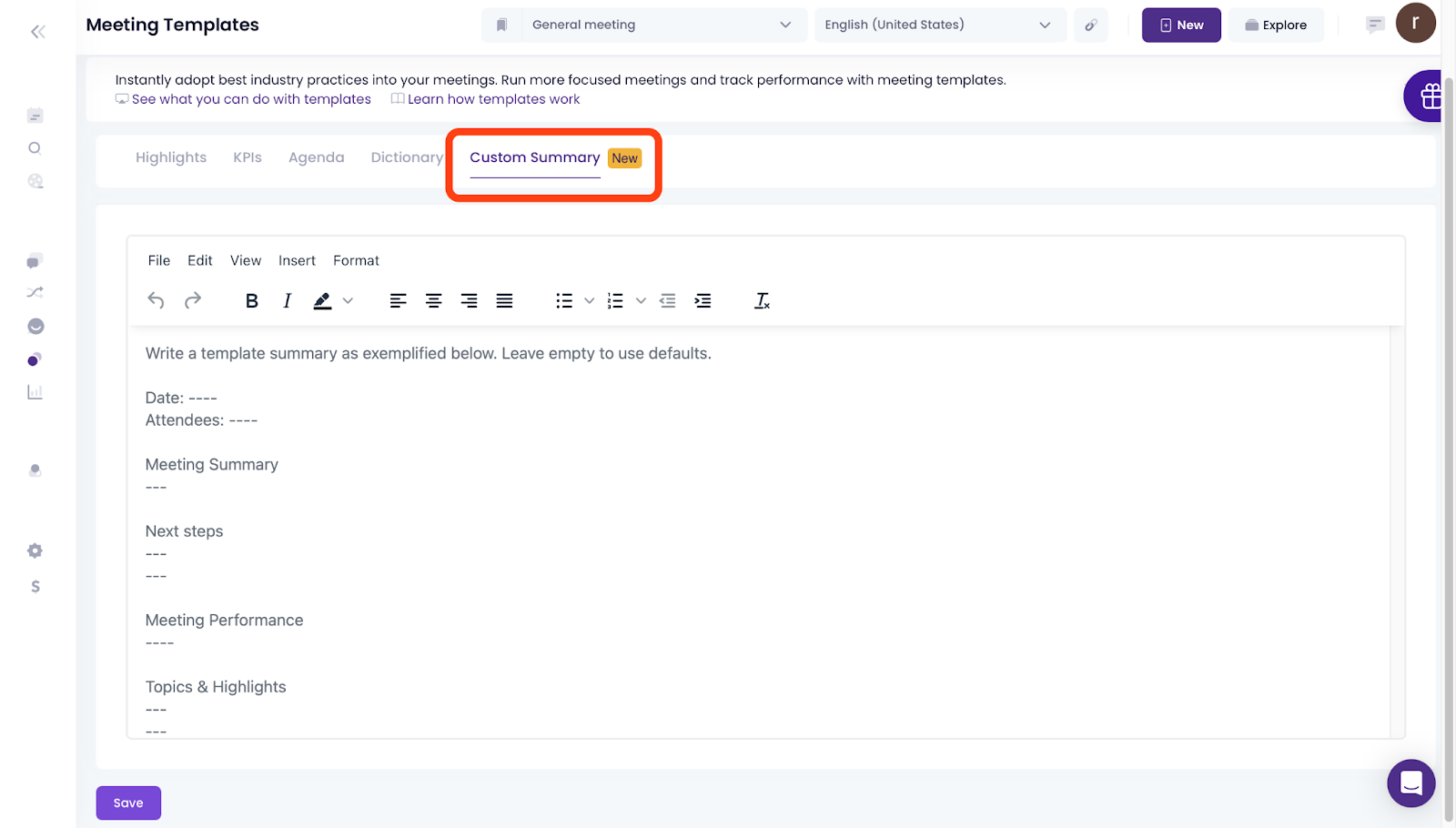
Where MeetGeek feels uniquely flexible is templates: you can customize agendas and even reshape the summary format per template.
And if you want to automate routine screens, MeetGeek also offers an AI Voice Agent that can run screening-style calls.
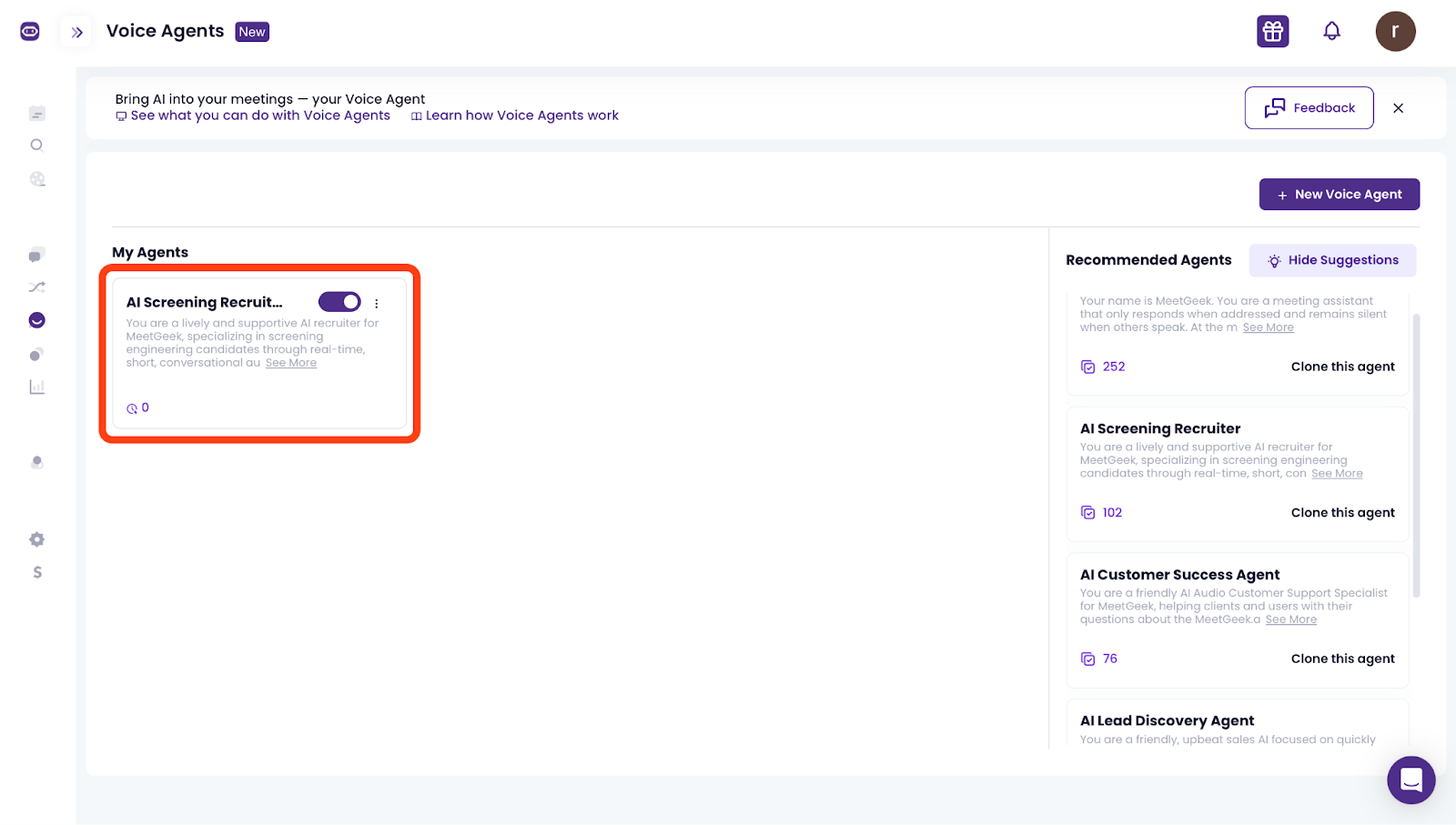
What you should notice first: ・Searchable candidate memory—instantly. |
related article:
https://rimo.app/en/blogs/meetgeek-review_en-US
Fellow: templates + HR tool integrations for notes that actually get used
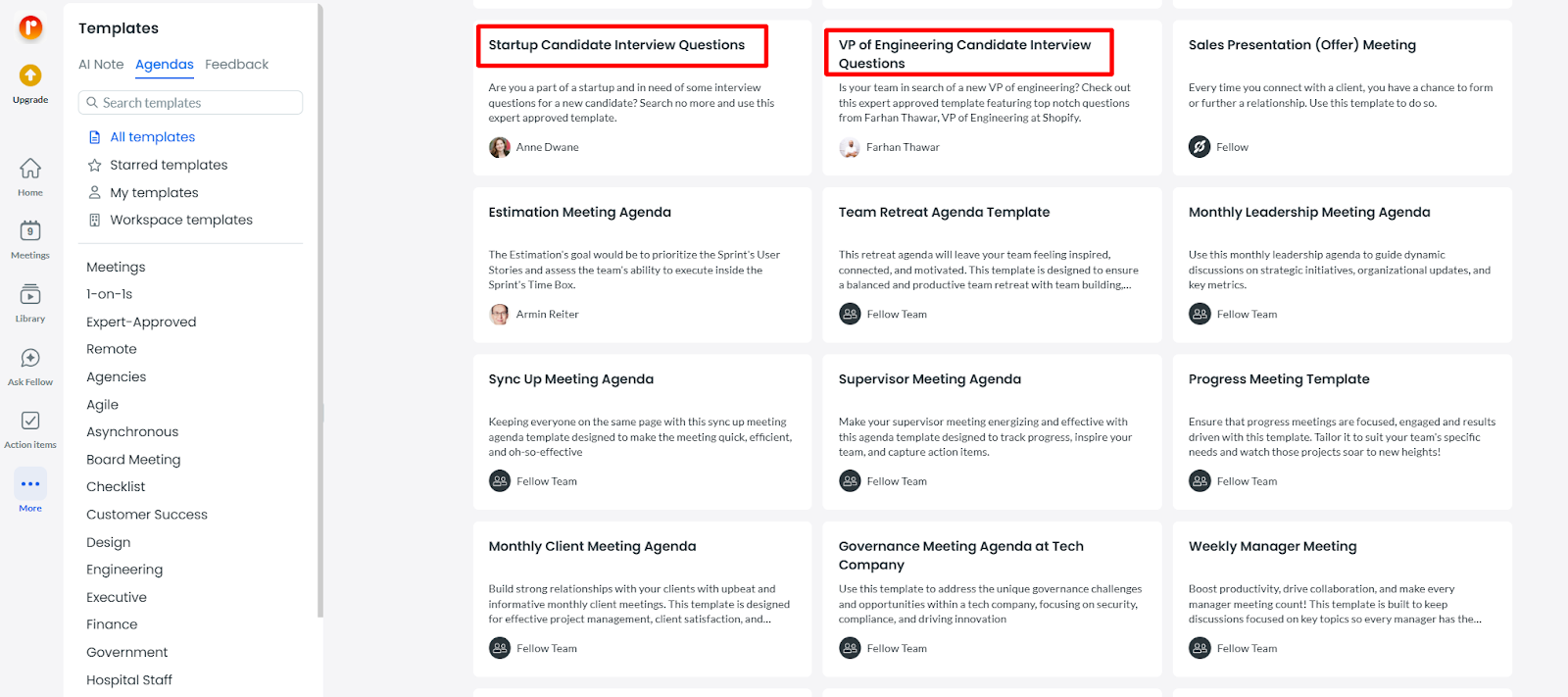
Fellow’s HR use case emphasizes integrating notes into HR tools and workflows (recruiting, onboarding, HR knowledge sharing) and attaching transcripts into systems like Notion/Confluence.
The practical win is standardization: with templates and structured AI recaps, your team can stop writing “random notes” and start producing consistent, reusable summaries across interviews.
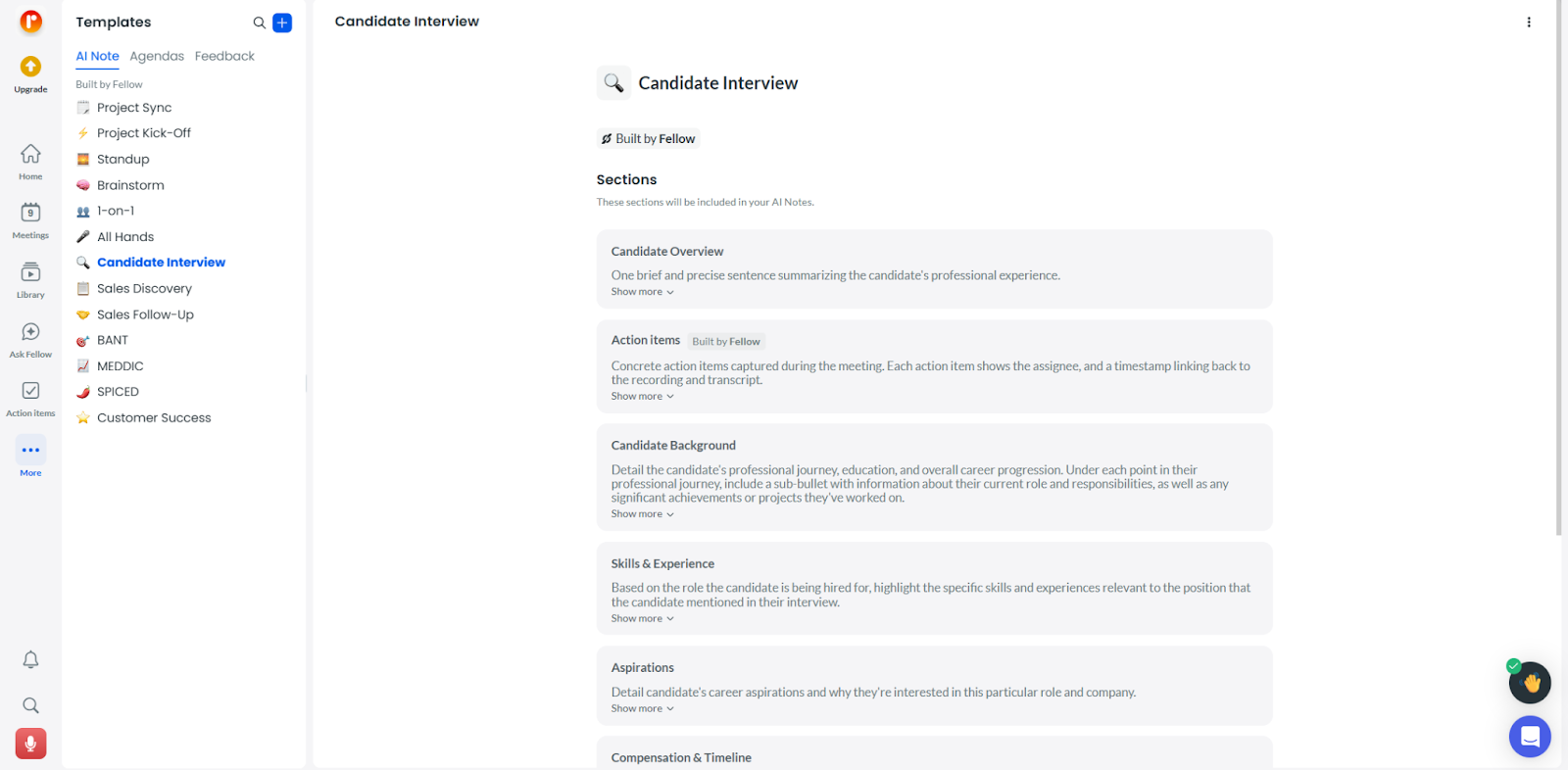
What you should notice first: (Slack/Teams/Notion/Confluence), without extra copying |
Metaview vs general notetakers: Otter / Fireflies / Fathom
General notetakers win when your goal is to have one tool for every meeting on your calendar, where interviews are just one slice of the pie. While these tools aren't built specifically for hiring, they can be adapted to streamline the process.
Here is how they function in a recruiting context and where they hit their limits.
Otter: broad meeting coverage + transcription-first workflows
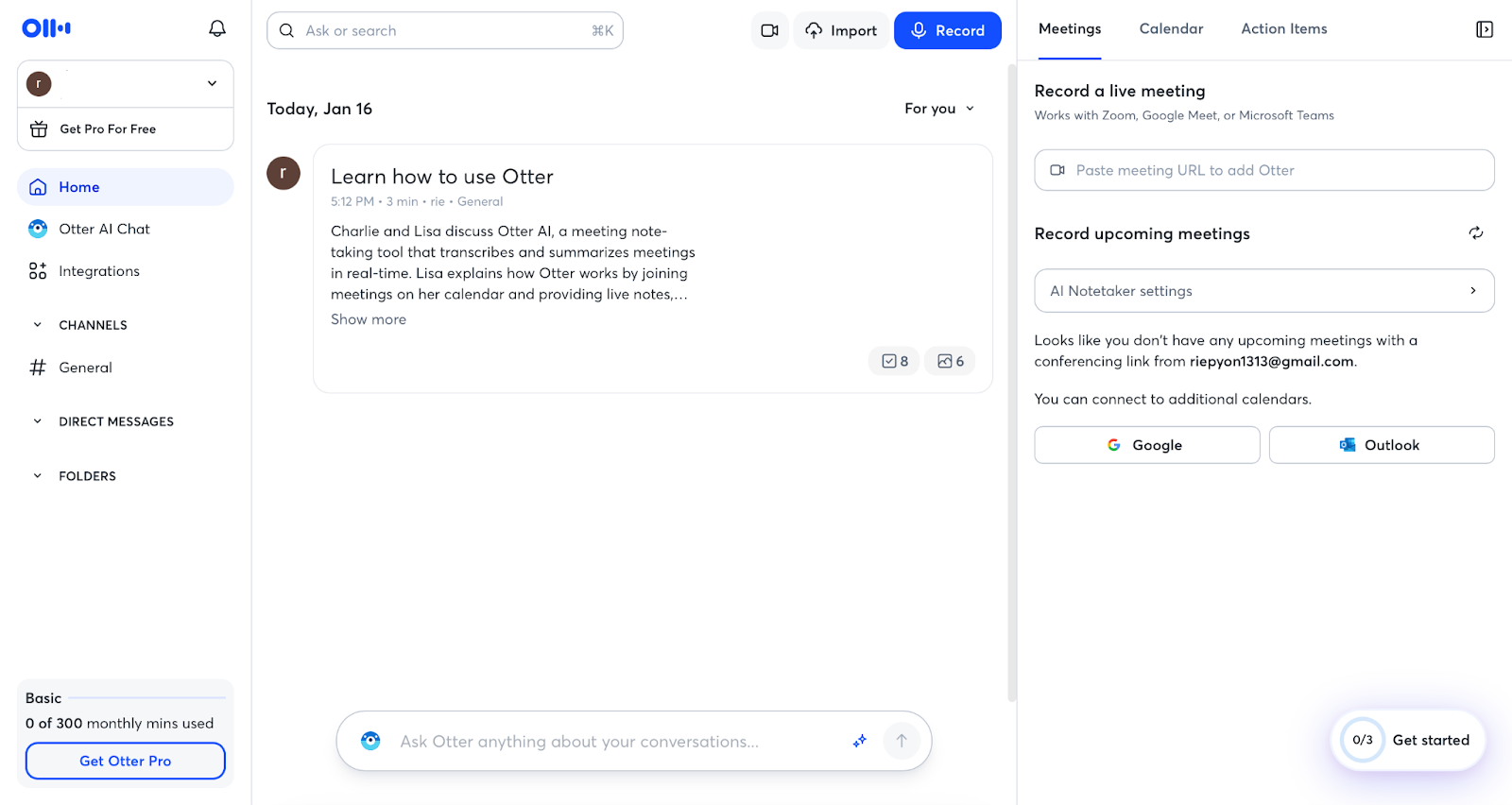
Otter positions itself as a robust AI meeting agent, excelling at capturing the "source of truth" across Zoom, Teams, and Google Meet.
The real-time transcription allows you to look back at something a candidate said just seconds ago without breaking eye contact. You can also use "Custom Vocabulary" to ensure technical jargon or specific company terms are transcribed accurately.
Trade-off for recruiting: Its output is primarily a "transcript." To fill out a scorecard, you still have to manually dig through a wall of text to find evidence of specific skills or cultural fit. |
Fireflies: recruiting use case + compliance messaging
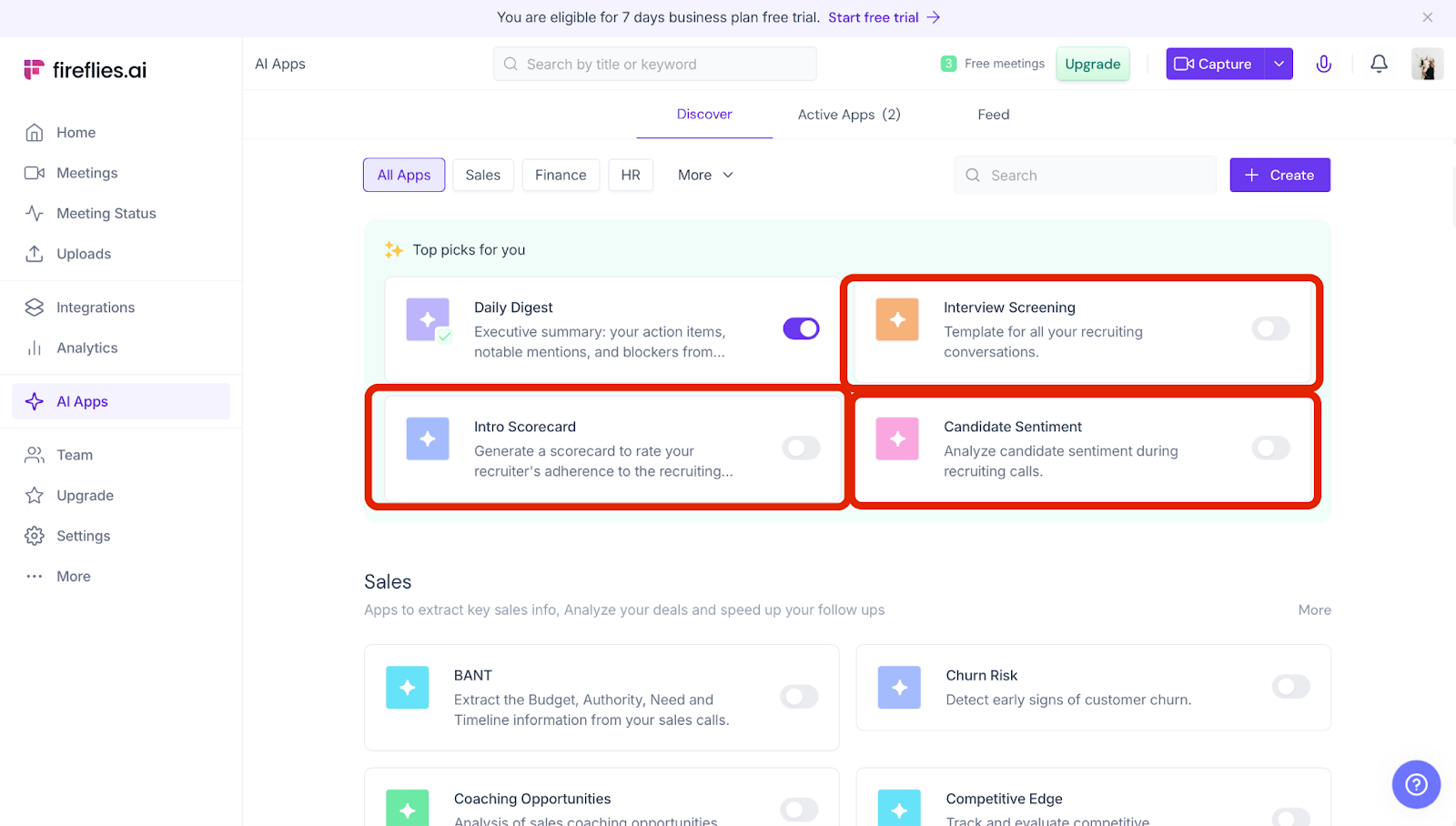
Fireflies offers more "structure" than a standard recorder, marketing specific workflows for screening calls and high-level compliance.
It features a library of "Apps" (e.g., Interview Screener) that can summarize meetings based on specific criteria. It also leads the pack in compliance messaging (GDPR/SOC2), which is crucial when handling sensitive candidate data.
Trade-off for recruiting: While it offers some structure, the summaries don't feel as "native" to a recruiter’s brain as Metaview. Aligning the output with your company’s specific competency framework often requires significant manual prompt engineering. |
related article: https://rimo.app/en/blogs/fireflies-ai_en-US
Fathom: the lowest-friction way to start
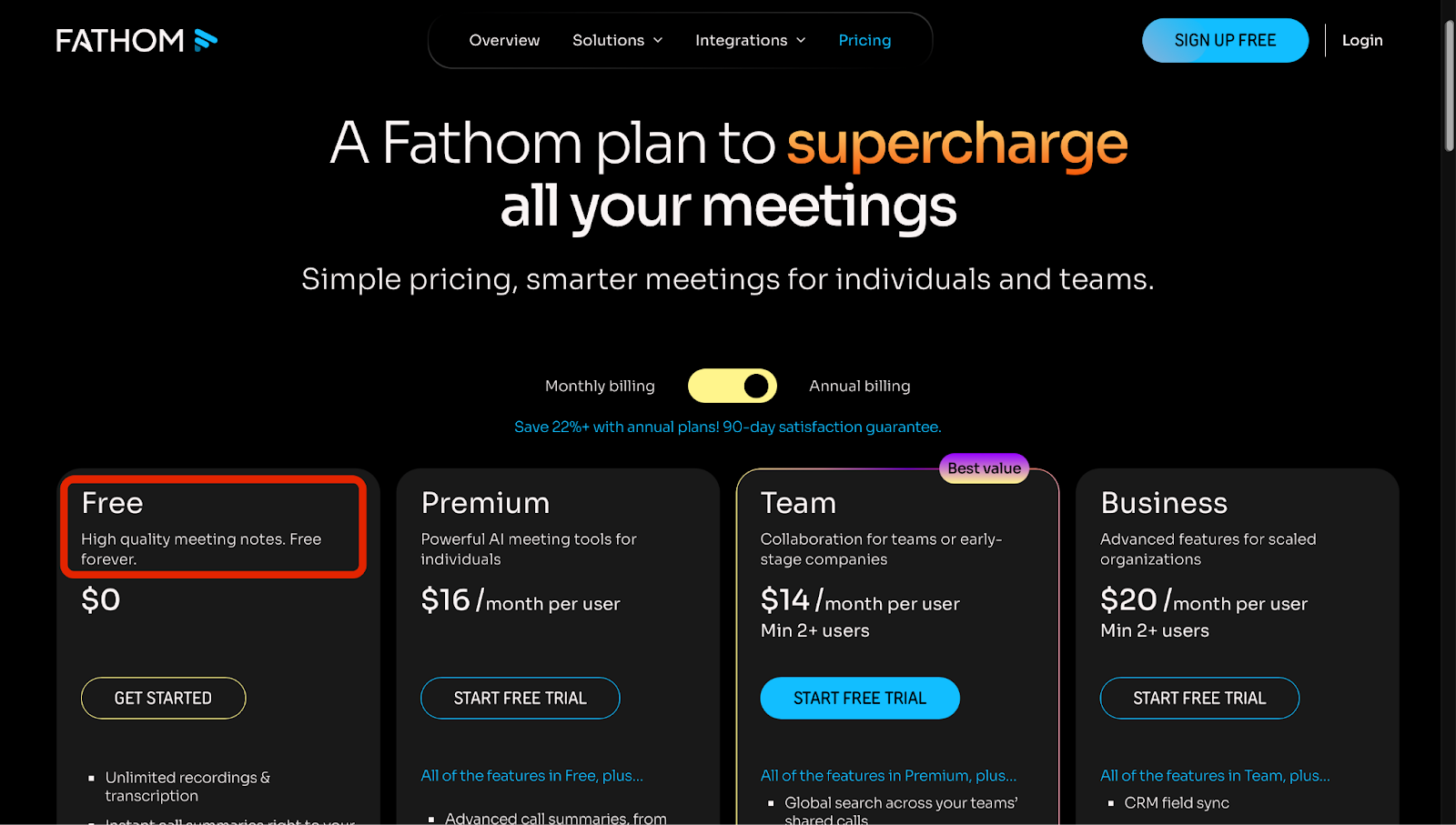
Fathom is the "fastest" way to get started, especially for small teams or individual recruiters who want to avoid procurement hurdles.
Its standout feature is "Instant Highlighting." During a live interview, you can click a button to clip a specific video snippet of a candidate’s answer. Sharing these clips on Slack is a great way to show—rather than tell—hiring managers why a candidate is a good fit.
Trade-off for recruiting: The summary templates are designed for general business (decisions, next steps). They lack the depth needed to evaluate nuanced traits like "leadership potential" or "growth mindset" that a purpose-built tool would capture. |
The decision table: pick by ATS, interview volume, hiring style
Choosing the right tool depends on your team's specific pain points. Are you drowning in paperwork, or are you trying to standardize a growing HR department? Use this table to find your match:
Your Priority | Recommended Tool | Top ATS Integrations | Monthly Interview Vol. | Interviewer Count | Best For... |
Speed to Scorecard | Metaview | Ashby, Greenhouse, Lever | Medium to High | Many | High-growth startups needing fast decisions. |
HR Standardization | Fellow / MeetGeek | Basic / Zapier | Low to Medium | Small to Medium | Teams wanting to manage allHR meetings in one place. |
Simple Transcripts | Fireflies / Fathom | Limited | Low | Few | Individual recruiters on a tight budget. |
Metaview Pricing and the “Is It Worth It?” Math
After seeing the tool in action through my demo runs, the question inevitably shifts to the bottom line: Is the time saved worth the subscription cost? Let’s break down the pricing tiers I explored and do some "back-of-the-napkin" math to see how quickly Metaview can pay for itself based on your team's interview volume.
Metaview pricing: what’s free, what’s paid
Metaview offers a range of plans tailored to different recruitment needs, from individual recruiters to large-scale enterprises. Below is a breakdown of the current pricing structure and feature availability.
Plan | Pricing | Best For | Key Capabilities | Limitations |
Free | $0 | Individuals & Testing | • 25 conversations per month • Automated AI notes & summaries • Access to standard templates | • No history beyond 14 days • No custom templates • No team collaboration features |
Pro | $50/mo (Annual) $60/mo (Monthly) | Professional Recruiters | • Unlimited conversations • Unlimited history & members • Custom templates for specific roles | • No advanced administrative controls • No dedicated account management |
Enterprise | Custom Pricing (Contact Sales) | Recruitment Teams | • Advanced admin & privacy controls • Dedicated support & training • Enterprise-grade security compliance | • Requires contract commitment • Not available for instant self-checkout |
AI Platform | Tailored Pricing (Contact Sales) | Large Organizations | • Full suite: Sourcing, Reports, Job Posts • AI agents for end-to-end hiring | • Implementation typically requires a demo/consultation |
(As of January 2026)
For teams looking to automate their pipeline, Metaview offers an AI Sourcing add-on for $100 per month per user. This powerful tool enables recruiters to perform proactive, 24/7 candidate searches with the ability to run infinite concurrent searches across various platforms. To help teams experience the value firsthand, Metaview provides a trial where the first five searches are free for all new users.
Quick Comparison: Is it worth upgrading? ・Go Free if: You only handle a few interviews a week and don't need to refer back to notes from last month. and wants to standardize feedback using custom templates. across the org, or need hands-on training for your staff. |
The ROI back-of-the-napkin: minutes saved → cost saved
Here’s the napkin math you can plug your numbers into:
Minutes saved per interview (notes + scorecard + sharing): AA minutes
Interviews per month: BB
People involved (interviewers + recruiter review): CC
Hourly fully-loaded cost: DD
Monthly time saved (hours) = (A × B × C) / 60
Monthly cost saved = Monthly hours saved × D
Even if your numbers are conservative, speed compounds. The more interviews you run, the more “after-call work” becomes your hidden tax.
Hidden costs: rollout, change management, adoption
The hidden costs aren’t technical—they’re human.
Interviewers who don’t want to change habits
Consent workflows that need policy alignment
Templates and scorecards that need standardization
Permissions, retention, and data governance (especially for interview data)
Metaview emphasizes security controls like SOC 2 Type II, GDPR compliance, candidate consent support, retention controls, and role-based access—so your rollout should include a quick policy check, not just a product test.
Final Verdict — Should You Try Metaview?
Try Metaview if your hiring process is already “serious enough” to have friction: multiple interviewers, structured scorecards, and a backlog of feedback that slows decisions.
Skip it (for now) if your interview volume is low and your team doesn’t rely on structured evaluation—because a strong general notetaker may cover 80% of the value with 20% of the change.
My recommendation: run a one-week pilot and measure the three things that matter—speed to scorecard, signal quality, and team handoff. If two of those improve meaningfully, Metaview pays for itself faster than most recruiting tools ever will.
FAQ and Quick Links
During my deep dive into Metaview, I came across several common questions that might be on your mind—especially regarding setup, privacy, and how it plays with other tools like Zoom or Teams. I’ve rounded up the most practical answers here to help you clear the final hurdles before your first call.
What is Metaview?
Metaview is an AI notetaker built for recruiting conversations—designed to turn interviews into hiring-ready notes and scorecard drafts, not just meeting recaps.
Do you have to use Microsoft Teams for Metaview?
No, you aren't limited to Microsoft Teams. While Metaview integrates seamlessly with Teams, it is equally effective on Zoom and Google Meet.
How do you use Metaview with Zoom?
A simple workflow looks like:
connect your calendar / invite the notetaker
run the interview normally
review the recap → edit quickly → submit the scorecard draft
The key is transparency: tell candidates when a notetaker is present, and align consent with your policy.
Does Metaview assess interviewees or detect AI use?
No. Metaview focuses on organizing interview content into usable notes and drafts—not replacing human judgment, while leaving the final judgment and fraud detection to you.
Is Metaview legit and safe for recruiting data?
Metaview highlights enterprise security and privacy controls—including SOC 2 Type II, GDPR/CCPA compliance, role-based access, retention controls, candidate consent support, and deletion options.
Still, “safe” depends on your policy: confirm retention, consent language, and access permissions before scaling.
Does Metaview have an app, or is it web-based?
Metaview is positioned as a platform with web-based access (sign-in, demos, and plan management are clearly guided on the site). Start with the official sign-in flow and confirm any extensions or app options as part of your evaluation.
Is Metaview the same as Metaviewer, MetaView Glasses, or other “metaview” tools?
No. While the names are similar, Metaview (metaview.ai) is a specialized AI platform built exclusively for recruiting.
Related articles
Fellow app Review 2026: Why It’s the Only "AI Chief of Staff" Your Team Needs
Coconote Review 2026: App Reviews, Pricing, and a Real Lecture Recording Test
Descript AI Review (2026): The Video Editor That Treats Your Timeline Like a Google Doc
Return to List