
Fathom AI Review 2026: Is It Really Free Forever? Pricing, Features & Honest Test


Is Fathom AI really free in 2026?
This comprehensive Fathom AI review puts the popular meeting notetaker to the test.
We compared Fathom vs Otter vs Fireflies to reveal the truth about its "free forever" plan, transcription accuracy, and whether it's worth upgrading to Fathom Premium.
Read our honest Fathom review with real test results vs Otter, Fireflies, and Read.ai.
Fathom AI Review: Quick Verdict
Overall Rating: ★★★★★ (4.7/5)
Best For: Individuals and small teams who want unlimited free meeting notes
Price: Free forever (individual) | Premium from $19/user/month
Standout Feature: Truly unlimited recording & transcription on the free plan
Fathom AI in a Nutshell (1-Minute Overview)
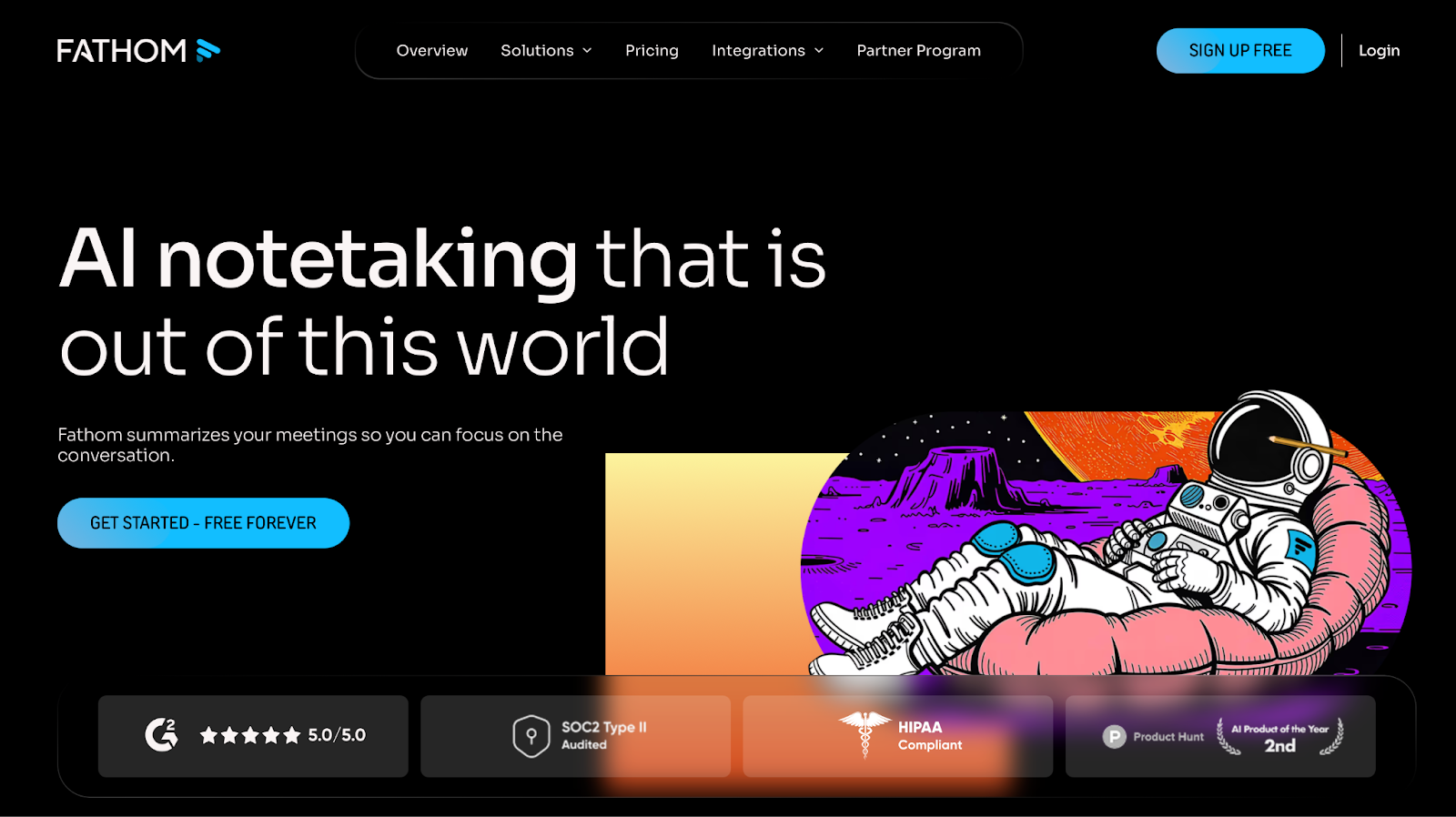
Fathom is an AI meeting assistant built for the calls you already live in. Once connected to your calendar, it can auto-join Zoom, Google Meet, and Microsoft Teams meetings, record them, and generate searchable transcripts plus AI summaries.
What makes it stand out in 2025 isn’t just the feature set—it’s the way those features feel in practice: fast summaries, easy highlight clips, and a surprisingly generous free plan meant for individual use.
Think of Fathom as a lightweight “meeting memory” layer that turns a call into something you can revisit, share, and actually act on.
The Magic Trick: What Fathom Gets Right in Real Meetings
A lot of notetakers promise the same three things—record, transcribe, summarize. The difference is whether you actually want to open the notes afterward. Fathom AI’s best moments are when it makes the messy parts of meetings feel clean, fast, and shareable.
Unforgettable meetings… quite literally.
Fathom AI’s post-meeting recap is the feature you notice first. Minutes after a call ends, you get a structured summary and action items, so the “What did we decide?” problem dies before it’s born.
If you’re someone who writes follow-ups late at night—or never at all—this alone can feel like a productivity cheat code.
Shockingly Accurate Transcripts (Even When Calls Get Messy)
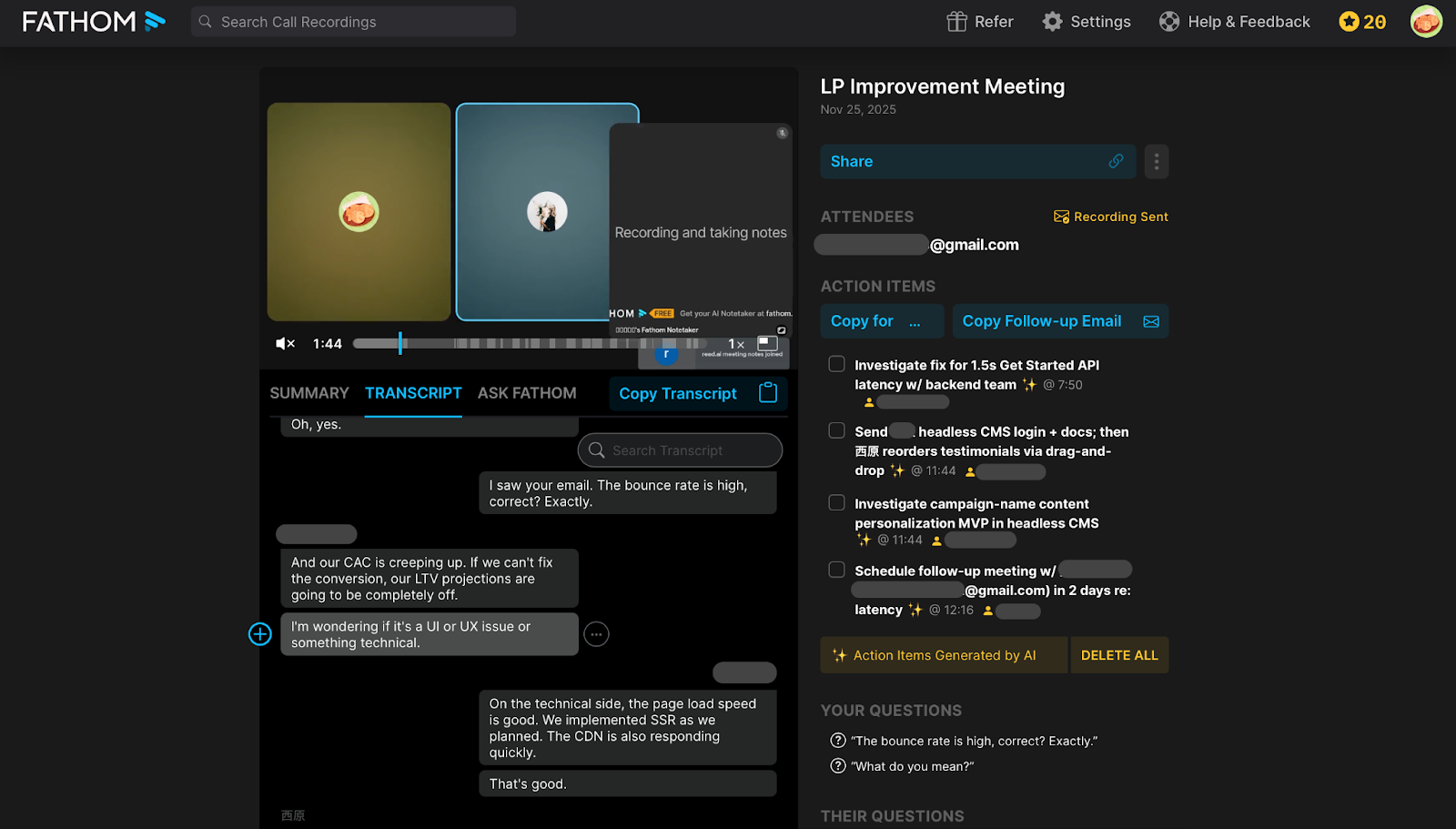
In everyday meetings—fast speakers, overlapping voices, half-finished sentences—Fathom usually keeps up well enough to stay trustworthy. It labels speakers, timestamps key moments, and makes it easy to jump back to the exact part you need.
You shouldn’t expect perfection from any AI transcript, especially with accents or crosstalk. But Fathom’s baseline accuracy is strong enough that the notes feel reliable—and that’s what matters before we even get into our showdown.
Highlights That Turn a 45-Minute Call Into 3 Minutes of Signal
Fathom lets you mark key moments and turn them into short clips or highlight reels. Instead of forwarding a full recording, you can share the 90-second segment that matters.
This is especially useful for sales and research teams, where “proof” is often buried in long calls.
“Ask Fathom” = Your Searchable Meeting Memory
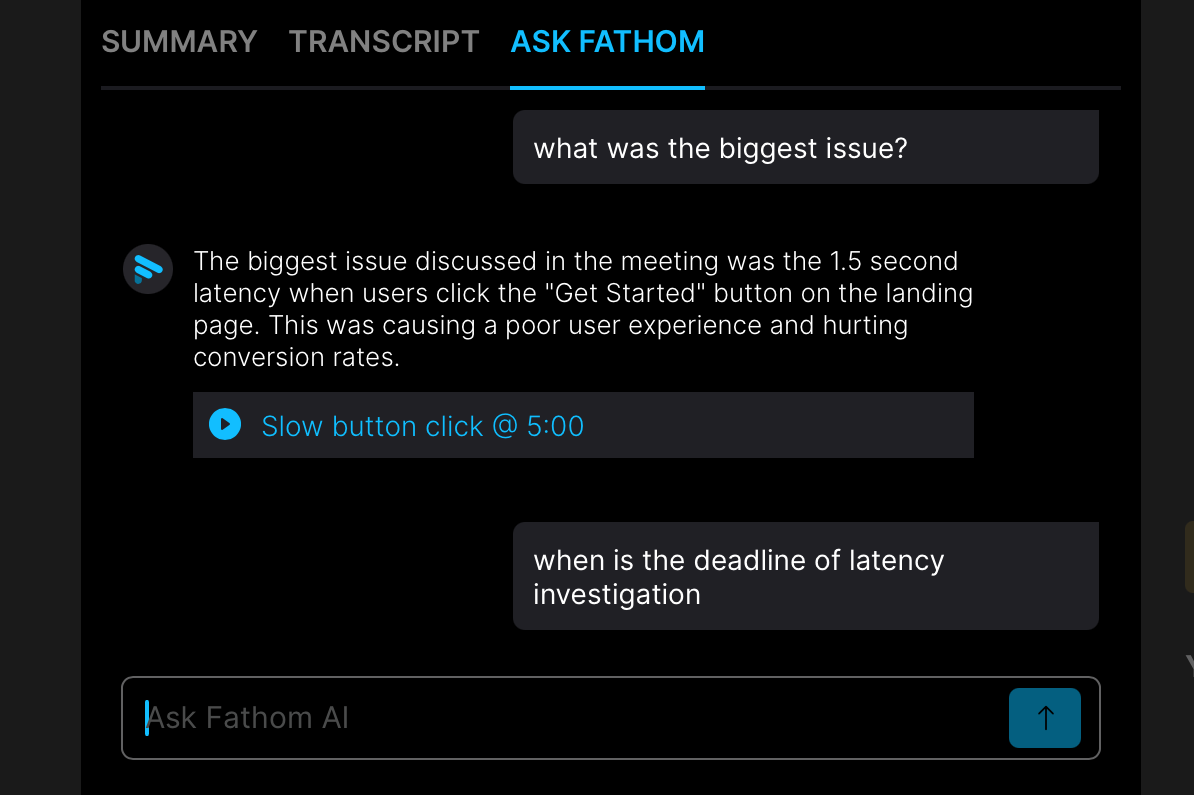
The real upgrade isn’t one transcript—it’s what happens after you have dozens of them. “Ask Fathom” and global search let you query past calls like a knowledge base: What did we promise the client last month? When did we agree on the launch date?
If your team forgets decisions because they happen across multiple meetings, this feature quietly pays for itself.
The Quiet Superpower: Integrations That Save the Most Time
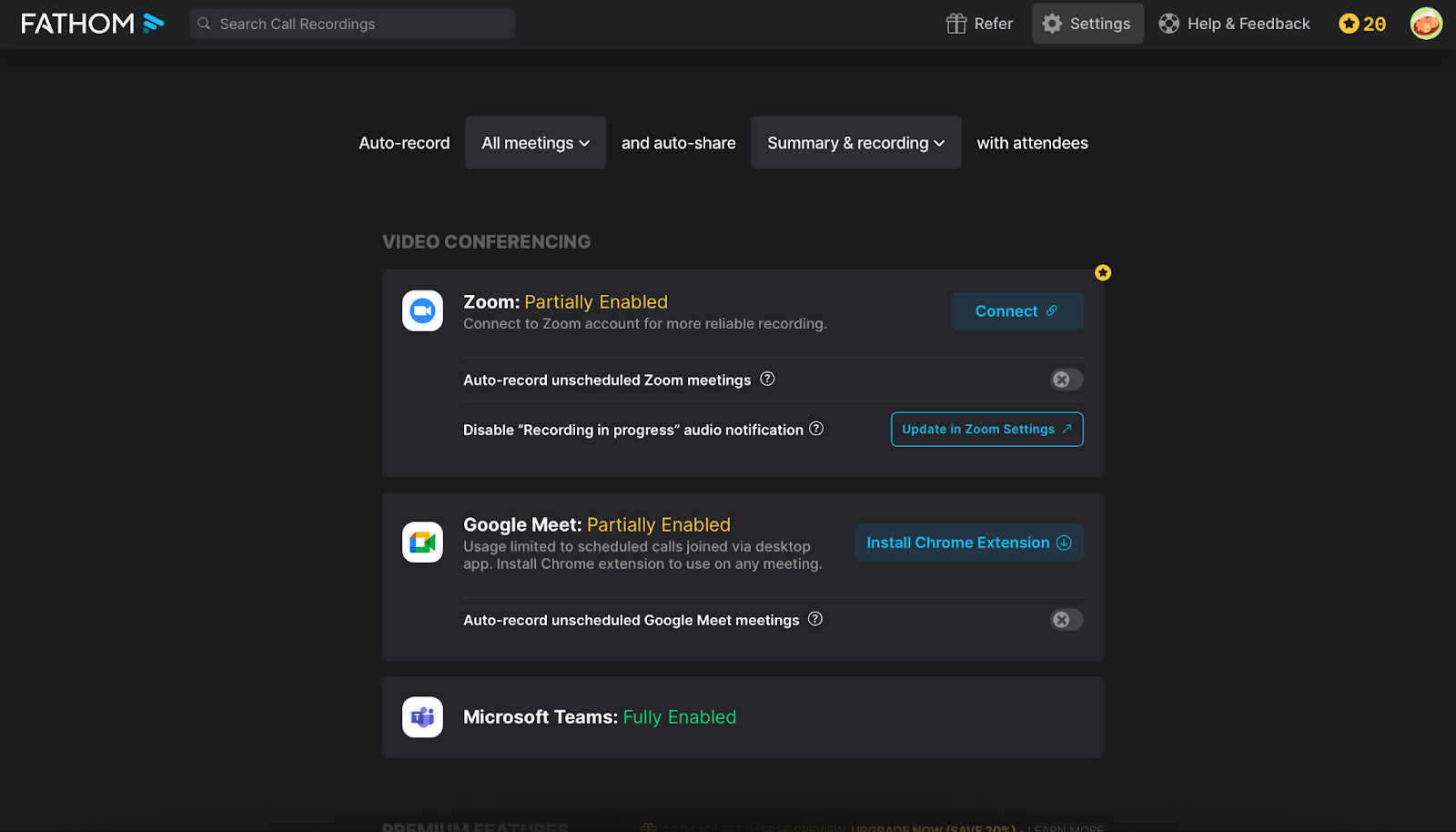
Fathom isn’t just about notes—it’s about what those notes become. It integrates with tools like HubSpot, Salesforce, Notion, Slack, and more, so summaries can land where work actually happens.
This is where Fathom starts replacing manual post-call chores with a workflow you can trust.
Where Fathom Fits Best (Use Cases People Don’t Expect)
Fathom is easiest to love when you picture one specific workflow you want to fix. Here are the cases where it feels less like a tool and more like an extra teammate.
Sales Calls That Don’t Die in Slack
Sales calls produce gold—until they disappear into chat logs. Fathom keeps the deal narrative alive with instant recaps, searchable transcripts, and CRM-ready summaries.
If your pipeline depends on clean follow-through, this is one of the best free upgrades you can make.
User Interviews You Can Re-Use Like Data
For product and UX research, the value is in repeatable evidence. Highlights let you store user quotes as proof, not anecdotes, and share them without forcing teammates to watch full recordings.
Remote Teams Trying to Stay Sane
When teams are distributed, meetings happen without everyone in the room. Fathom makes async catch-up realistic: people can scan summaries, search decisions, and move on instead of booking yet another call.
Pricing That Feels Like a Cheat Code (Free vs Paid)
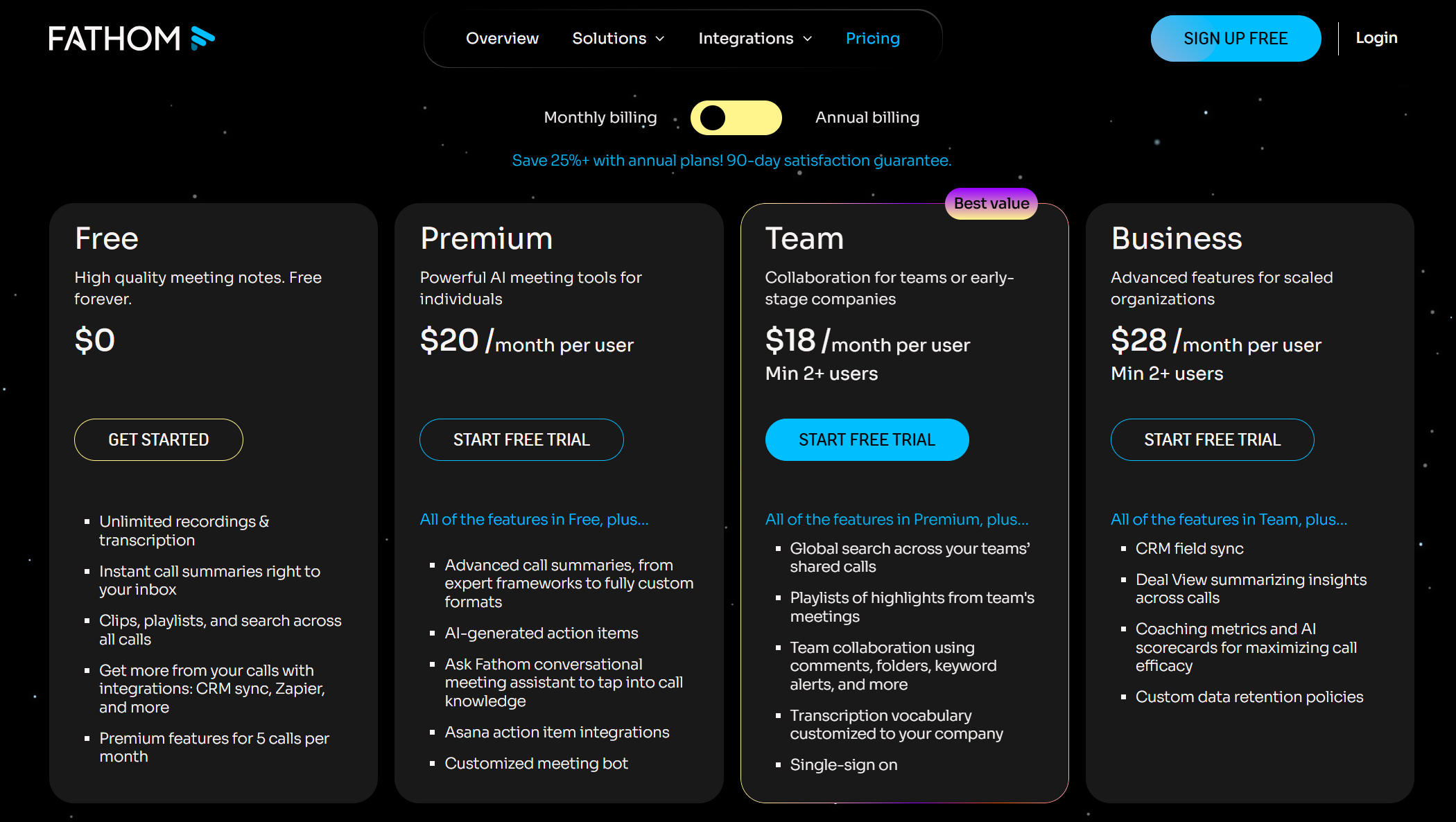
Before we get into numbers, it’s worth clearing up the obvious question: why is Fathom AI “free forever” for individuals?
This isn’t a bait-and-switch. Fathom’s founder, Richard White, has explained that the product is designed bottom-up: make personal note-taking genuinely free so people can trust it, build the habit, and naturally share it with teammates.
Word-of-mouth is the growth engine, while revenue shows up later when teams want shared libraries, admin controls, and visibility across calls. In short: free for individuals, paid for teams.
With that context, the pricing page makes a lot more sense.
What's Included in Fathom AI Free
The free plan is surprisingly robust for individual users:
Unlimited recordings – No monthly minute caps (unlike Otter's 300-minute limit)
Unlimited transcripts – Full text of every meeting, stored indefinitely
Basic AI summaries – Post-meeting recaps delivered to your inbox
Highlight clips – Mark key moments and share short clips
Personal meeting library – Search across all your past meetings
CRM integration – Basic sync with HubSpot and Salesforce
For someone with 5-10 meetings per week, this covers most needs without spending a cent.
What Fathom Premium Adds ($20/user/month)
Upgrading to Fathom Premium unlocks the advanced AI features that power users crave:
Feature | Free | Premium |
|---|---|---|
Recordings & Transcripts | Unlimited | Unlimited |
Basic AI Summaries | ✓ | ✓ |
Advanced AI Summaries | ✗ | ✓ |
Custom Summary Templates | ✗ | ✓ |
AI-Generated Action Items | Limited | Unlimited |
Ask Fathom (AI Search) | Basic | Full Access |
Priority Processing | ✗ | ✓ |
Meeting Analytics | ✗ | ✓ |
The biggest Premium benefits are:
Unlimited AI Action Items – Automatically extracted and assigned to specific people
Custom Templates – Create summary formats tailored to sales calls, 1:1s, or team syncs
Full "Ask Fathom" Access – Query your entire meeting history like a knowledge base
Is Fathom Premium Worth $19/Month?
Upgrade if:
You're in 5+ meetings per week and need advanced summaries for every call
You want AI-generated action items automatically logged to your CRM
Your team relies on searchable meeting history across multiple projects
Stay on Free if:
You have fewer than 5 meetings per week
Basic summaries are enough for your workflow
You don't need advanced AI features like custom templates
What Team Adds ($18/user/month, 2 users~)
Team is basically Premium + “make it work across a team”:
Global search across your team’s shared calls
Team playlists of highlights (so patterns + best moments are reusable)
Collaboration features like comments, folders, keyword alerts
Company-specific transcription vocabulary
Single sign-on (SSO)
What Business Adds($18/user/month, 2 users~)
Business is Team + “make it operational for scaled orgs”:
CRM field sync
Deal View to summarize insights across calls (sales-centric rollups)
Coaching metrics + AI scorecards (performance / enablement layer) Fathom AI
Custom data retention policies (governance / compliance needs)
The Ultimate Showdown: Fathom vs Otter vs Fireflies vs Read.ai
Features are nice. Performance is the truth. So we ran a direct, same-conditions test to see where Fathom actually sits in 2025.
Our Test Setup (Keep It Simple, Credible)
We used the same meeting script, the same audio setup, and the same call length across all four tools. We also included non-native speakers and overlapping dialogue to stress-test accuracy.
Test Condition | Details | Notes |
Meeting Duration | 10 minutes | Short, focused discussion |
Participants | 2 People | Non-native speakers (English conversation) |
Scenario | LP Improvement Meeting | Mix of Technical (Dev) & Marketing terminology |
Conversation Style | Cross-talk Present | Intentional overlapping dialogue to stress-test the AI |
Microphone | MacBook Pro Built-in | Replicating a standard remote work setup |
Scoring categories: Transcription Accuracy, Summary Value, Workflow/Integrations.
Round 1 — Transcription Accuracy: Who Gets the Words Right?
In this round, we verify how accurately each AI can capture "what was said." We assume that all tools achieve very high accuracy for clear conversations by native speakers.
The real test was conducted in an environment designed for global team use, featuring English from non-native speakers, specialized terminology, and intentional cross-talk (overlapping speech). We specifically focused on resistance to non-native accents and speaker identification (Diarization) capabilities.
Metric | Fathom AI | Otter.ai | Fireflies.ai | Read.ai |
Accuracy (Non-Native) | Very Good (88.0%) | Very Good (86.2%) | Fair (78.9%) | Fair (78.8%) |
Speaker ID (Diarization) | Very Good (4/5) | Very Good (4/5) | Very Good (4/5) | Excellent (5/5) |
Tech Term Recognition | Good | Strong | Average | Strong |
Cross-talk Handling | Mixed together | Mixed together | Treated as noise | Picked up one only |
In conversations between non-native speakers, Fathom AI and Otter.ai maintained high accuracy, at approximately 88% and 86% respectively, pulling ahead of the Fair-rated Fireflies.ai and Read.ai.
However, the surprise was in Speaker Diarization, where Read.ai uniquely earned an "Excellent" rating, most accurately identifying who said what. While cross-talk handling remains a general challenge, Fathom and Otter tended to mix the audio, whereas Read.ai adopted a strategy of focusing on and picking up only one speaker. For technical term recognition, Otter.ai and Read.ai appear to have a slight advantage.
Round 2 — Summaries & Action Items: Who Feels Like a Real Assistant?
Transcription accuracy is only half the battle; the real value driver is the AI's ability to process raw text into actionable intelligence. This round evaluates the practical utility—how much editing is required before sharing the meeting minutes—focusing on clarity, structure, and customization options.
Feature | Fathom AI | Otter.ai | Fireflies.ai | Read.ai |
Summary Structure | Bullets + sections | Overview + long outline | Detailed but lengthy | Short summary + few bullets |
Action Items | Clear, specific, with owners | Present but mixed into narrative | Detailed but a bit wordy | Basic list, some omissions |
Hallucinations | Almost none | Rare | Occasional over-interpretation | Low; more omission than hallucination |
Custom Instructions | Limited (Template-based) | Flexible (Template-based) | Flexible (Template-based) | Very Flexible |
The core results reveal a split between structured utility and flexible customization. Fathom AI excelled in 'Action Items,' providing clear, specific, and assigned tasks ready for immediate transfer. Read.ai offered superior customization but often omitted essential details due to its lean summary structure. While Fireflies and Otter produced detailed summaries, their key actions were often buried in lengthy narrative outlines, requiring more cleanup. Fathom's structured, plug-and-play output saves the most time.
Round 3 — Workflow & Integrations: Who Actually Saves You Time?
Round 3 shifts the focus from accuracy to usability (ease of use) and velocity. This round tests how quickly the AI can integrate into your existing tech stack and distribute output. We examine the depth of integration with essential business systems like CRMs and the efficiency of post-meeting file handling, revealing which tool acts as a true workflow accelerator rather than just a passive recording service.
Feature / Integration | Fathom AI | Otter.ai | Fireflies.ai | Read.ai |
Zoom/Google/Teams | All Supported | All Supported | All Supported | All Supported |
CRM Sync (HubSpot/SFDC) | Native sync available (HubSpot, Salesforce) | Sync available (HubSpot & Salesforce) for enterprise tier | CRM integrations supported (HubSpot, Salesforce) via paid plans | Partial CRM support (some sync with HubSpot etc) |
Video Recording | Full video recording | Audio Focused | Audio focused | Full video recording |
Clip Sharing | Average | Average | Average | Average |
Export Formats | Word, PDF, Text | Text, Docx, PDF,SRT, mp3 | PDF, Docx,SRT, CSV,JSON,MD | Text,mp4 |
This round emphasizes usability and workflow friction. Fathom AI excels by offering Native Sync to major CRMs (HubSpot, Salesforce) even on its free plan, which significantly minimizes setup costs and provides an overwhelming workflow advantage over competitors.
However, Fathom's Export Formats are limited (Word, PDF, Text). While Clip Sharing is "Average" across the board, Fireflies.ai offers superior data flexibility (CSV, JSON, MD). In conclusion, Fathom leads in overall usability thanks to its "generous free plan" and "core CRM integration," but its data export diversity needs improvement.
Final Scorecard & Our Winner
When we put all four tools through the same real-world test, a clear pattern emerged:
each product shines in a different use case, but one delivers the strongest overall package for most knowledge workers.
Overall Scorecard
Category | Fathom AI | Otter.ai | Fireflies.ai | Read.ai |
Transcription Accuracy | ★★★★☆ (Very Good) | ★★★★☆ (Very Good) | ★★★☆☆ (Fair) | ★★★☆☆ (Fair) |
Summary Quality | ★★★★★ (Excellent) | ★★★☆☆ (Average) | ★★★★☆ (Good) | ★★☆☆☆ (Below Avg) |
Workflow / Integrations | ★★★★☆ (Very Good) | ★★★★☆ (Very Good) | ★★★★☆ (Very Good) | ★★★☆☆ (Good) |
Free Plan ROI | Excellent | Good | Fair | Good |
Non-Native Usability | Very Good | Very Good | Fair | Fair |
Overall Rating | #1 Winner | 2nd Place | 3rd Place | 4th Place |
Pros & Cons
Features are nice, but day-to-day usability is what matters. After testing these tools in real-world scenarios, here is the unvarnished truth about where Fathom shines as a daily driver and where it falls short compared to the heavyweights.
What We Loved
The Free Plan is a Workhorse, Not a Teaser
Unlike Otter’s 300-minute monthly limit or Fireflies' credit system, Fathom offers unlimited recording on its free tier. This is a game-changer for heavy users who don't want to worry about hitting a wall mid-month. You get high-quality recording and transcription without the meter running.
Summaries That Actually Save Time
Fathom's summary engine doesn't just shorten the text; it structures it. The "Action Items" detection is particularly sharp, correctly assigning tasks to specific people (e.g., "John to email the design deck"). This means you can often copy-paste the summary directly into Slack or Notion with zero edits.
Your Personal Knowledge Base (Highlights + Search)
The ability to hit a "Highlight" button during a call is excellent, but the "Ask Fathom" feature turns your repository into a searchable brain. You can ask, "What was the decision on the Q3 budget?" across all your past meetings, making it far more than just a transcription tool.
What Bugged Us
The "Premium" Wall for AI Features
While recording is free, the advanced AI features (like the AI Command Center and certain summary templates) are often part of a premium tier or a limited trial. Heavy users who rely on the advanced "Ask Fathom" capabilities may find themselves nudged towards a subscription sooner than expected once the initial trial glow fades.
Lack of Deep Team Analytics
Fathom is utilitarian. It captures what was said perfectly, but it misses the meta-data. Competitors like Read.ai provide engagement scores and sentiment analysis, and Fireflies offers "Conversation Intelligence" (e.g., talk-to-listen ratios for sales coaching). If your goal is to analyze how your team sells rather than just what they agreed to, Fathom might feel a bit too simple.
Fireflies.ai Review for 2025: Why This AI Teammate Is Changing How Teams Run Meetings
The Trust Check: Is Fathom Safe for Real Meetings?
Fathom is built for real business conversations, and it shows. The company states it’s SOC 2 Type II, GDPR, and HIPAA compliant, and has passed security reviews by Zoom.
Your data stays under your control, and you can review Fathom’s policies in its Trust Center and privacy documentation.
As always, confirm consent requirements for your region or organization before recording sensitive calls.
Getting Started Without the Boring Part
Setup really does take minutes. Here’s the no-drama way to get your first Fathom notes:
Install Fathom where you meet.
Add the desktop app / browser extension (and the Zoom app if you use Zoom most). This is what lets Fathom show up automatically.Connect your calendar.
Give Fathom access to your meeting schedule so it can detect upcoming calls.Pick your platforms.
Toggle on the services you use—Zoom, Google Meet, and/or Microsoft Teams—so Fathom knows where to join.Choose how “auto” you want it.
You can let Fathom auto-join all scheduled meetings, or only the ones you select. (Most people start selective, then go full auto once they trust it.)Run one real test meeting.
After the call, skim the recap email and try a highlight or Ask Fathom search.
You’ll know instantly if the workflow clicks for you.
Final Verdict — Who Should Use Fathom AI in 2025?
You’ll know instantly if the workflow clicks for you. Fathom AI emerged as our winner because it provides the highest ROI for the vast majority of professional users: those who need consistently reliable summaries and zero-friction CRM logging. It delivers the most value before you ever need to pay.
Fathom AI is Best For
The Power User on a Budget: If you take frequent, long meetings and need unlimited recording/transcription without paying, the free plan is unbeatable.
The Efficiency Seeker: Those who prioritize clarity and immediate action. Fathom's structured summaries and highly accurate Action Item detection mean you can copy-paste and share meeting minutes instantly.
FAQ
You’ve got questions, we’ve got answers. Before you commit to a new workflow, here are the quick-hit facts on Fathom’s pricing quirks, device limits, and how it stacks up against the 2025 competition.
Is Fathom AI really free forever?
Yes. Fathom explicitly states that its "Standard" individual plan will remain free forever. This includes unlimited recording, transcription, and storage. They monetize through "Team" editions and advanced AI features, rather than capping your basic usage.
How many AI summaries does the free plan include?
The free plan includes unlimited recordings, transcripts, and “basic” meeting summaries. However, Fathom’s Premium AI features – such as advanced summary templates, AI-generated action items, and other upgraded AI workflows – are part of the paid Fathom Premium and Team plans.
New users get a 30-day trial of Fathom Premium; after that, you’ll need to upgrade if you want advanced AI on every call.
Does Fathom work with Zoom, Google Meet, and Microsoft Teams?
Yes. Fathom supports all three major platforms. It works by launching a desktop app that detects when a meeting link is opened, or by having a "bot" join the call to record the audio and video.
Can I use Fathom AI on mobile?
Not for recording. As of 2025, Fathom is designed as a desktop-first tool (macOS and Windows) to capture meetings from your computer. You cannot currently use Fathom to record calls on an iPhone, iPad, or Android device, though you can view past recordings on mobile via the web.
How to add Fathom AI to a call already in progress?
Yes, here's how:
Open the Fathom app during your meeting
Click "Join Meeting" or use the manual invite feature
Paste the meeting URL or meeting ID
Fathom will join within seconds
Note: For best results, add Fathom at the beginning of your meeting.
Late-joining means you'll miss the first portion of the transcript.
What are the best Fathom alternatives in 2026?
If Fathom doesn't fit your needs, here are the top contenders:
Otter.ai: Best for pure transcription accuracy and English-heavy teams, though the free plan is more restrictive (300 mins/month).
Fireflies.ai: The go-to choice for Conversation Intelligence (analyzing talk ratios, sentiment, etc.), making it ideal for sales coaching.
Read.ai: Excellent for "Meeting Metrics" (engagement scores, burnout detection) and summarizing visual content.
Related articles
Return to List