
What Is Genspark AI? Features, Pricing, Super Agent, and Real-World Use Cases in 2026


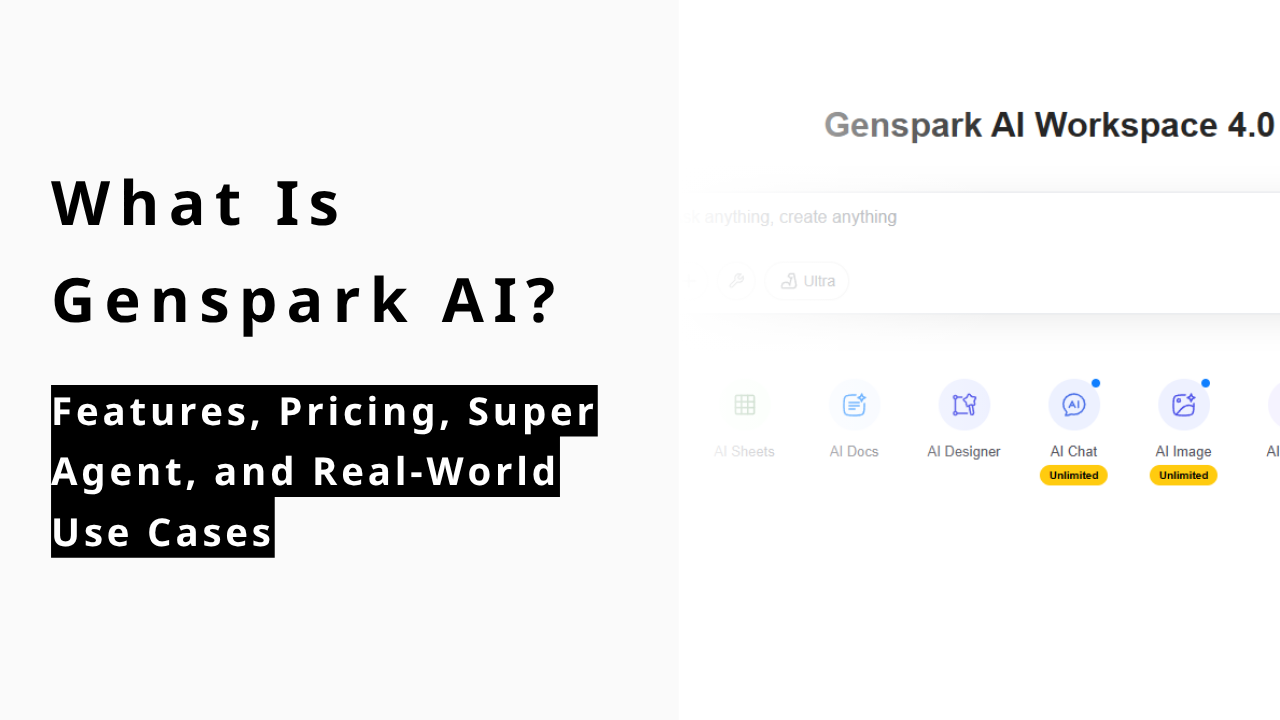
If you've been dismissing Genspark as "yet another AI chatbot," it's worth a second look. As of April 2026, the platform has crossed $250M in annual recurring revenue — a milestone it hit within just 12 months of launch. That kind of traction doesn't come from being marginally better at chat. It comes from doing something structurally different.
This review covers what Genspark actually is, what the Super Agent can (and can't) do, how pricing breaks down, and whether it belongs in your workflow in 2026.
What Is Genspark?
Before diving into features and pricing, it helps to understand what kind of product Genspark actually is.
An AI workspace, not just an AI search tool
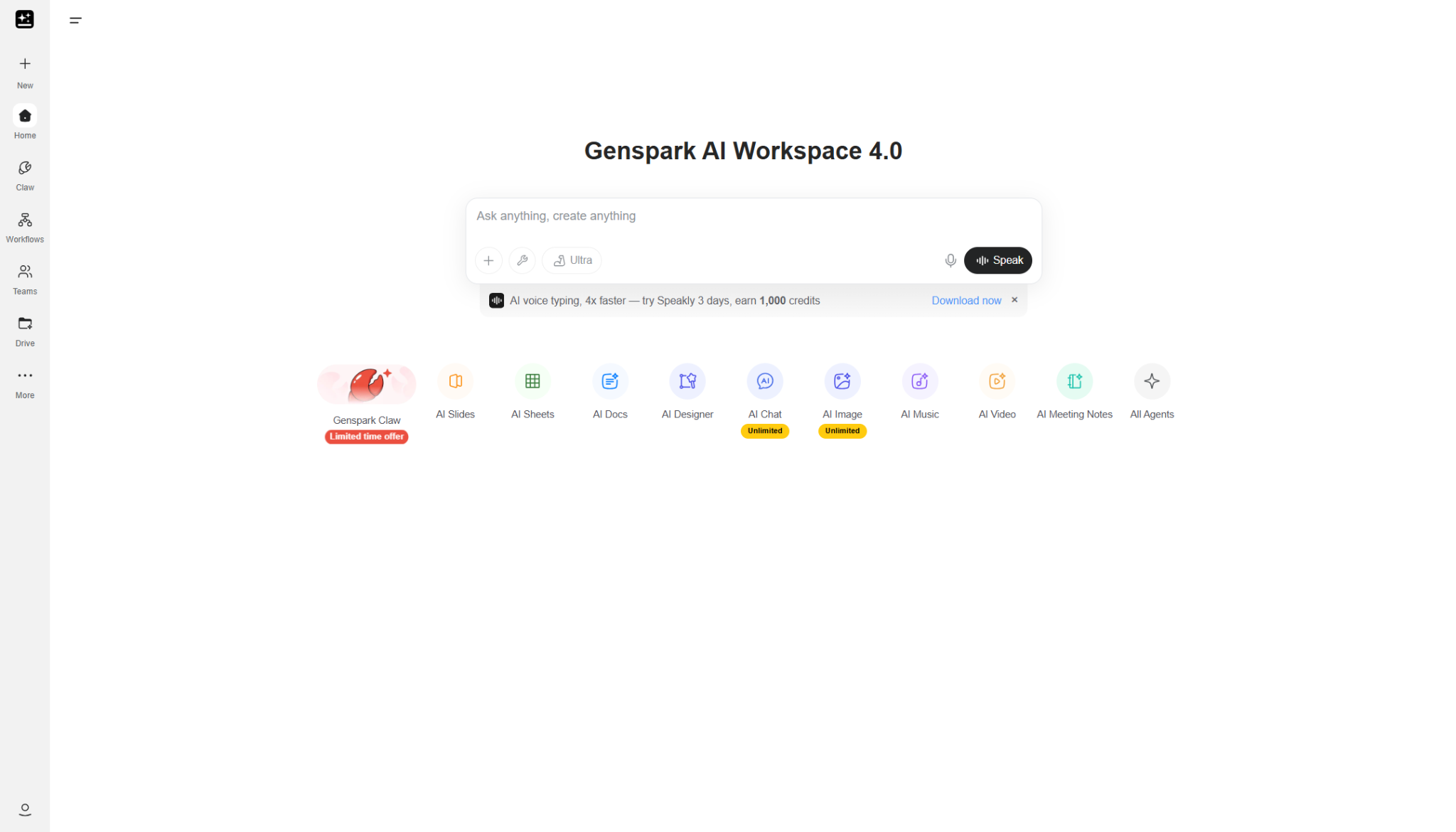
Genspark is best described as an all-in-one AI workspace — not a search tool, not a general-purpose chatbot, and not a slide generator. It spans multiple types of work: research, document drafting, slide creation, data analysis, meeting notes, image generation, and more — all from a single platform.
Genspark is an AI company founded in 2024 in Palo Alto, California. It is led by CEO Eric Jing (formerly of Microsoft Bing and Xiaoice), and was established by a team of engineers from companies like Microsoft and Google.
Its key differentiator is a “multi-agent” architecture that combines multiple AI agents, rather than relying on a single LLM, leveraging deep expertise in search and large-scale AI infrastructure.
The company has grown rapidly since its founding, achieving large-scale funding and reaching a valuation in the billion-dollar range. Its flagship product has also generated revenue quickly after launch.
In short, Genspark stands out for its Palo Alto origins, top-tier team, unique architecture, and rapid growth.
what is genspark super agent
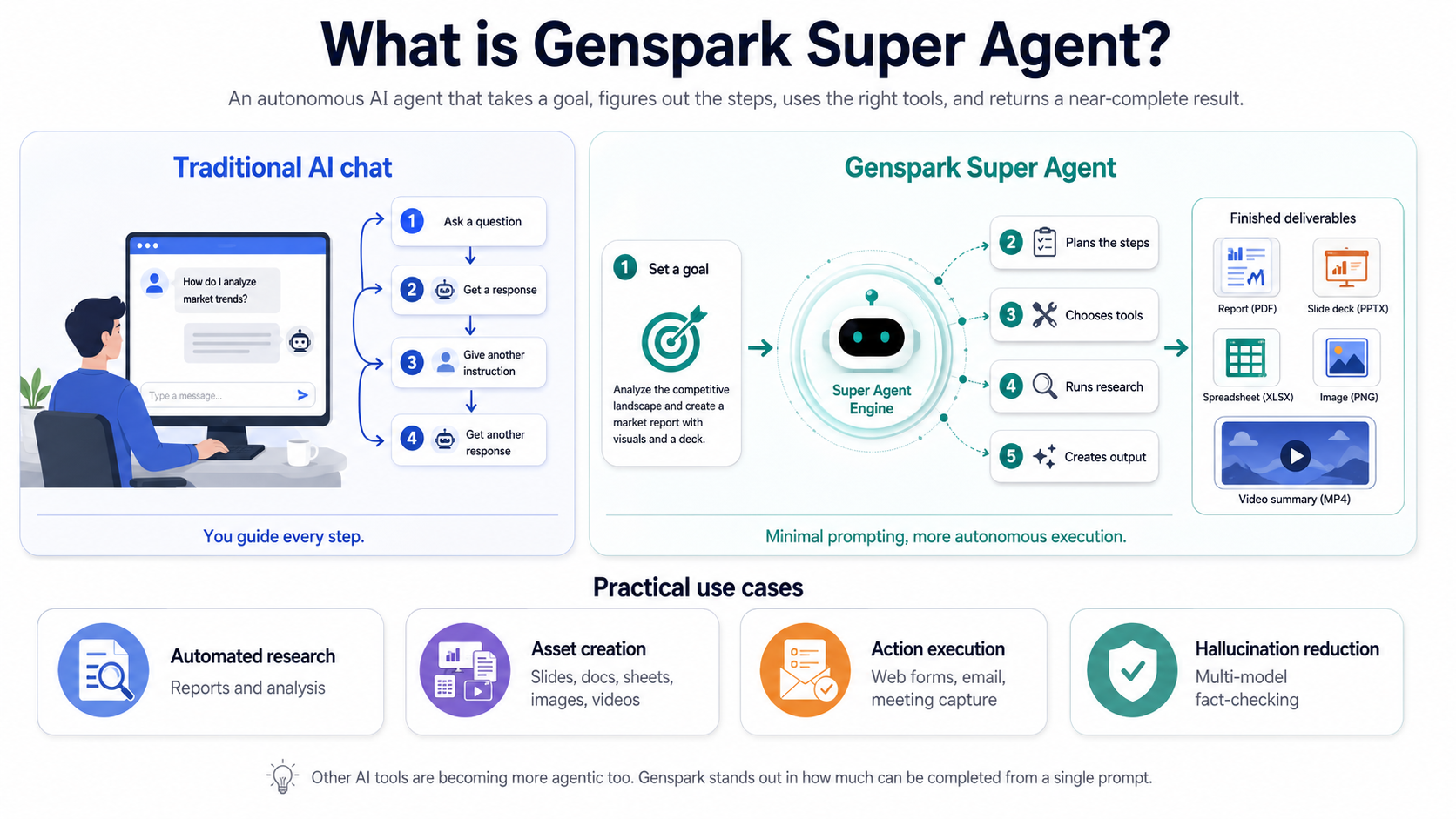
Super Agent is the core of Genspark — an autonomous AI agent that goes well beyond answering questions.
With a traditional AI chat tool like ChatGPT, you typically work in loops: ask a question, get a response, give another instruction, get another response. You stay in the driver's seat for every step. Super Agent changes this dynamic. You state a goal — "create a competitive analysis of the top AI productivity tools" or "build a five-slide pitch deck on climate solutions" — and the agent determines the steps, selects the tools, runs the research, and returns a near-complete output.
It's worth noting that ChatGPT and other tools have become increasingly agentic as well. What Genspark differentiates on is the degree to which tasks resolve with minimal prompting. Slide generation is a good example: where other tools often require you to iterate through an outline, then content, then design, Genspark's AI Slides agent handles that sequence largely on its own.
Practical use cases include: - Automated research and report generation - Asset creation: Slides, documents, spreadsheets, images, and videos from a single prompt - Action execution:Web form completion, email management, and calendar-connected meeting capture - Hallucination reduction: Multi-model fact-checking built into the generation pipeline |
What Does Genspark Actually Do?
Genspark isn't one tool — it's a set of specialized agents, each built for a different type of work. Here's what each one actually does in practice.
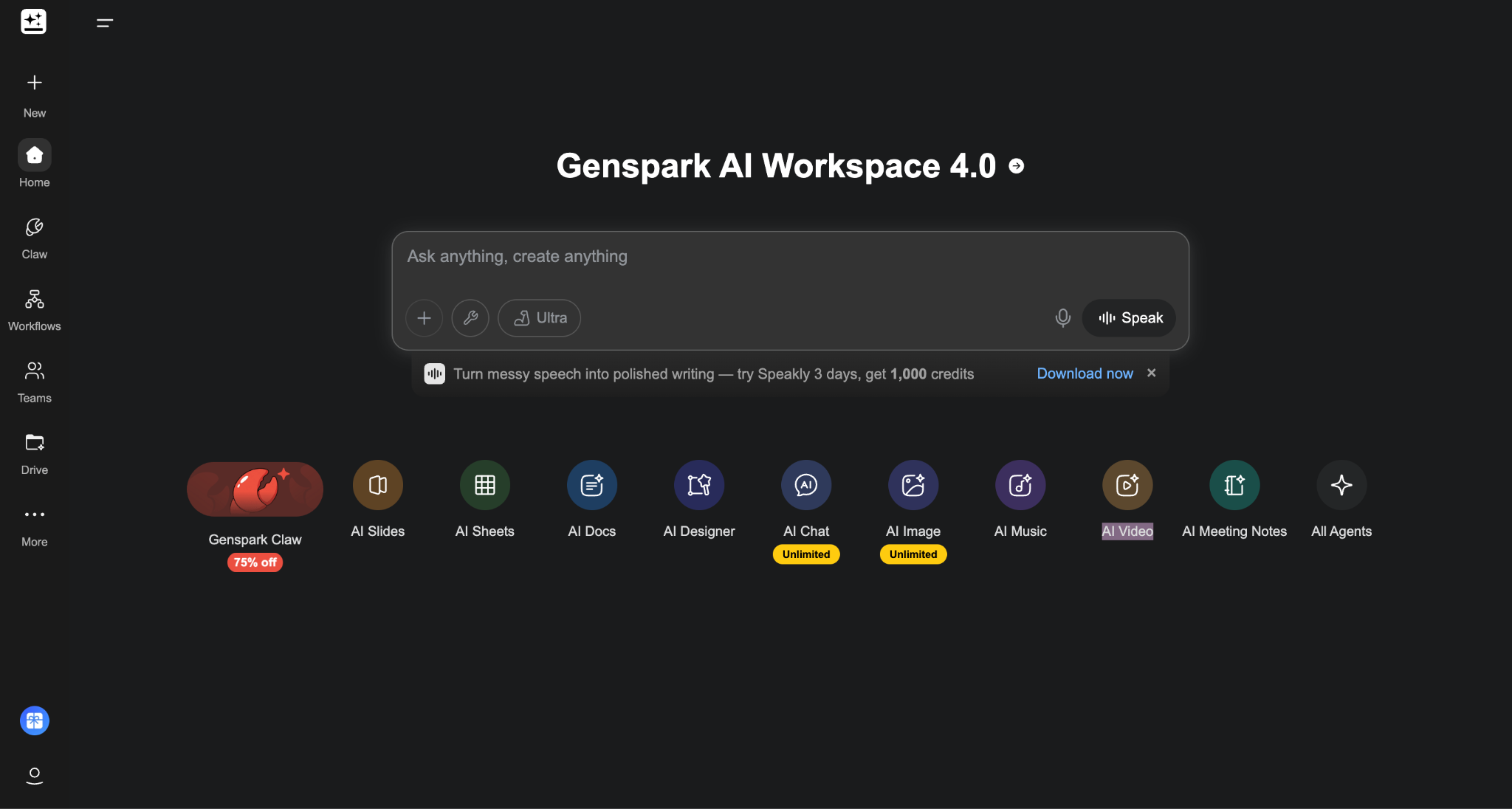
Genspark is also moving beyond one-off generation into a more persistent assistant model through Genspark Claw. Officially, Claw runs on a dedicated cloud computer and works across messaging apps like Slack, Teams, LINE, and WhatsApp, while the newer desktop version extends that model to local files, apps, and browser tasks. That matters because it pushes Genspark closer to an “AI employee” workflow, not just a prompt-in, output-out tool.
Research, synthesis, and first-draft generation
The broadest use case — and arguably the one that delivers the most immediate value — is the research-to-first-draft pipeline.
What sets Genspark apart from AI search tools is what it does after finding information. Deep Research uses advanced reasoning models to gather and analyze information across hundreds of sources, then passes findings to models like GPT, Claude, and Gemini to challenge and refine the output. The result is delivered as a Sparkpage: a structured report with clear sections, citations, follow-up suggestions, and organized summaries that read more like a finished draft than raw AI output.
The key evaluation question here isn't "is the information accurate?" — it's "can I hand this off to the next step?" Genspark's outputs are designed with that in mind. You're not just getting search results; you're getting something closer to a research brief that's ready to become a document, a presentation, or a talking-points memo.
Slides, docs, sheets, and design workflows
This is where Genspark earns the "workspace" label.
AI Slides
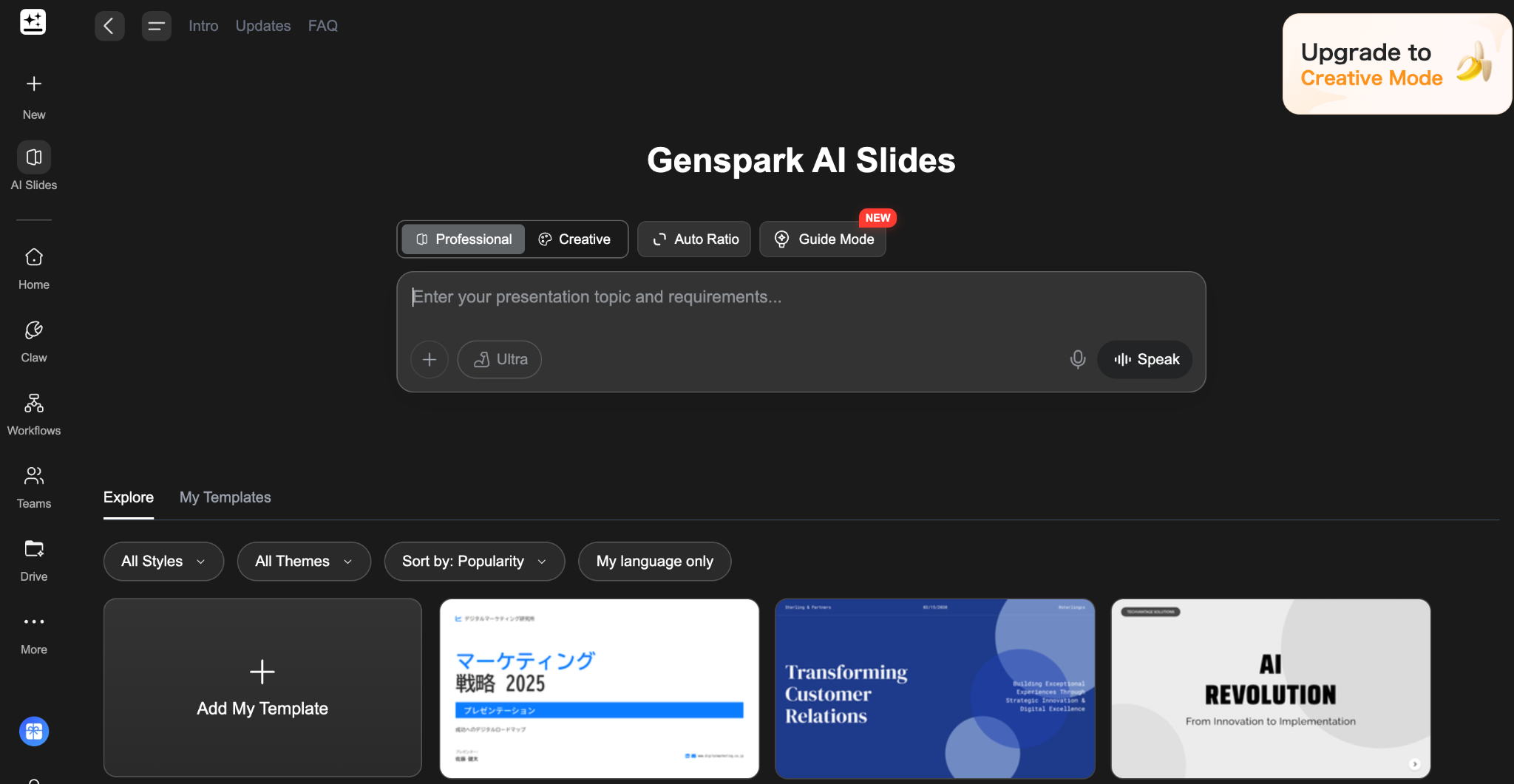
It generates presentation decks from a single prompt. The agent auto-researches the topic, structures the content into titled sections and summary slides, and applies visual formatting using pre-built or user-saved templates. You can fact-check each slide directly, request rewrites of specific sections, or use Advanced Edit mode for drag-and-drop adjustments. In reported testing, a five-slide deck typically takes around five minutes end-to-end.
AI Docs
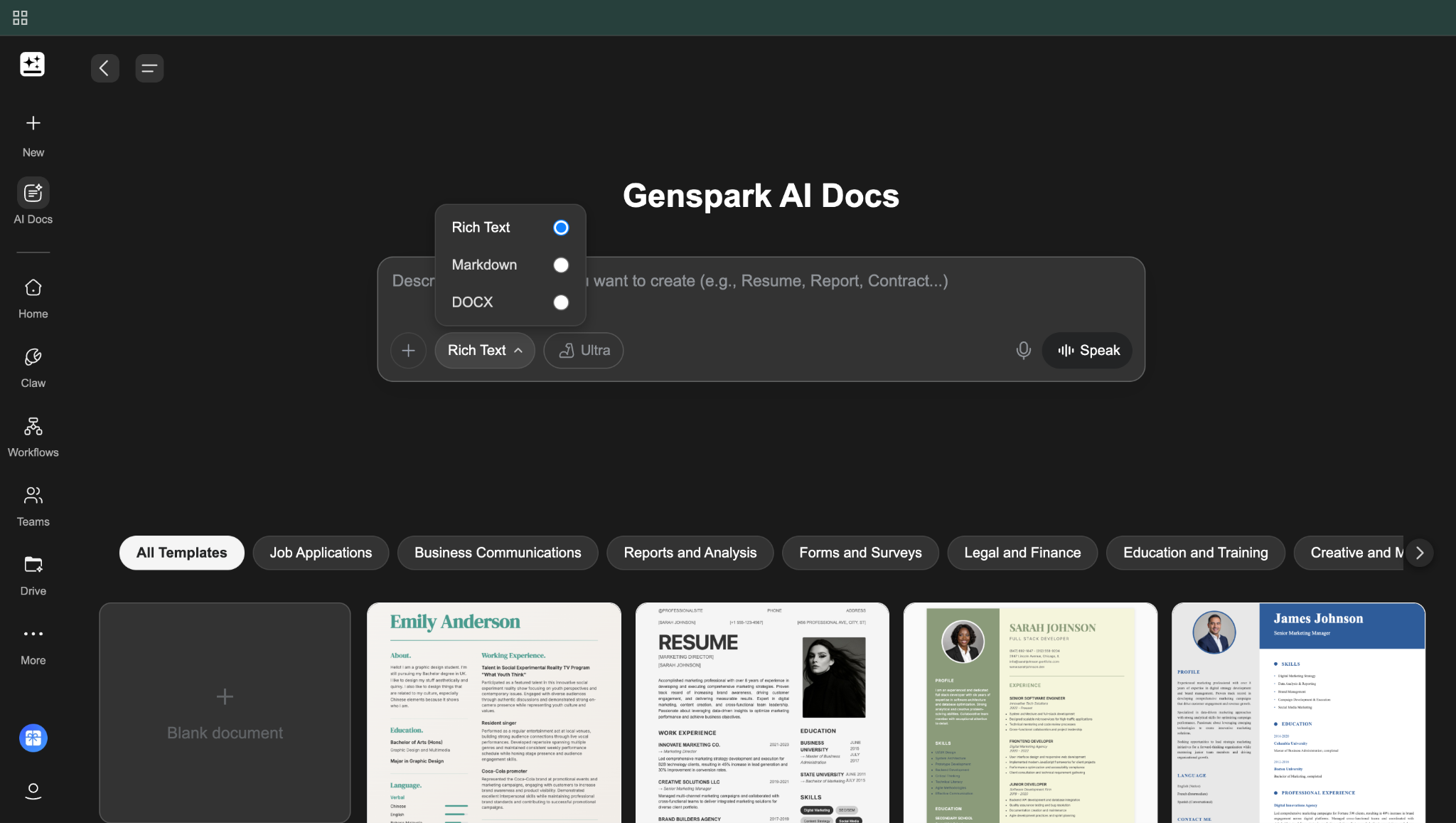
It handles article drafts, proposal documents, internal memos, and other written deliverables. Hundreds of intelligent templates are available, but the agent adapts flexibly to custom instructions — tone adjustments, restructuring, length changes — through natural language rather than rigid form fields.
AI Sheets
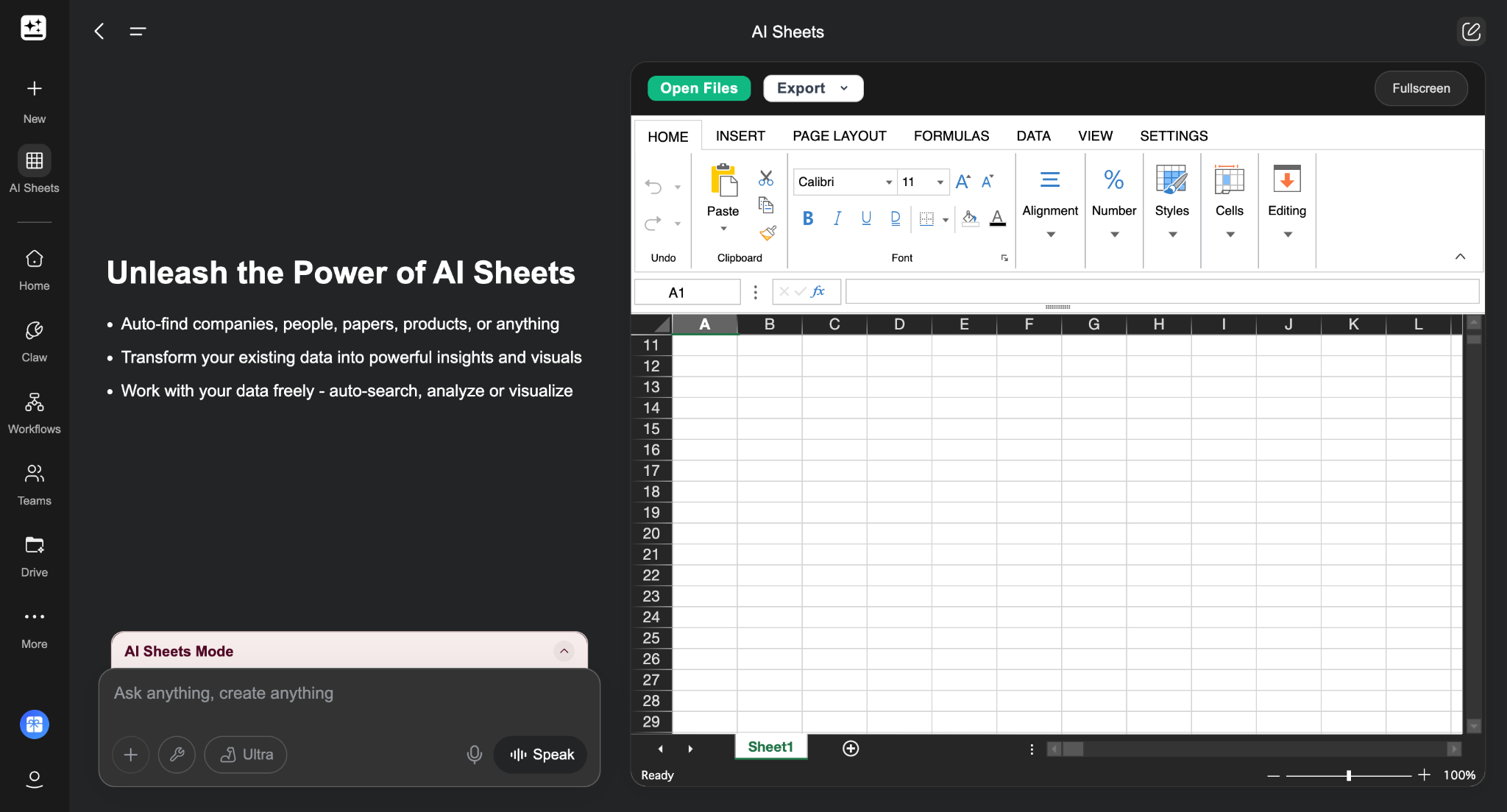
It is arguably the most distinctive feature for research-heavy workflows. It acts like a research analyst: prompt it with "find the top 20 YouTube channels covering AI automation and pull their subscriber count, average views, and posting frequency," and it scrapes the web, populates a spreadsheet, and can write Python code to generate charts and visualizations in a Jupyter notebook. For competitive research, content audits, or data collection tasks, this compresses hours of manual work.
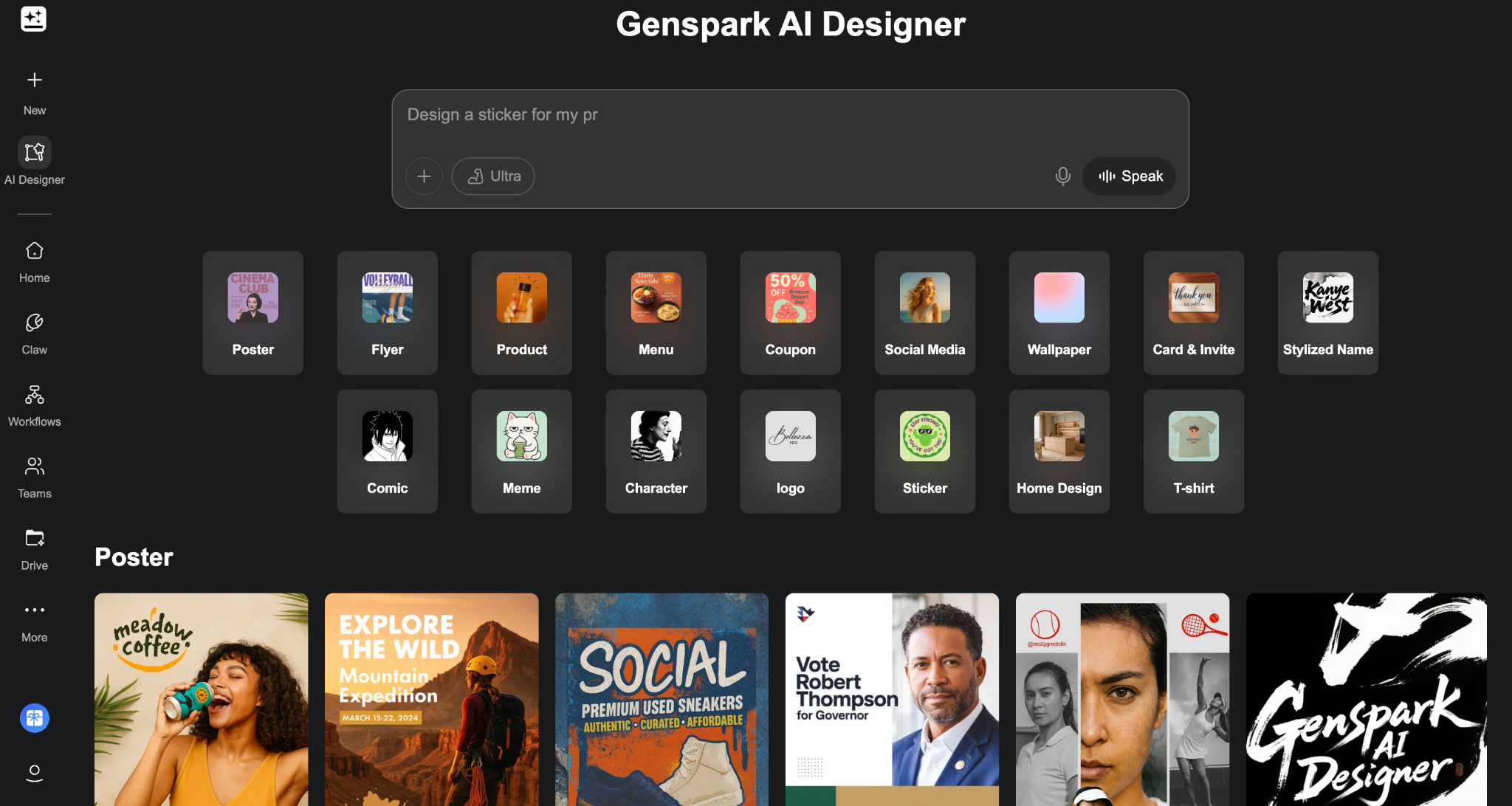
AI Designer
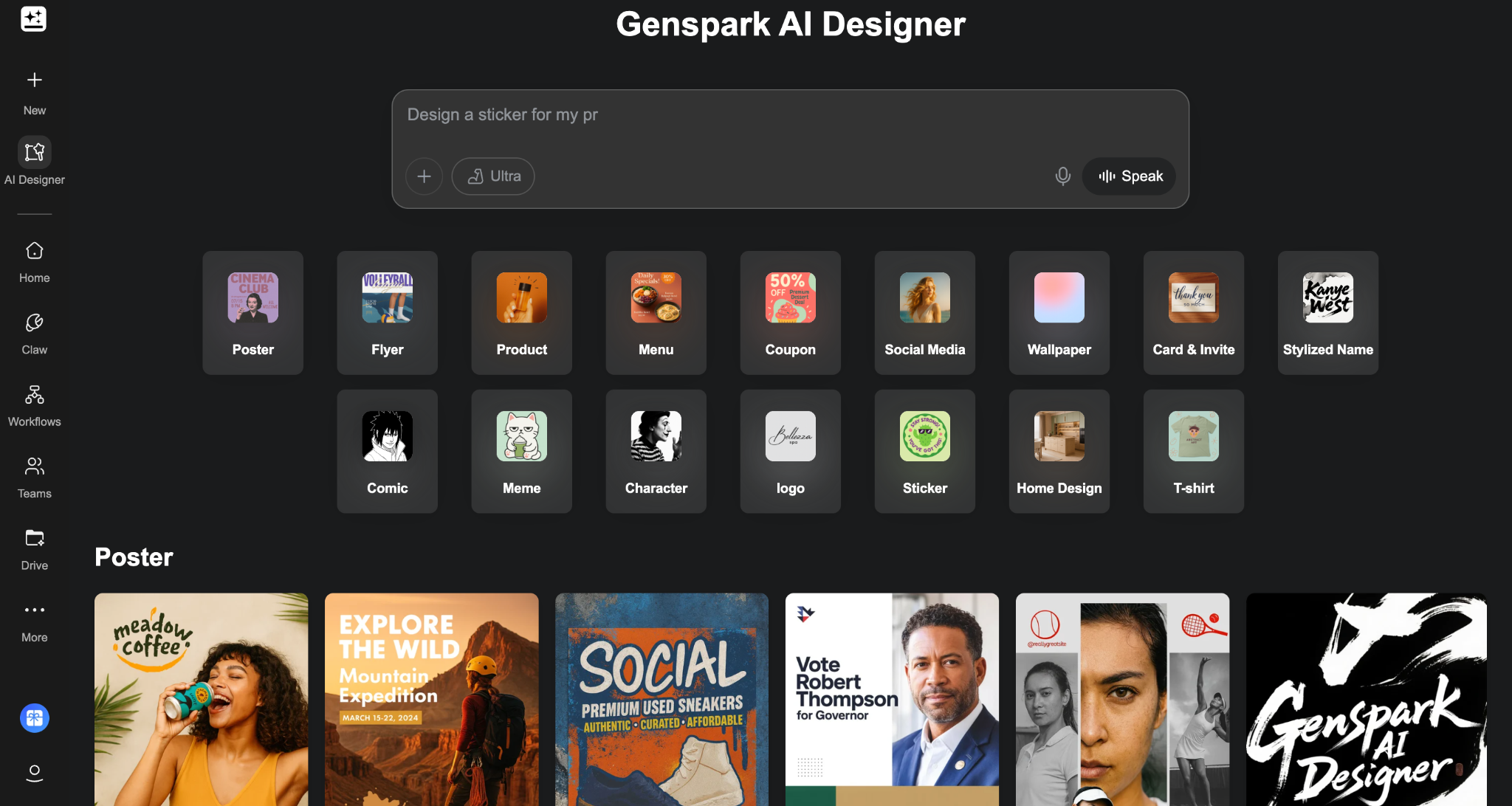
It handles visual and multimedia assets — image generation (using FLUX 1.1 Pro Ultra, Gemini Imagen 4, and other models), video creation, and audio conversion of written content into podcast-style formats. The image and video tools consume credits at a higher rate than text tasks.
Meeting notes and auto-joined meeting capture
Genspark includes an AI Meeting Notes agent that transcribes meetings, generates summaries, and shares notes with participants in one click. It supports calendar integration for automatic meeting joining — the bot captures notes without requiring a manual recording start.
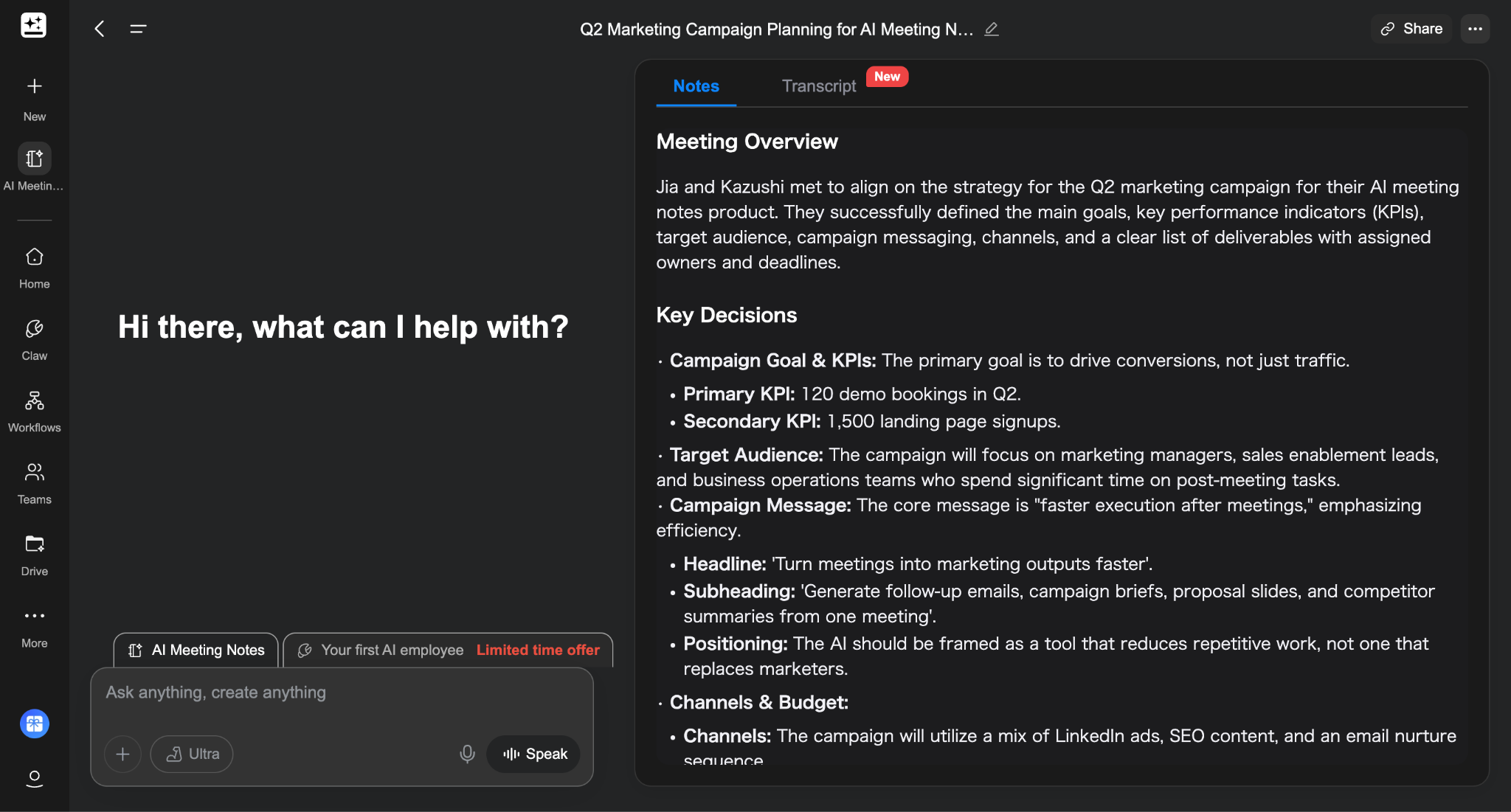
As of AI Workspace 4.0 (released April 8, 2026), the Speakly voice companion gained live real-time translation — multilingual translation during online meetings and video playback. For globally distributed teams or cross-language client calls, this is a practical addition.
Is Genspark Free, and How Much Does It Cost?
Yes — Genspark has a real free tier, along with paid personal plans and separate Team and Enterprise options. The free tier currently gives users 100 credits per day, which is enough to try the product meaningfully without adding a credit card. On the business side, Genspark’s official Team page lists $30 per seat per month, 12,000 credits per seat, and support for organizations with 2 to 150 users. Enterprise pricing is handled through sales.
Plan | Monthly billing | Annual billing (monthly equivalent) | Credits / month | Notes |
Free | $0 | $0 | 100/day | Good for testing the platform and lighter tasks |
Paid Personal Plan 1 | $24.99 | $19.99 | 10,000 | Entry-level paid plan from the current checkout screen |
Paid Personal Plan 2 | $49.99 | $39.99 | 21,000 | Mid-tier personal plan from the current checkout screen |
Paid Personal Plan 3 | $249.99 | $199.99 | 125,000 | Highest personal tier from the current checkout screen |
Team | $30 / seat | — | 12,000 / seat | 2–150 users, centralized billing and admin controls |
Enterprise | Contact sales | — | Custom | Enterprise-grade plan |
What you get on the free plan
The free plan is not fake generosity. It is enough to understand what Genspark actually feels like. You get 100 credits per day, no credit card is required to start, and the platform lets you test the core experience rather than just nudging you toward upgrade screens. That makes the free tier useful for light chat, basic research, short drafting, and getting a feel for how Genspark’s multi-model workflow behaves.
What it is not is a comfortable long-term setup for heavier work. If you want to generate a full slide deck, run deeper research, or lean heavily on more demanding workflows, the daily allowance will start to feel tight very quickly. Genspark’s public AI Chat page also makes clear that unrestricted access to all 15+ models sits behind a paid tier, so the free plan is better understood as a meaningful trial than as a sustainable professional plan.
Which plan makes sense for different users
The easiest mistake with Genspark pricing is to focus only on features. The more useful way to think about it is workflow intensity: how often you use it, what you ask it to produce, and how quickly you burn through credits when the work gets heavier.
The $19.99 annual / $24.99 monthly tier looks like the most practical starting point for many solo users. With 10,000 credits per month, it is the plan that makes the most sense if you use Genspark regularly but not constantly — for example, research notes, memo drafts, light image work, and occasional presentation output.
The $39.99 annual / $49.99 monthly tier is where the pricing structure gets more interesting. With 21,000 credits per month, it fills the gap between casual professional use and serious dependence. If the entry paid tier feels slightly constrained but the top tier feels excessive, this is probably the most underrated option in the lineup.
The $199.99 annual / $249.99 monthly tier is clearly built for heavy users. At 125,000 credits per month, it is aimed at people who want Genspark at the center of their workflow and expect to generate outputs frequently across multiple formats. It is also the easiest plan to overbuy. Unless credits are already a visible bottleneck in your work, many users will not need to start here.
For organizations, the logic is different. Genspark’s Team plan is easier to justify when you need shared controls, user roles, centralized billing, and organization-level oversight. The official page also highlights unlimited chat and unlimited image generation campaigns through Dec 31, 2026, which adds real value if your team expects to use those features heavily.
The right question is not “Which plan has the most?” It is “Which plan matches how I actually work?” If your usage is occasional, start lower. If Genspark is becoming a weekly production tool, move up. If it is becoming part of your team’s operating system, that is when the Team starts to make more sense than a bundle of individual subscriptions.
Our Hands-On Test: How Genspark Performs in Real Workflows
I want to be upfront about what this section is: real impressions from actually using Genspark for the kinds of tasks that come up in everyday professional work. Not a controlled benchmark — just an honest account of what it was like to use the tool.
I ran four task types that reflect common knowledge-worker workflows: a research brief, a slide deck draft, a document first draft, and a competitive data pull using AI Sheets. For reference points on where the real differences surface, I also ran some of the same tasks through Manus — an autonomous agent tool frequently compared with Genspark — to give a side-by-side perspective.
How well Genspark handles research and structured first drafts
To test this, I ran the same prompt in both Genspark and Manus, asking them to analyze key trends in AI productivity tools in 2026.
Both tools were extremely fast—each returned a full report in under a minute. The difference shows up in what you get back.
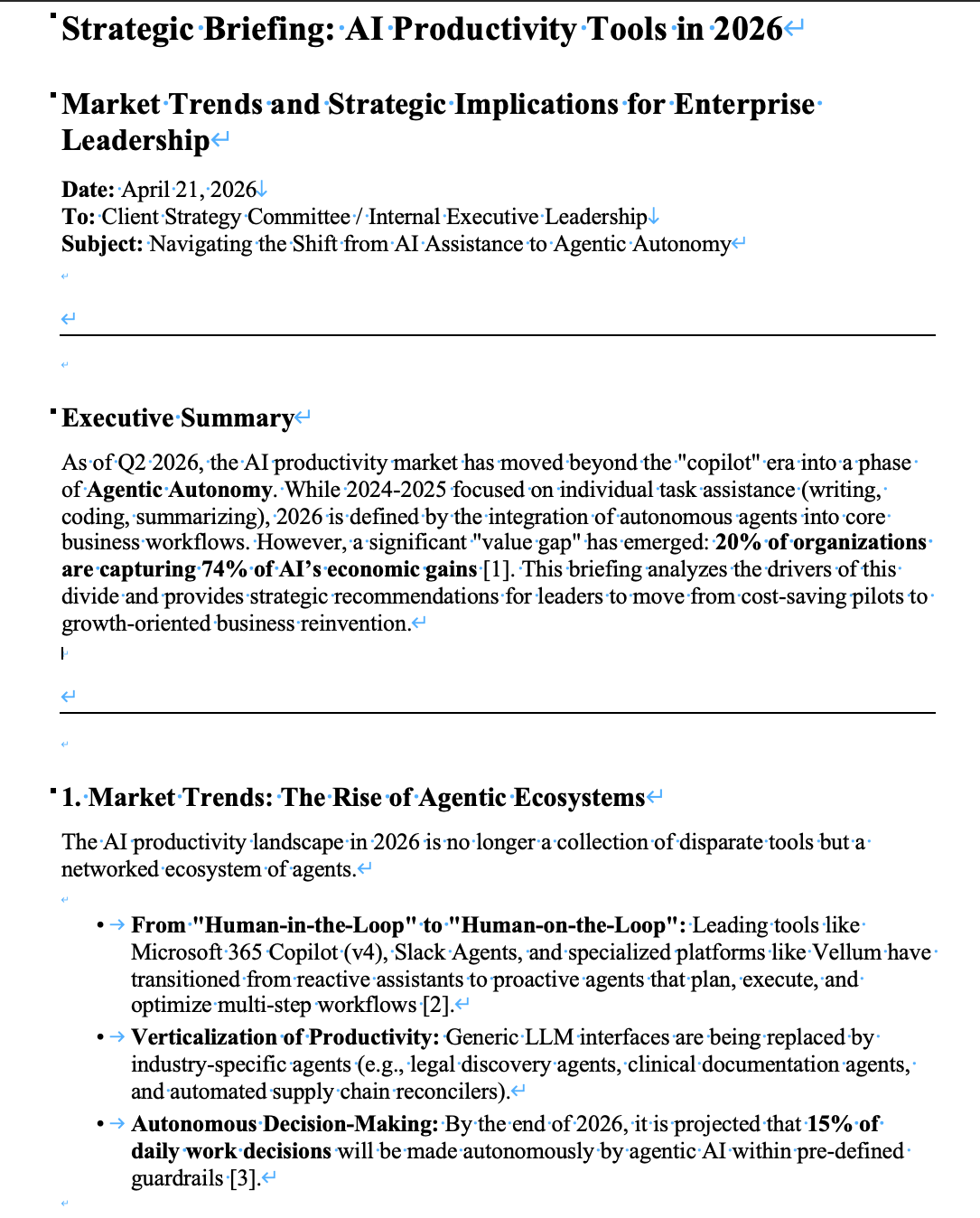
Genspark produces a highly structured, data-rich output with clear sections, concrete numbers, and references. It feels close to a usable first draft—you can take it and move directly into slides, documents, or further analysis with minimal restructuring. (Genspark research output)
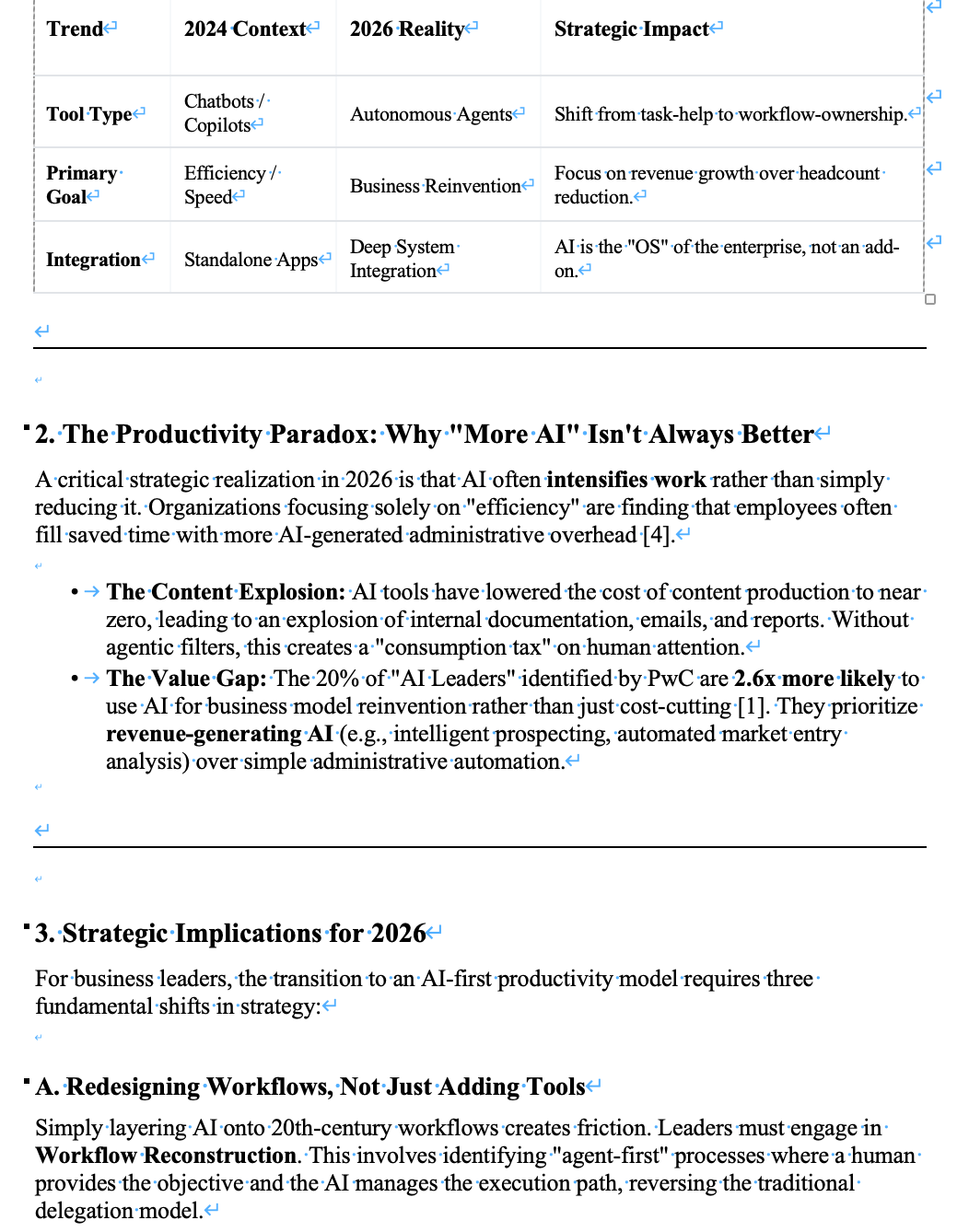
Manus, on the other hand, generates a cleaner and more readable narrative, but with less depth and fewer concrete data points. It’s easier to follow, but typically requires more work before it can be used in a real deliverable.(Manus research output)
The transparency is also different. Genspark shows what it searched and which sources it referenced, while Manus shows what it’s doing step-by-step without revealing the sources behind it.
In practice, the choice is straightforward:
If you need something you can quickly build on, Genspark is more useful.
If you care more about readability and following the reasoning, Manus may fit better.
Category | Genspark | Manus | Notes / Evidence |
Speed (Time to Output) | Very fast (<1 min) | Very fast (<1 min) | Both returned full reports in under a minute with no meaningful difference in speed |
Structure Quality | Very strong (deep, report-like hierarchy) | Strong (clear but simpler structure) | Genspark uses more layered sections and sub-sections, closer to a formal report format |
First-draft Usability | High (close to publish-ready) | Moderate–High | Genspark output requires less restructuring before reuse |
Specificity | High (rich in numbers, stats, named sources) | Moderate (more conceptual, fewer hard data points) | Genspark includes detailed metrics and references; Manus relies more on examples |
Source Quality | Moderate (sources shown but need verification) | Low–Moderate (sources not visible) | Genspark exposes search queries and referenced pages; Manus does not reveal sources |
Internal Consistency | Strong | Strong | No major contradictions observed in either output |
Verbosity | Slightly verbose (dense and information-heavy) | Moderate (more concise and readable) | Genspark prioritizes completeness; Manus prioritizes readability |
Freshness | Moderate (recent but not real-time) | Moderate (similar level of recency) | Both rely on general 2025–2026 trends rather than very recent updates |
Transparency (Process Visibility) | High (search queries + sources visible) | Moderate (process visible, sources hidden) | Genspark shows what it searched and referenced; Manus shows steps but not underlying sources |
How usable the outputs really are: slides, docs, and other assets
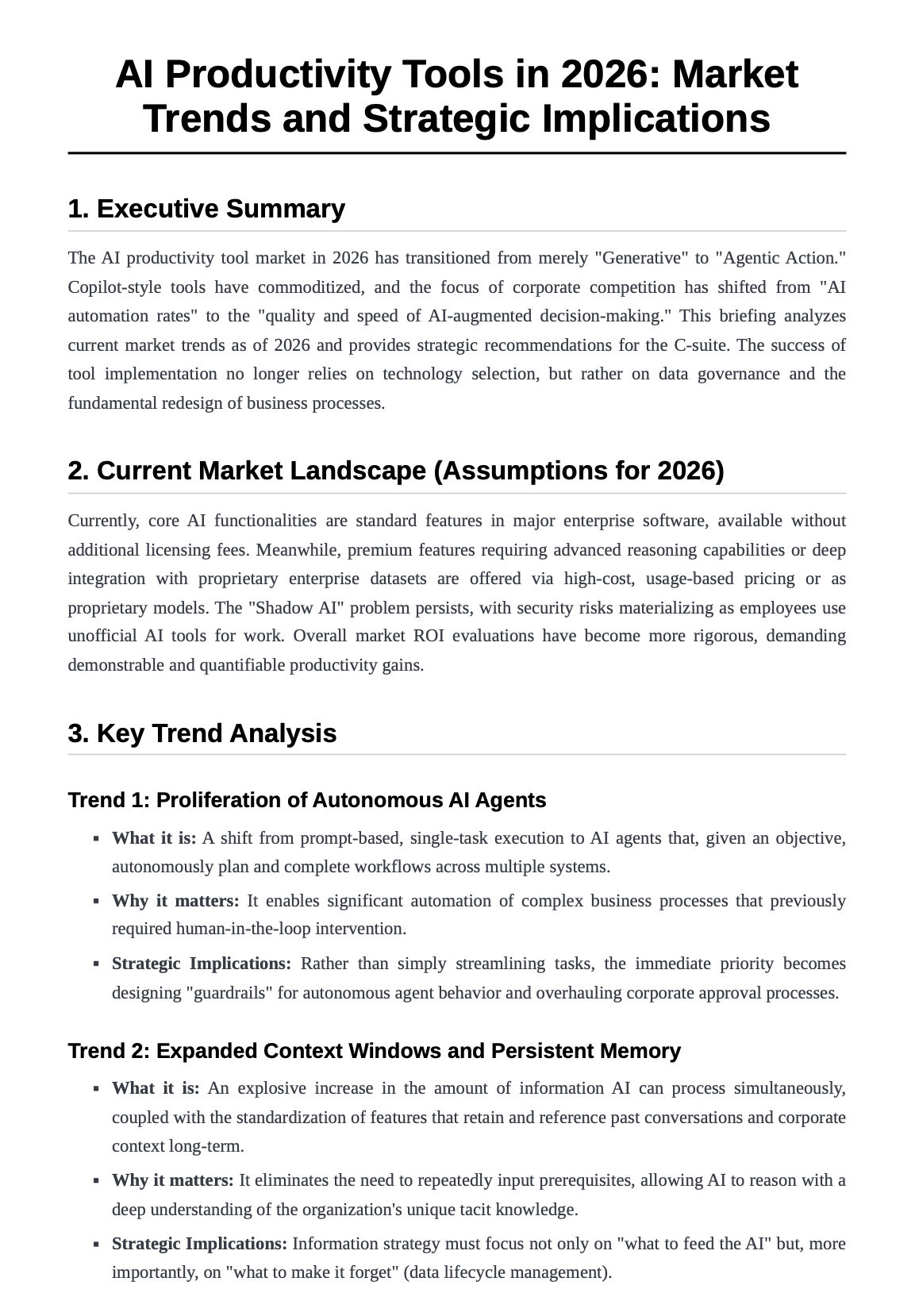
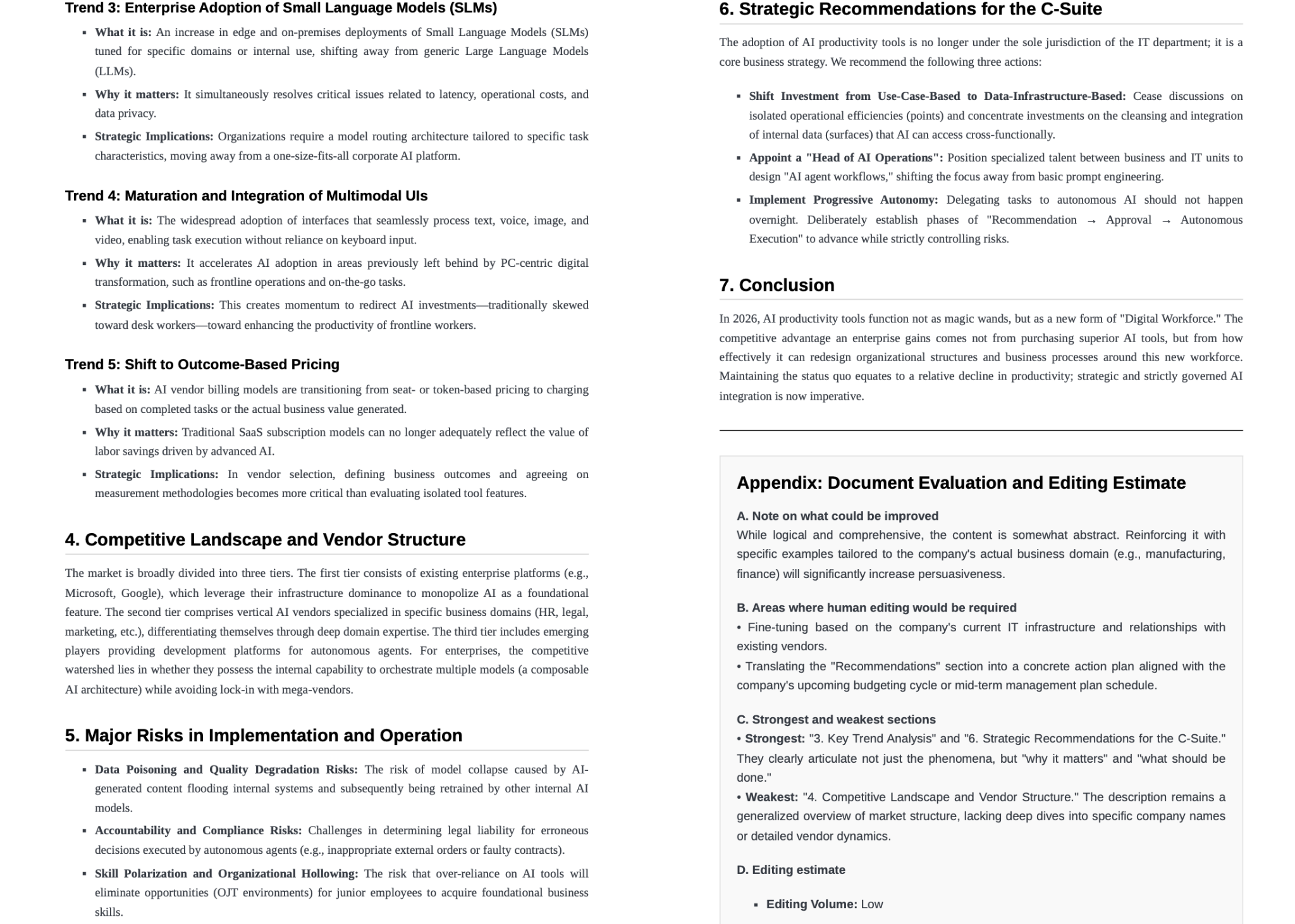
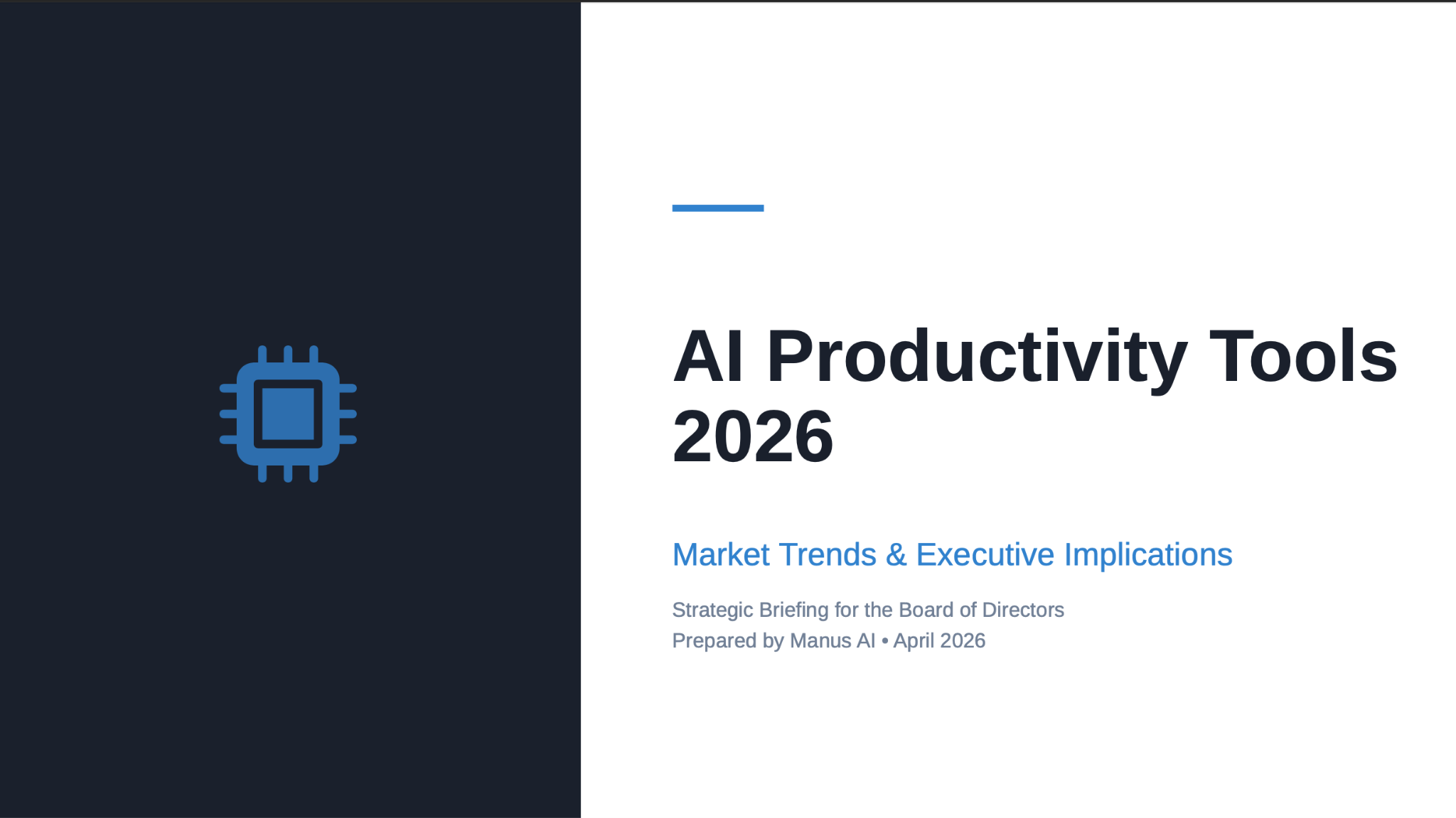
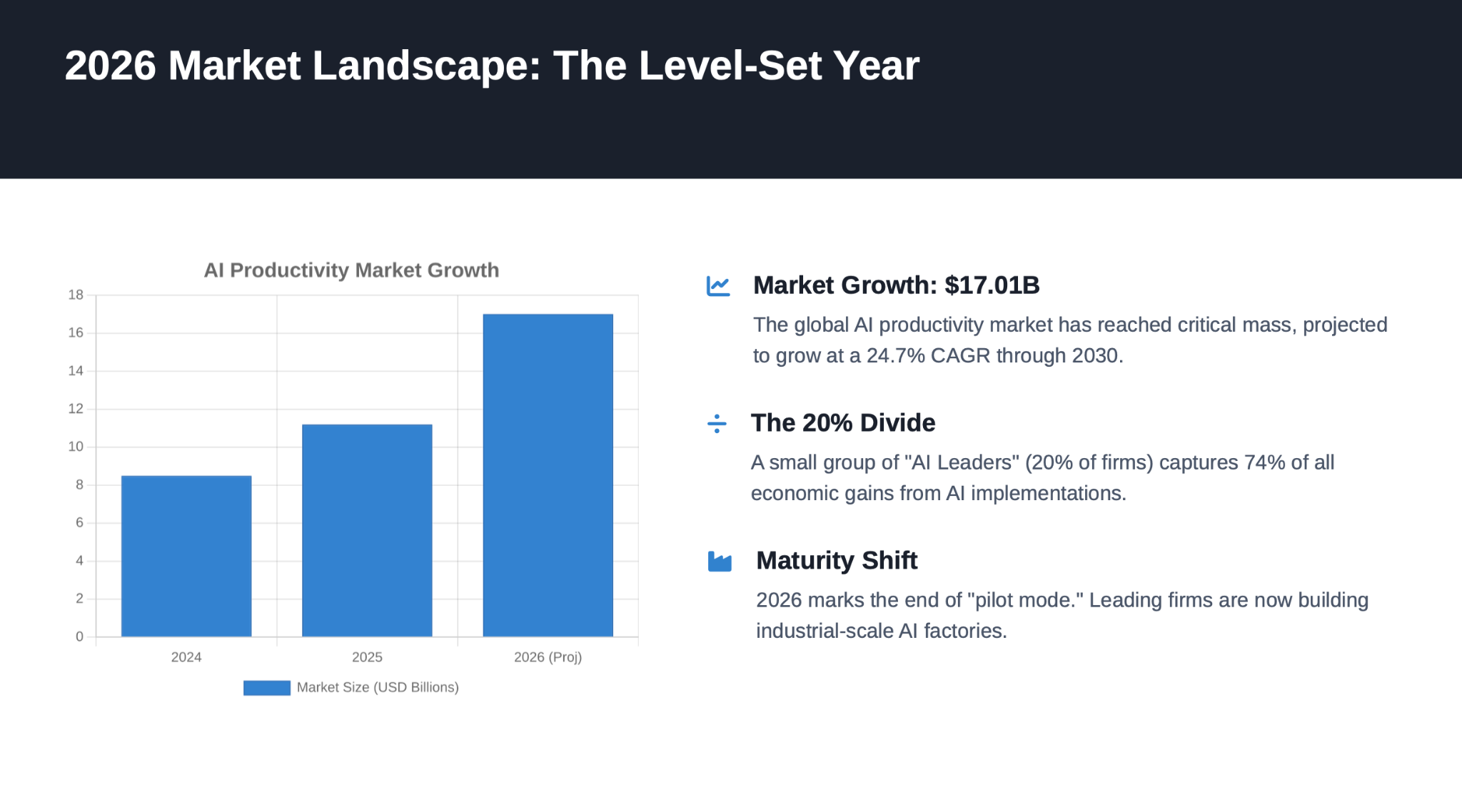
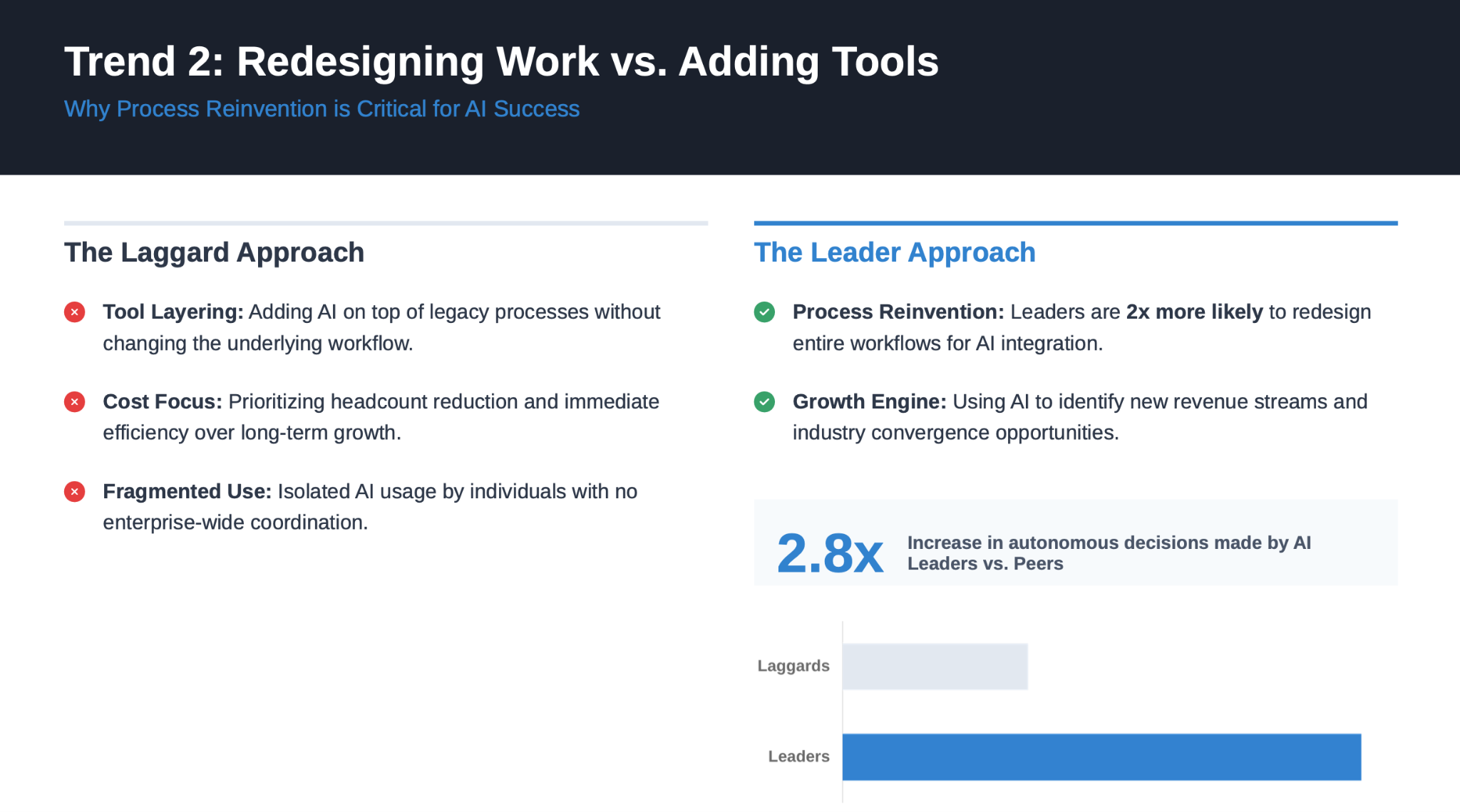
Looking at both the slides and the document makes the difference clearer. Genspark creates a stronger first impression: the slides feel more polished, and the document surfaces a larger amount of material quickly. Manus is less visually striking, but more composed underneath. Its slides follow a steadier narrative, and its document reads more like a genuine briefing memo than a high-output AI draft.
That is the practical distinction. Genspark is stronger when you need a polished-looking starting point at speed. Manus is stronger when you need an output that already has a more stable structure and requires less reshaping before it can be used in a real business context.
Category | Genspark | Manus | Notes / Evaluation Criteria |
Slide Deck Readiness (Meeting Use) | 4/5 | 4/5 | Genspark made a stronger first impression visually and felt closer to a polished meeting deck. Manus was less flashy, but more stable and easier to imagine reusing as an executive briefing draft. |
Slide Narrative Flow | 4/5 | 4.5/5 | Genspark showed a clear business storyline, but Manus was slightly stronger in end-to-end structure, moving more naturally from problem to market reset to trends to implications to action plan. |
Slide Visual Structure | 5/5 | 3.5/5 | This was Genspark’s clearest strength. Its hierarchy, spacing, card layout, and labeling felt more modern and presentation-ready. Manus was clean and readable, but more conservative and template-like. |
Slide Content Quality | 3.5/5 | 4/5 | Genspark included strong specificity, but some slides felt slightly dense. Manus did a better job of keeping the content scoped for presentation use, with clearer issue framing and better restraint. |
Document First-Draft Quality | 4/5 | 4.5/5 | Genspark produced a solid draft with practical strategic framing and clear business relevance. Manus felt slightly more complete as a first draft, with a smoother briefing structure and stronger memo-like usability. |
Document Logical Consistency | 4/5 | 4.5/5 | Genspark connected market trends, organizational impact, and recommended actions well, but covered a wider range of points. Manus had a tighter central argument and more consistent logic throughout the document. |
Writing Clarity & Tone | 4/5 | 4/5 | Genspark’s writing was natural, businesslike, and easy to adapt into a practical memo. Manus was slightly more abstract, but more consistently aligned with the tone of a strategy briefing. |
Editing Effort Required | Medium | Low–Medium | Genspark would need contextual refinement, accuracy checks, and some prioritization. Manus would also need fact-checking and tailoring, but its structural foundation was slightly more stable. |
Information Density | 4.5/5 | 4/5 | Genspark packed in more usable detail across workflows, governance, KPIs, and organizational implications. Manus was slightly lighter, prioritizing readability and narrative clarity over density. |
Overall Workflow Fit | 4/5 | 4.5/5 | Genspark felt stronger as a tool for generating impressive first outputs quickly. Manus felt slightly better suited to workflows where the output needs to be refined into a real executive deck or strategy memo with less structural rework. |
Genspark Outputs
(Slides)
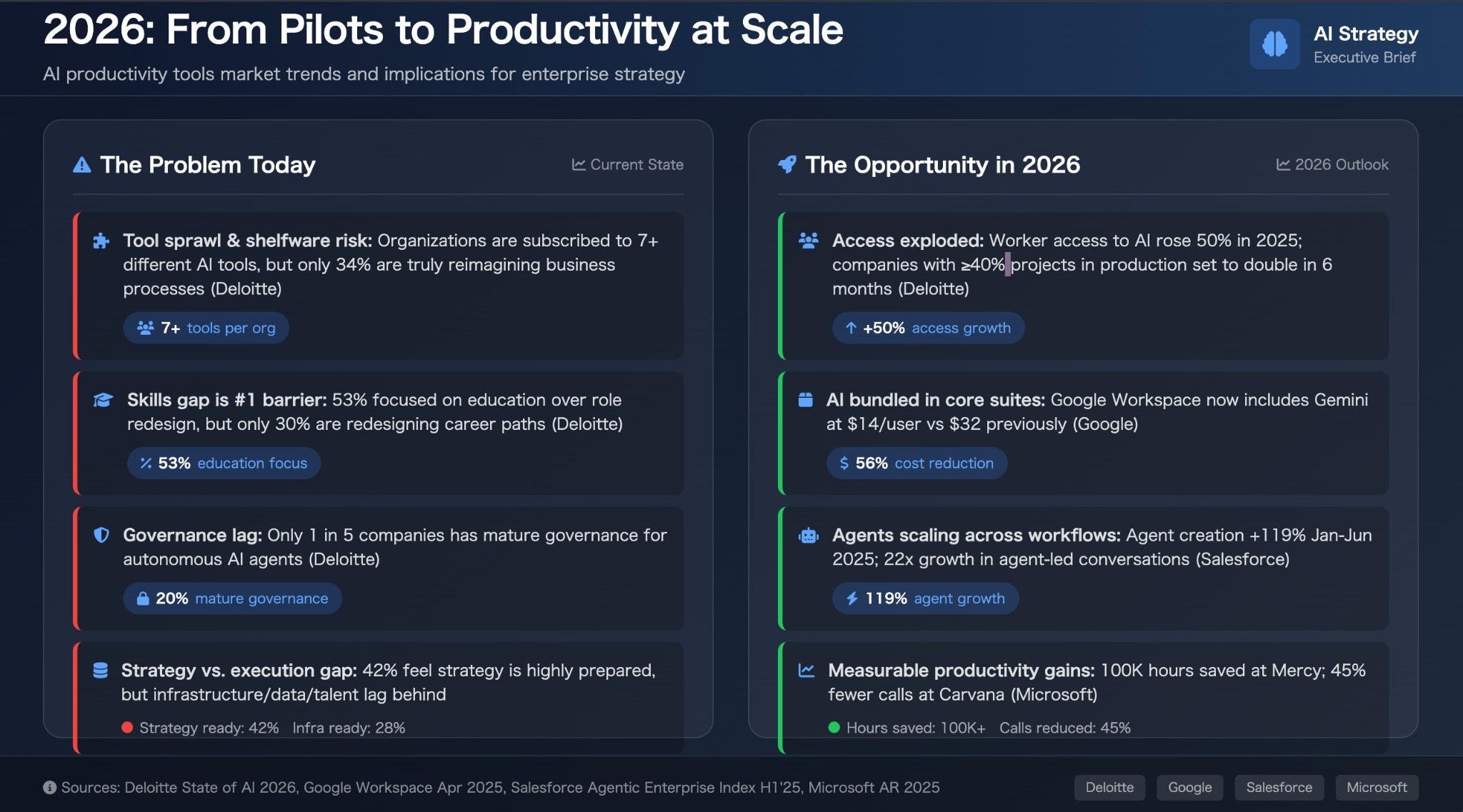
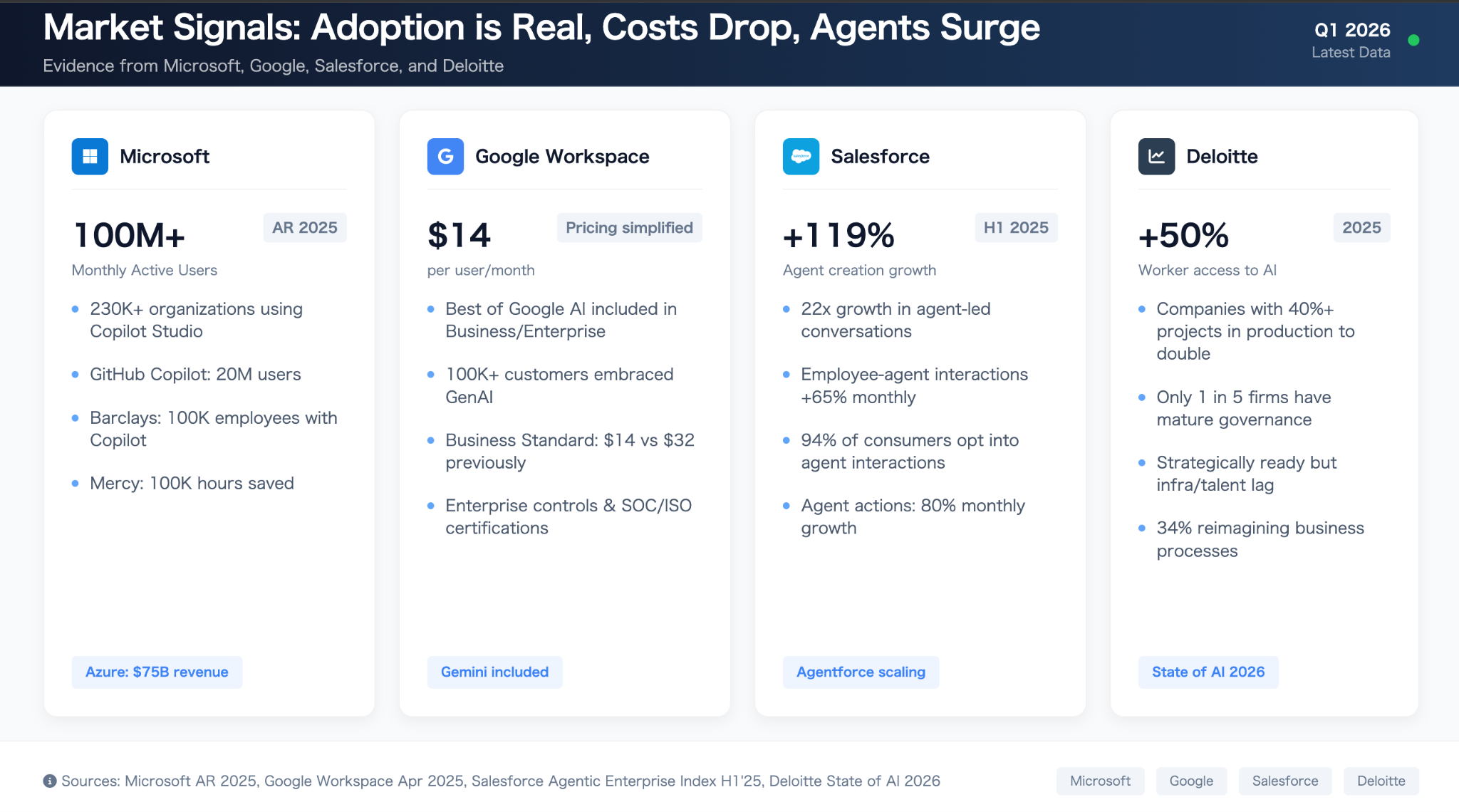
(Documents)
Manus Outputs
(Slides)
What using Genspark actually feels like day to day
In day-to-day use, Genspark feels faster and easier to trust at the start. The interface makes it relatively clear what to do next, the output types are easy to understand, and it gets from prompt to something substantial with very little friction. Compared with Manus, it feels more guided and more immediately rewarding. You do not have to fight the tool very much to get a usable draft.
That said, the ease is front-loaded. Genspark is good at producing outputs that look finished quickly, which makes it feel efficient in the moment. But that polish can be slightly misleading. The slides look ready sooner than they really are, and the document draft surfaces a lot of material before the structure is fully settled. In practice, Genspark is easier to start with, but it still leaves a human to trim, prioritize, and sharpen the output before real use.
Manus feels different. It is a little less immediately polished, and a little less “slick” in the first few minutes, but it gives off a steadier sense of control once you begin reviewing the content. The outputs are less visually impressive at first glance, yet they often require less structural cleanup. So if Genspark feels easier to begin with, Manus feels easier to stand behind once the draft is on the table.
Genspark vs Manus: where the real differences show up
At a glance, Genspark and Manus can seem surprisingly similar. Both are fast, both can turn a broad prompt into something substantial, and both can save real time in everyday knowledge work.
The difference is less about raw capability than about where each tool feels strongest.
Genspark is stronger at helping you get to a usable working version quickly. Its slides feel more polished, its documents surface more material up front, and the overall experience feels more immediate. If your workflow rewards speed, momentum, and outputs that are easy to react to, Genspark has a clear advantage.
Manus feels strongest a little later in the workflow. Its slides are less visually refined, but the narrative tends to hold together more steadily across the full deck. Its documents also read more like a traditional briefing memo, with a slightly tighter argumentative spine. If your priority is minimizing structural reshaping before review, Manus often feels more stable.
That is the practical distinction. Genspark is better at accelerating the path from prompt to usable draft. Manus is better at delivering a draft that may need less structural adjustment before it is reviewed seriously.
For most teams, this is the more useful way to frame the comparison. The question is not which tool is more impressive in isolation. It is which part of the workflow you want to speed up most.
When Genspark Is a Good Fit — and When It Isn’t
No tool is right for every workflow. This section lays out where Genspark genuinely shines — and where it's likely to fall short of your expectations.
When Genspark is a good fit
Genspark performs well when the goal is moving from a standing start — no research, no draft, no structure — to a working first version as fast as possible.
It's a strong fit for:
Users who need research, synthesis, and first drafts quickly.
The combination of Deep Research and Sparkpages compresses what used to be hours of information gathering into minutes, with structure already included.
People who want multiple output types in one workspace.*
If you're currently switching between a research tool, a slide tool, a docs tool, and a data tool, Genspark consolidates meaningful portions of that stack.
Workflows where AI output is reviewed and refined before use.
*Genspark's outputs are strong starting points. Teams or individuals with a review step built in will extract the most consistent value.
The clearest through-line: Genspark is better suited to people who want a useful draft quickly than to people who want a finished product automatically. |
When Genspark is not the best fit
There are real limits worth being honest about.
Output quality isn't consistent across tasks.
The same prompt on different days, or for different topic areas, can produce notably different results. If your workflow requires reproducible quality every run, that variance will create friction.
Human editing is a realistic expectation, not an edge case.
Across the tasks I tested, every output required some degree of revision before I'd be comfortable sharing it externally. That's not a dealbreaker for a first-draft tool, but it does mean Genspark doesn't replace editorial judgment.
Teams that need to go directly from meeting to deliverable may find that Genspark's general-purpose creation capabilities don't fully close that loop. Meeting notes are captured, but converting those notes into a client proposal or finished slide deck without re-explaining the context is a gap.
For workflows where the meeting is the starting point, a dedicated meeting-to-output tool like Rimo Actions may be worth considering alongside Genspark, rather than expecting Genspark to handle both sides alone.
For Meeting-Heavy Teams, This Is Where Rimo Actions Fits Better
Genspark covers a lot of ground — but there's a specific workflow pattern where a different tool deserves a look alongside it.
The difference between meeting notes and post-meeting execution
These two things are not the same, and conflating them leads to frustration.
Meeting notes are a record. Transcription, summary, key decisions, action items — the documentation of what happened in a room. This is a capture problem. The output is a log.
Post-meeting execution is something else entirely. It's taking what was decided in that room and turning it into the things that actually need to exist afterward: a landing page, a proposal deck, a strategy document, a client brief, a prioritized action list with owners. This is a creation problem. The output is a deliverable.
Genspark's AI Meeting Notes handles the first half well. The issue is that most teams need both — and there's a real gap between having a good transcript and having the follow-through output ready to act on. A transcript is not a proposal. A summary is not a slide deck. The work of converting one to the other still has to happen somewhere.
Why re-feeding meeting context becomes a hidden cost
The moment you try to use a general-purpose AI tool to produce post-meeting deliverables, a familiar pattern kicks in. You open a new chat, paste in the meeting summary, and start explaining: who was in the room, what decision was made, what the constraints are, which direction won, who owns what, what the deadline is. Even with good notes, that re-explanation takes time — often five to fifteen minutes per session before you've reconstructed enough context for the AI to generate something useful.
That's not a one-time cost. Every deliverable that flows from a meeting restarts the same cycle. For teams that run three, five, or ten consequential meetings a week, this hidden tax accumulates fast.
The specific costs worth naming:
Time: Re-entering context that already exists somewhere in your notes, just not where the AI can reach it
Instruction overhead: Figuring out how to compress a nuanced two-hour conversation into a prompt that doesn't lose what mattered
Misalignment drift: When the AI interprets meeting context from a summary rather than from the actual record, subtle misreadings compound across revisions
Re-editing loops: Catching those misreadings late in the process, after you've already built on top of them
None of this is catastrophic in isolation. But it's the kind of friction that makes AI-assisted work feel slower than it should, especially for output types that are supposed to flow naturally from a meeting — like a proposal that reflects the actual conversation, or a slide deck that captures the actual strategic direction.
From transcript and summary to actual deliverables
This is where Rimo Actions is worth understanding as a distinct category of tool.
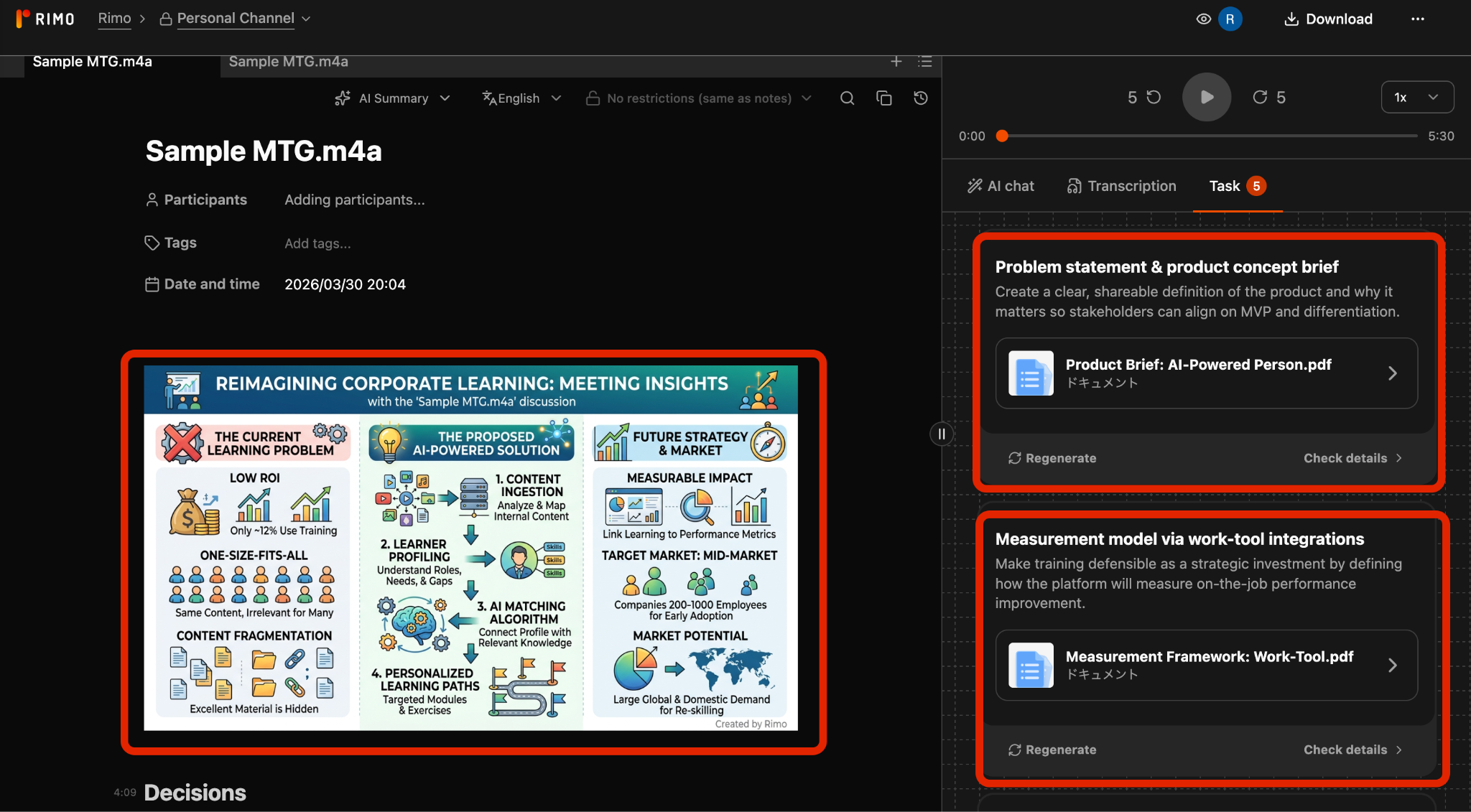
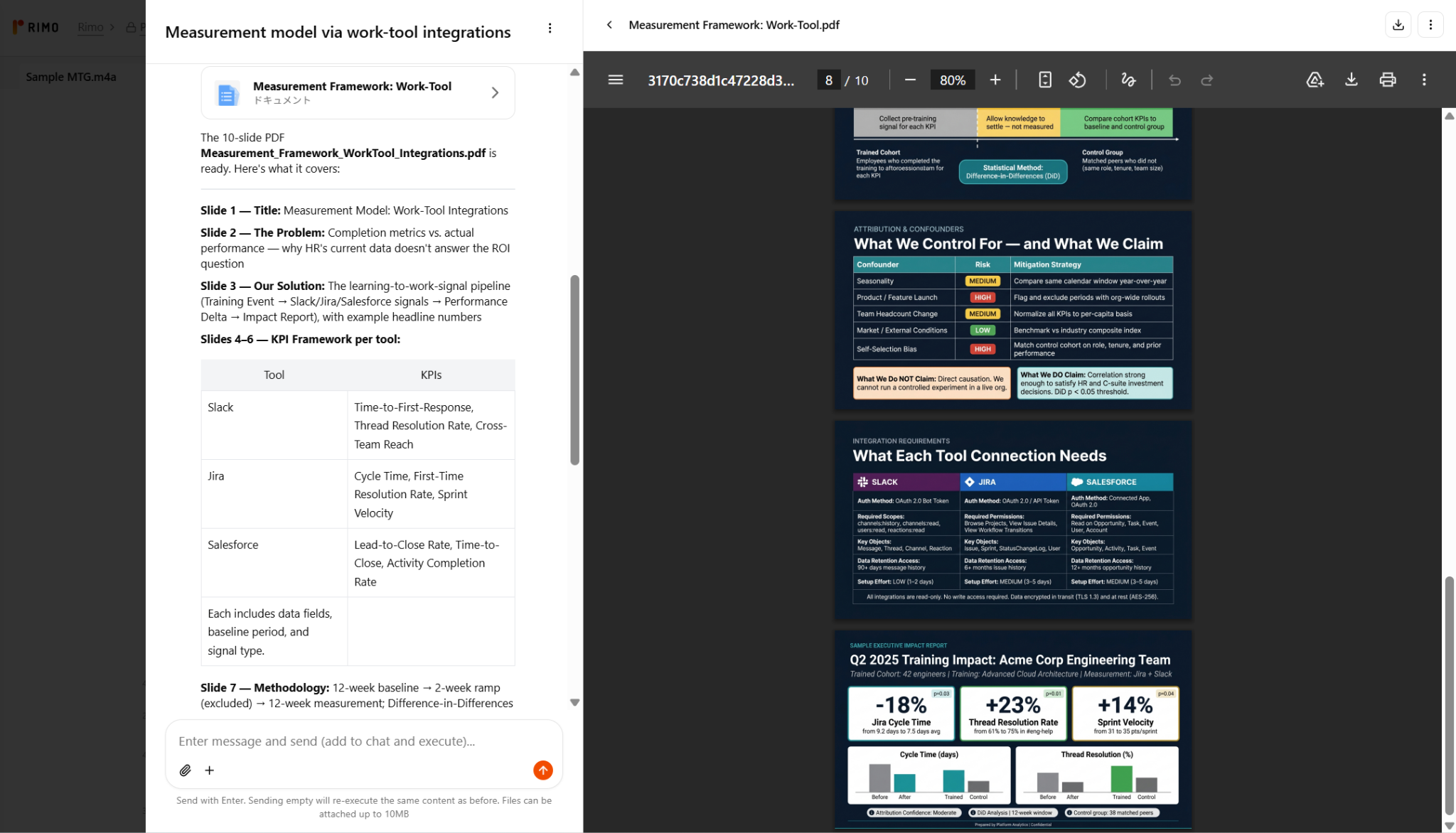
The core design premise is different from a general-purpose workspace. Rather than starting from a blank prompt, Rimo Actions starts from the meeting itself — the transcript, the summary, the captured context — and uses that as the foundation for generating deliverables. The meeting's background, decisions, ownership, and priorities don't need to be re-explained. They're already in the record, and the tool works forward from there.
In practical terms, this means a post-meeting workflow that looks less like: "open AI, explain the meeting, prompt for output, fix misalignments, repeat" — and more like: "select the deliverable you need, review what comes out." The transcript and summary become the source of truth that the AI carries forward into landing page copy, slide decks, strategy memos, or whatever the meeting was meant to produce.
The distinction matters most in two situations. First, when the deliverable needs to accurately reflect specific decisions or language from the meeting — not a paraphrase, not a reconstruction, but a faithful translation of what was actually agreed. Second, when the same meeting needs to feed multiple output types at once: a client-facing summary, an internal brief, and a follow-up deck that all need to stay consistent with each other and with the source conversation.
Genspark for broad creation, Rimo Actions for meeting-to-output execution
The right frame here isn't competition. These tools are solving different problems for different moments in the workflow.
Genspark is a broad-canvas creation workspace. It's where you go when you need to build something — a research report, a presentation, an analysis, a set of images — and the starting point is an idea or a topic rather than a specific conversation. The strength is range: many output types, many task categories, one interface.
Rimo Actions is purpose-built for the meeting-to-output path. It's where you go when a decision has been made in a room and the work is turning that decision into a concrete artifact — without losing fidelity to what was actually said and agreed. The strength is context fidelity: the meeting is the source, and the deliverable carries it forward.
For teams where work originates in a whiteboard or a research brief, Genspark is the stronger default. For teams where work originates in a meeting — where alignment happens in conversation and execution follows from that — Rimo Actions fills a gap that a general-purpose workspace wasn't designed to close.
Used together, the two tools cover complementary ground: Genspark for the full range of creation work, Rimo Actions for the specific and frequent case where a meeting needs to become something tangible without starting over.
Final Verdict: Is Genspark Worth Using in 2026?
Yes — with the right expectations.
Genspark delivers practical value for research, first drafts, and multi-format content generation. It quickly turns prompts into structured outputs and can produce a wide range of assets such as slides, documents, spreadsheets, images, and videos, helping consolidate multiple tools into a single platform.
The April 2026 update (AI Workspace 4.0) further enhances this by adding desktop access to local files and native Microsoft Office integration, making it easier to use within existing workflows.
However, Genspark is not a fully autonomous solution. Output quality can vary, editing is still required, and credit usage may be unpredictable.
Ultimately, the key question is not whether Genspark is “better” than other tools, but whether your work requires frequent, fast first drafts across different formats—and whether you have a review process in place. If so, Genspark can be a strong addition to your workflow.
FAQ
Quick answers to the questions that come up most often about Genspark.
What is Genspark AI?
Genspark is an all-in-one AI workspace that spans research, document drafting, slide creation, data analysis, meeting notes, and multimedia generation — all within a single platform. It's built around an autonomous Super Agent and a multi-model architecture designed to minimize hallucinations and reduce the number of prompts needed to complete complex tasks.
What does Genspark do?
Genspark handles a wide range of knowledge work tasks: web research and structured reports (Sparkpages), presentation creation (AI Slides), document drafting (AI Docs), data collection and analysis (AI Sheets), image and video generation (AI Designer), website and app development (AI Developer), meeting transcription and summaries (AI Meeting Notes), and real-time multilingual translation (Speakly). It can also make phone calls on your behalf via the Call for Me agent.
What is Genspark Super Agent?
Super Agent is Genspark's autonomous task execution engine. Unlike standard AI chat tools where you prompt and iterate step by step, Super Agent accepts a goal and autonomously determines the workflow — selecting tools, running searches, generating outputs — to return a near-complete result. It uses a Mixture-of-Agents (MoA) approach in which multiple AI models check each other's work, reducing hallucinations compared to single-model outputs.
Is Genspark free?
Yes — Genspark has a real free tier. Free users get 100 credits per day, which is enough to explore the platform, test the interface, and try lighter tasks such as chat, basic research, and short drafting. In that sense, it is a meaningful trial rather than a locked demo.
That said, the free tier is best suited to exploration, not sustained professional use. Heavier workflows — such as full slide generation, deeper research, or more agent-intensive tasks — can use up the daily allowance quickly. If you expect to rely on Genspark regularly, one of the paid personal plans will make more sense.
Does Genspark have an API?
Genspark does not offer a fully open public API for all users. API access is available starting with some higher-tier plans. This is the relevant tier for developers looking to build custom integrations or embed Genspark's capabilities into external tools or
Does Genspark accept ZIP files?
Officially, Genspark says it supports files such as Excel, PDF, Word, images, and more. In practice, that support seems to apply to individual files rather than compressed archives. In my own test, I was able to upload a folder containing those file types, but I could not upload the same materials as a ZIP file.
How to cancel genspark subscription
As of May 2026, you can cancel your Genspark subscription from the plan page.
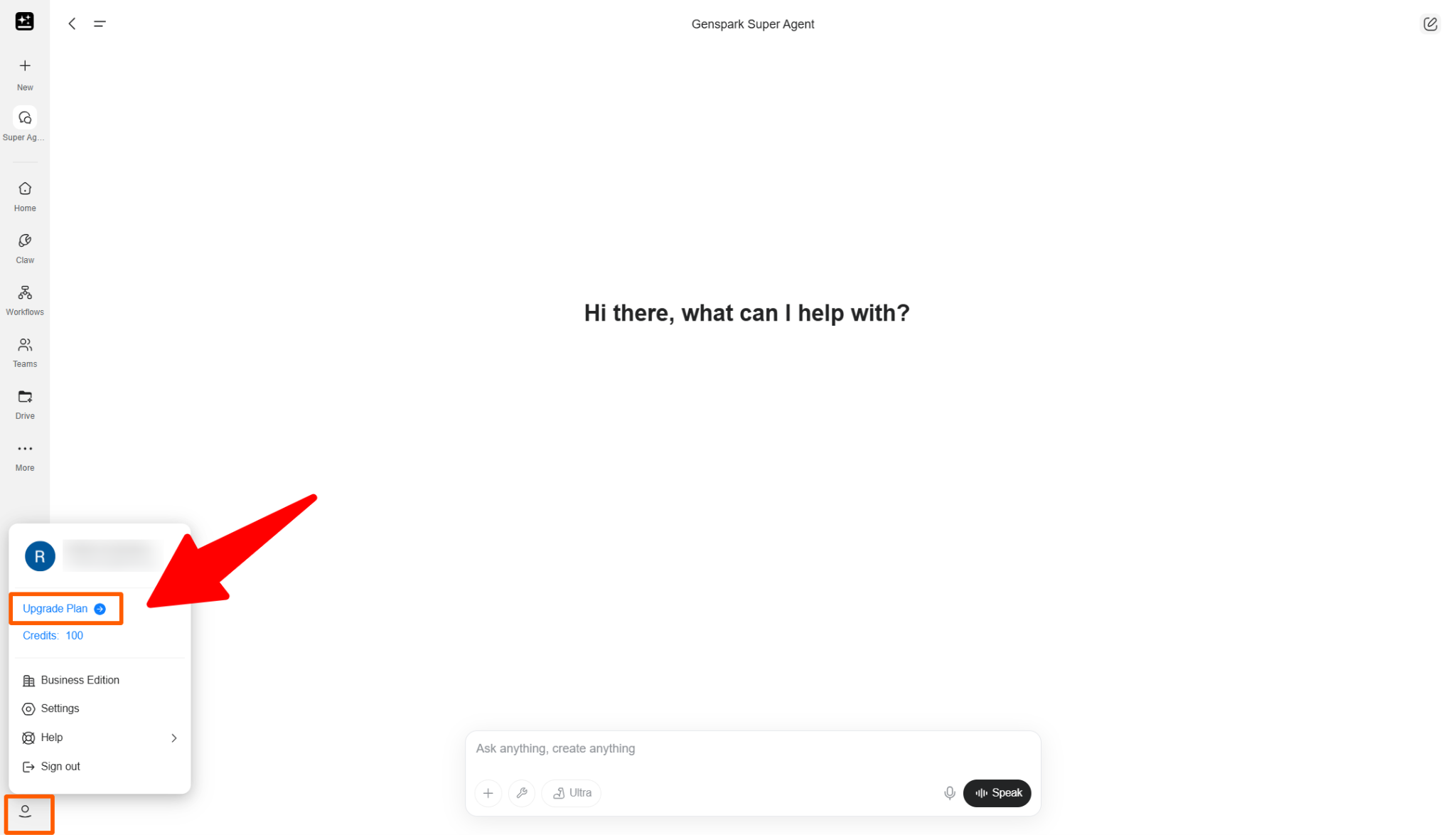
First, click your profile icon in the lower-left corner of the screen. Then select Upgrade Plan. This will open the plan comparison page. On this page, the Cancel button appears at the top of the screen.
In the screenshot used for this article, the button says “Manage” because the subscription has already been canceled. For active paid subscriptions, this is where the “Cancel” button appears.
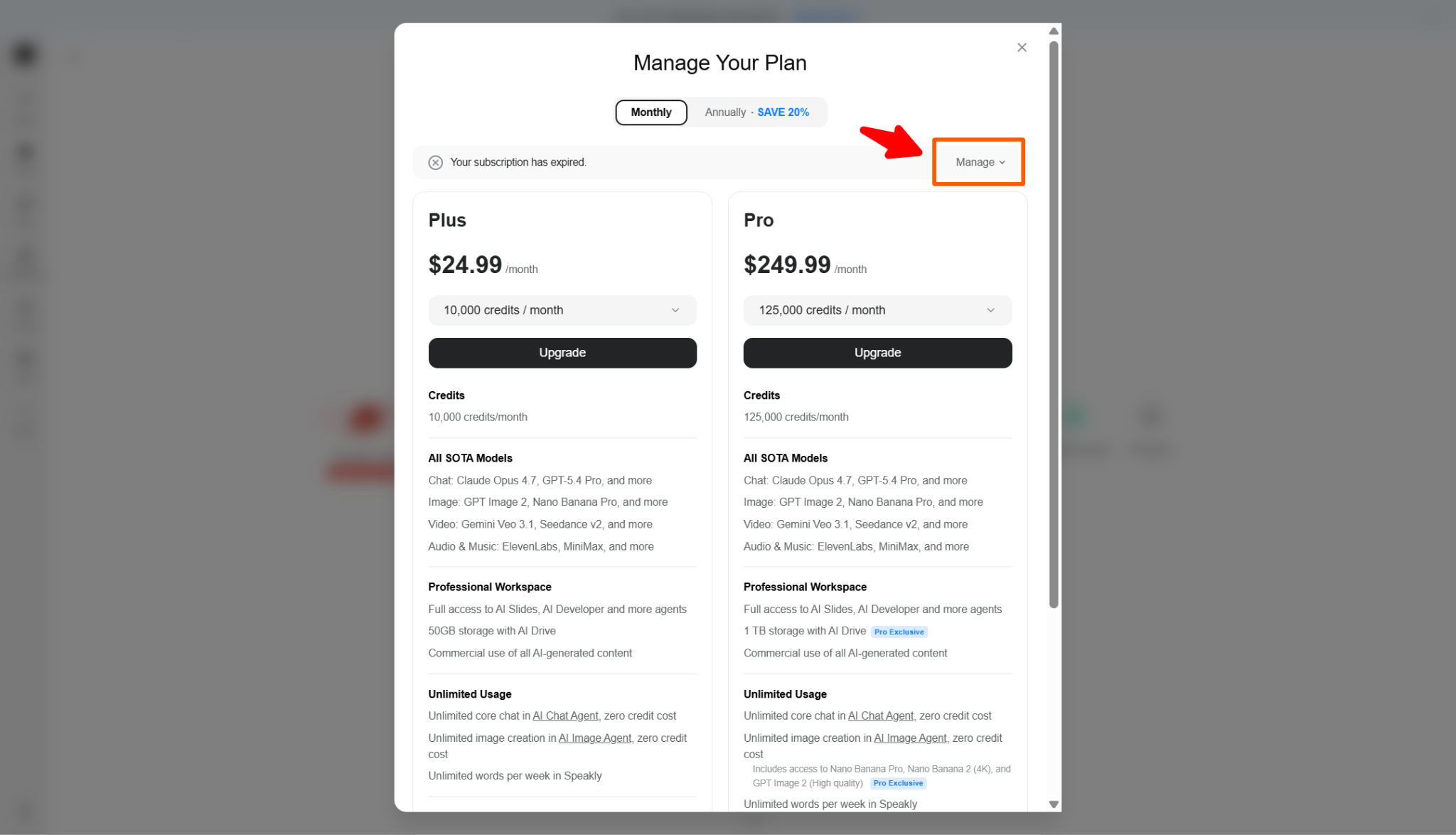
Here is the cancellation flow:
Log in to Genspark.
Click the profile icon in the lower-left corner.
Select “Upgrade Plan.”
Click “Cancel” at the top of the plan page.
Follow the on-screen instructions.
Confirm that your subscription has been canceled.
Genspark has changed its cancellation flow before. In an earlier version, users had to scroll to the bottom of the pricing table and click Cancel there.
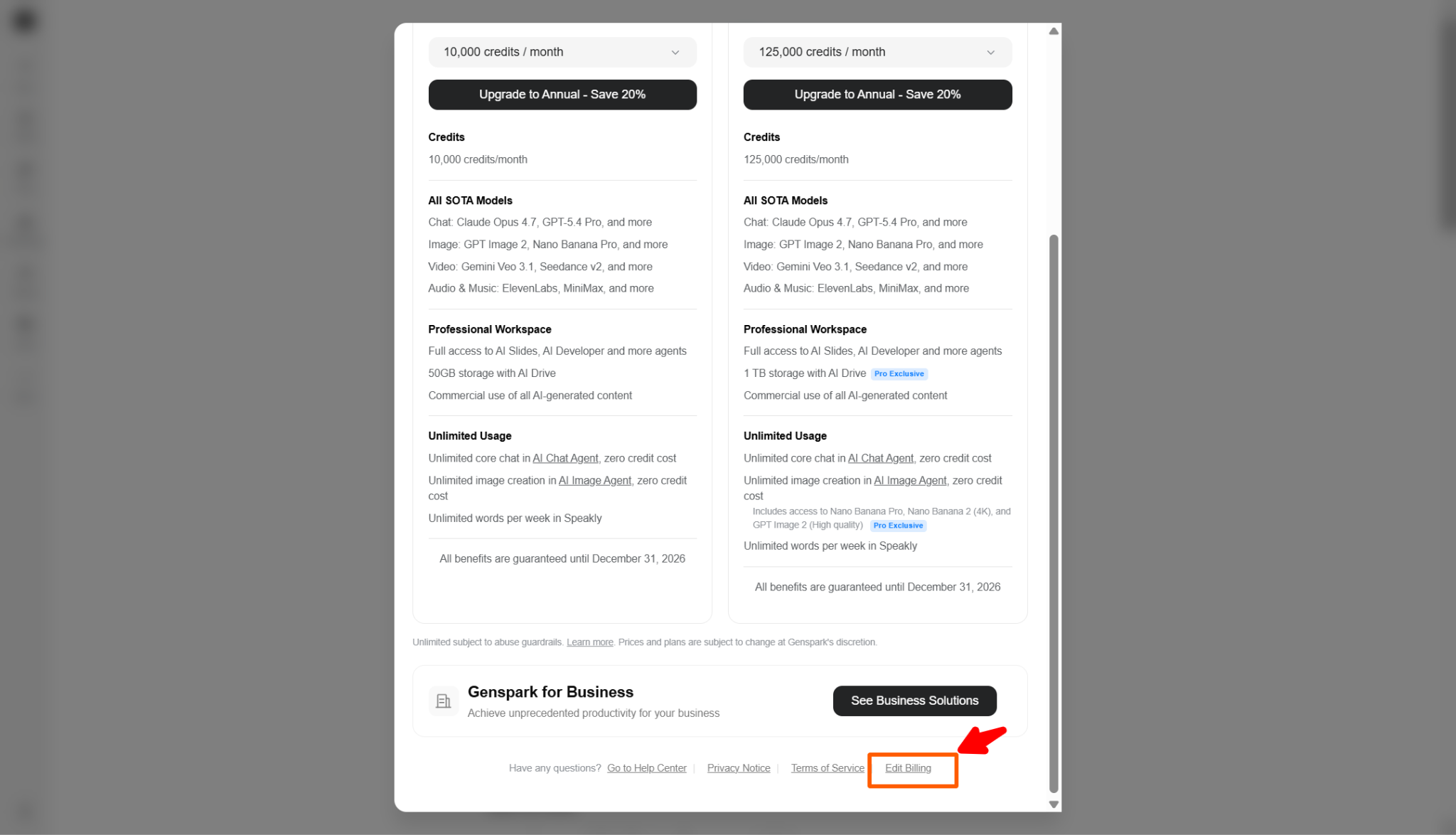
For this reason, the cancellation button may move again in future updates. As of May 2026, however, the cancellation button is located at the top of the plan page opened from Profile icon → Upgrade Plan.
Related articles

Return to List