
Dust AI Review 2026: I Tested the Multiplayer AI Workspace — Here's What It's Actually Like to Use



Finding the right document in Slack, Notion, or Google Drive often feels like digging through a digital junk drawer. Dust AI promises to clean up that chaos by letting your team build custom AI assistants grounded in your company's collective knowledge. But does it actually deliver on the hype for everyday workflows? I spent time testing Dust AI from initial setup to multi-step automation. Here is my honest hands-on review.
What Is Dust AI?
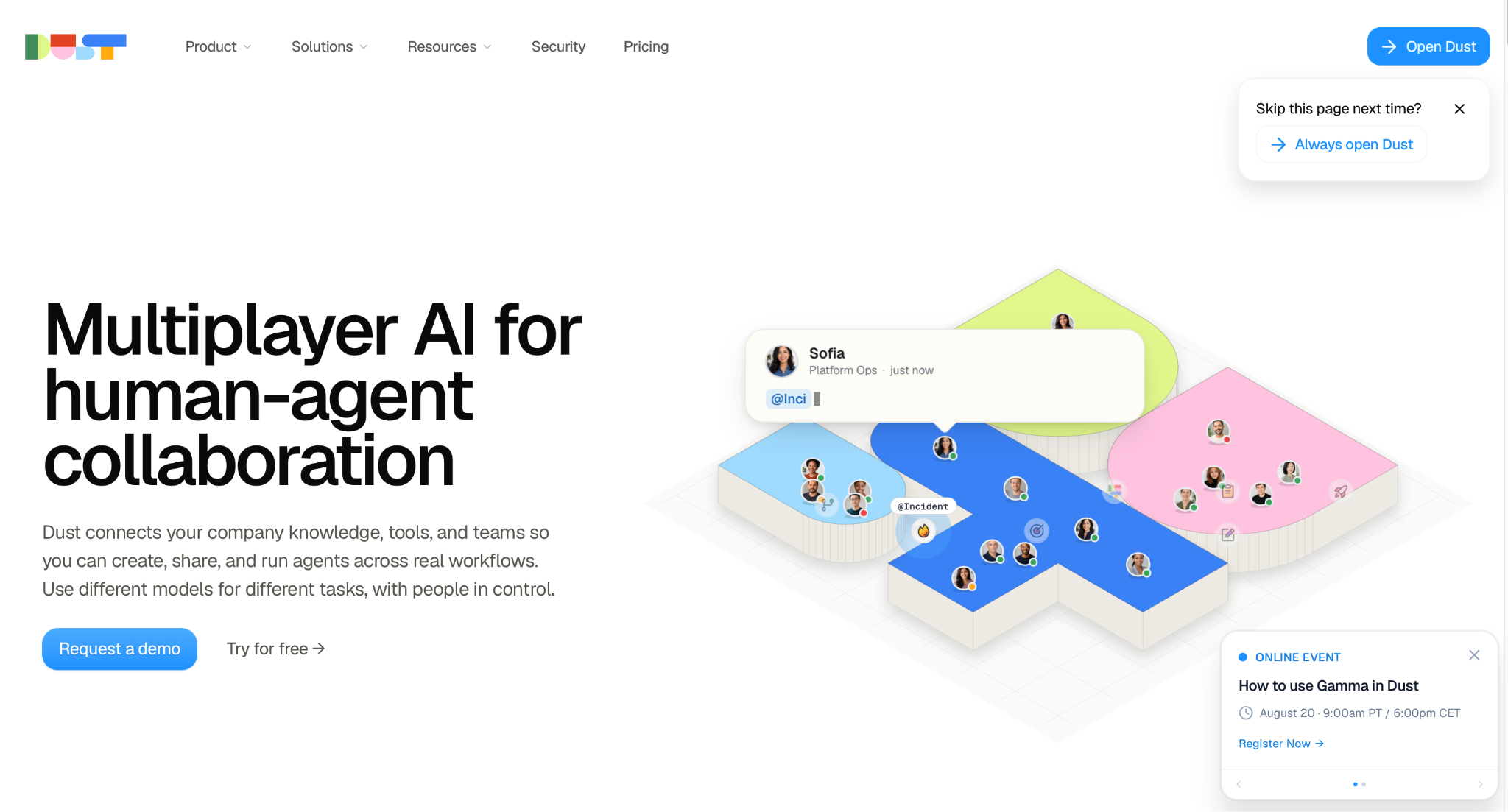
Think of Dust AI as a shared digital workspace where your human team and customized AI bots sit at the same table. Instead of relying on generic ChatGPT prompts that know nothing about your company, Dust connects directly to your existing apps—like Slack, Notion, and Google Drive—and turns your scattered company knowledge into action. In short, it is a no-code platform that lets anyone build and deploy tailored AI agents to answer questions, write content, or handle routine tasks using your actual company data.
Getting Started With Dust AI
Before you can judge whether Dust is actually useful, you have to get through the unglamorous part: signing up, figuring out where things are, and building your first agent without a manual. This is usually where a tool either clicks in five minutes or quietly loses you — so here's exactly what that process looked like, from the first screen after sign-up to publishing an agent you can actually use.
The Dust AI Workspace and User Interface
Getting inside Dust AI was straightforward, but the layout takes a minute to get used to.
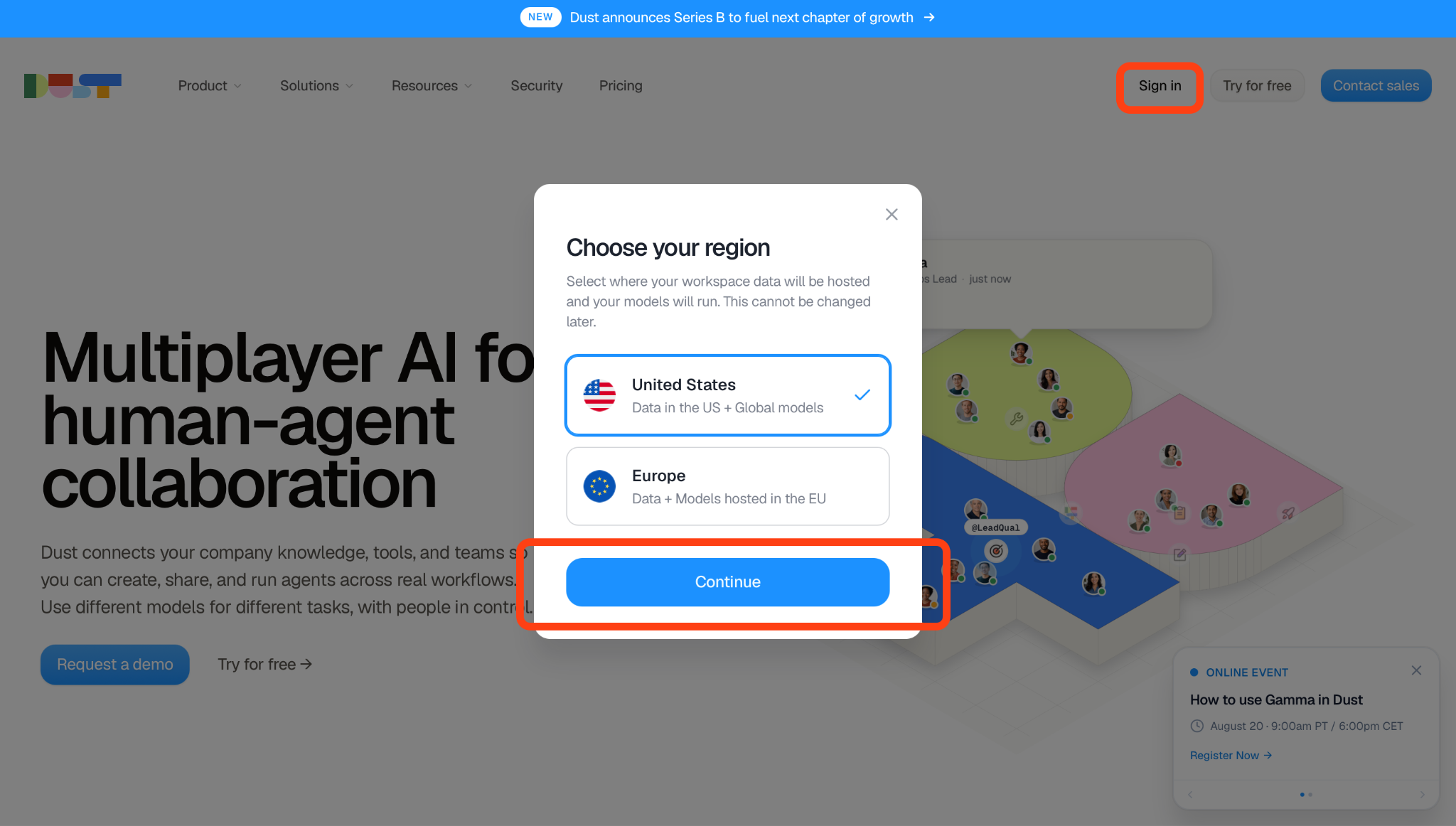
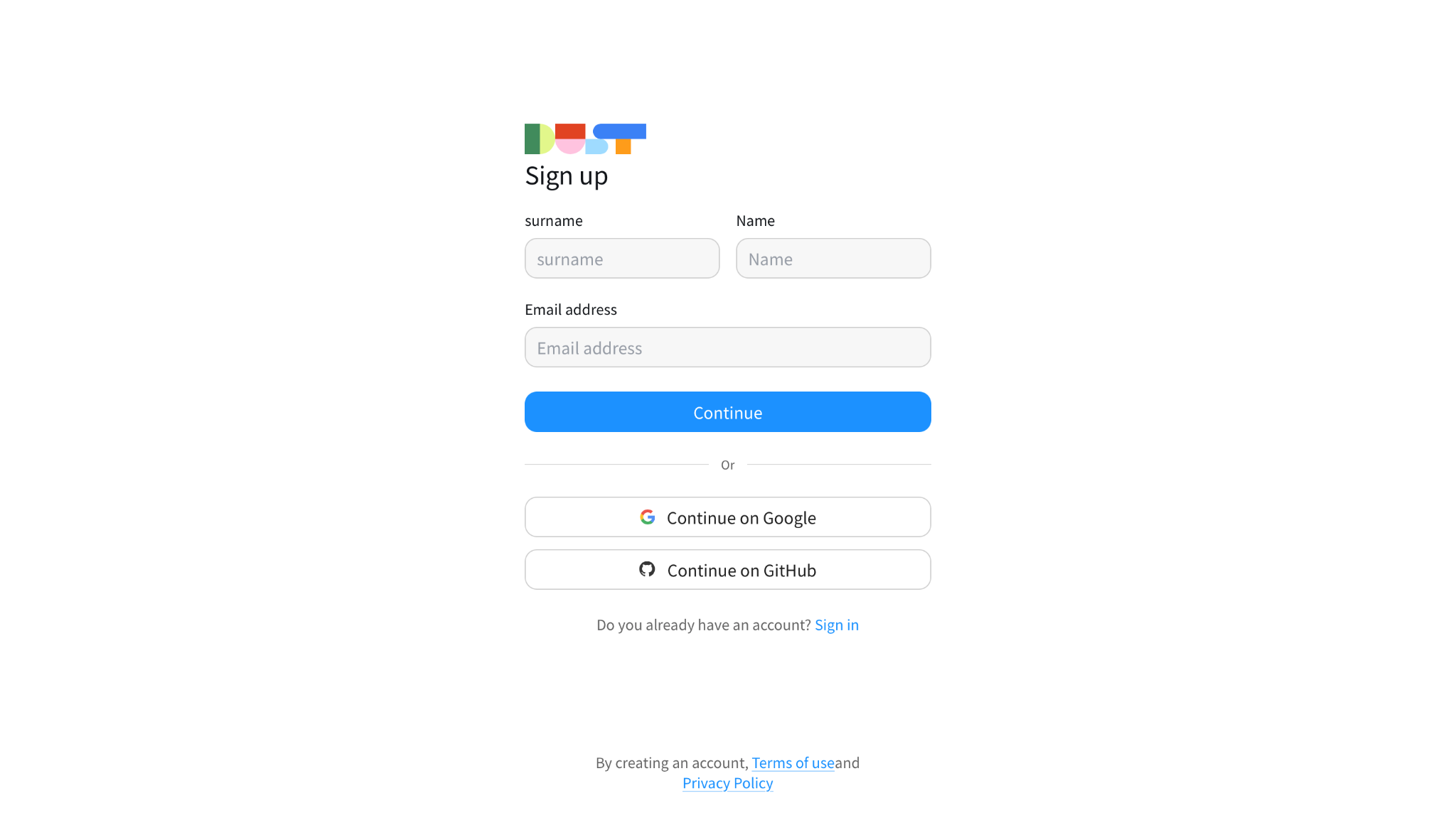
After standard single sign-on via Google, I was landed directly into the main workspace dashboard.
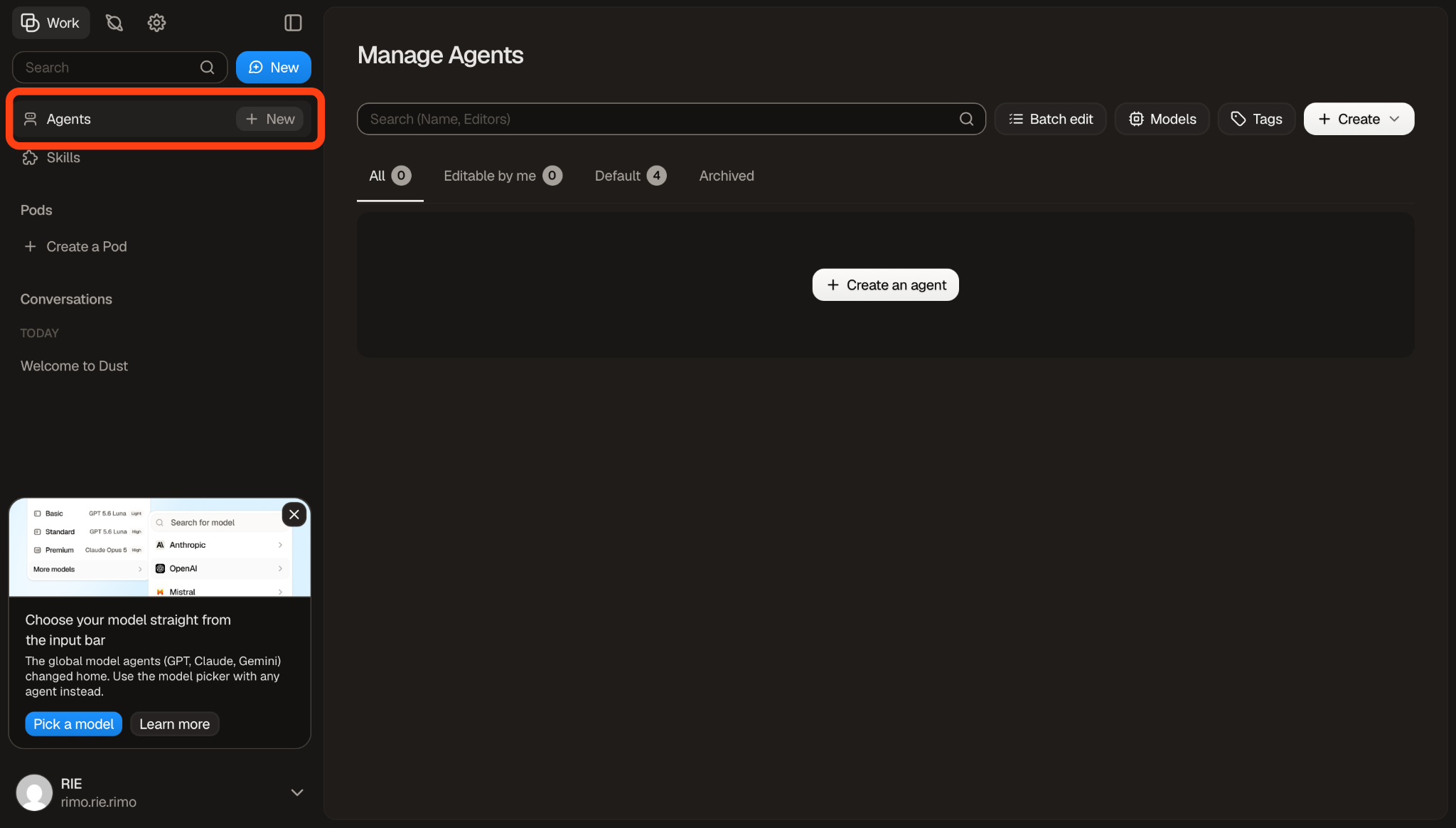
The sidebar is neatly organized into several main sections: Agents, Skills, Pods, and Conversations. At first glance, the interface feels like a blend of Slack and ChatGPT.
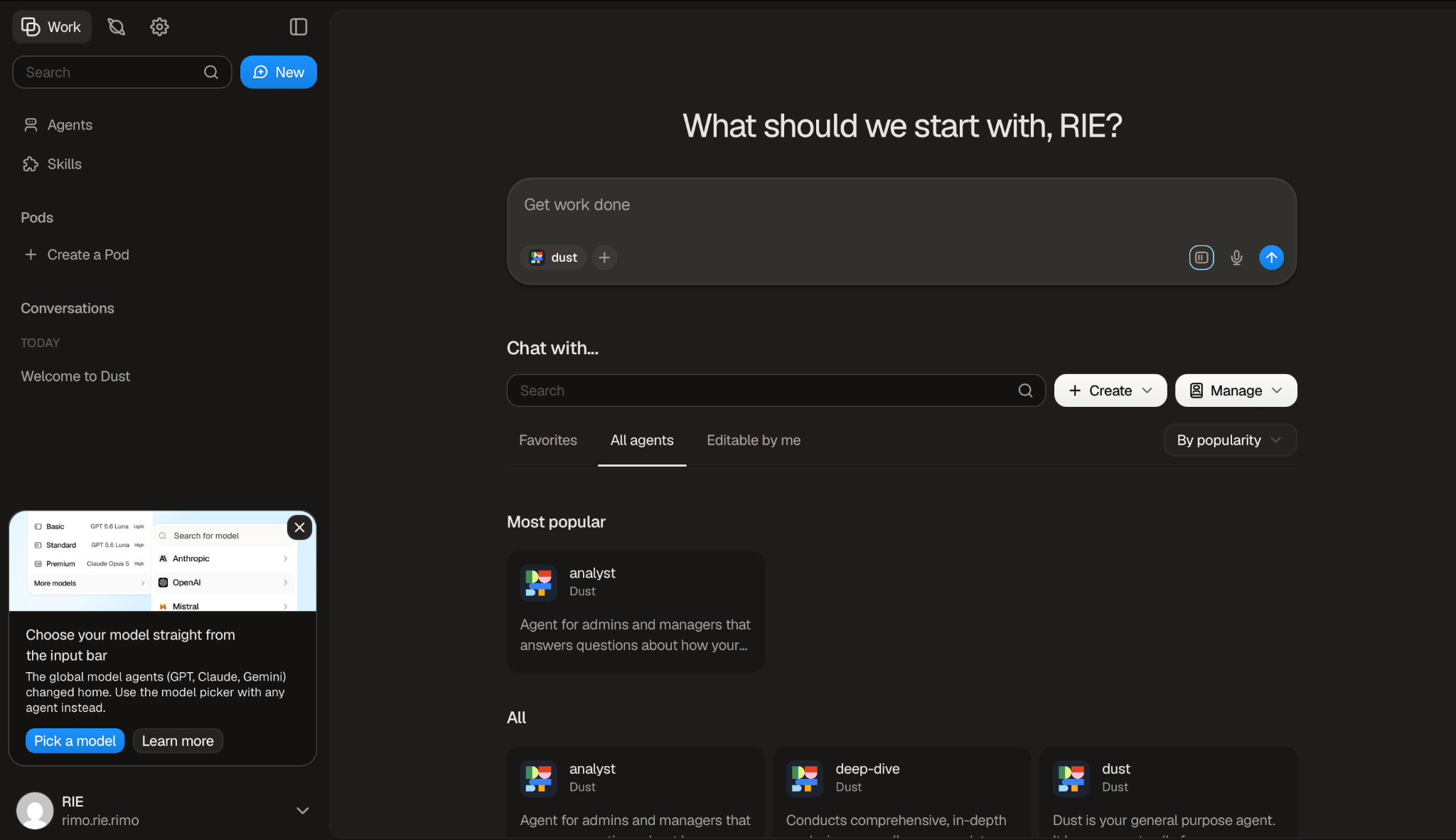
However, first-time users might find the number of menu options slightly overwhelming until they understand that “Agents” are customized AI assistants that combine instructions with selected models, knowledge sources, tools, and Skills.
Creating Your First Dust AI Agent
Building an agent in Dust comes down to four steps, and none of them require writing a line of code. Here's what each one actually involves.
Step 1: Connect your tools
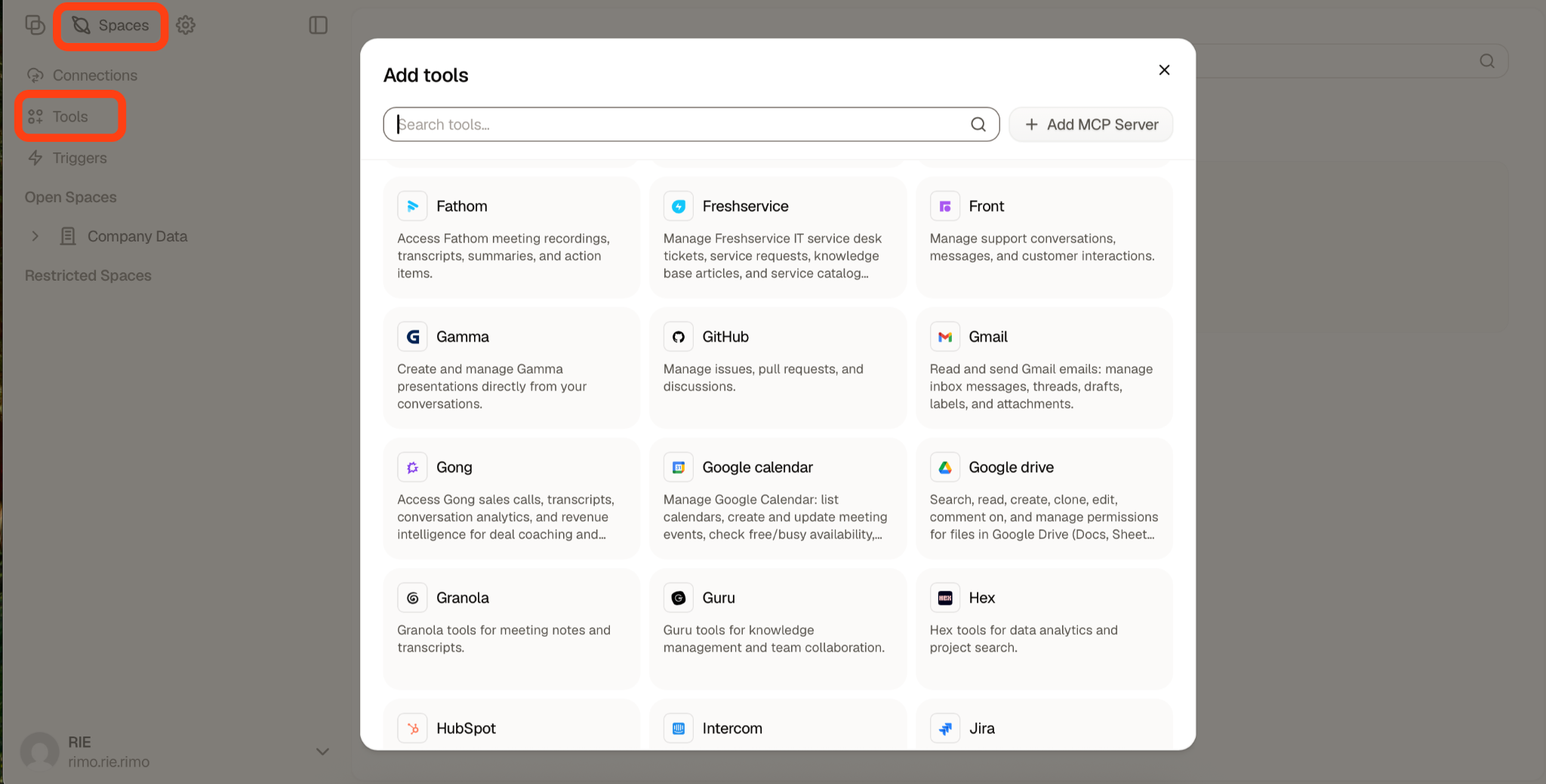
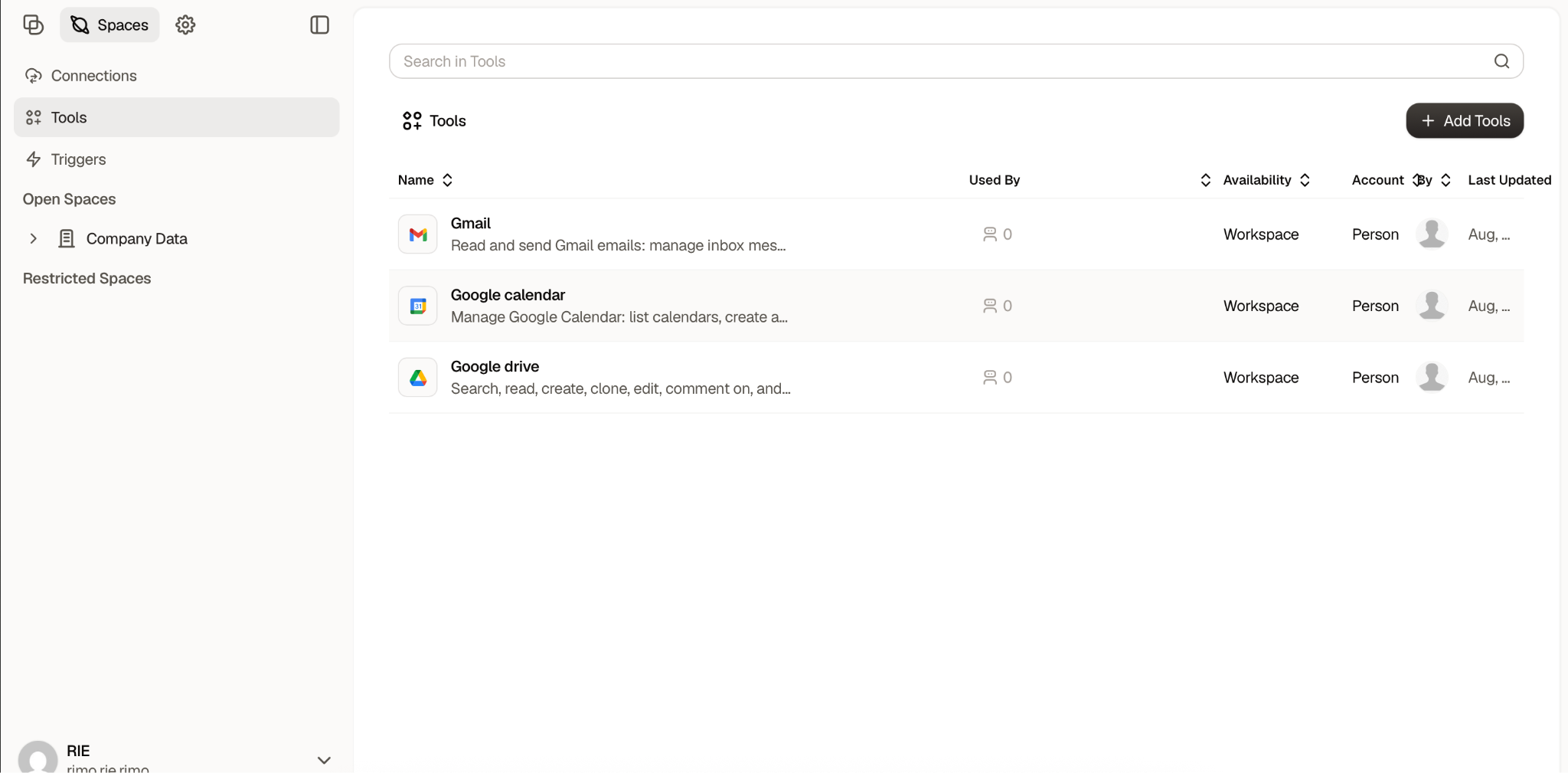
In Dust, connections are managed through Spaces, where you choose which company data sources the workspace — and eventually your agents — can access. From a Space, you can connect tools such as Google Drive, Slack, Notion, GitHub, HubSpot, and others.
This setup happens at the workspace level rather than every time you create an agent. Once a data source is connected to a Space, you can decide which of those sources a particular agent is allowed to use when you configure it.
Step 2: Choose your AI model
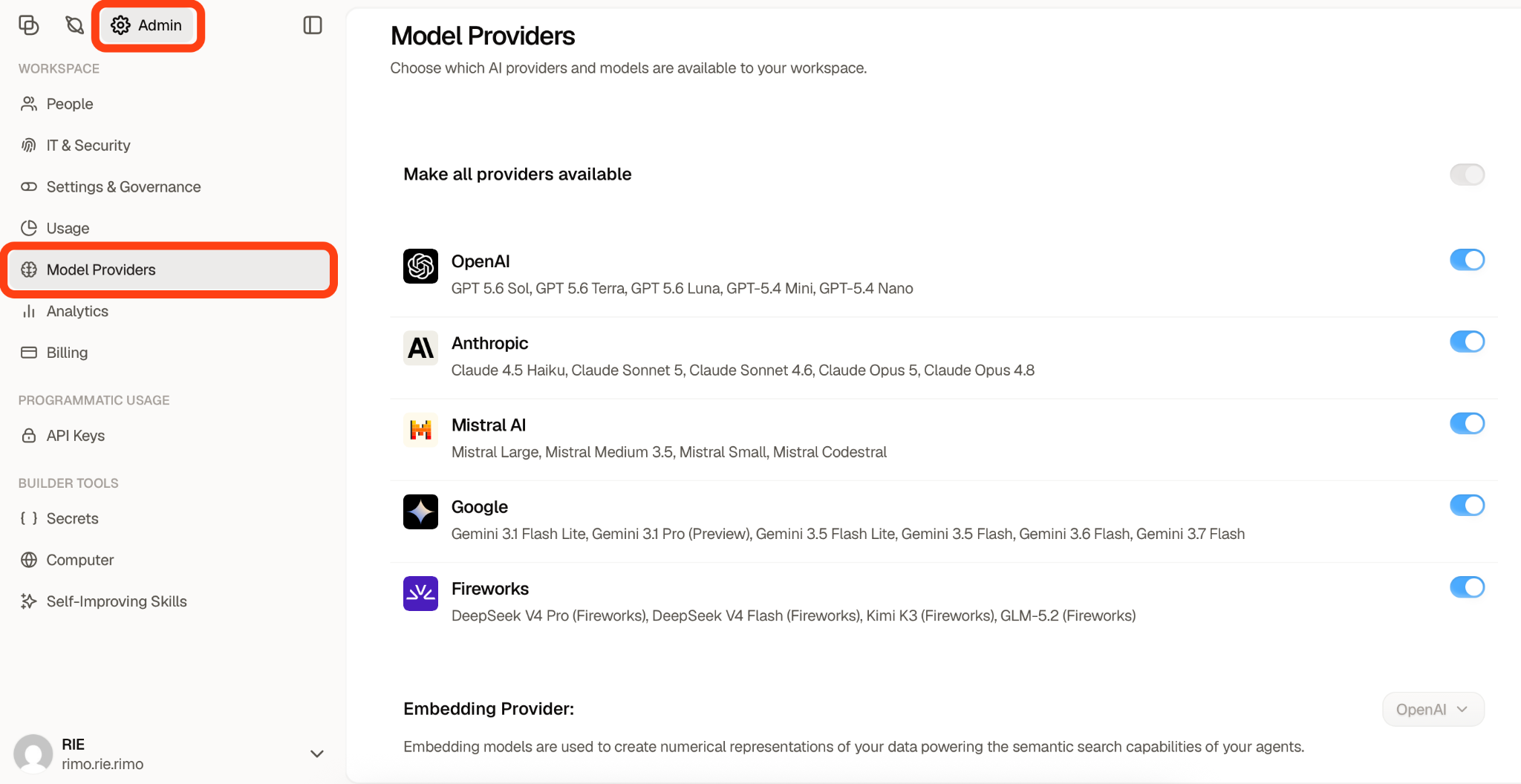
Dust lets you choose from multiple AI providers and models rather than locking every agent to a single LLM. In the Admin → Model Providers settings, workspace admins can control which providers are available. In my workspace, I could choose from models by OpenAI, Anthropic, Mistral AI, Google, and Fireworks, including GPT, Claude, Gemini, Mistral, DeepSeek, Kimi, and GLM models.
When creating an agent, you can then select an available model based on what that agent needs to do — for example, using a lighter model for straightforward tasks or a more capable reasoning model for more complex work.
Step 3: Build your custom agent
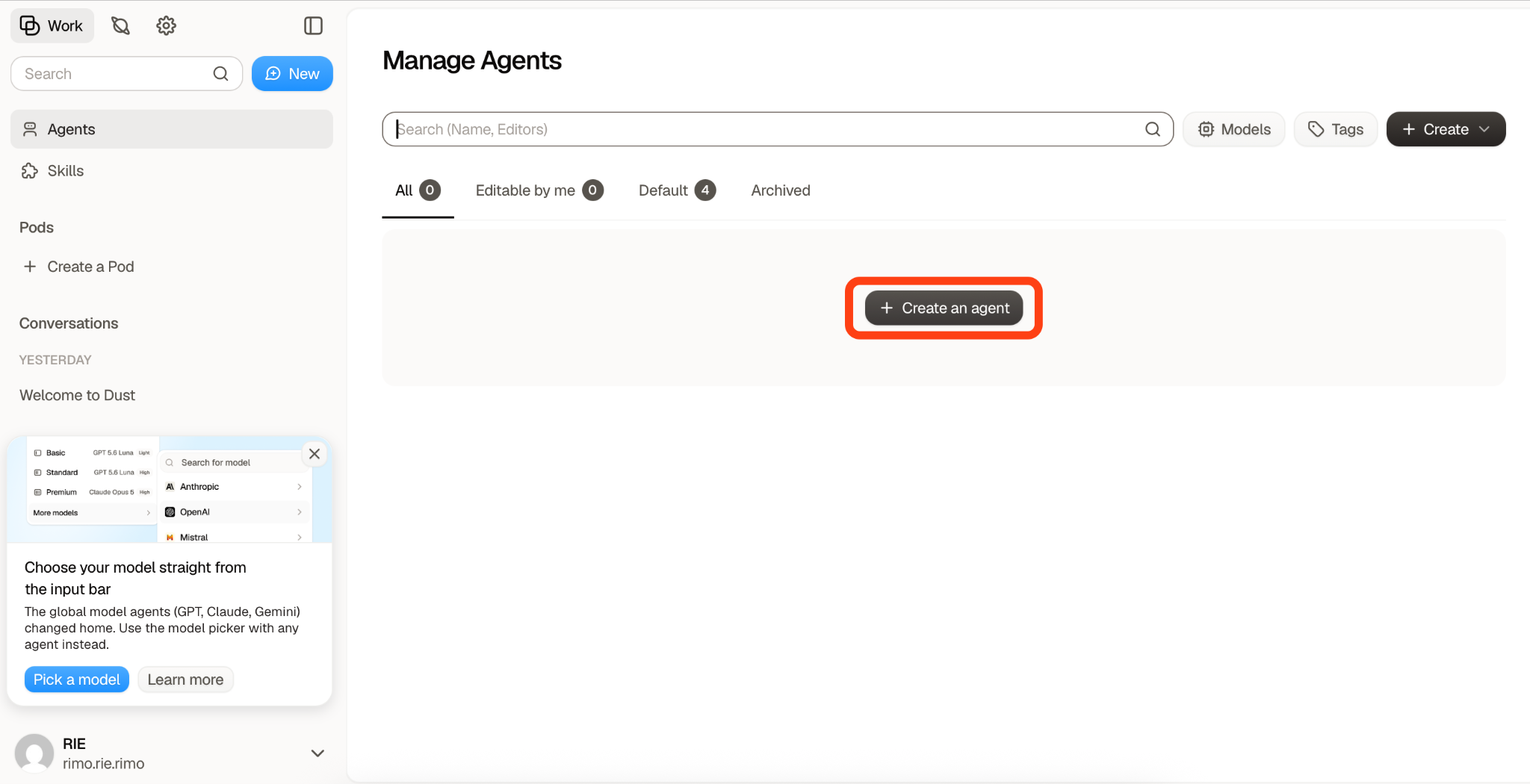
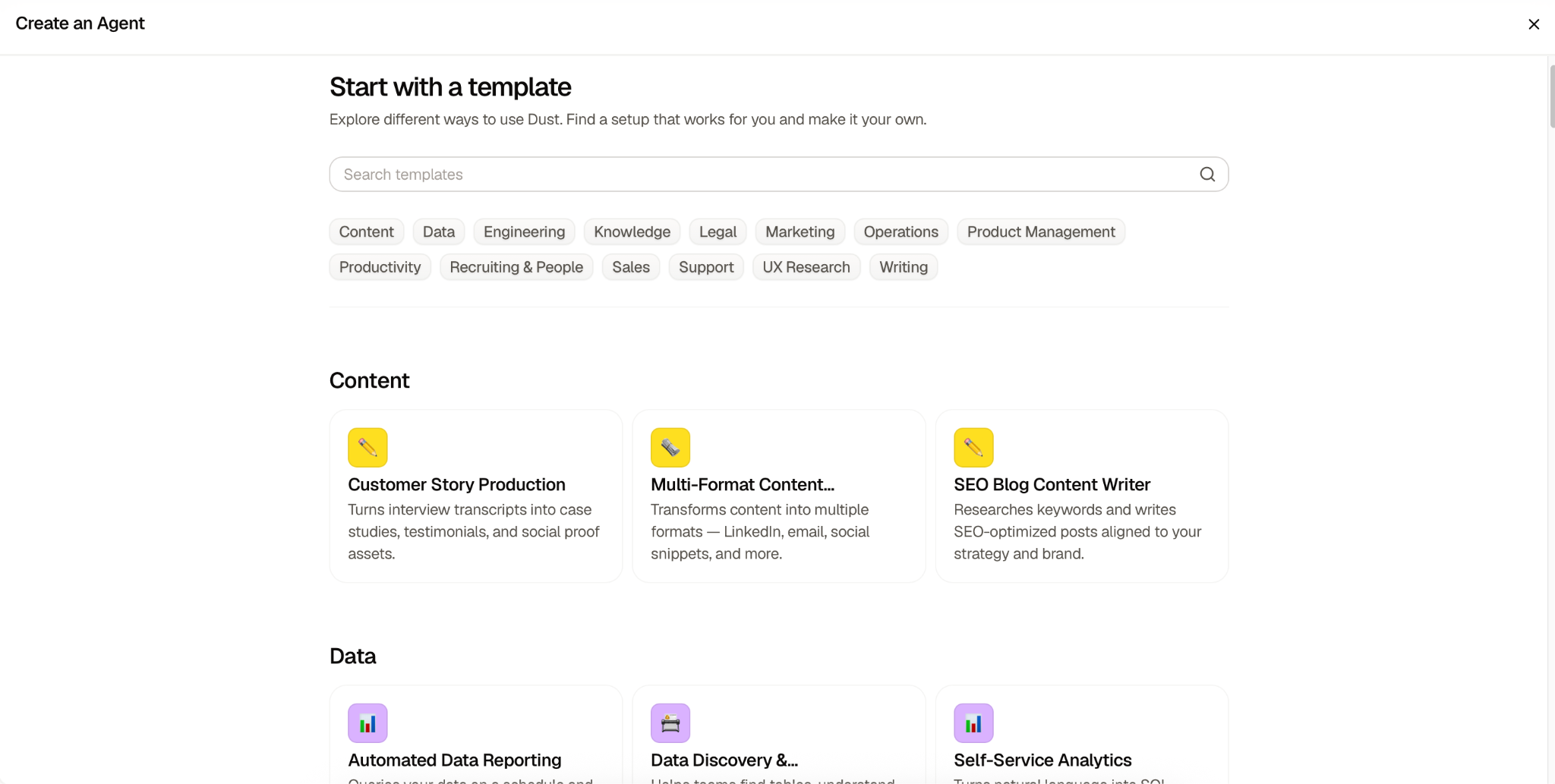
Dust gives you two ways to get started: you can build an agent from scratch by writing your own instructions, or start from a template designed for a specific use case.
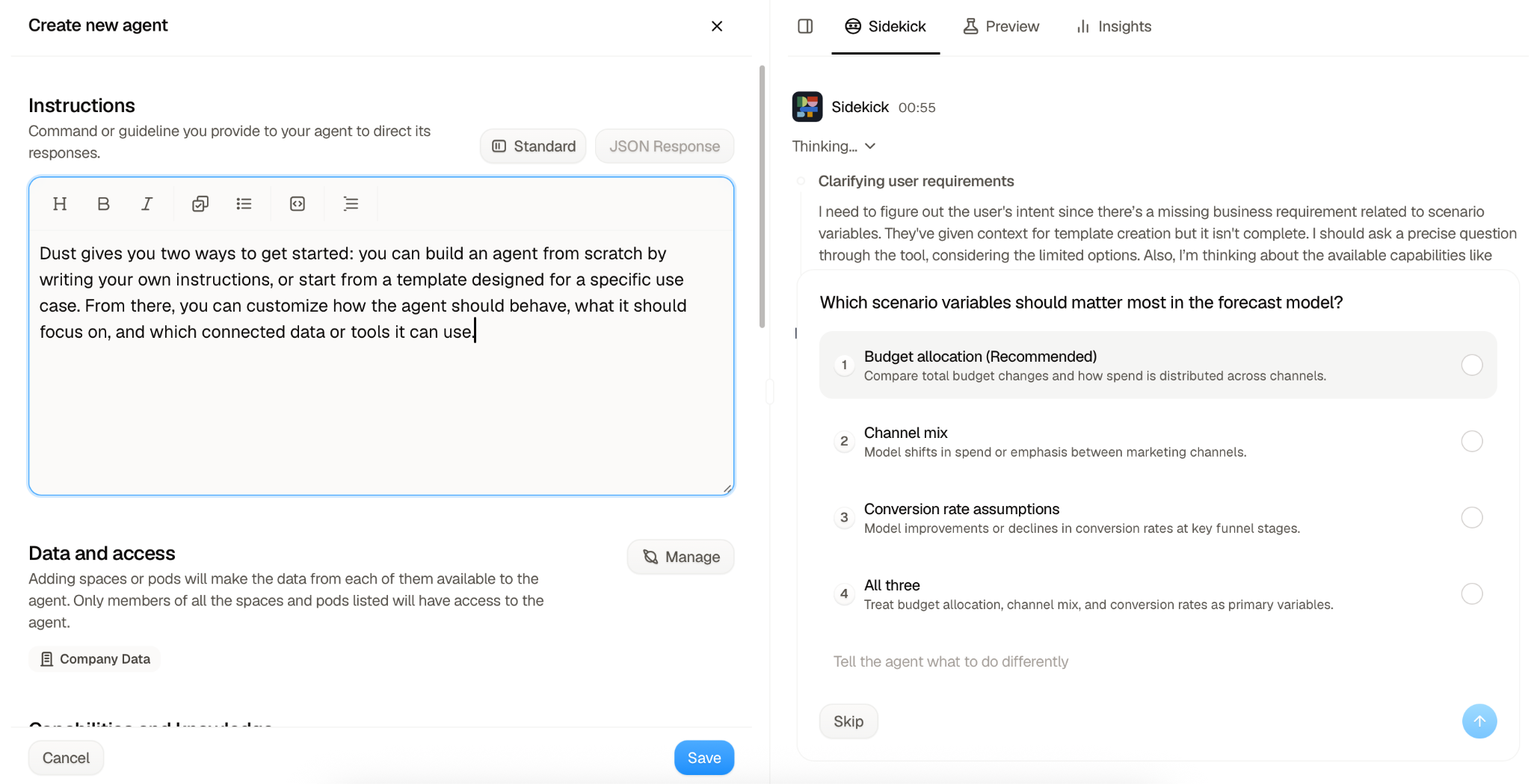
From there, you can customize how the agent should behave, what it should focus on, and which connected data or tools it can use.
Step 4: Put it to work in chat
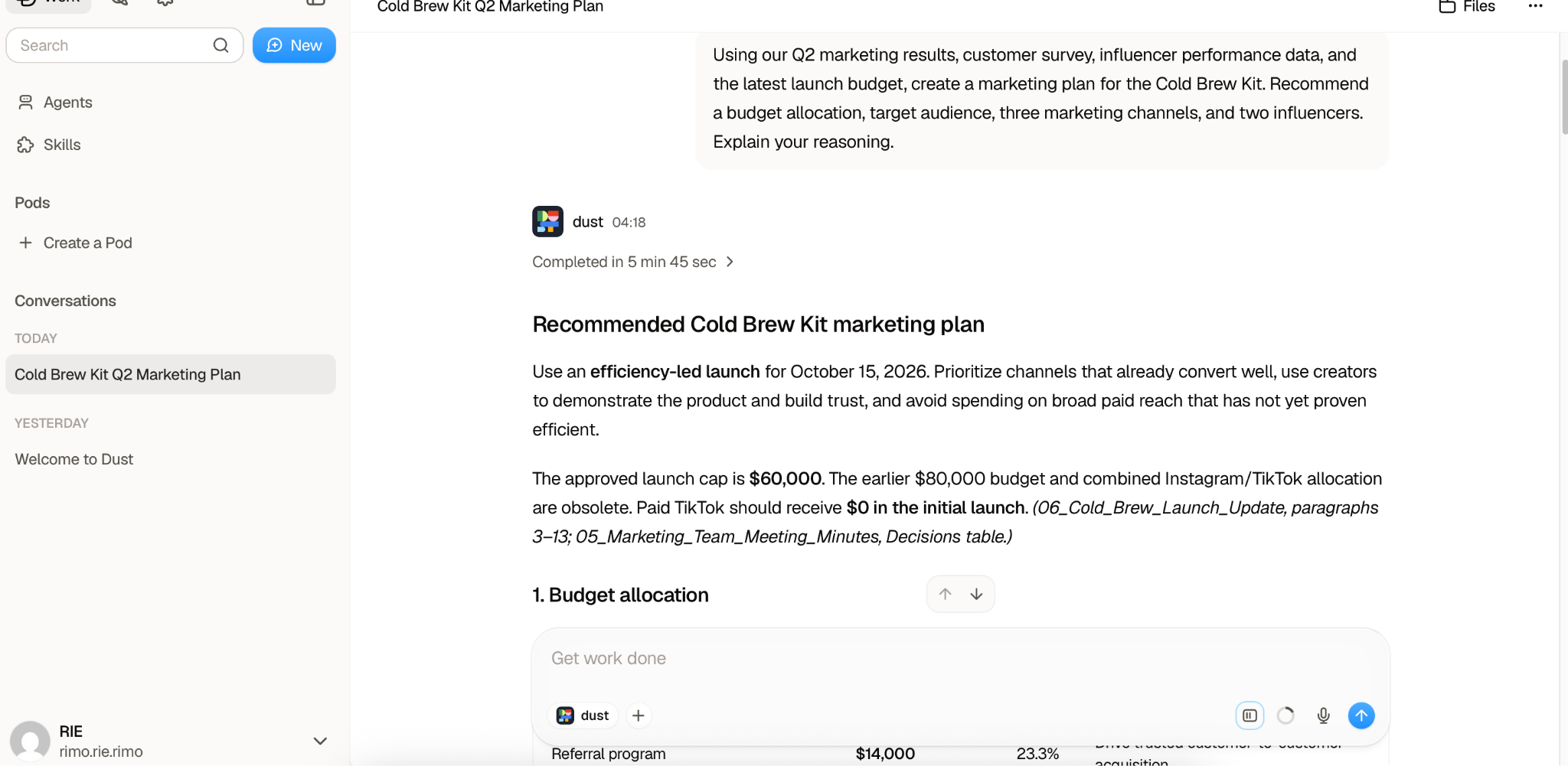
Once published, the agent isn't tucked away in a separate tool — you call it right where you already work, either from Dust's own chat screen or by @-mentioning it directly in Slack. From there it answers questions grounded in your actual company data, or carries out the task you've set it up to automate.
Testing Dust AI's Core Features
Test 1: Searching Company Knowledge
I started by testing whether Dust could accurately retrieve information from the sources I had connected.
For this experiment, I deliberately scattered information across Google Drive and Gmail, and I also changed some of the key figures several times. The goal was to see not only whether Dust could find the right information, but also whether it was actually searching across multiple connected tools instead of relying on a single source.
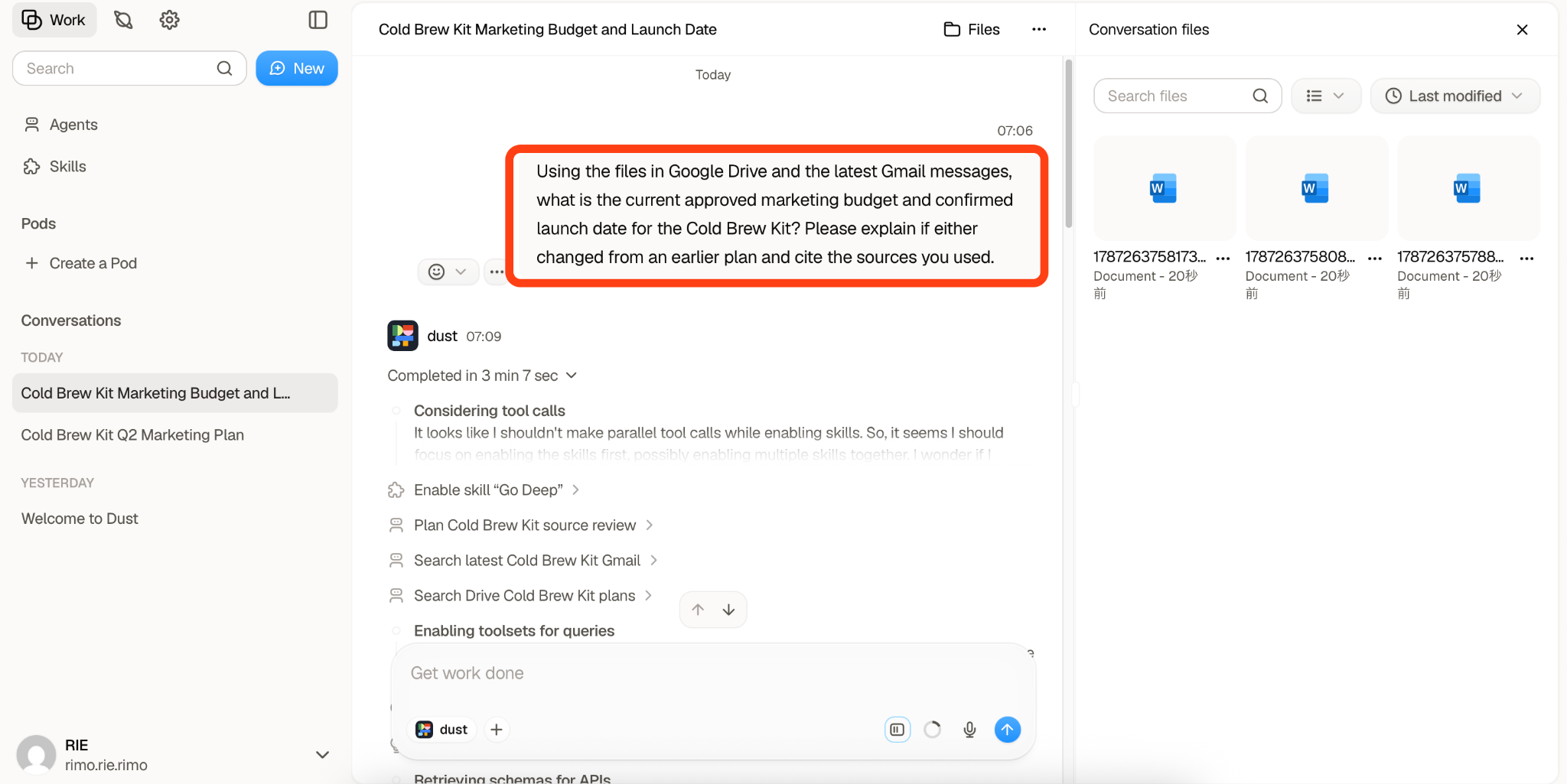
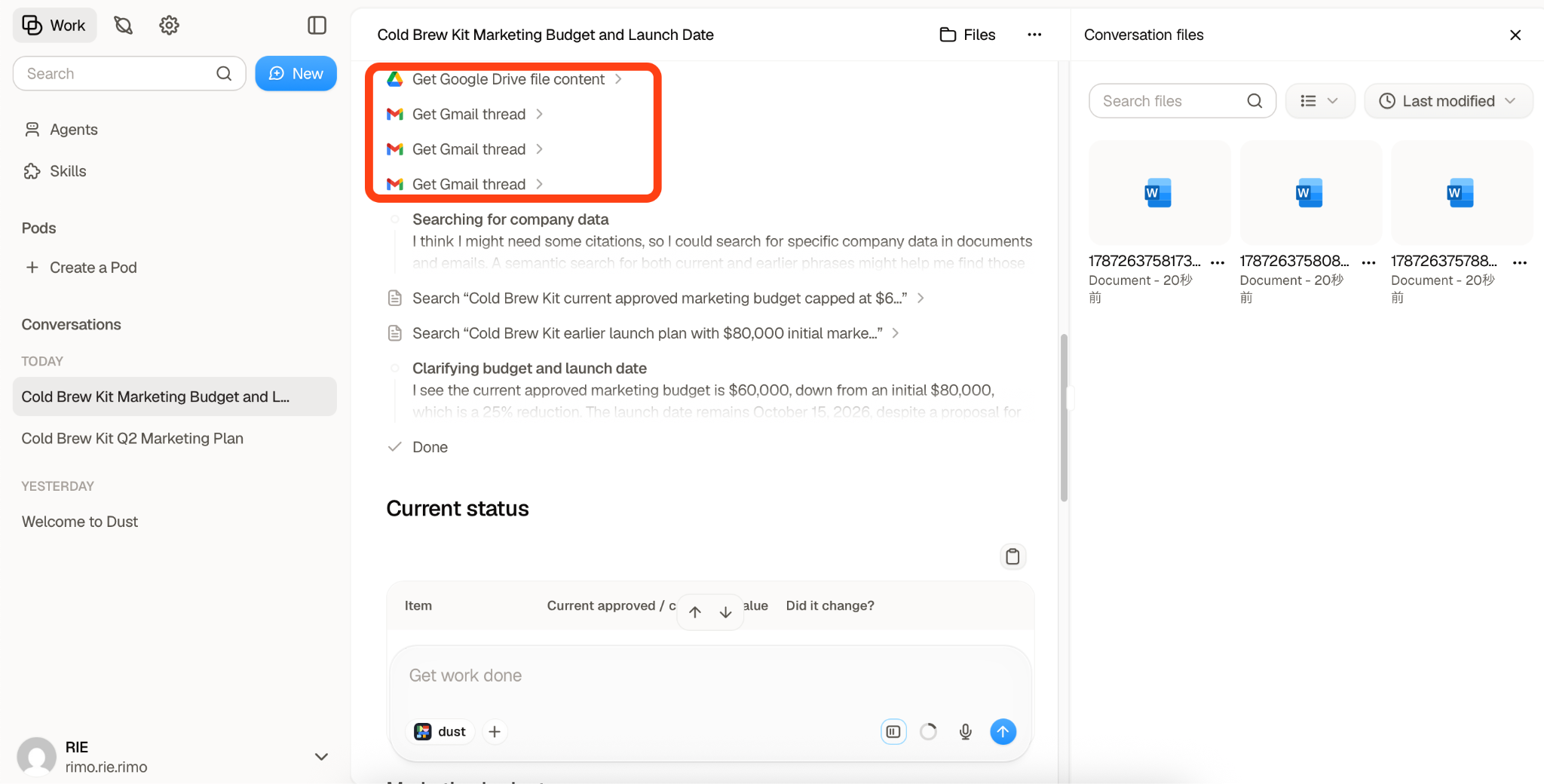
In my test, Dust successfully pulled information from both Google Drive files and Gmail messages and combined it into one answer. Even when a figure had been revised multiple times, it was able to identify the most recent value rather than returning an outdated one.
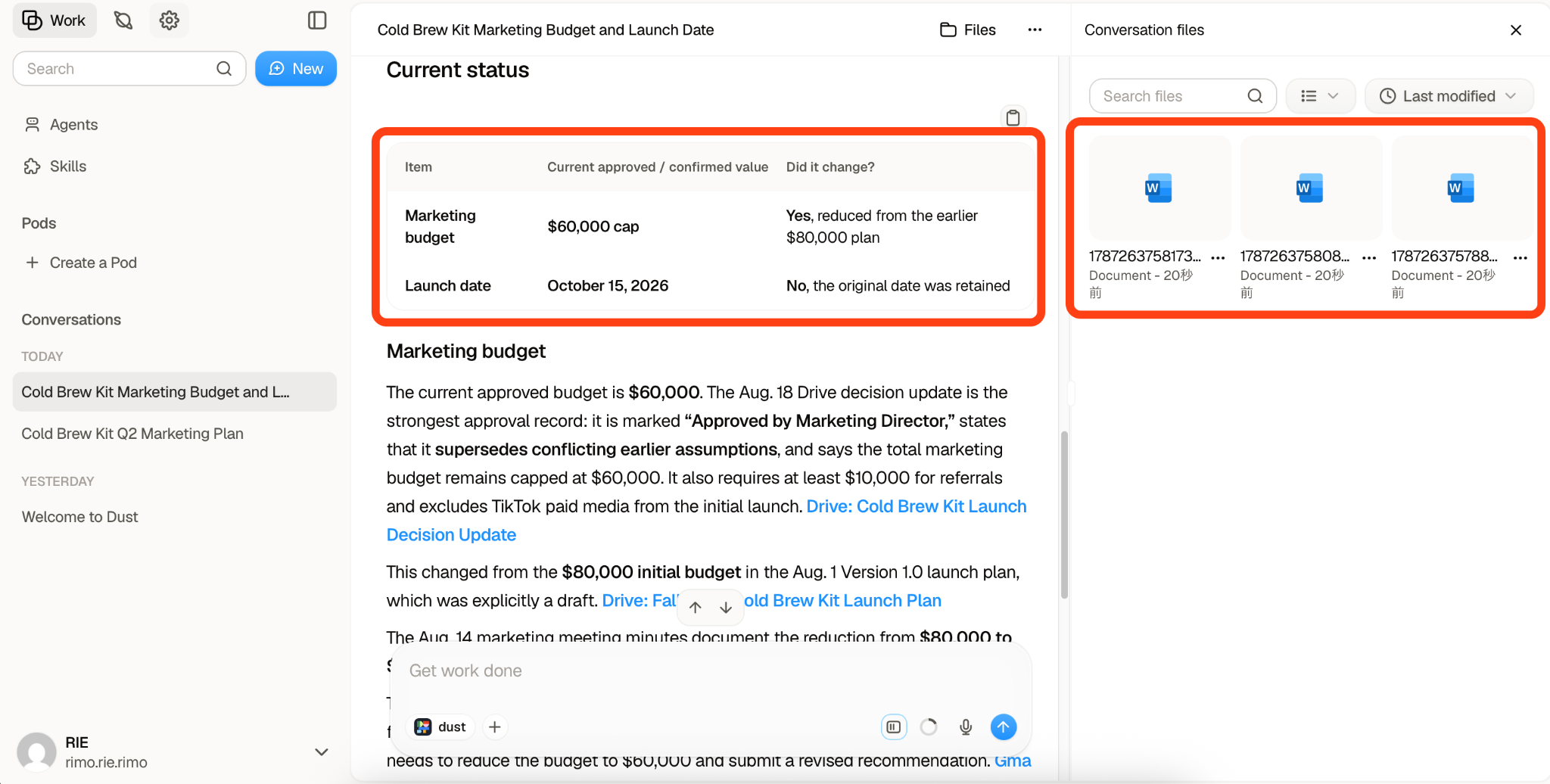
It also picked up the email conversations that explained why those figures had changed. This made the result much easier to verify, since I could see not only the final number but also the context and source behind it.
Overall, this test showed that Dust could do more than simply retrieve matching keywords. It was able to search across different sources, distinguish newer information from older versions, and surface the supporting context behind its answer.
Test2 : Multi-Step Tasks and External Tool Actions
For this test, I asked Dust to use the latest information from Google Drive and Gmail to draft a short email summarizing the current Cold Brew Kit launch plan.
I explicitly instructed it not to send the email yet, and Dust followed that instruction correctly. The draft reflected the latest information available in the connected sources, including the updated budget, launch date, and recent marketing decisions.
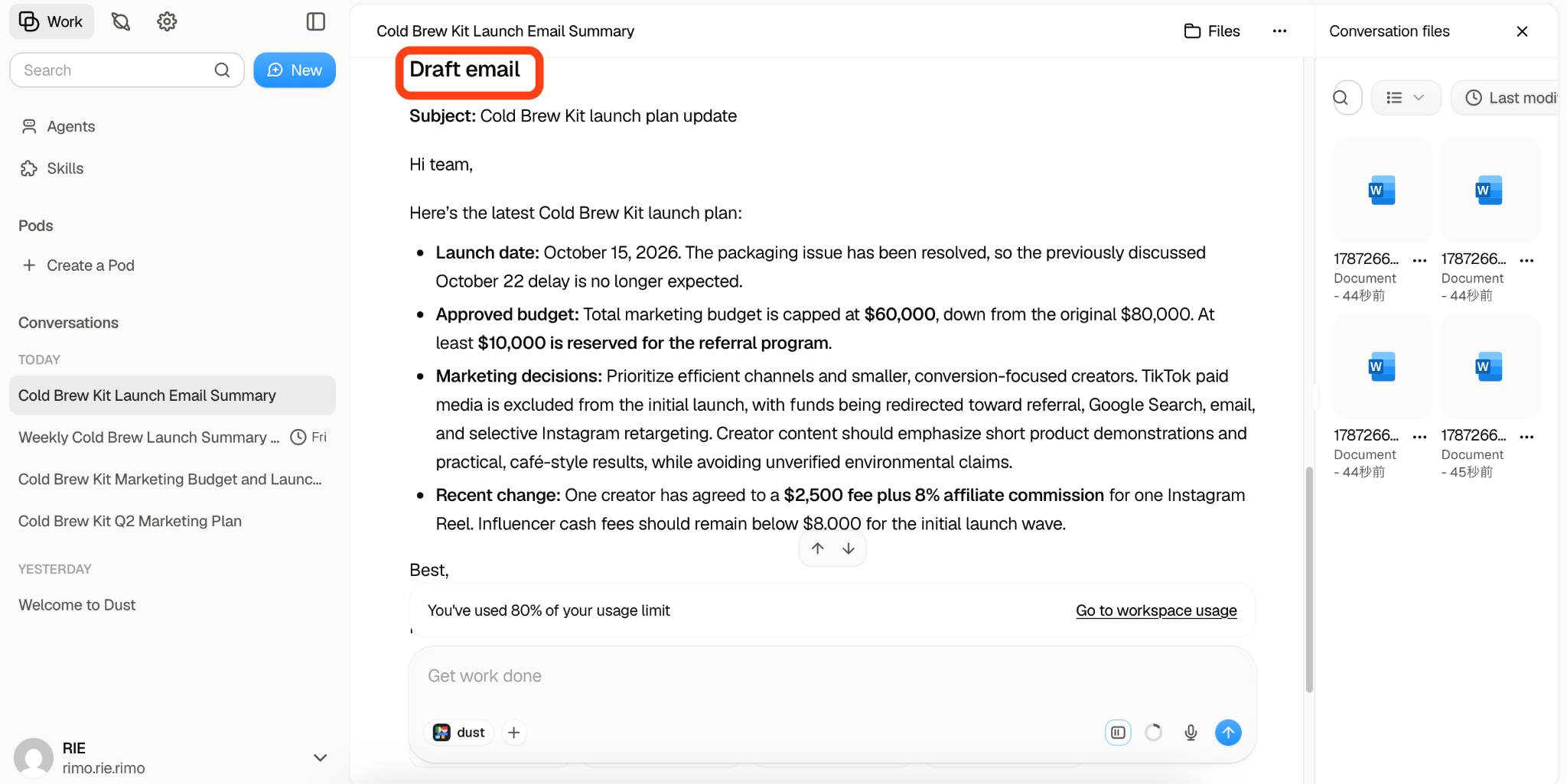
After reviewing the draft, I then gave Dust a separate instruction to send the email through Gmail.
The process worked as expected. Dust was able to move from retrieving information across connected sources, to drafting the message, and then to carrying out the final action in Gmail only after I gave the additional instruction. The email was sent successfully and arrived in the recipient's inbox with the intended content.
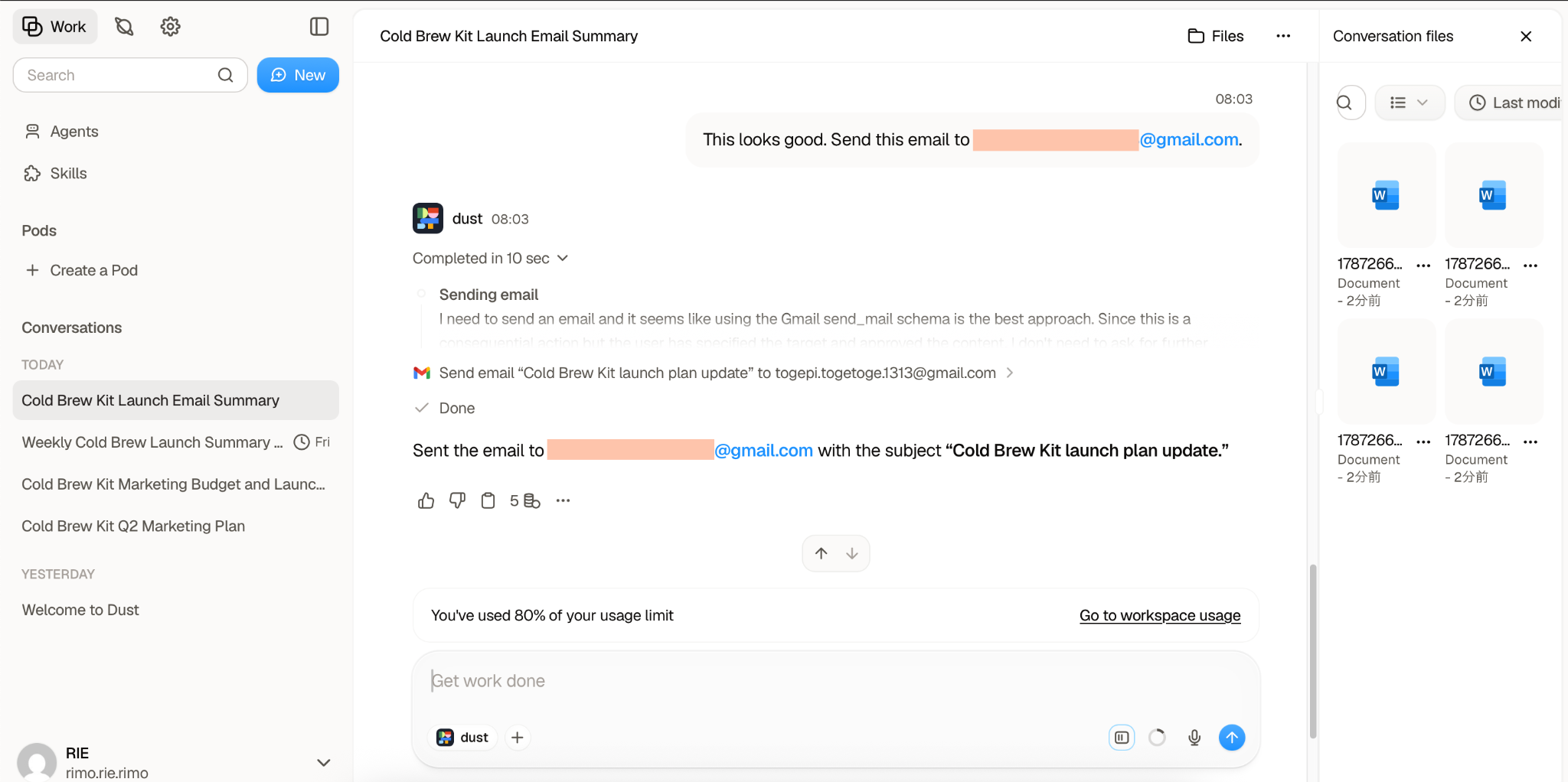
What this test demonstrated was that Dust can handle a task in multiple stages rather than treating every request as a single one-step action. It was possible to stop after the preparation stage, review the result, and then explicitly authorize the external action.
That kind of workflow could be useful in business settings where AI can handle information gathering and preparation, while the user still keeps control over when an external action, such as sending an email, is actually performed.
Test 3: Setting Up a Scheduled Trigger
For the Scheduled Trigger test, I set Dust to automatically generate a weekly review every Friday morning at 7:45 a.m.
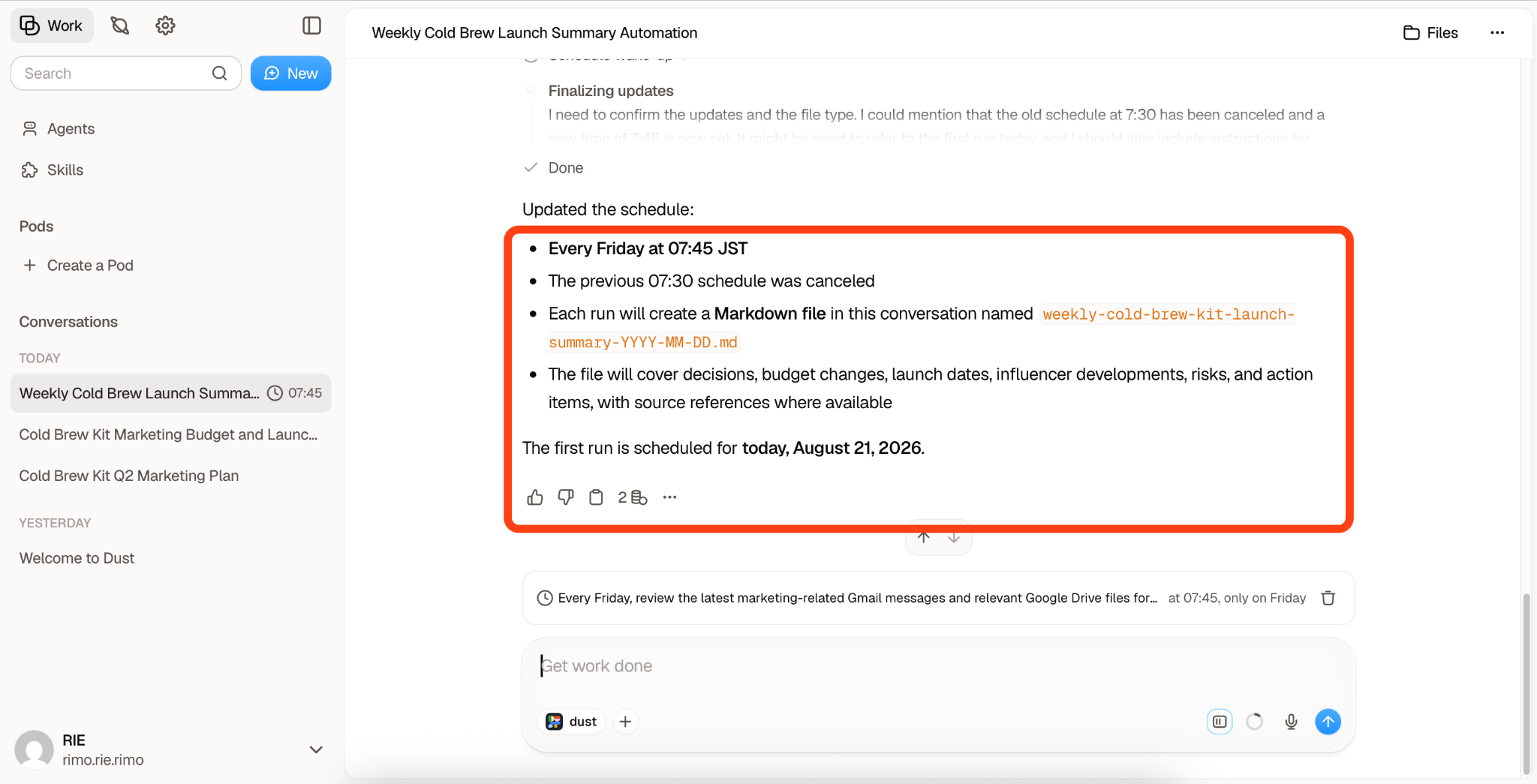
In my test, the task ran exactly at the scheduled time and delivered a clear summary of the week's key updates and changes. It also did a good job of reflecting the final state of information that had been revised several times during the week, which made it much easier to understand what had actually changed and where things currently stood.
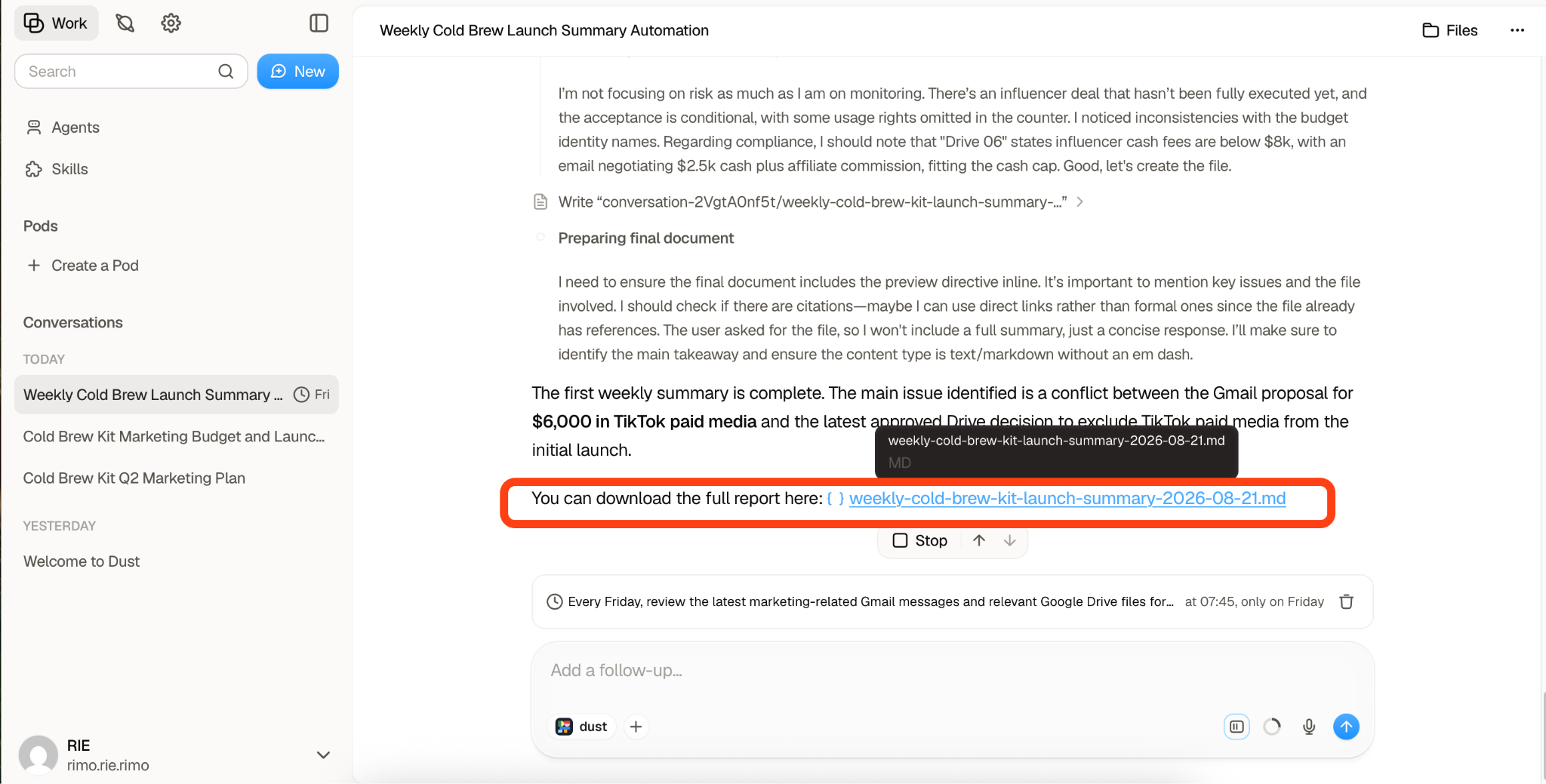
This seems especially useful for reviewing a busy week when it has been difficult to keep track of every update in real time. It could also be valuable during weeks with frequent changes to budgets, schedules, or plans, since the summary provides a quick way to confirm what was ultimately decided.
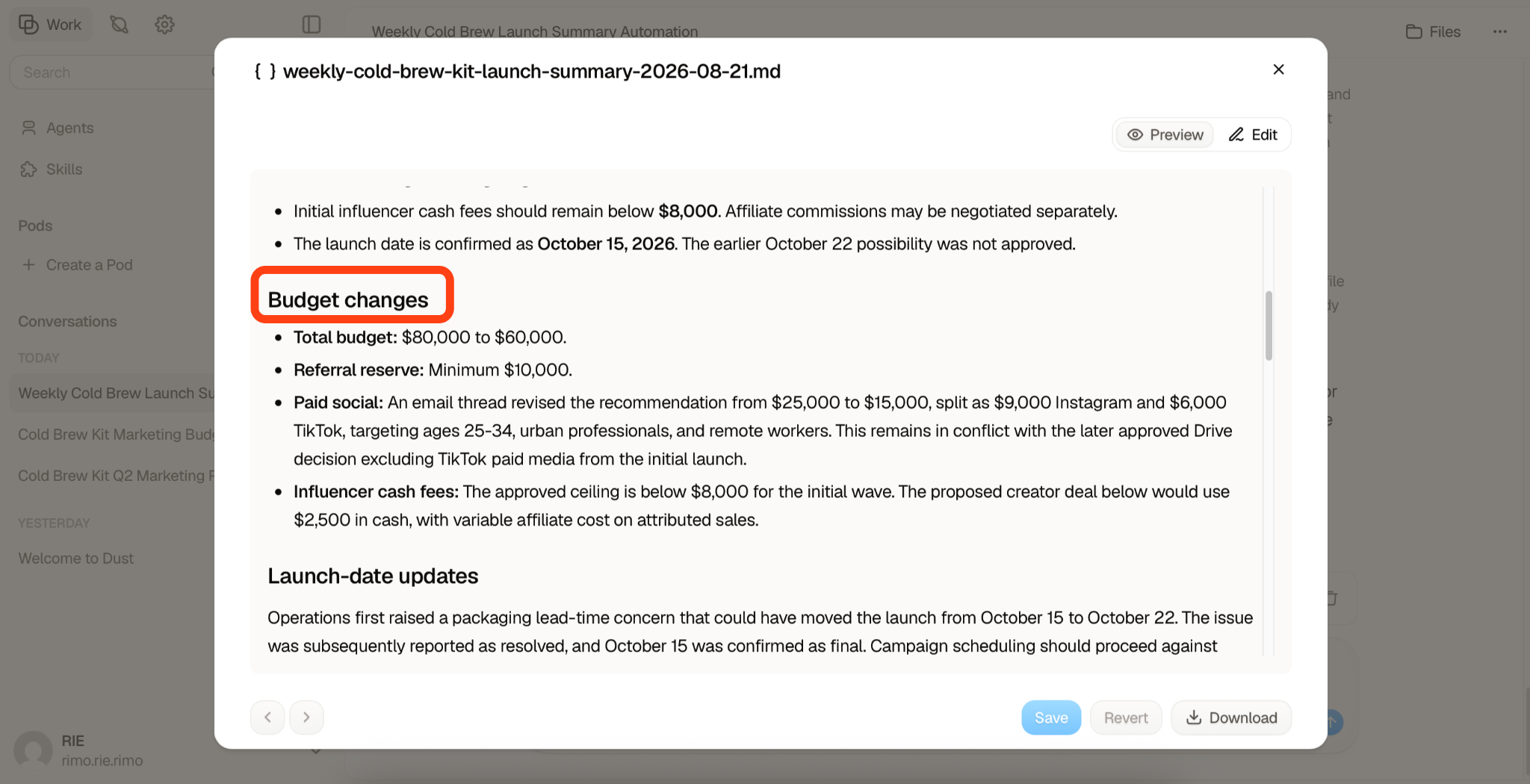
For teams that regularly need to check multiple emails and documents to stay up to date, having Dust automatically pull those updates together at the end of the week could significantly reduce the amount of manual review required.
What We Liked About Dust AI
After testing Dust across Google Drive, Gmail, scheduled tasks, and multi-step actions, a few strengths stood out clearly. The biggest advantages were not just in how well it answered questions, but in how it connected scattered information, made its sources easier to verify, and turned that information into practical business actions.
Company Knowledge Becomes Easier to Search
One of Dust's clearest strengths is how much easier it makes to work with information scattered across different sources.
In my test, relevant details were split between Google Drive files and Gmail conversations, and some information had been updated several times. Dust searched across both sources, identified the latest information, and combined the relevant details into a single answer.
That is where it feels different from manually searching through folders and email threads. Instead of remembering where a decision was recorded — or whether a newer version existed elsewhere — I could ask the question directly and let Dust trace the information across the connected sources.
Sources Are Easier to Verify Than in a Standard Chatbot
Another advantage was the visibility of the sources behind Dust's answers.
With a general-purpose chatbot, a confident answer can still leave you wondering where the information came from. During my testing, Dust surfaced the Gmail conversations and Google Drive files supporting its answers. When a figure had changed several times, I could also see the context behind the latest update.
This does not remove the need to verify important information, but it makes that process much easier by giving you a direct path back to the underlying evidence.
It Combines AI Chat With Real Workflows
Dust also goes beyond simply answering questions.
In my tests, I used information from Google Drive and Gmail to generate a business email, reviewed the draft before taking action, and then instructed Dust to send it through Gmail. The email was successfully sent and received.
I also tested a Scheduled Trigger that generated a weekly review every Friday at 7:45 a.m. It ran on schedule and summarized the week's key changes, including information that had been revised during the week.
Together, these features make Dust feel less like a standalone chatbot and more like a layer that can sit on top of existing business tools — helping move work from information gathering to actual action.
Where Dust AI Falls Short
Dust performed well overall in my testing, but there were a couple of areas where the experience was less seamless. In particular, processing speed could vary depending on the task, and the way Spaces, data connections, agents, and Skills fit together took some time to understand.
Indexing and Responses Can Take Time
One limitation I noticed was speed. When working with a larger amount of connected data, indexing could take a while, which meant newly added files were not always immediately available to the agent.
I also encountered cases where a response took around five minutes to complete. That is not necessarily unusual for an AI tool working across multiple sources, especially when it needs to search, compare, and synthesize information, but it is still something to keep in mind if you expect near-instant answers during a busy workflow.
For occasional research or more complex tasks, the wait may be acceptable. For time-sensitive work, however, the delay can feel more noticeable.
The Setup Takes Some Getting Used To
Dust also did not feel completely intuitive to me at first.
Connecting a data source in a Space is only part of the setup. When creating an individual agent, you still need to configure which connected sources that agent can use and select the relevant Skills and other settings. If one of those steps is missed, the agent may not reference the data you expect, even though the connection itself appears to be set up correctly.
Once I spent more time with the interface, the structure started to make sense. Still, there is a learning curve, and users who are new to AI agents or workspace-style tools may need some trial and error before they feel comfortable with how Spaces, agents, connected data, and Skills work together.
That said, none of this requires coding or advanced technical knowledge. The challenge is mainly understanding how Dust's different settings fit together, rather than needing any programming skills.
Dust AI Pricing: What You Actually Get at Each Tier
As of August 2026, Dust uses a credit-metered pricing model, with different credit allowances depending on the plan.
Plan | Price | Credits |
Free | $0 | 500 credits, lifetime |
Pro | $30/seat/month or $24/seat/month billed annually | 8,000 credits/seat/month |
Max | $150/seat/month or $120/seat/month billed annually | 40,000 credits/seat/month |
Enterprise | Custom | Custom / pooled arrangements |
of the cost equation. Agent activity consumes credits, and heavier tasks or more capable models can use them faster. For teams planning to use Dust throughout the workday, the difference between Pro and Max may therefore matter more than the headline seat price alone.
Dust also offers a free way to try the platform before committing, so teams can get a feel for the workspace and agent-building experience before moving to a paid plan.
Dust AI vs. the Alternatives
Dust isn't the only tool trying to turn scattered company knowledge into something you can talk to. Here's how it stacks up against three tools people most often put side by side with it.
Dust AI | Glean | StackAI | Relevance AI | |
Core strength | Building custom, no-code agents tied to company data | Enterprise-wide search across tools | No-code agent builder + governance/compliance | Multi-agent orchestration ("AI workforces") |
Search vs. agents | Balanced — search is a means to build agents | Search-first | Agent-first, workflow-oriented | Agent-first, multi-agent-oriented |
No-code friendliness | High | N/A (mostly a search layer) | High, with heavier governance controls | High, but more configuration surface |
Deployment | Cloud only | Cloud | Cloud, VPC, or fully on-prem/air-gapped | Cloud |
Pricing model | Per-seat + credit meter | Enterprise/contact sales | Enterprise/contact sales | Free/Pro ($19/mo)/Team ($234/mo)/Enterprise |
Dust AI vs. Glean
Glean's whole pitch is search-first: point it at every tool your company uses, and it becomes a single, fast search bar across all of it. If what your team actually wants is "help us find things faster," rather than "help us build our own custom AI helpers," Glean is built for exactly that job.
The real difference between the two isn't about which one is "better" — it's about what each one optimizes for. Dust puts its energy into how much freedom you have to build and customize agents. Glean puts its energy into how thoroughly and quickly it can search across everything you already have. A team that wants agents built around their specific workflows will likely lean Dust; a team that just wants better search across a sprawling tool stack will likely lean Glean.
Dust AI vs. StackAI
Of the three alternatives here, StackAI is the closest in positioning to Dust — both let non-engineers build agents visually, without code.
Where they diverge is deployment. Dust is a cloud service you sign up for and start using right away. StackAI offers that too, but also gives organizations the option to run the entire system on their own servers (on-premise or fully air-gapped), on top of SOC 2, HIPAA, and GDPR support. For a bank, hospital, or government agency where data legally can't leave the building, that on-prem option is a real differentiator worth weighing — it's the kind of requirement that can decide the whole evaluation before agent-building flexibility even comes into the conversation.
Dust AI vs. Relevance AI
Relevance AI is built around multiple AI agents working together — a research agent handing information to a writing agent, which hands off to a review agent, and so on — rather than one agent doing everything solo.
If your team's need is "one solid agent that knows our company knowledge," Dust's single-agent model is the simpler fit. If your need is closer to "we want to automate an entire multi-step business process end-to-end, with different specialized agents each owning a piece of it," Relevance AI's multi-agent design is built specifically for that.
If You Need Something Dust AI Doesn't Offer
Dust, Glean, StackAI, and Relevance AI are strongest when company knowledge already exists in documents, wikis, and connected business apps. But some of the most important information inside a company never starts as a document at all — it lives in meetings, sales calls, and interviews.
Glean has started to address this gap with Meeting Notes, introduced in June 2026, which can transcribe meetings across services such as Google Meet, Microsoft Teams, Zoom, and Slack huddles and summarize decisions and action items.
For teams where conversations are a major source of knowledge, Rimo's Knowledge AI Agent takes a different approach. Meeting audio has been part of the product from the beginning, and Rimo connects with Zoom, Microsoft Teams, Google Meet, and WebEx. It also released iOS and Android apps in May 2026, making it easier to capture and access meeting knowledge outside the desktop.
Rimo also added AI Search in May 2026, allowing users to search accumulated meeting transcripts conversationally and trace answers back to their sources. In that sense, it offers a similar "search across company knowledge" experience to tools like Dust and Glean, but with conversations and meeting records at the center.
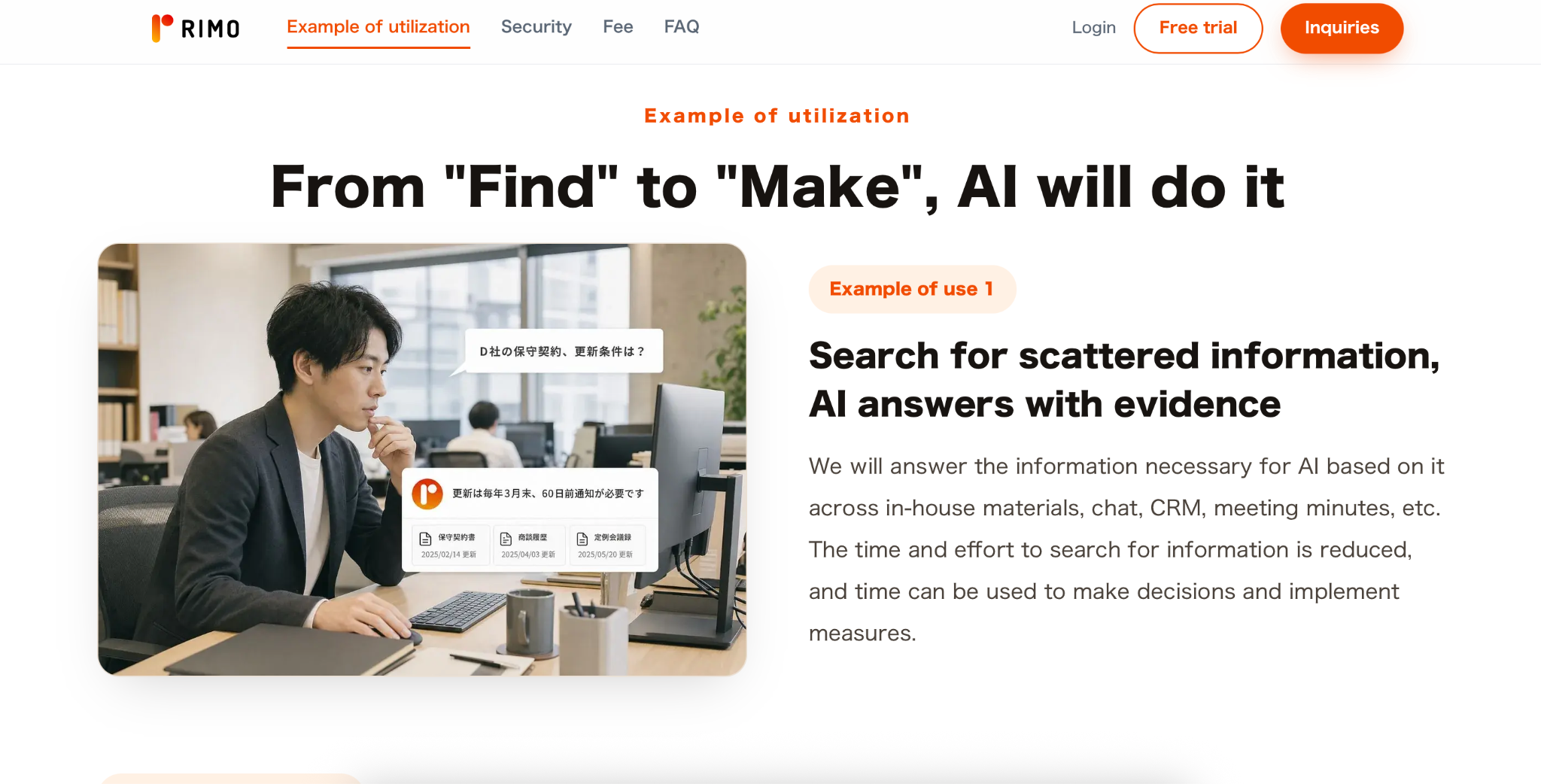
Dust is a strong fit when your knowledge mainly lives in documents and connected apps; Rimo is worth considering when meetings and spoken conversations are where important decisions actually happen.
FAQ
Below are quick answers to some of the most common questions about Dust AI, including what it does, how much it costs, who it is best suited for, and how it compares with other AI workspace tools.
What is Dust AI?
Dust is a no-code AI workspace that connects to your company's tools (Slack, Notion, Google Drive, GitHub, and more) and lets you build custom AI agents that can search that data and carry out tasks.
What is Dust AI used for in customer service?
Support teams use Dust to build agents connected to help-center docs, Zendesk, or similar ticketing tools, so the agent can draft responses in the company's own tone and voice, pull from prior tickets, and hand a support rep a ready-to-edit reply instead of a blank page.
How much does Dust AI cost?
As of August 2026, Dust offers a Free option with 500 lifetime credits. Pro costs $30 per seat per month (24 when billed annually) and includes 8,000 monthly credits per seat, while Max costs$150 per seat per month (120 annually) with 40,000 monthly credits. Enterprise pricing is customized.
Can you try Dust AI for free?
Yes. Dust offers a Free option with 500 lifetime credits, allowing you to explore the platform before moving to a paid plan.
What is the Dust AI platform, exactly?
"Platform" here covers three things bundled together: the agent builder (where you create and configure agents), the data connectors (Slack, Notion, Google Drive, GitHub, and 30+ other tools), and the shared workspace where your team's agents live and get used collaboratively.
Who are Dust AI's main competitors?
The tools most often compared to Dust are Glean (stronger on pure cross-tool search), StackAI (closest in no-code agent-building, but with on-premise deployment options), and Relevance AI (built around coordinating multiple agents together rather than one agent per task).
What is the Dust AI workspace?
It's the "multiplayer" part of Dust's pitch: rather than each person building and using their own private chatbot, agents live in a shared space where a team can build one together, use each other's agents, and improve them collectively — much like a shared doc or Slack channel, but for AI.
Where is Dust AI based, and who funds it?
Dust was founded in Paris in 2022 by Gabriel Hubert and Stanislas Polu (previously co-founders of Totems, acquired by Stripe). It has raised a $16M Series A led by Sequoia Capital in June 2024, followed by a $40M Series B co-led by Abstract and Sequoia (with participation from Snowflake Ventures and Datadog) in May 2026 — bringing total funding past $60M.
Is Dust AI good for small teams or startups?
Because Dust bills per seat plus a credit meter, cost scales directly with headcount — which is manageable for a small team that keeps usage light, but worth watching closely for a startup planning to put agents in front of every employee, since the credit allowance (not just the seat price) is what determines whether Pro is enough or you'll need to step up to Max.
Final Verdict: Is Dust AI Right for You?
Based on my testing, Dust AI is best suited to teams that have useful information scattered across tools like Google Drive and Gmail and want to make that knowledge easier to search, verify, and use in everyday work.
Its strengths are clear: it can search across connected sources, show the evidence behind its answers, and turn information into practical actions such as drafting and sending emails or generating scheduled reviews. It also handled frequently updated information well in my tests.
The main drawbacks are speed and setup. Indexing can take time, some tasks may take several minutes, and the relationship between Spaces, agents, connected data, and Skills takes some getting used to. However, no coding or advanced technical knowledge is required.
Overall, Dust AI is a strong choice for teams whose internal knowledge is mainly stored in documents and business apps. If your most important knowledge lives in meetings and spoken conversations, a conversation-focused tool such as Rimo may be a better fit.
Related articles

Return to List