
Fellow app Review 2026: Why It’s the Only "AI Chief of Staff" Your Team Needs


Meetings are supposed to be the "engines" of decision-making. But for many growing teams, they have mutated into a form of "organizational tax"—draining focus, killing momentum, and creating a black hole of productivity.
If your calendar looks like a game of Tetris played by a chaotic system beyond your control, you’re experiencing "Meeting Debt." In this review, we dive deep into Fellow.app, the tool that claims to be more than just a transcriber. It wants to be your AI Chief of Staff.
The Meeting Crisis: Why Every Company with 50+ People is Struggling
In the early days of a startup—when it’s just 5 or 10 people in a room—communication is effortless. You have "implicit context." A simple nod or a quick glance across the desk is enough to align the team. This is the era of "Aun no Kokyu" (harmonized breathing).
But then, you grow. You hit 50, then 100 employees. Suddenly, that implicit trust vanishes. Information becomes fragmented. You start having "meetings about meetings" just to figure out what was decided in the last meeting. This is where efficiency goes to die.
From FluidSurveys to Fellow: Aydin Mirzaee’s Origin Story
Fellow wasn't born in a lab; it was born in the trenches. Founder Aydin Mirzaee realized the gravity of the meeting crisis after selling his previous company, FluidSurveys. As his team scaled toward 800 people, he watched his days disappear into a back-to-back blur of Zoom calls. He felt a genuine sense of dread: "The day is over, my calendar was full, yet no actual work got done."
He learned a hard truth: You can brute-force your way through communication with a dozen people, but once you scale, you need a system, not just "grit."
The 50-Employee Threshold: When Meetings Start to Take Over Your Company
At 50 employees, "Meeting Inflation" kicks in. Managers lose visibility into the front lines, so they schedule more syncs. Let’s talk numbers: If you have 10 people in a room, each earning $50/hour, that one-hour meeting is a $500 investment. If there’s no agenda and no clear outcome, you aren't just wasting time—you’re literally throwing $500 out the window every single week. Fellow was built to stop that leak.
What is Fellow App? More Than Just an AI Notetaker
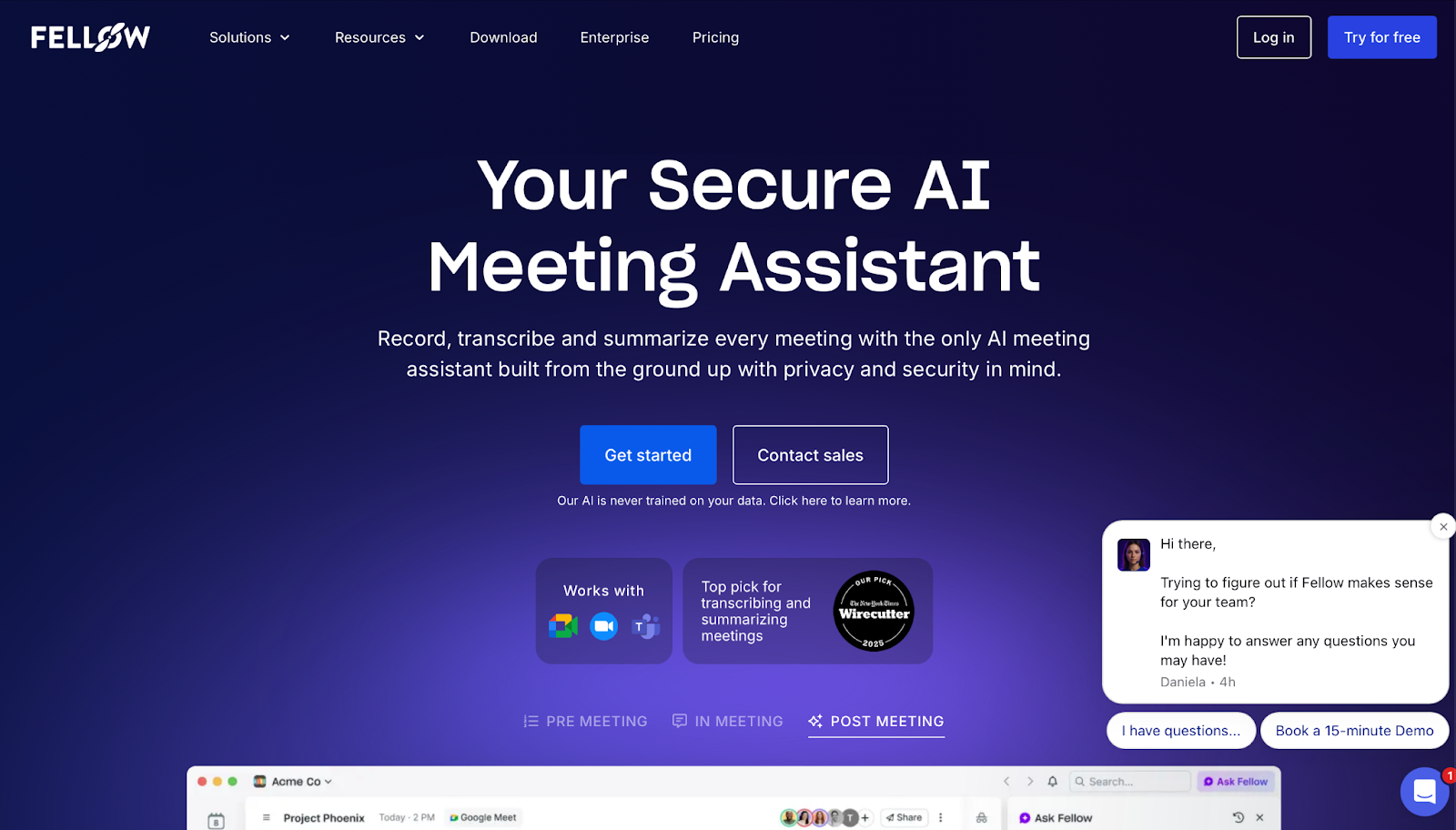
While the market is flooded with "AI Notetakers," Fellow provides more than just automated transcription. This platform focuses on building a disciplined operational framework for how a team should function before, during, and after a meeting, effectively redefining organizational operations.
The "AI Chief of Staff" Vision: Your Digital Executive Assistant
In 2026, there is much talk about "Autonomous Agents"—AI that can plan and execute entire projects without human intervention. To be clear, Fellow is not a fully autonomous tool in that sense. It functions as a highly sophisticated workflow assistant that operates based on human decision-making.
Its core role is to remove the "administrative friction" between a conversation and its execution. By interpreting meeting context and seamlessly bridging the gap to tools like HubSpot or Asana, Fellow frees managers from routine tasks, allowing them to focus on genuine leadership.
Privacy-First Capture Options: When “Zero-Bot” Is the Right Choice
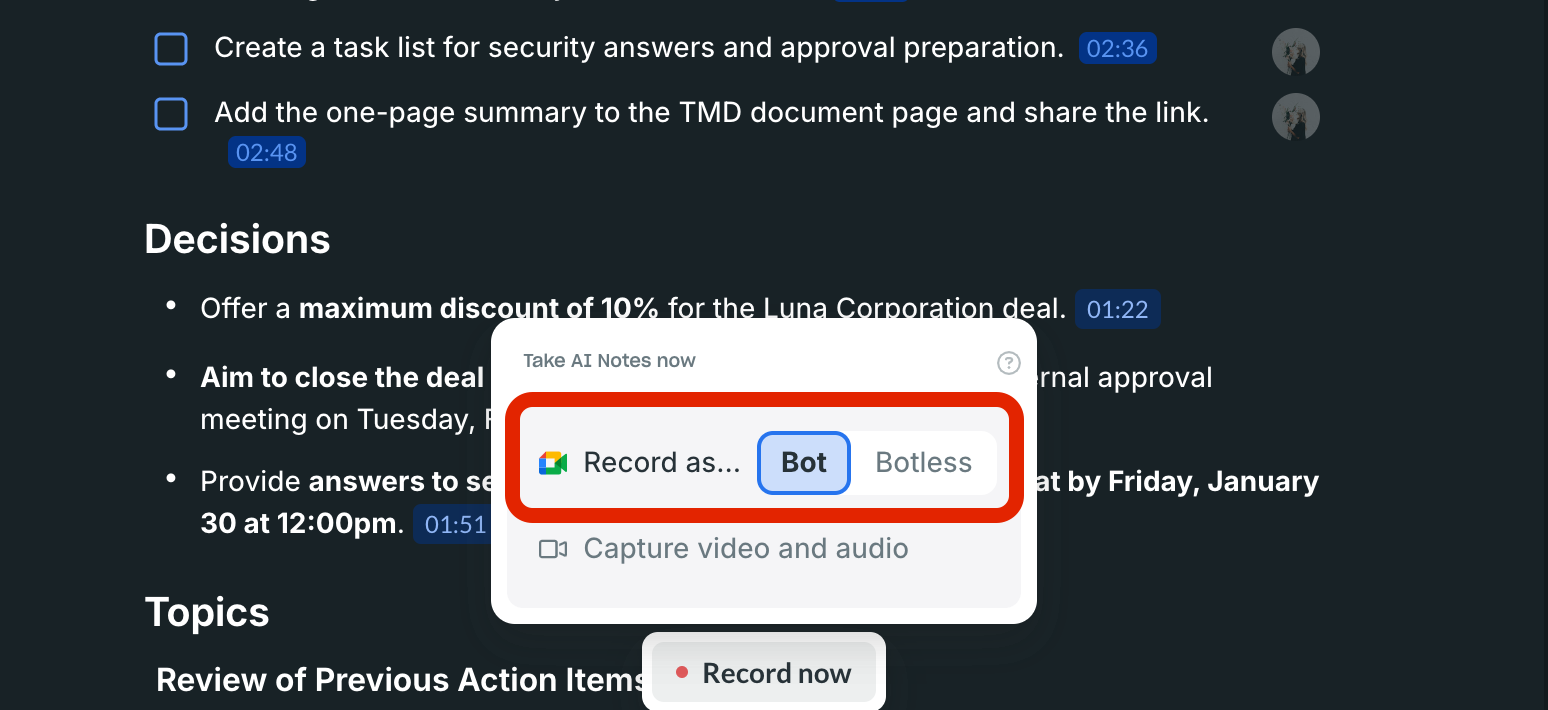
One of Fellow’s strengths is flexibility in how meetings are captured—not a single “best” method. Depending on the context, teams can choose a bot-based approach or a botless (“Zero-Bot”) option (for example, Desktop Botless Recording or Zoom Native Capture) to reduce the social friction that sometimes comes with a visible notetaker—especially in sensitive 1:1s.
At the same time, “Zero-Bot” shouldn’t be treated as a default or a loophole. In many Western countries—particularly in Europe under GDPR—transparent consent and compliant data handling matter more than whether a bot is visible on the call. The practical takeaway is simple: Fellow gives teams capture choices, but you still need clear rules around permissioning, consent, access, and retention—so privacy and governance remain intact regardless of the capture mode you choose.
Fellow AI Key Features: Pre-Meeting Prep to Post-Meeting Action
To understand why Fellow is more than just a recording tool, we need to look at how it intervenes at every stage of the meeting lifecycle. Instead of just giving you a transcript after the fact, Fellow provides a structured framework that enforces high-performance habits before the call even begins.
Collaborative Agendas: Showing Up Prepared, Every Single Time
Fellow kills the "unprepared attendee" syndrome.
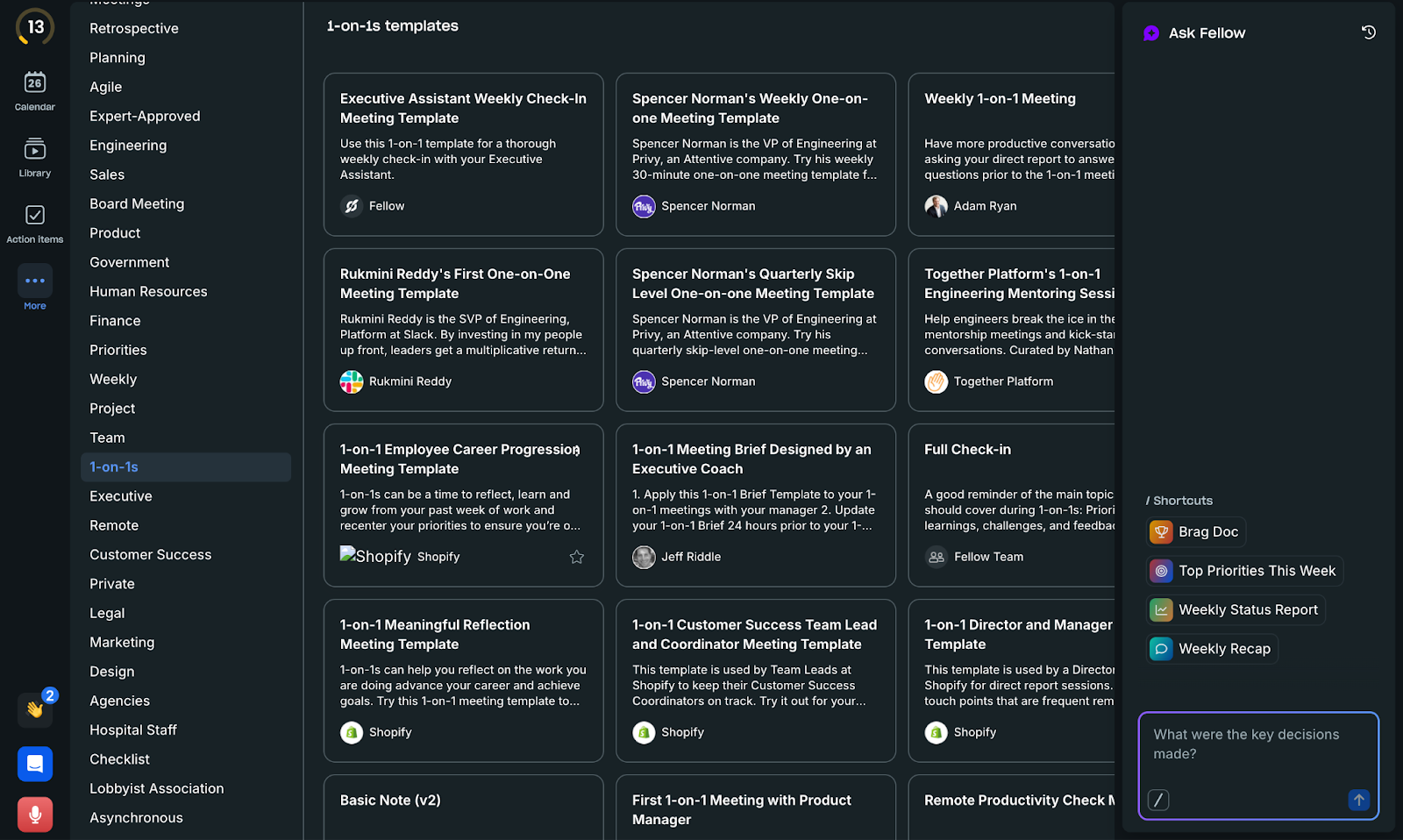
500+ Expert Templates: Fellow provides a massive library of templates for every meeting type—from 1-on-1s and OKR reviews to board meetings. You don't have to start from scratch; you can use proven frameworks used by top companies.
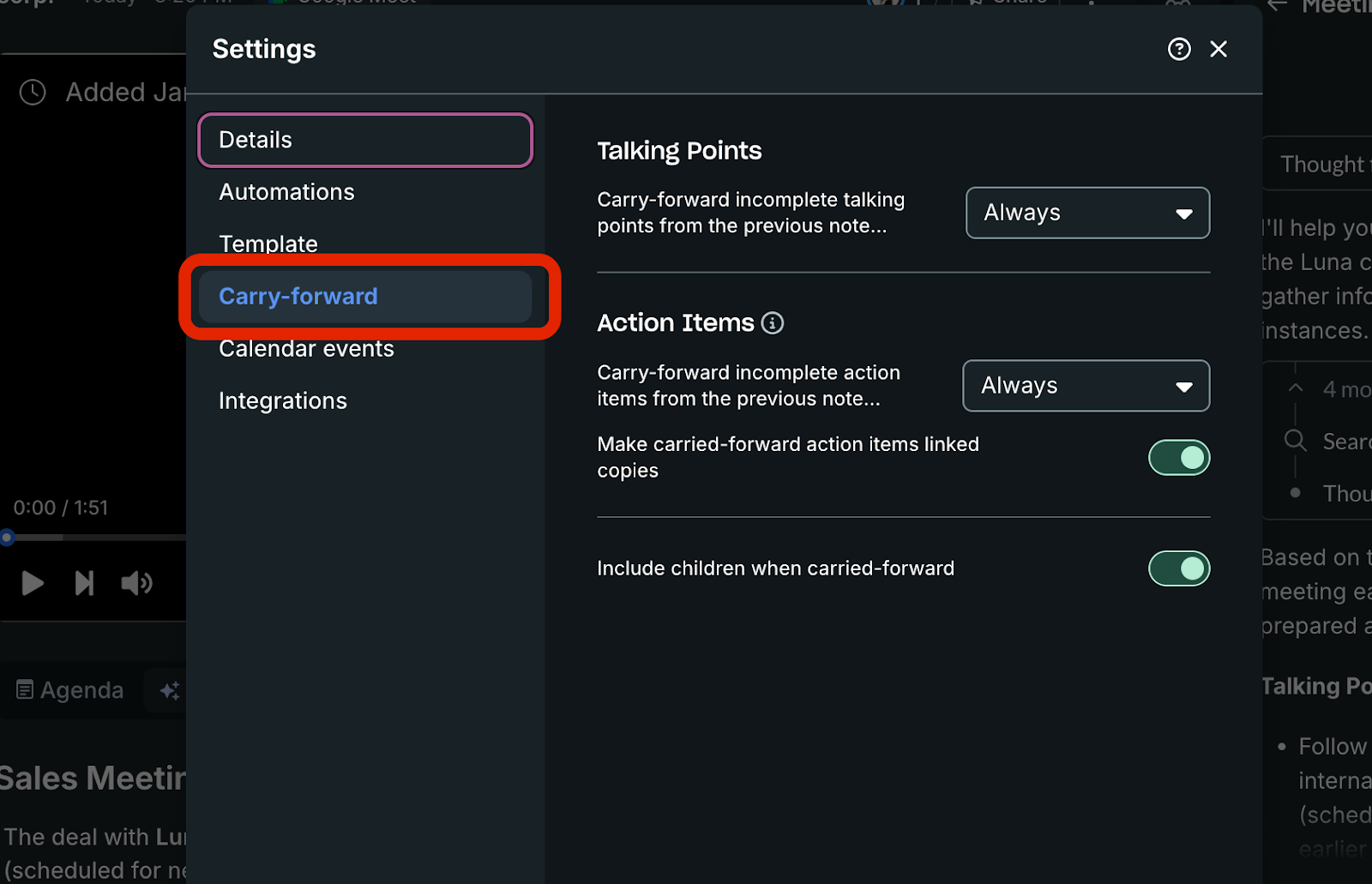
The Carry-over Effect: For recurring meetings, Fellow can carry incomplete talking points and action items forward to the next agenda. No decision falls through the cracks.
AI Suggestions: AI suggests agenda topics based on your role, the meeting type, and previous discussion points.
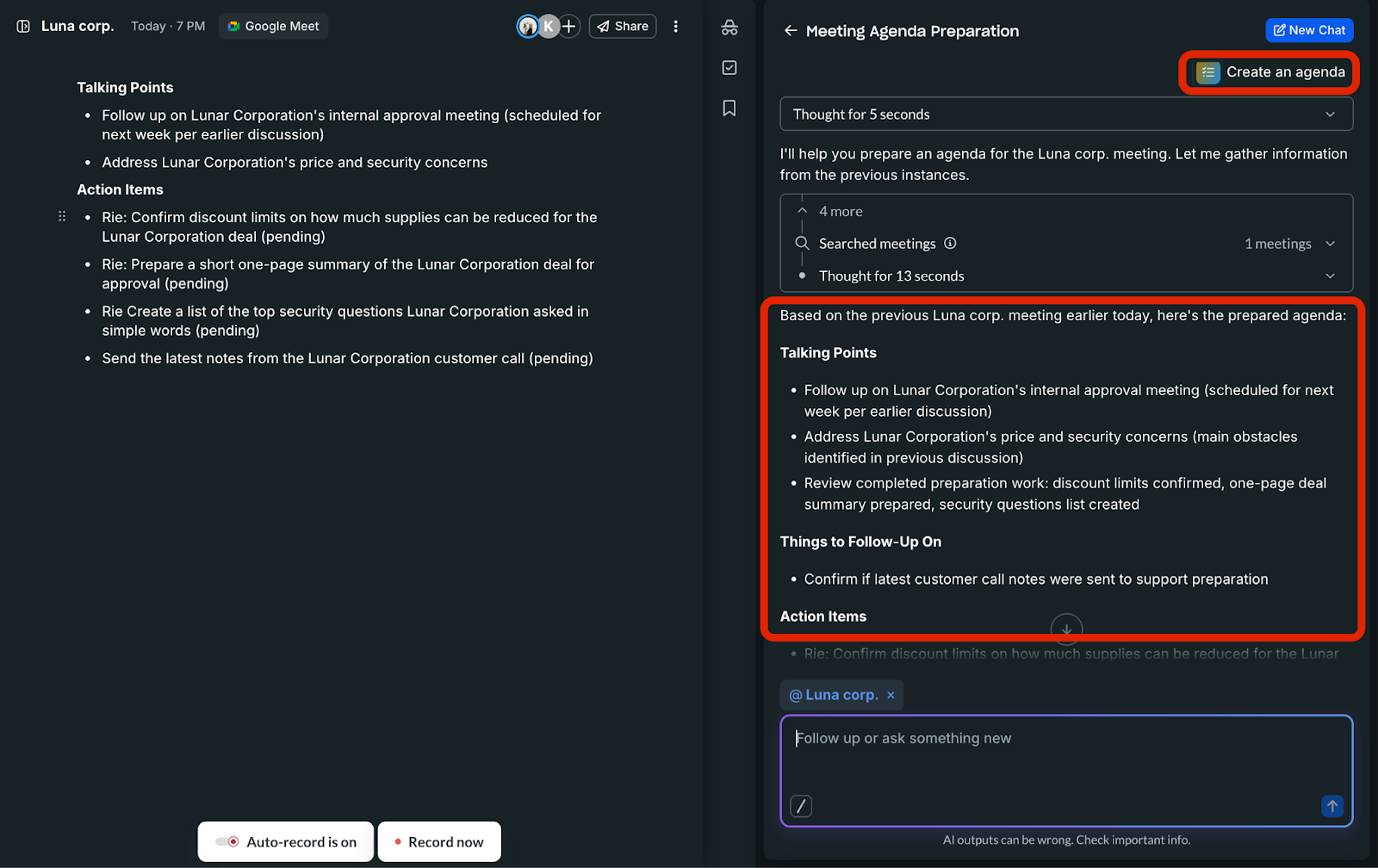
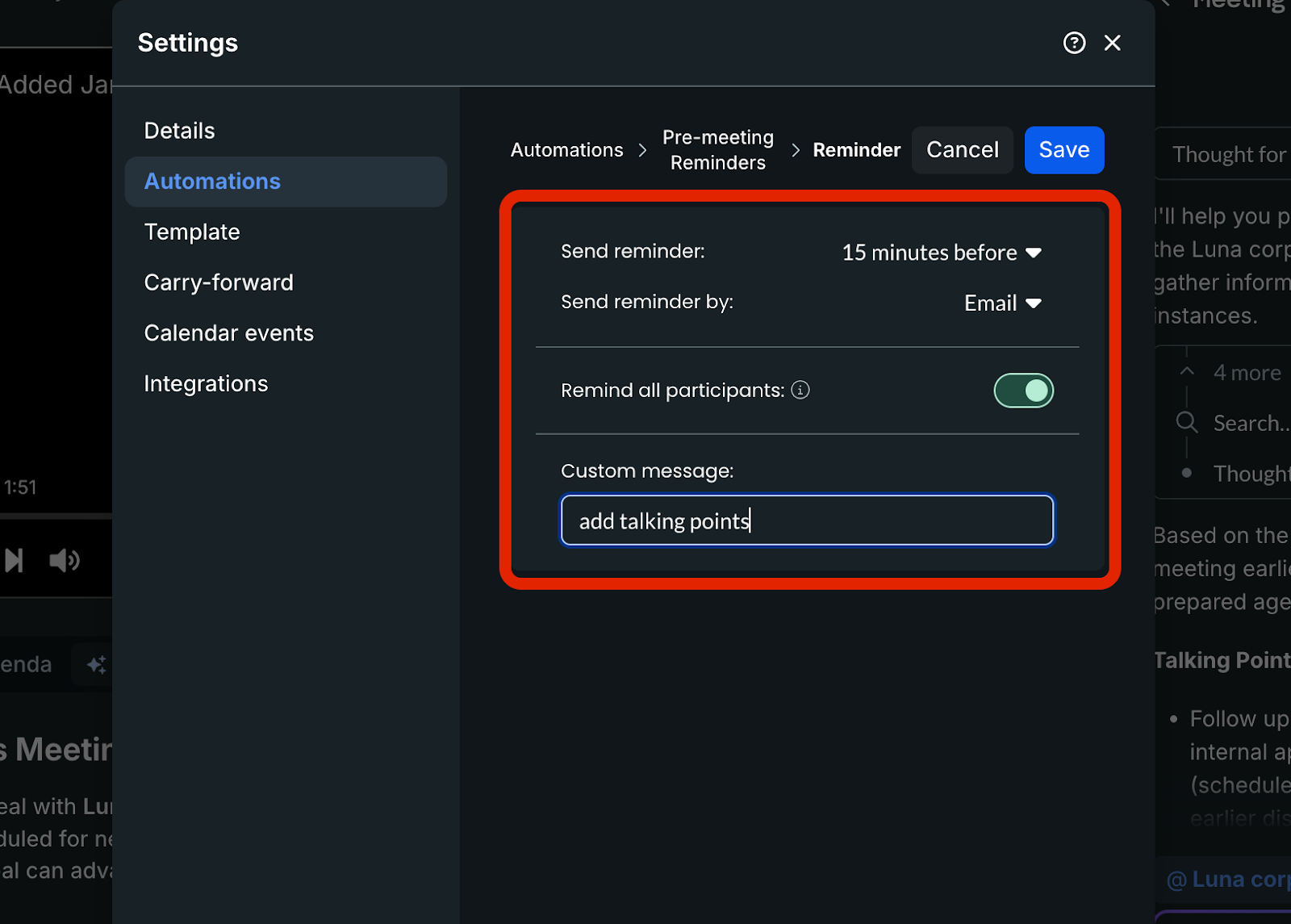
The Nudge: It sends automated reminders to participants to add talking points before the meeting starts, ensuring everyone arrives with a clear purpose.
Insanely Great Insights: Human-Level Summaries and Recaps
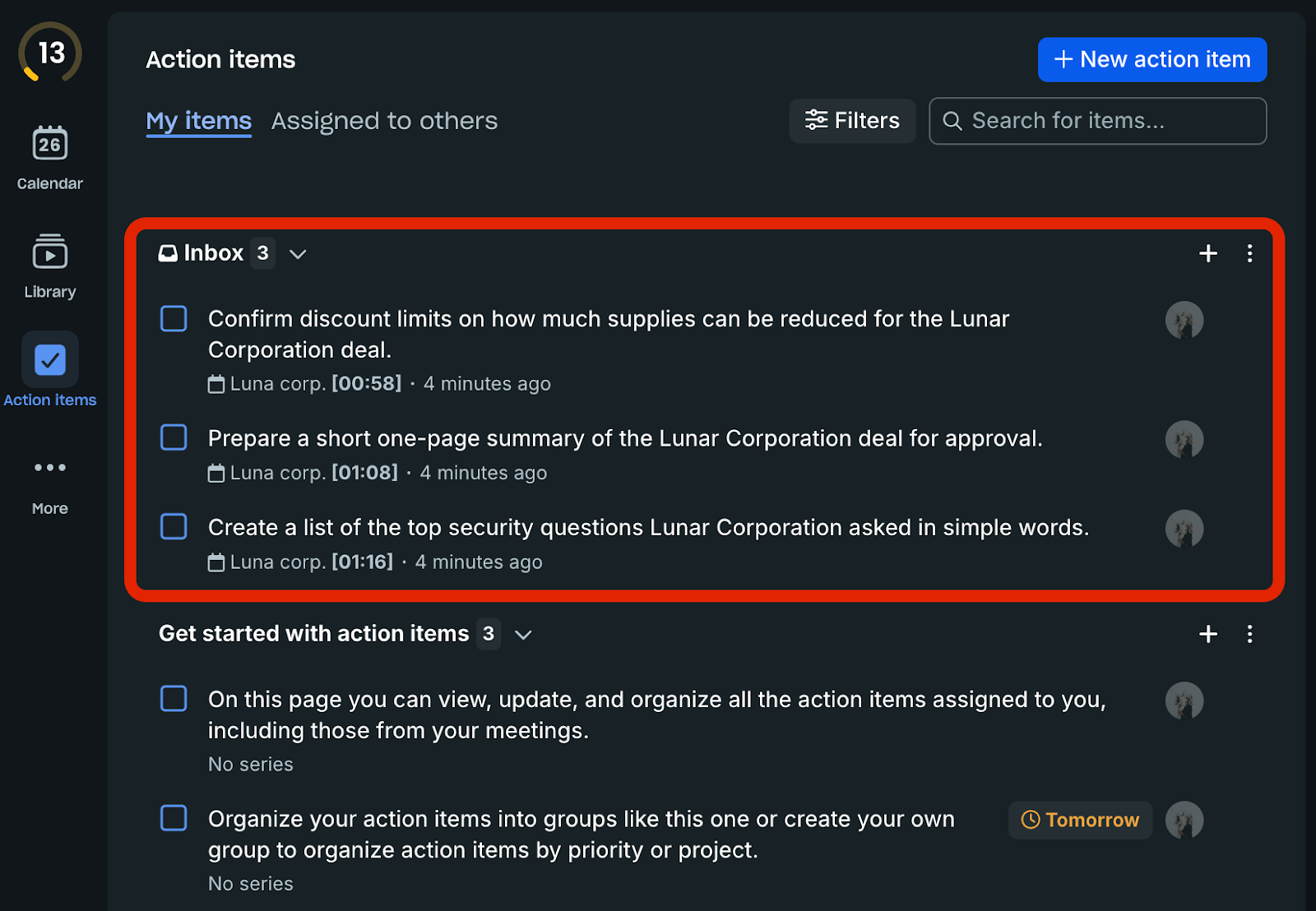
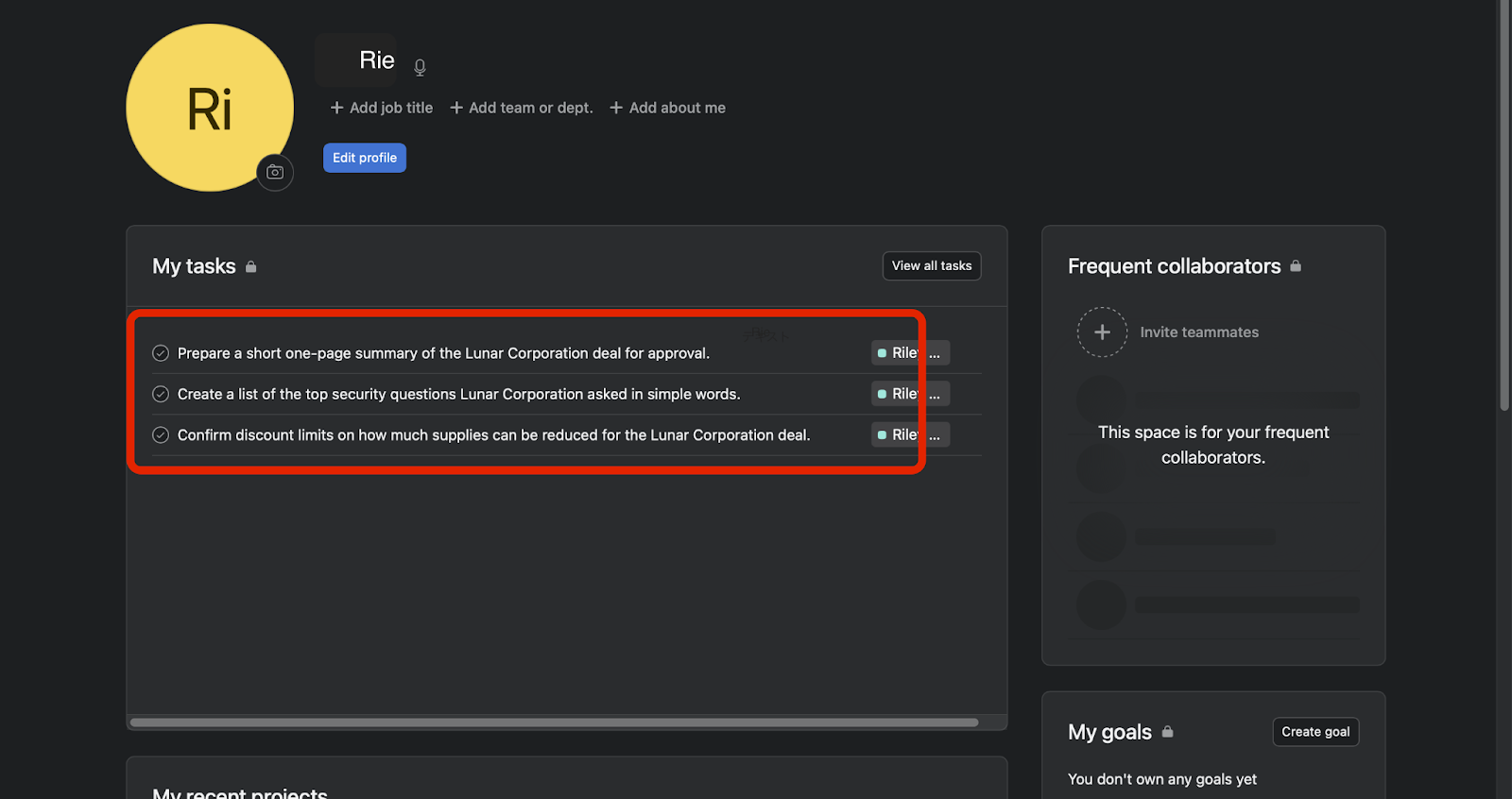
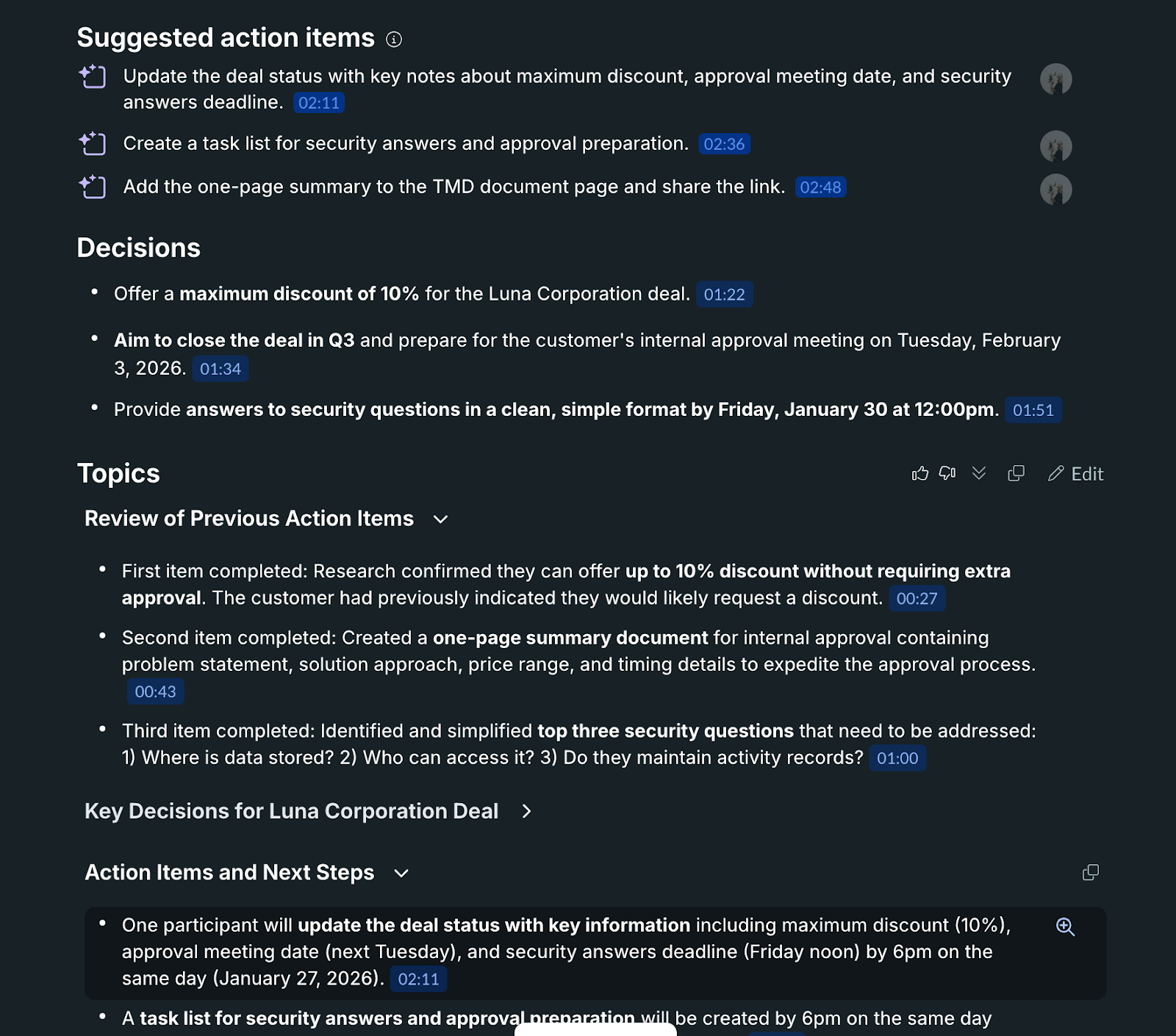
Fellow’s AI did a strong job filtering noise in our test meeting. We intentionally opened with casual small talk (like weekend weather), then moved into the real discussion—pricing concerns, security questions, and what needs to happen next. In the recap, Fellow focused on the practical outcomes and follow-ups, turning the conversation into clear next steps with an owner and deadlines, rather than a messy transcript.
The Agent Era: Automatically Updating HubSpot, Asana, and Confluence
For Sales (Business Plan): With the HubSpot integration (Business/Enterprise), you can automatically send meeting notes and AI recaps to HubSpot after a meeting, where they’re attached to the relevant records (or a new meeting is created if none exists)
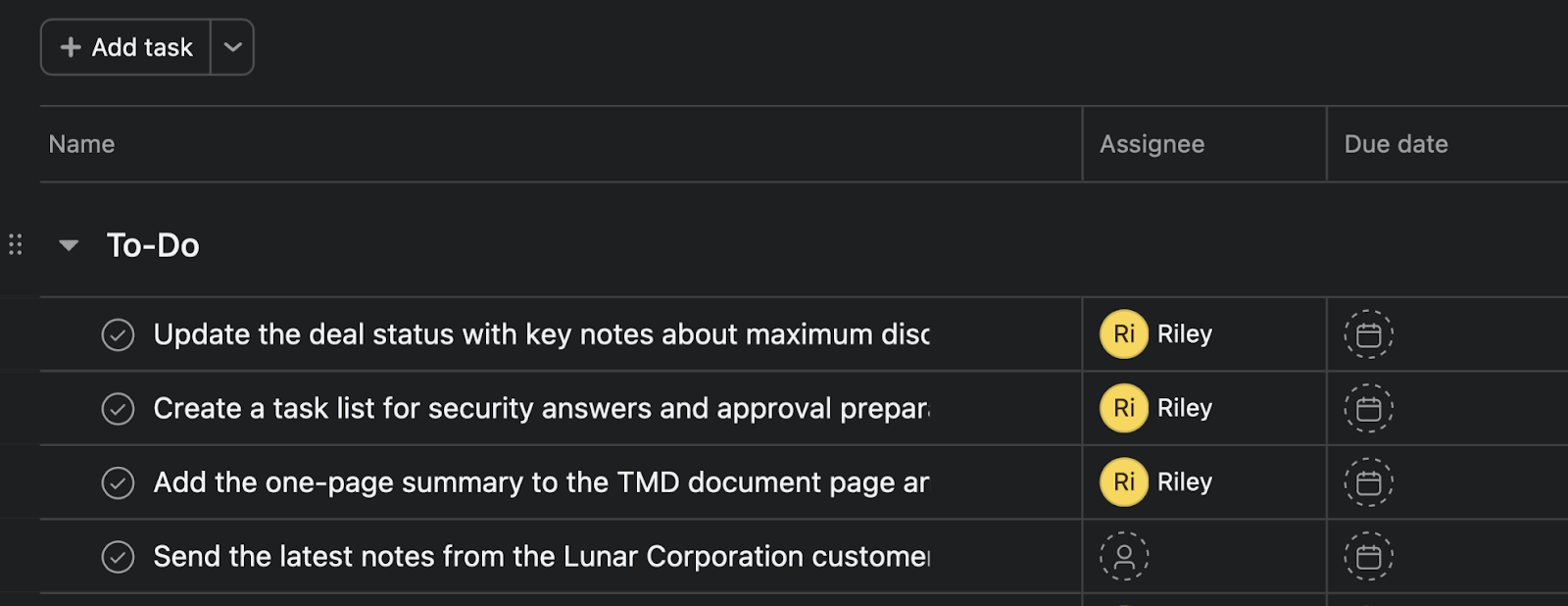
For PMs: Instead of manually typing out tasks, Fellow identifies action items and allows you to sync them to Asana or Jira as assigned tasks directly from the meeting notes.
For Knowledge Management: You can share or export notes (including AI recaps) to knowledge hubs like Notion or Confluence, keeping documentation closer to where teams actually look.
Pros and Cons: A Transparent Look at Fellow AI
Based on an analysis of Fellow’s feature set and actual product experience, here are the real-world advantages and challenges to consider.
The Strengths: Why Power Users Love the Workflow Integration
Dramatic Improvement in 1-on-1 Quality: The real value of Fellow lies in its ability to standardize management. You’ll never again have to say, "What did we talk about last time?" With past decisions and open tasks clearly visible, you can focus entirely on building trust and coaching your team.
Automated Accountability: With meeting automations and integrations enabled, teams can send recaps to Slack and sync action items to tools like Asana—reducing manual follow-up. This eliminates "he-said, she-said" debates. By extracting next steps, Fellow removes that awkward post-meeting void where no one is quite sure who owns what.
Advanced Contextual Intelligence for Global Teams: Fellow supports transcription across many languages, but summary quality can vary by audio quality and speaker clarity. If you work in multilingual environments, test it with your real meetings before standardizing on it.
The Drawbacks: Learning Curves and Pricing Considerations
Requires High Organizational Discipline: Fellow assumes a culture of preparing agendas in advance. For teams used to winging it, this "discipline" can feel restrictive at first. If only half the team uses it, the value is significantly diminished.
"Integration Fatigue" from Feature Richness: The sheer number of automations and connected apps can be overwhelming. Finding the "perfect setup" for your specific workflow requires trial and error, which might be a barrier for some teams.
Price-to-Value Ratio for Simple Use Cases: While there is a free tier, the real power is locked behind the paid plans. If you only need basic transcripts without the management features, Fellow may feel like an expensive overkill.
Fellow App Pricing: Is it Worth the Investment in 2026?
Understanding the cost of Fellow.app is essential to determining its ROI for your organization. Let’s look at how the tiers break down and the value they provide.
Breaking Down the Tiers: Free vs. Pro vs. Enterprise
Plan | Price | Best For | Key Features |
Free | $0 | Trying Fellow | AI summaries/transcripts/action items available but very limited (e.g., 5 AI notes + 5 AI recordings lifetime per user). Max 5 seats. |
Solo | $19 | Individuals | 1-user plan. Includes Team + Business features plus unlimited recordings, AI summaries, and transcriptions. |
Team | $7 | Small Teams & Growing Teams | 10 AI notes/user/month, 10 AI recordings/user, meeting automations, project management integrations, Notion/Confluence integrations. Max 20 seats. |
Business | $15 | Multiple Departments | Unlimited AI notes & recordings, org-wide templates, Sales recap templates, advanced CRM integration (HubSpot/Salesforce), API access. Max 50 seats |
Enterprise | $25 | Large Organizations | Everything in Business + starts at 10 users, domain control, user provisioning, security/legal reviews, analytics, AI-powered CRM field updates, transcript redaction. |
※Note: Pricing and features are current as of January 2026. Please check the official site for the latest updates.
The Free plan is a solid way to try Fellow, but its AI usage is heavily capped (for example, only a small number of AI notes and recordings per user). Teams that rely on consistent AI summaries at scale—and especially those that need deeper workflow integrations like advanced CRM syncing—will typically outgrow Free quickly. In practice, Team or Business becomes the realistic starting point once you want reliable automation and ongoing AI meeting output.
R0I Analysis: Saving Hours of "Meeting Debt"
When evaluating fellow app pricing, you shouldn't look at it as an expense, but as a productivity hedge.
Consider a manager who leads 10 meetings per week. Typically, "Meeting Debt" accumulates through:
Preparation: Writing agendas (10 mins)
Organization: Keeping track of notes during the call (5 mins)
Sharing: Sending recaps and assigning tasks (10 mins)
That’s 25 minutes of administrative overhead per meeting.
In a best-case workflow (templates + carry-forward + recap automations + integrations), Fellow can meaningfully reduce admin overhead. The example below is illustrative—your savings will depend on meeting volume, how consistently agendas are used, and which integrations you enable.
Time Saved: 25 mins x 10 meetings = 250 minutes (4.1 hours) per week.
Financial Impact: If a manager’s hourly rate is $60, that is $246 worth of recovered productivity per week, or nearly $1,000 per month.
Multiply this across a team of 10 managers, and the tool pays for itself within the first few days of the month. For most organizations, the investment in fellow.app is negligible compared to the cost of "unproductive human hours."
Fellow App Alternatives: How Does it Stack Up?
When looking for fellow app alternatives or fellow app competitors, the right choice depends entirely on what you want AI to do for your team. Fellow isn't just a "record and summarize" tool; it positions itself as a bridge that flows meeting outcomes into your business tools to drive execution.
In this review, we compare Fellow against its rivals using two distinct lenses:
Autonomy: How much of the post-meeting work happens automatically?
Meeting Ops: Does it help build a consistent meeting culture and discipline across the organization?
Quick Selection Guide:
I want to eliminate post-meeting admin work→ Look at the Autonomy Table.
I want to fix our meeting quality and culture→ Look at the Meeting Ops Table.
Our Test Method — Same Meeting, Same Output, Same Workflow
o make the comparison fair, we used the same test setup across tools:
Same meeting script: We ran the same 1:1 style meeting, intentionally mixing light small talk with real business decisions (pricing concern, security questions, deadlines, and “who owns what”).
Same output requirements: We evaluated each tool on the same outputs: (1) recap quality, (2) decisions captured, (3) next steps with owners + due dates, (4) how easy it is to get those outputs into the “work tools” (CRM / task board / docs).
Same workflow lens: We didn’t just ask “is the summary good?” We asked: “Does this reduce follow-up work, or create more?”
What we scored
Capture reliability: does it capture the meeting without friction? (bot vs botless, desktop capture, etc.)
Summary usefulness: does it read like a recap you can share, not a transcript dump?
Action extraction: does it reliably pull next steps with ownership and deadlines?
Workflow handoff: does it actually move outputs into CRM/tasks/docs with minimal manual work?
Who Really Pushes Work Forward Automatically?
In this article, Autonomy means:
“How reliably meeting outcomes arrive in the place where work actually happens—without human copy/paste.”
That includes four layers:
Automatic capture (recording + transcript)
Summary quality (signal vs noise)
Action extraction (next steps that are actually usable)
Sync to execution tools (CRM / tasks / docs)
Below is the interpretation framework for your table, followed by tool-by-tool takeaways.
Tool | What it’s best at (Agent Autonomy) | Where it can outperform Fellow | Trade-off vs Fellow (Why it may not replace it) |
Fellow | Botless recording from the desktop app (no bot in the call) + transcript + AI notes, designed to turn meeting outcomes into trackable work. | — | — |
Otter (Meeting Agent) | Real-time transcription + summaries + action items, positioned around an “AI Meeting Agent.” | More “agentic in the meeting”: voice-activated interaction that can speak up, answer questions, and help with tasks like scheduling or drafting emails (per product/press descriptions). | If your priority is standardizing meeting operations (agendas/1:1 discipline) across a team, Otter’s center of gravity can be the in-meeting agent experience rather than a full meeting OS. |
Fireflies.ai | Strong CRM automation for HubSpot: sync notes/summaries/action items, attach to contacts/companies/deals, and convert action items into HubSpot tasks. | Deeper HubSpot-first CRM workflow: auto-logging to the right CRM objects + lead/contact creation and deal linkage are explicitly emphasized for HubSpot workflows. | Great if “CRM hygiene” is the goal. But if you want meeting structure (agenda discipline / meeting OS behavior) as the primary system, it may point you toward CRM optimization rather than meeting culture standardization. |
MeetGeek | Automation into execution tools: sync notes/action items/highlights into Asana, and automate task creation + link insights in Jira. | Stronger “PM-tool pipelines” (especially Jira/Asana): MeetGeek explicitly supports creating tasks from meeting highlights and syncing summaries into Jira/Asana—great if your teams live inside project boards and want meeting output to flow there with minimal friction. | More naturally framed as a meeting assistant → workflow feeder than a meeting OS centered on collaborative agendas and meeting-culture standardization (which is where Fellow typically positions itself). |
Fellow app
Fellow is best understood as a meeting workspace that helps teams turn meeting outcomes—decisions and follow-ups—into structured notes and actionable records. It’s especially useful for recurring meetings like 1:1s, where consistency matters and past context needs to carry forward.
Fellow also offers a desktop-based botless recording option, which can be convenient when you prefer not to add a bot to calls, though it isn’t inherently better than a bot-based approach; some teams prefer the visibility and governance that comes with a bot joining the meeting.
Best for: Teams trying to standardize meeting discipline—shared agendas, clear decisions, and accountable follow-through—across managers and departments. |
Otter ai
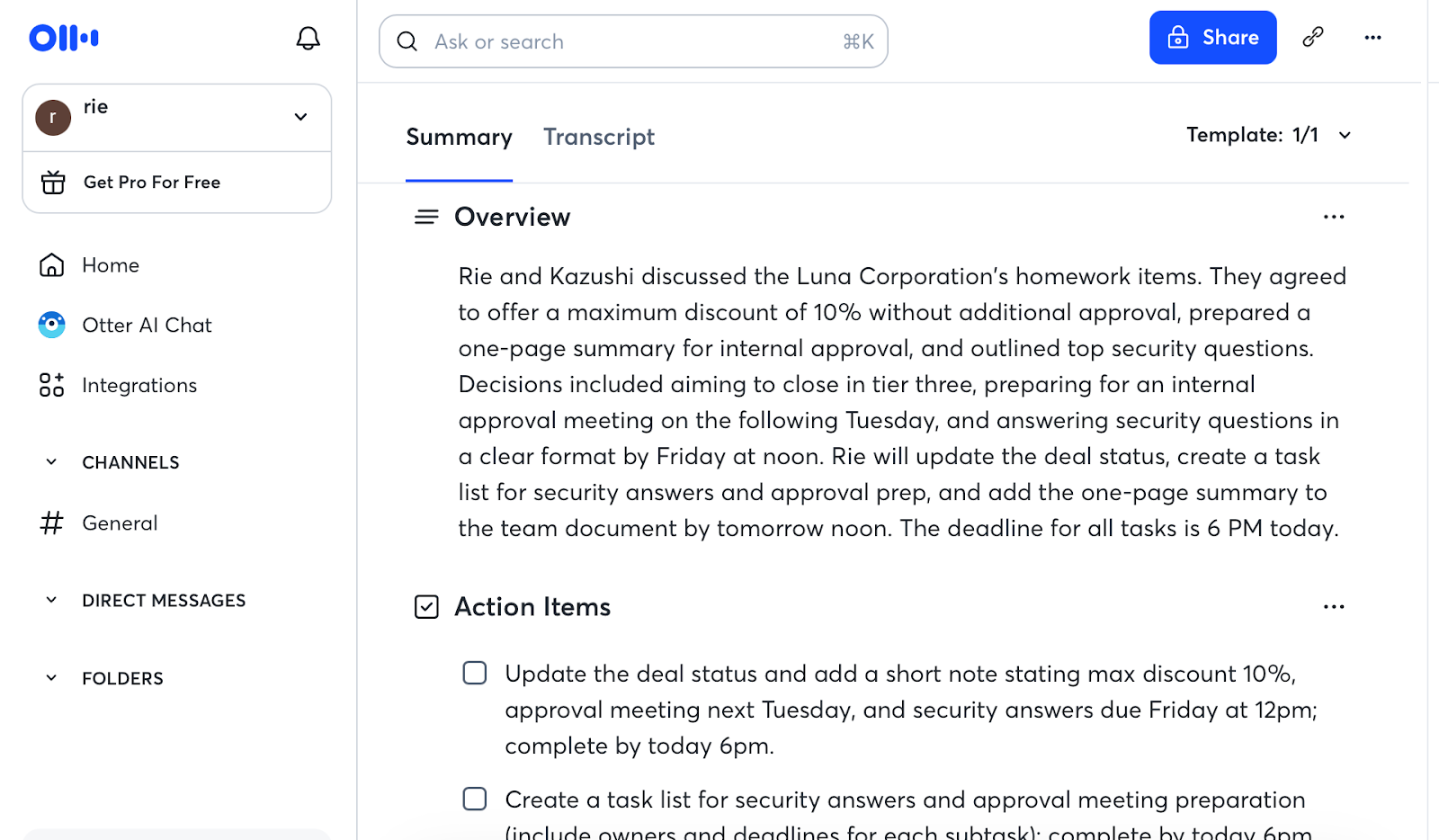
Otter is best understood as an AI meeting assistant centered on real-time capture—transcription, summaries, and action items—so you can understand what happened quickly during or right after a call. Its positioning leans more toward the in-meeting experience and fast retrieval than toward being a full meeting workspace that standardizes agendas and long-term meeting rituals across a team. Depending on how your organization works, that can be a feature a limitation
Best for: Teams that want a fast, real-time AI assistant for transcription and quick recaps—and care more about immediate meeting capture than building a standardized meeting operating system. |
Fireƒlires
Fireflies.ai is best understood as a meeting assistant with a strong CRM-first automation angle—capturing meetings and then logging notes, summaries, and action items into the right places in HubSpot or Salesforce. This can be a major advantage when the primary goal is clean, consistent CRM history and fewer missed updates after customer calls. The trade-off is that its center of gravity is often CRM workflow optimization, so teams that mainly want a meeting system to enforce agenda discipline and meeting culture may evaluate it differently.
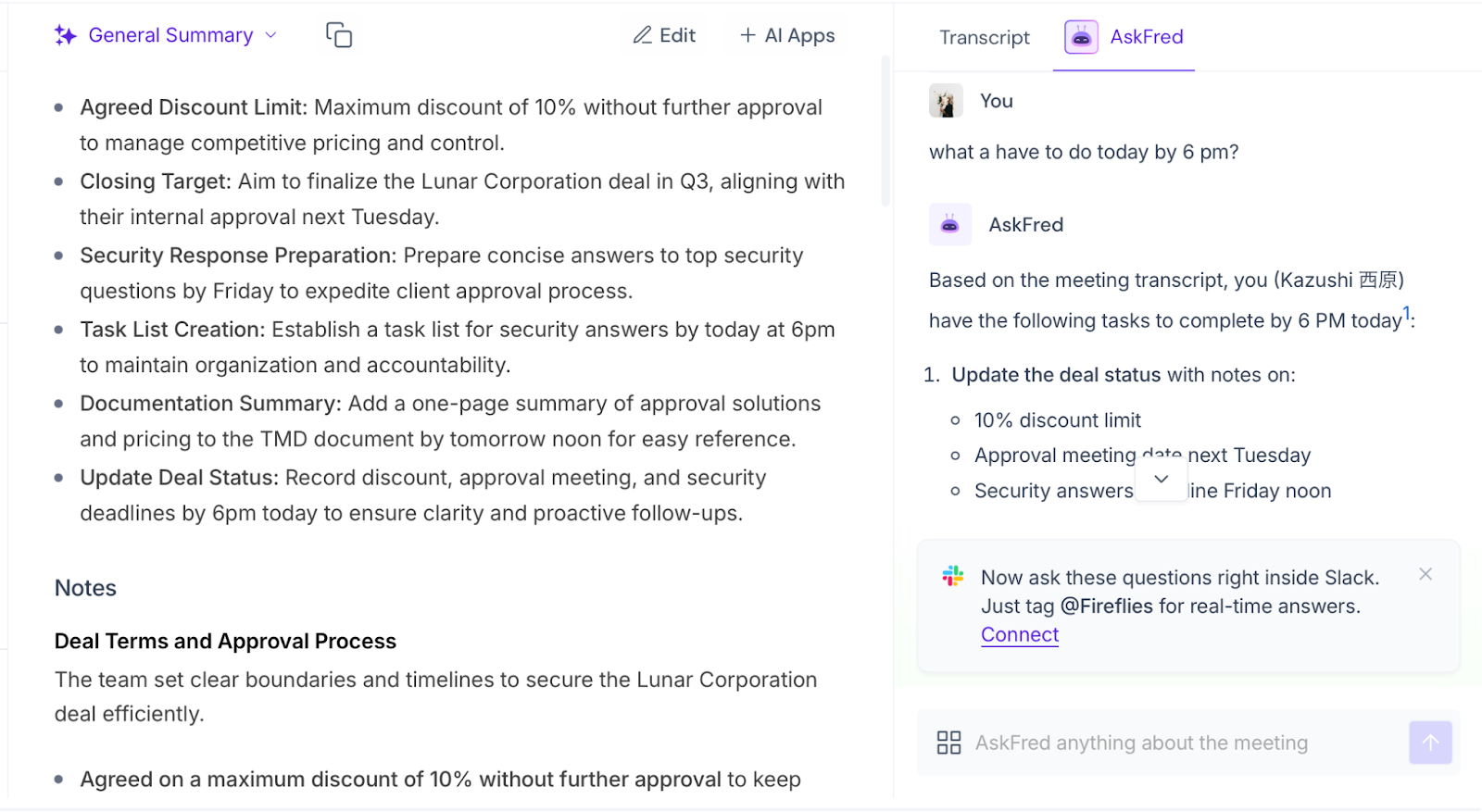
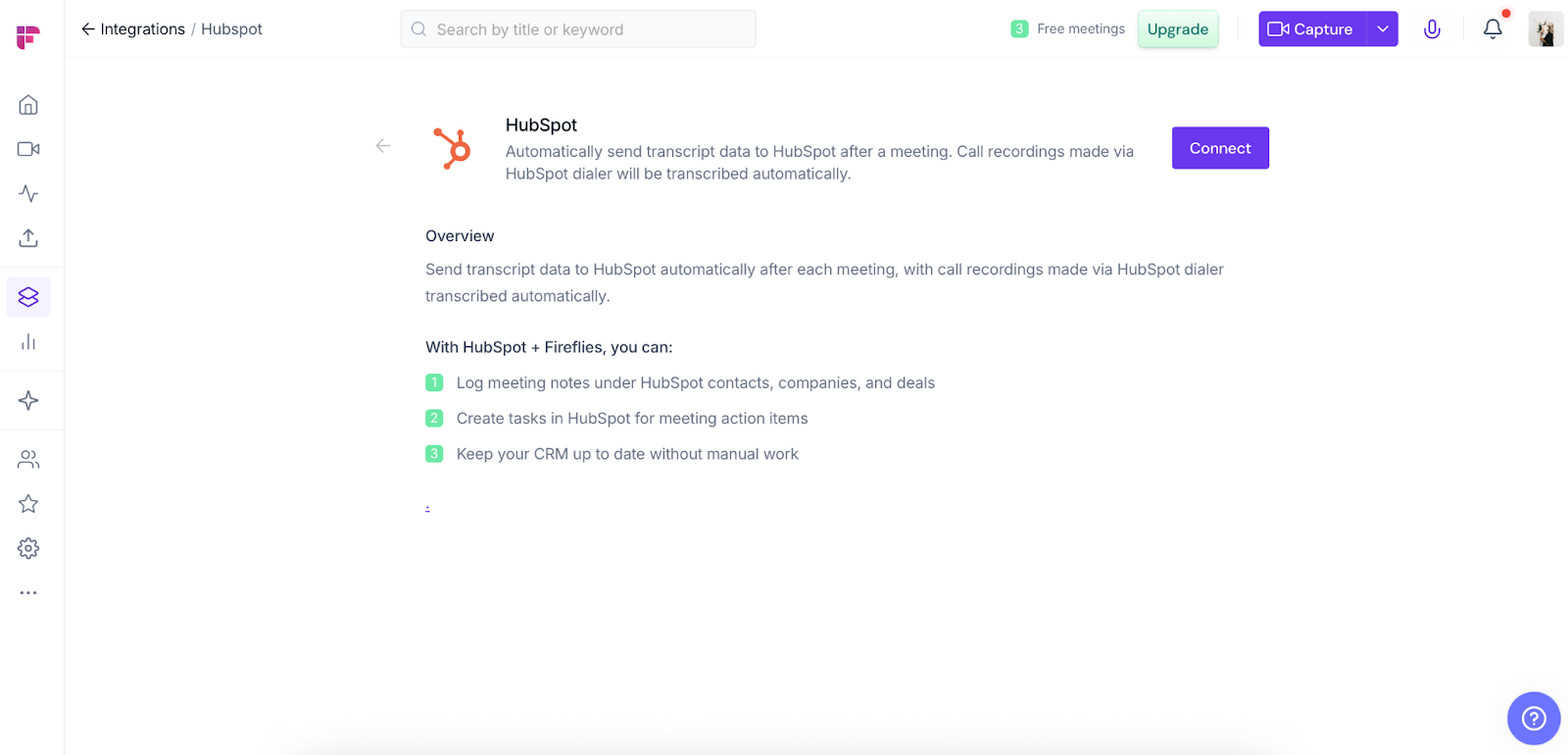
Best for: Sales and customer-facing teams that prioritize CRM hygiene and want meeting outcomes automatically recorded against the correct deals, contacts, and accounts. |
related article:https://rimo.app/en/blogs/fireflies-ai_en-US
MeetGeek
MeetGeek is best understood as a meeting assistant designed to turn meeting highlights into execution signals—recaps, action items, and integrations that can push outcomes into tools like Jira and Asana. It tends to shine in environments where project boards are the source of truth and the main goal is to reduce friction between “what we discussed” and “what gets tracked.” The trade-off is that it may feel more like a workflow feeder than a meeting workspace focused on collaborative agendas and meeting-culture standardization.
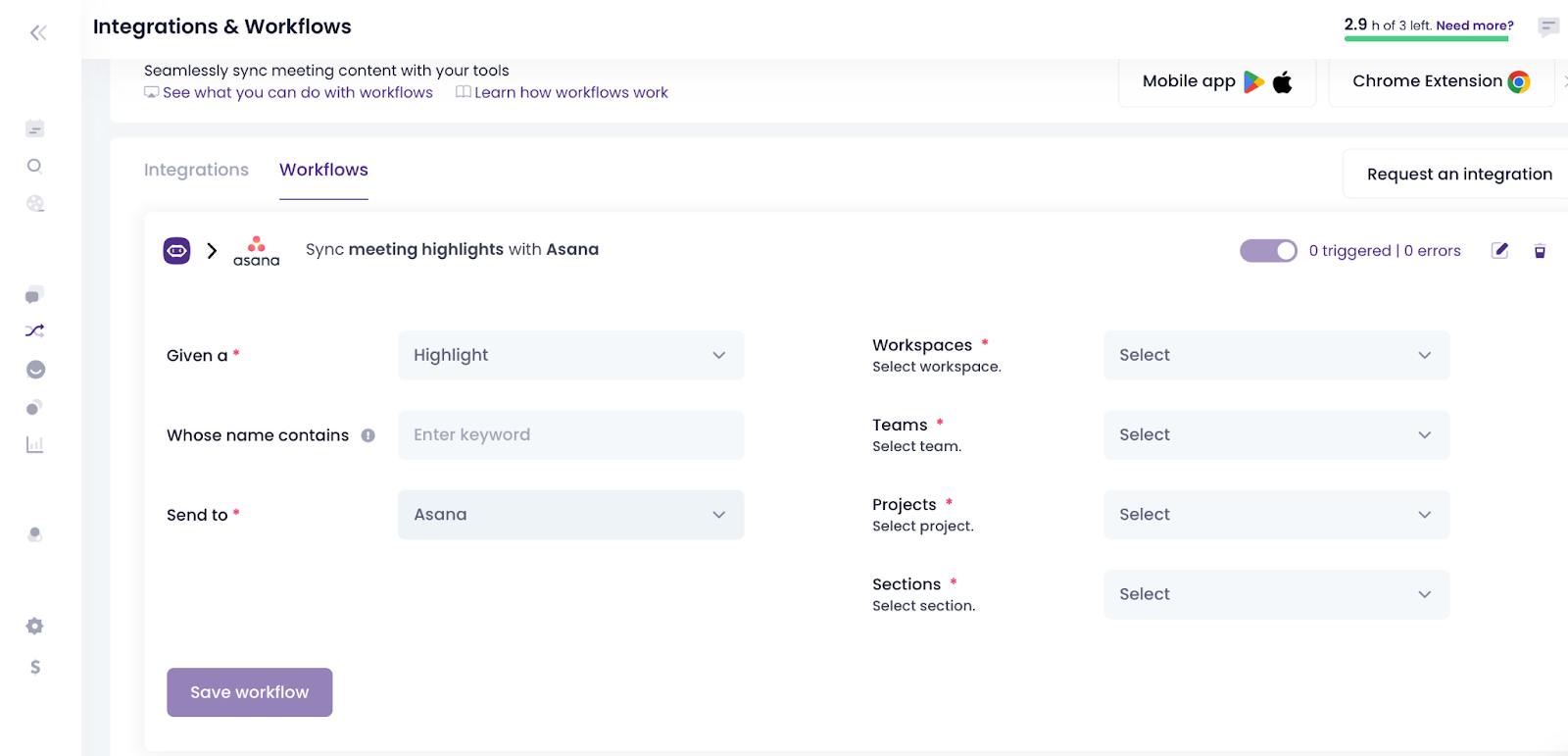
Best for: Teams that live in Jira/Asana (or similar tools) and want meeting outputs to become tasks and updates with minimal manual effort. |
related article:https://rimo.app/en/blogs/meetgeek-review_en-US
Meeting Ops — Turning Agendas into Accountability
If “autonomy” is about reducing post-meeting admin work, meeting ops is about making meetings consistently better—so people show up prepared, discussions stay focused, and follow-ups don’t fade. The key is a repeatable rhythm: shared agendas before the call, clear decisions during it, and owner-assigned next steps afterward.
Meeting-ops tools differ in what they optimize: some act as full meeting workspaces, others prioritize distribution (often via Slack), and others focus on “meeting memory” through templates and fast retrieval. In our evaluation, we cared less about how smart the AI sounded and more about whether the tool creates discipline—nudging prep, carrying unfinished items forward, and clarifying owners and deadlines. If your meetings vary across managers or action items go stale, start with the table below to see which tools turn agendas into real accountability.
Tool | What it’s best at (Meeting Ops) | Where it can outperform Fellow | Trade-off vs Fellow (Why it may not replace it) |
Fellow | Collaborative meeting agendas + notes + action items, designed to keep teams accountable—and push follow-ups into execution tools like Asana. | — | — |
Range | Slack-native visibility: automatically posts meeting notes (and other team updates) into the right Slack channels so stakeholders actually see them. | Best-in-class “distribution” inside Slack: if your biggest problem is that decisions/notes don’t get read, Range can be stronger as a Slack-first broadcast layer across teams. | Great for keeping people in the loop, but it may not replace a full meeting workspace that standardizes agendas, decisions, and structured follow-through inside one system. |
Hugo | Meeting prep and repeatability: 100+ templates, one-click prep from the calendar, and shared agendas/real-time collaboration. | Template depth + meeting memory: if your priority is highly templatized prep and fast retrieval of past notes/decisions tied to calendar context, Hugo can be a stronger “meeting knowledge” layer. | Strong on meeting documentation and prep, but if your thesis is “AI Chief of Staff” (agentic follow-through + workflow syncing as the center), the emphasis can feel more ops/wiki than autonomous execution. |
Fellow app
Fellow is best understood as a collaborative meeting workspace where agendas, notes, and action items are designed to work together—so teams don’t just talk, but consistently leave meetings with clear follow-through. It’s particularly strong when you want shared agendas that participants can contribute to, and when you want action items to stay visible rather than disappearing into scattered docs. Compared to more Slack-first tools, Fellow’s center of gravity is the meeting workspace itself: it standardizes how agendas and outcomes are captured, then can push follow-ups into execution tools (like Asana) when needed.
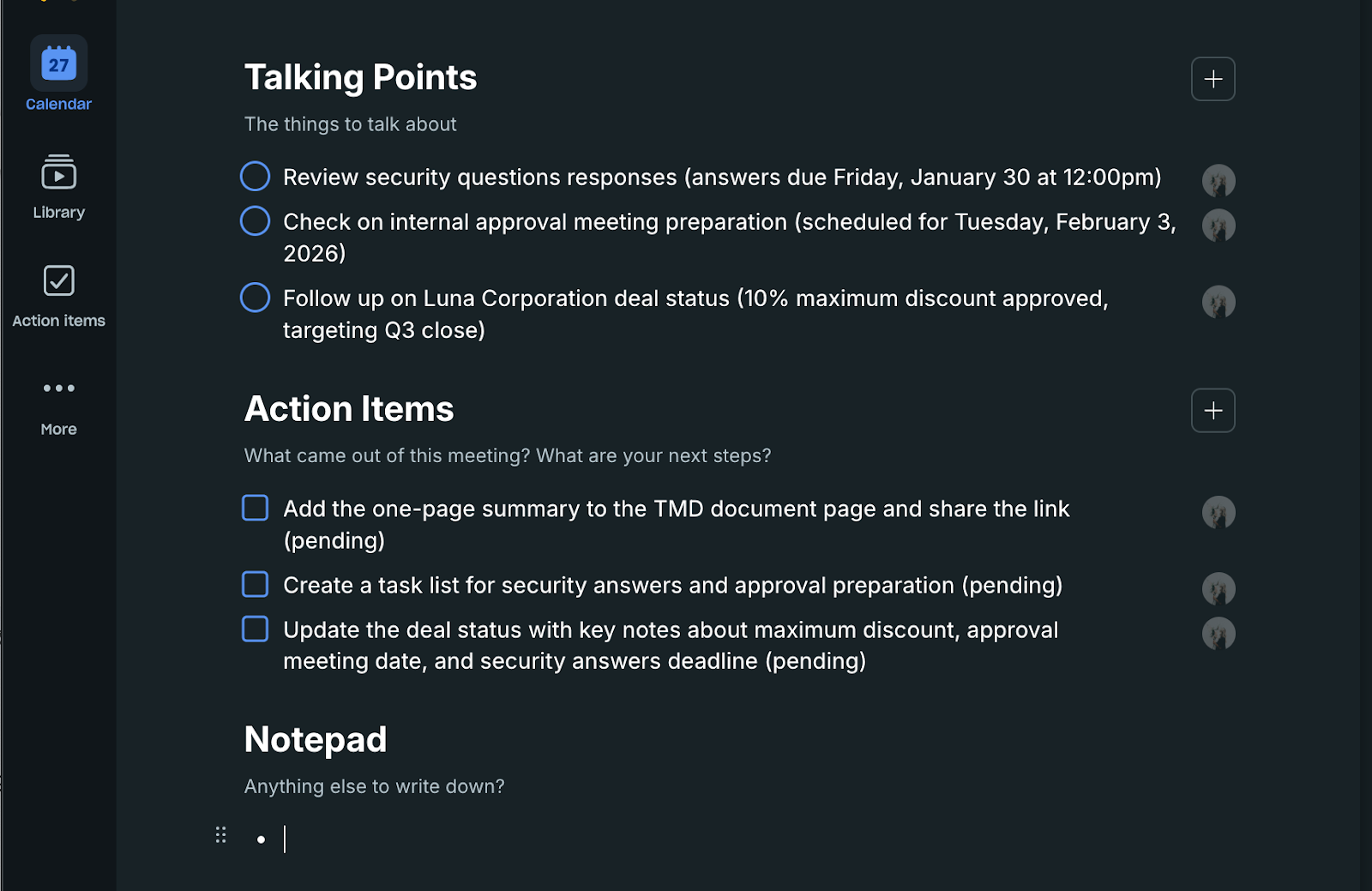
Best for: Teams trying to standardize meeting discipline—shared agendas, clear decisions, and accountable follow-through—across managers and departments. |
Range
Range is best understood as a Slack-native visibility layer for team communication, designed to make meeting notes and updates actually reach the people who need them. Its biggest advantage is distribution: if decisions and recaps exist but rarely get read, Range can outperform by posting updates into the right Slack channels where stakeholders already pay attention. The trade-off is that Range may not replace a dedicated meeting workspace for teams that want agendas, decisions, and structured follow-through standardized inside one system. Instead, it often shines as the “broadcast” layer that makes meeting outputs more visible across the org.
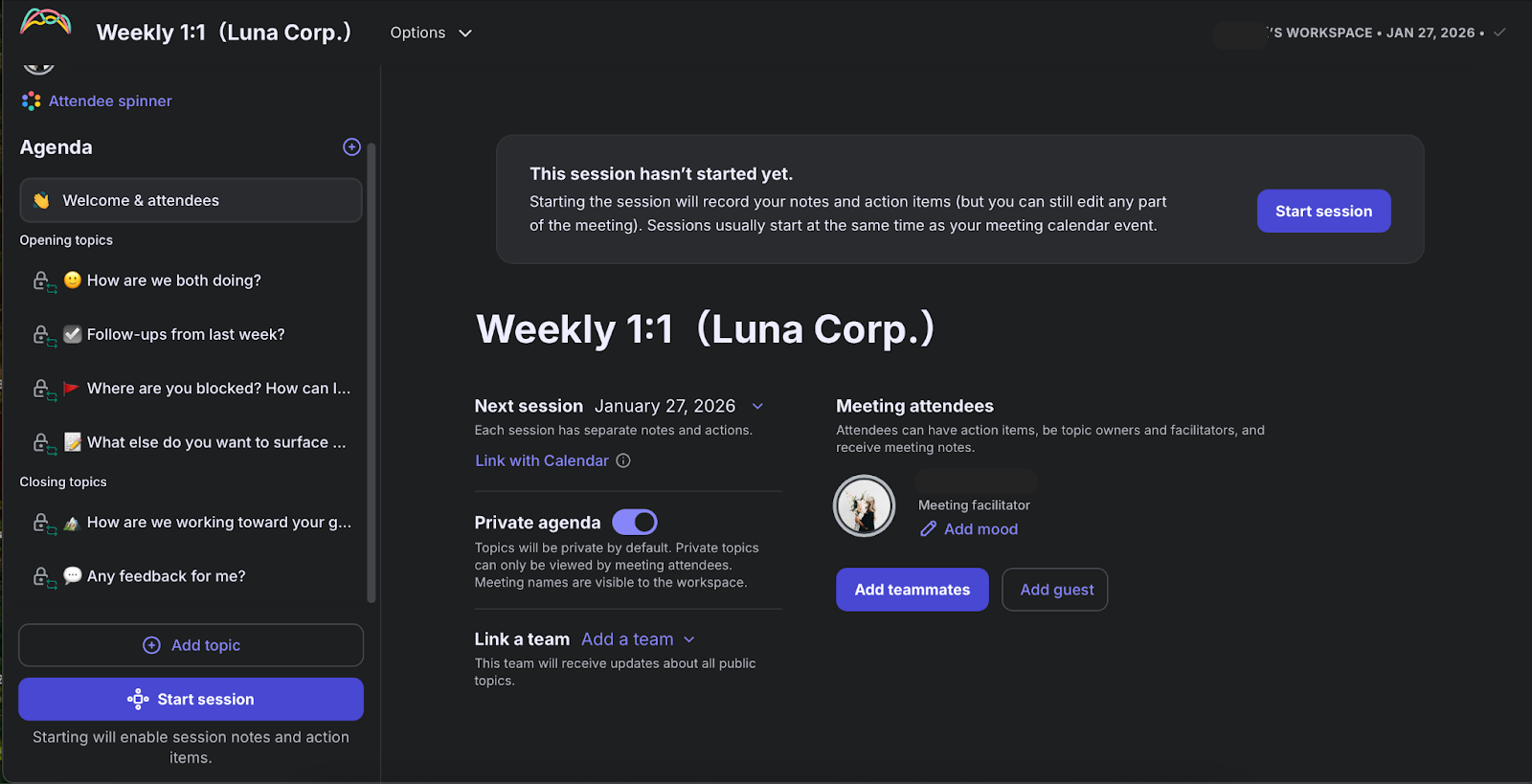
Best for: Slack-centric teams that struggle with follow-through because meeting notes and decisions don’t get seen by the right stakeholders. |
Hugo
Hugo is best understood as a meeting prep and documentation tool with a strong emphasis on repeatability. Its template depth and calendar-based workflows can make it faster to prepare meetings consistently, and easier to retrieve past notes and decisions later—especially when your organization values meeting memory and standard formats. Where Hugo can outperform is structured preparation: highly templatized agendas, quick setup from the calendar, and strong note retrieval. The trade-off is that if your primary thesis is “autonomous execution” (meeting outcomes automatically driving tasks/CRM updates), Hugo may feel more like a prep-and-knowledge layer than an automation-first system.
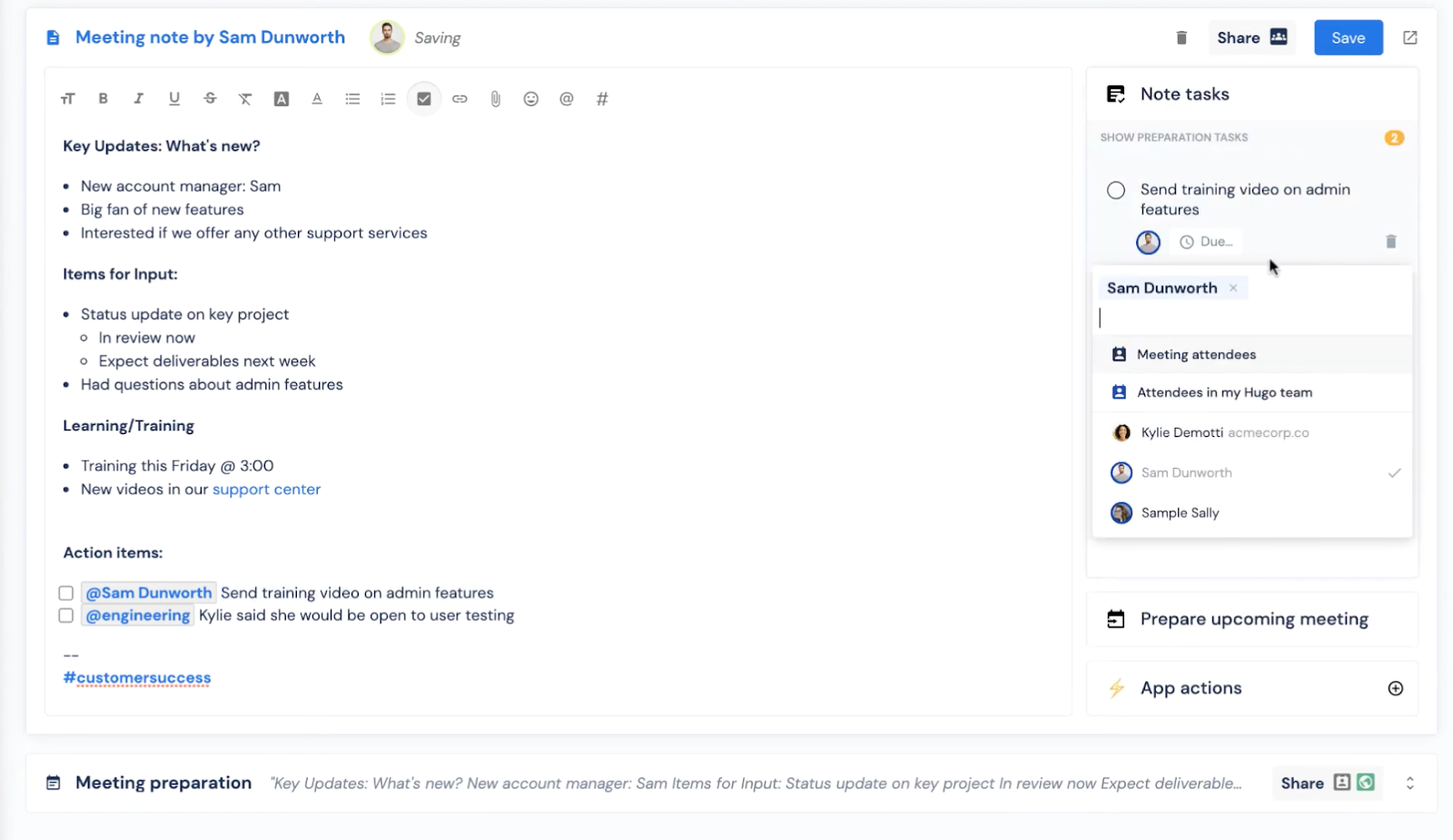
Best for: Teams that want highly repeatable meeting prep, heavy template usage, and strong retrieval of past notes/decisions tied to calendar context. |
If you’re choosing a tool and thinking about productivity at two levels—team and individual—Rimo Time Insight is worth a quick mention. For organizations, it can help improve productivity by making meeting load and recurring patterns more visible—so teams can spot where time is being spent and where processes may need tightening. For individuals, it can provide post-meeting guidance by recommending relevant articles or papers, turning each meeting into a trigger for better daily habits—not just a recap.
Who Should (and Shouldn’t) Use the Fellow App in 2026?
You should use Fellow if: ・You manage a growing team (50+ people): As organizations scale, communication often breaks down. Fellow acts as a centralized brain to ensure decisions aren't lost in the noise of rapid growth. ・You want to standardize meeting culture: If you need a consistent framework for 1:1s and project syncs across multiple departments, Fellow provides the templates and "discipline as a service" necessary to align your leadership. ・You prioritize seamless execution: If you want meeting outcomes to automatically trigger actions in HubSpot or Asana, Fellow's deep integrations eliminate the manual friction between alking and doing. |
You should skip Fellow if: ・You only need occasional transcripts: If your primary need is transcribing one-off interviews or webinars rather than recurring team syncs, a dedicated transcription tool like Otter or Fathom is more cost-effective. ・Your workflow is already deeply rigid elsewhere: If your team already has an ironclad "Meeting-to-Task" workflow within Notion or Asana that everyone loves, adding Fellow might create unnecessary friction. ・You want "Magic" without any input: Fellow thrives on collaborative agendas. If your team prefers a completely hands-off AI that summarizes "messy" calls without any structural prep, you may find the Fellow UI too structured for your taste. |
Hands-on: Setting Up Your First AI-Powered Meeting Flow
Getting started is simple. Follow these steps to reclaim your calendar:
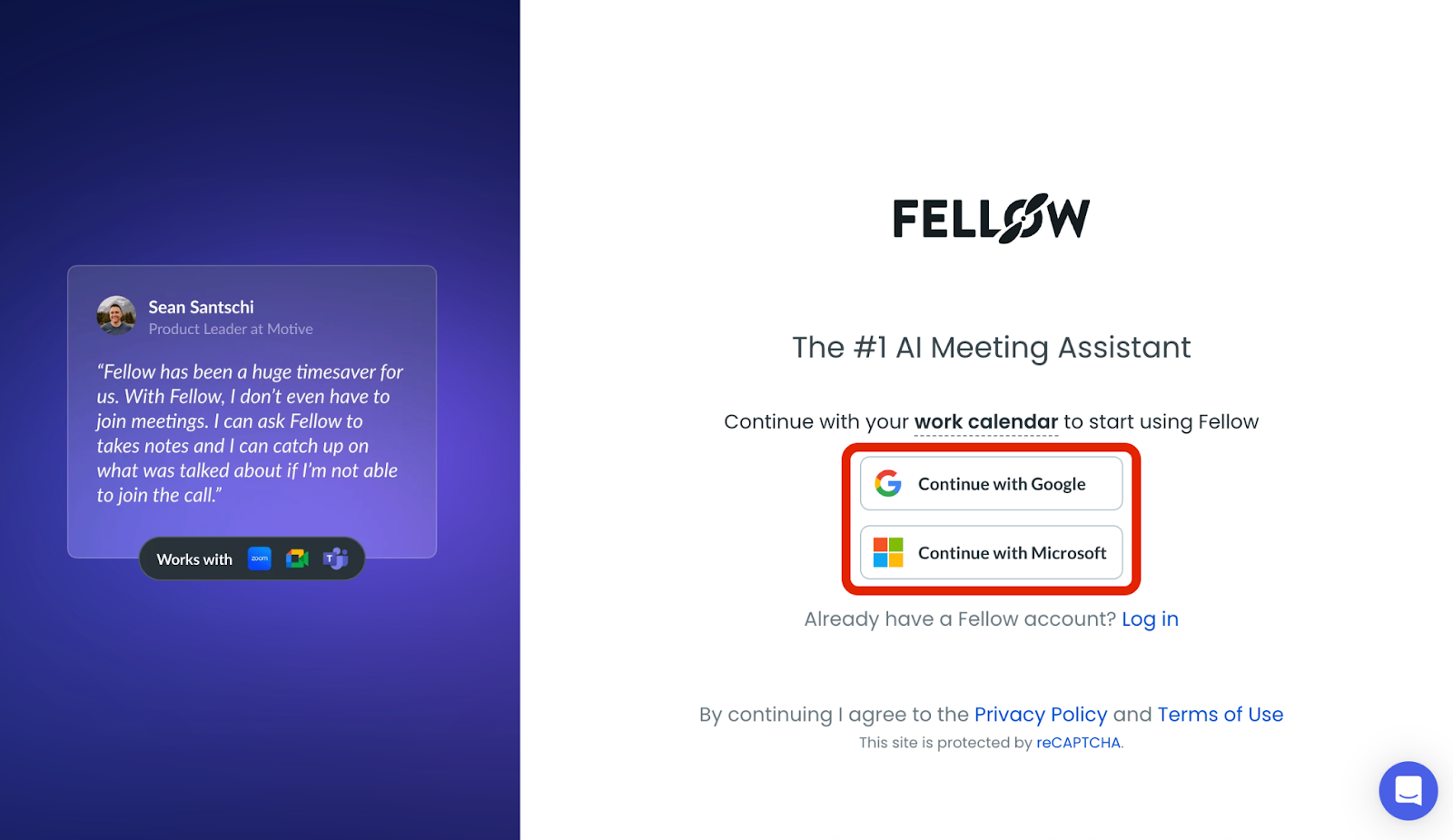
1.Fellow App Login & Sync: Connect your Google or Outlook calendar. Fellow will automatically see your upcoming meetings.
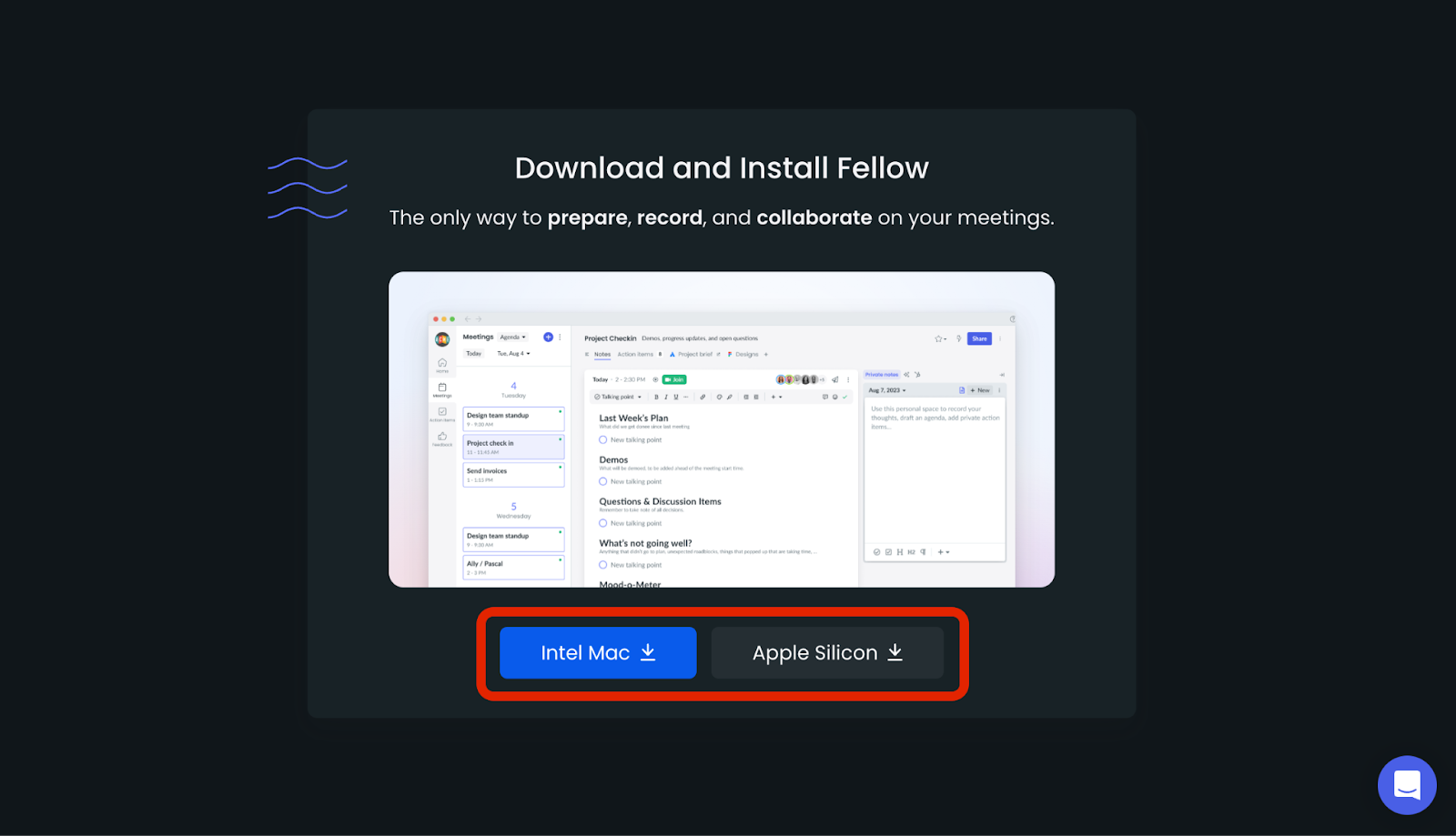
2.Download Fellow App: Install the fellow desktop app.
3.Create your first Agenda: Use a template for your next 1:1.
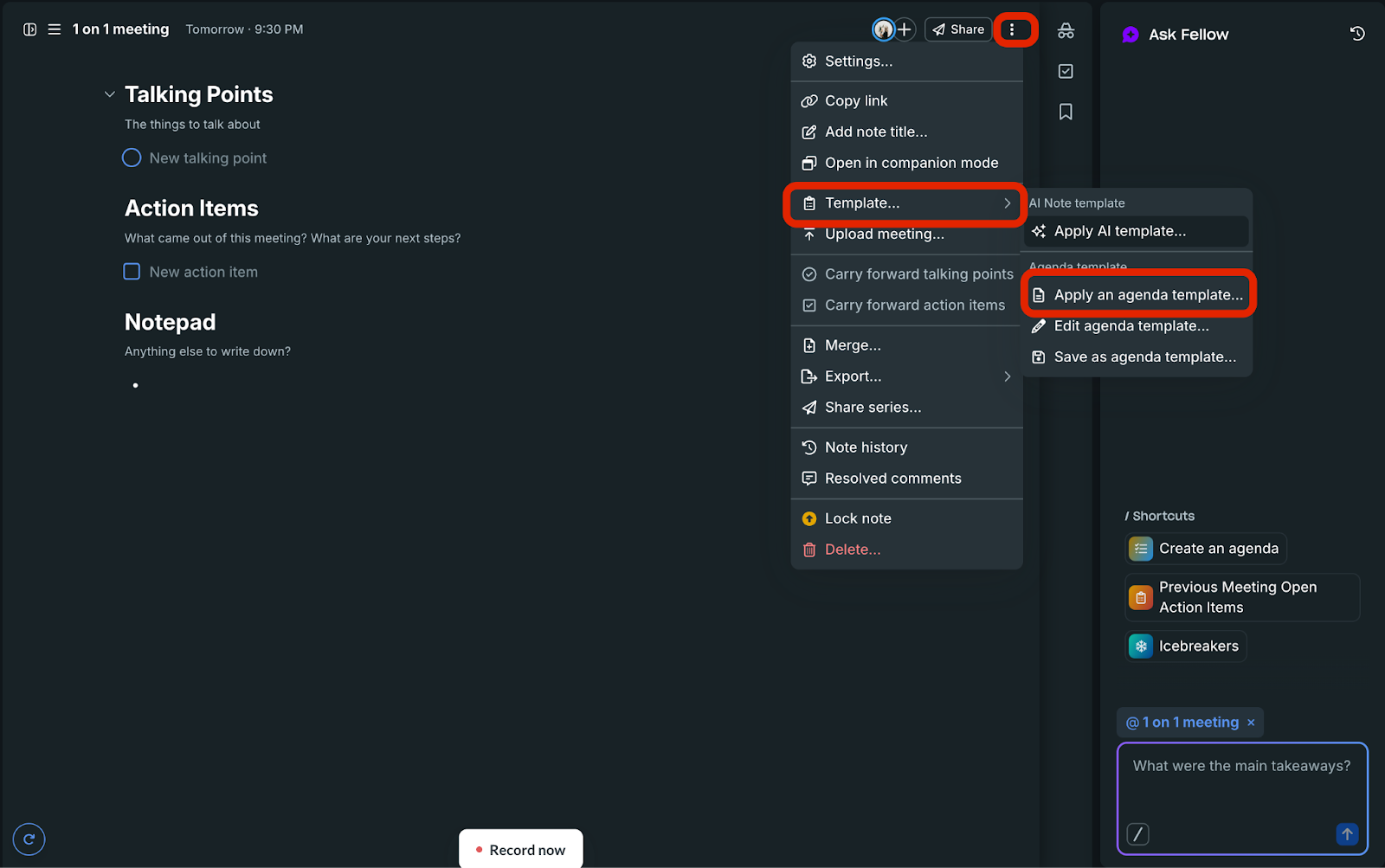
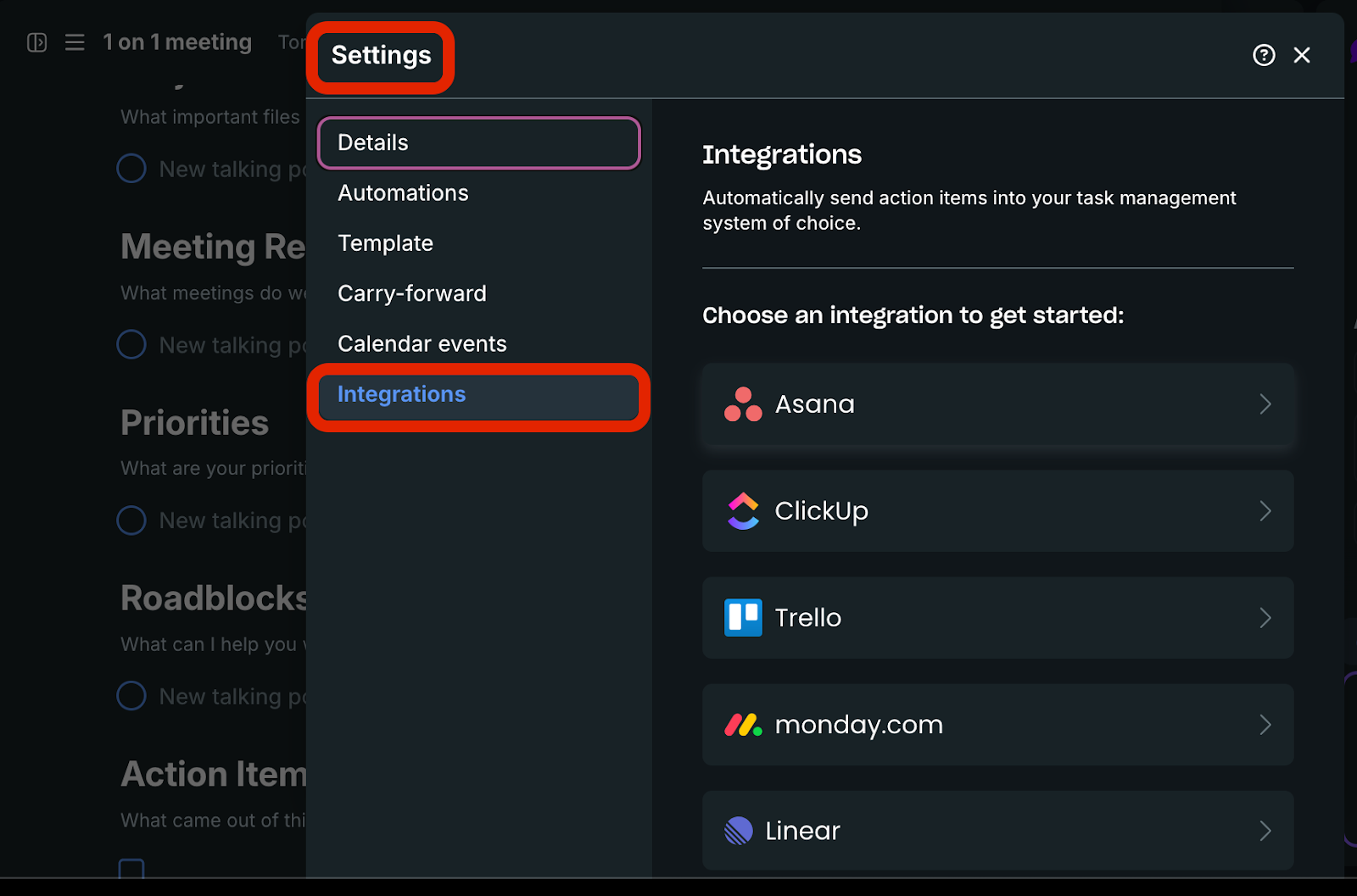
4.Connect your Stack: Send recaps to Slack and push action items to Asana so follow-ups don’t get lost.
Final Verdict: Does Fellow AI Live Up to the Hype?
In 2026, the best AI isn't the one that talks the most—it's the one that works the hardest behind the scenes. Fellow.app lives up to the hype by proving that it's not just a notetaker; it's a management system that forces discipline and automates the boring parts of leadership.
Frequently Asked Questions (FAQ)
What is Fellow App?
Fellow is a "Meeting Management Platform" that handles the entire lifecycle of a meeting—agendas, notes, and task management—all in one place.
How to use Fellow App?
The best way to use it is to link your calendar, set collaborative agendas before the call, and use the AI summary to push tasks directly into Slack or Asana.
Is Fellow App free to use?
Yes. Fellow has a Free plan, but AI usage is capped. Paid plans are typically needed for ongoing AI meeting output at scale and for advanced integrations (e.g., HubSpot/Salesforce).
Is Fellow App safe for enterprise data?
Fellow states it undergoes SOC 2 Type II audits and can provide the report to customers/prospects under NDA. Enterprise controls (e.g., retention policies, permissions) are also available depending on plan.
Related articles
Return to List