
Turbo AI (TurboLearn) Review 2026: Talk Recap Quality, Pricing, and Best Alternatives


"I watched the whole hour, but I can’t remember the key takeaways." The days of drowning in a sea of information are over.
AI has evolved beyond simple transcription. Today, we have Knowledge Accelerators—tools that instantly structure massive amounts of data and root them firmly in your memory.
In this article, we deep-dive into five leading AI tools that transform YouTube lectures and seminars into high-quality notes and interactive quizzes. We evaluated them on summary precision, factual reliability, and long-term retention.
Stop settling for just reading a summary. It’s time to turn your input into a lifelong asset. Let’s find the perfect AI partner to supercharge your learning.
What Is Turbo AI ?
You know the moment: you finish a talk feeling like you totally got it—the framework made sense, the examples landed, you even starred a few slides in your head.
Then you sit down to review… and your brain goes:
Wait—what was the main argument again?
What was that model called?
There was a key stat… but I can’t recall the number.
Turbo AI is built for that “I understood it at the time” gap—turning a talk into something you can actually study from later.
What Turbo AI does for talks
Turbo AI (formerly TurboLearn) is an AI notetaker that turns talk inputs—audio recordings, slide PDFs, and even YouTube links—into structured recap notes you can revisit. The output is meant to feel “study-ready”: headings, key takeaways, highlights, and a Q&A layer to help you review what didn’t stick on first listen.
In practice, it helps you:
Rebuild the talk’s backbone (main claim → supporting points → “so what?”)
Recover what you forgot (the concept name, the step list, the one slide that mattered)
Review actively by asking your notes questions like “Top 3 takeaways?” or “What did they say about X?”
And when you want retention—not just a recap—Turbo AI can generate study-style outputs like flashcards or quizzes, which makes it especially appealing for lectures, trainings, and long webinars.
Who it’s for
“Turbo AI’s core use case is study and learning—it’s easiest to recommend if you’re taking classes, watching lecture-style content, or collecting training material you’ll need to remember later.
That said, the same “turn it into something reviewable” workflow can also help beyond school:
Conference sessions you want to revisit when you apply an idea at work
Internal trainings where you need a clean recap for yourself (or a small team)
Any talk you don’t want to rewatch, but do want to reuse—quick summaries, key points, and follow-ups
The key is expectations: if you need quote-perfect notes for publishing, you’ll still want to verify names and numbers. But for study-first review—especially when your memory fades fast—Turbo AI is aimed right at the problem.
Turbo AI Notetaker for Study & Talk Recaps
If you’ve ever tried to “review” a talk the next day and realized your notes are basically three bullets and a vibe, Turbo AI is trying to solve that problem.
Turbo AI is best known as a study-focused AI notetaker (it started as TurboLearn), but it also works well for talk recaps—especially when you want notes you can actually revisit, not just a one-time summary. The difference is in the workflow: you can feed it multiple sources (audio, slides/PDF, YouTube) and get structured notes you can refine, search through, and learn from.
Multi-Source Input (Audio + Slides/PDF + YouTube)
Real talk: most of us don’t have “perfect” inputs after a session. Maybe your recording has some room noise, the speaker talks fast, and the slides are the only clean source you trust.
That’s why Turbo AI’s multi-source input matters. You can work from:
a live recording or uploaded audio,
a slide deck as a PDF,
or a YouTube link if the talk is posted later.
For slide-heavy talks, adding the deck often helps the recap feel more organized—because slides already carry the agenda.
Structured Summaries for Immediate Utility
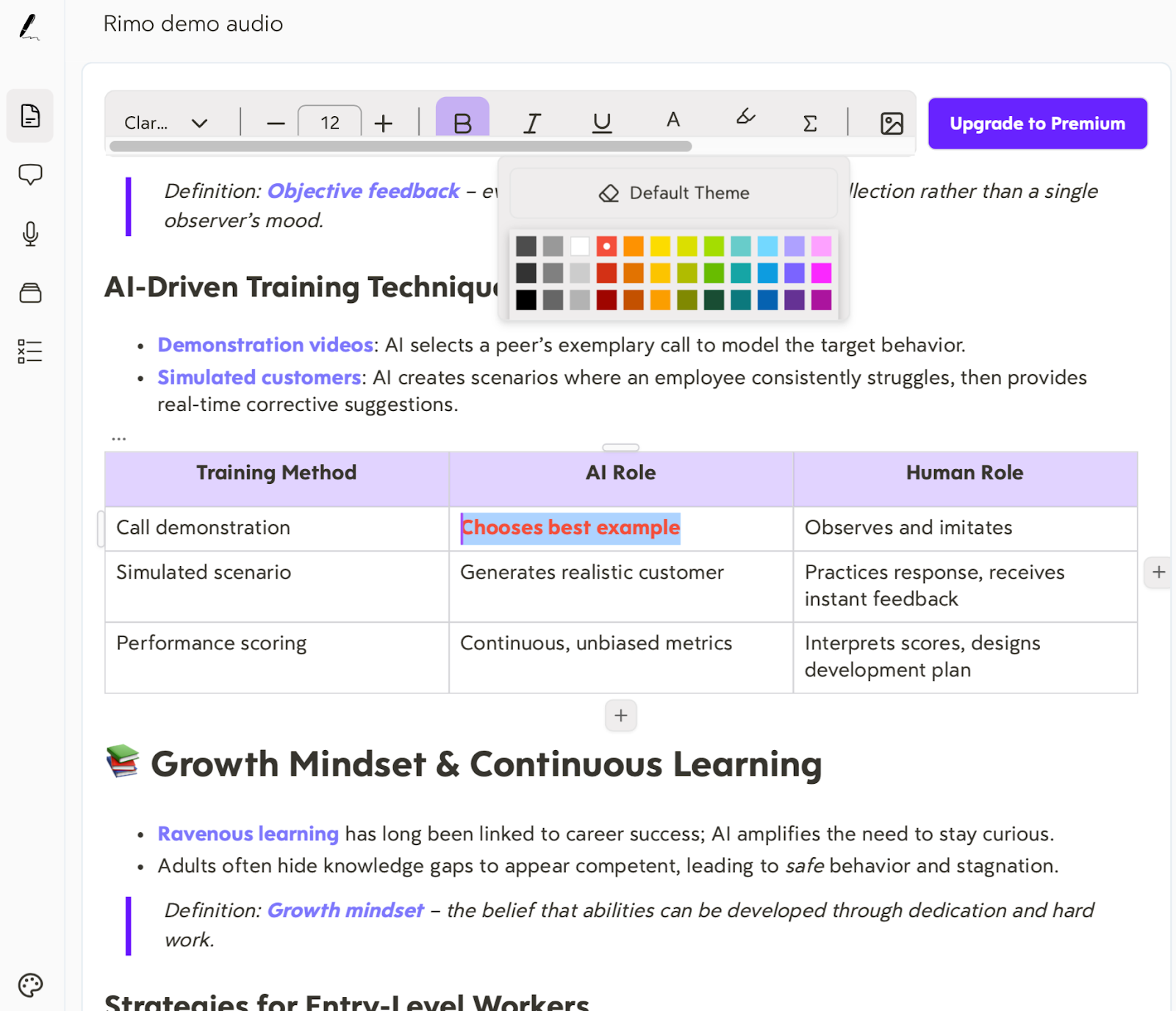
Most tools can summarize. The real question is: would you actually use the recap later? Turbo AI aims to produce notes that feel closer to a “structured study sheet” than a paragraph dump—think clear headings, logical bullet points, and distinct highlights.
A simple test for the utility of a recap is: If you open the notes a week later, can you instantly identify the main point, the supporting evidence, and the next steps?
If the answer is yes, that's what high-level "readiness" looks like in practice. By eliminating the need to rewrite or reorganize information, Turbo AI ensures that your summaries are ready to be integrated into your personal workflow or team updates immediately.
Chat With Your Talk
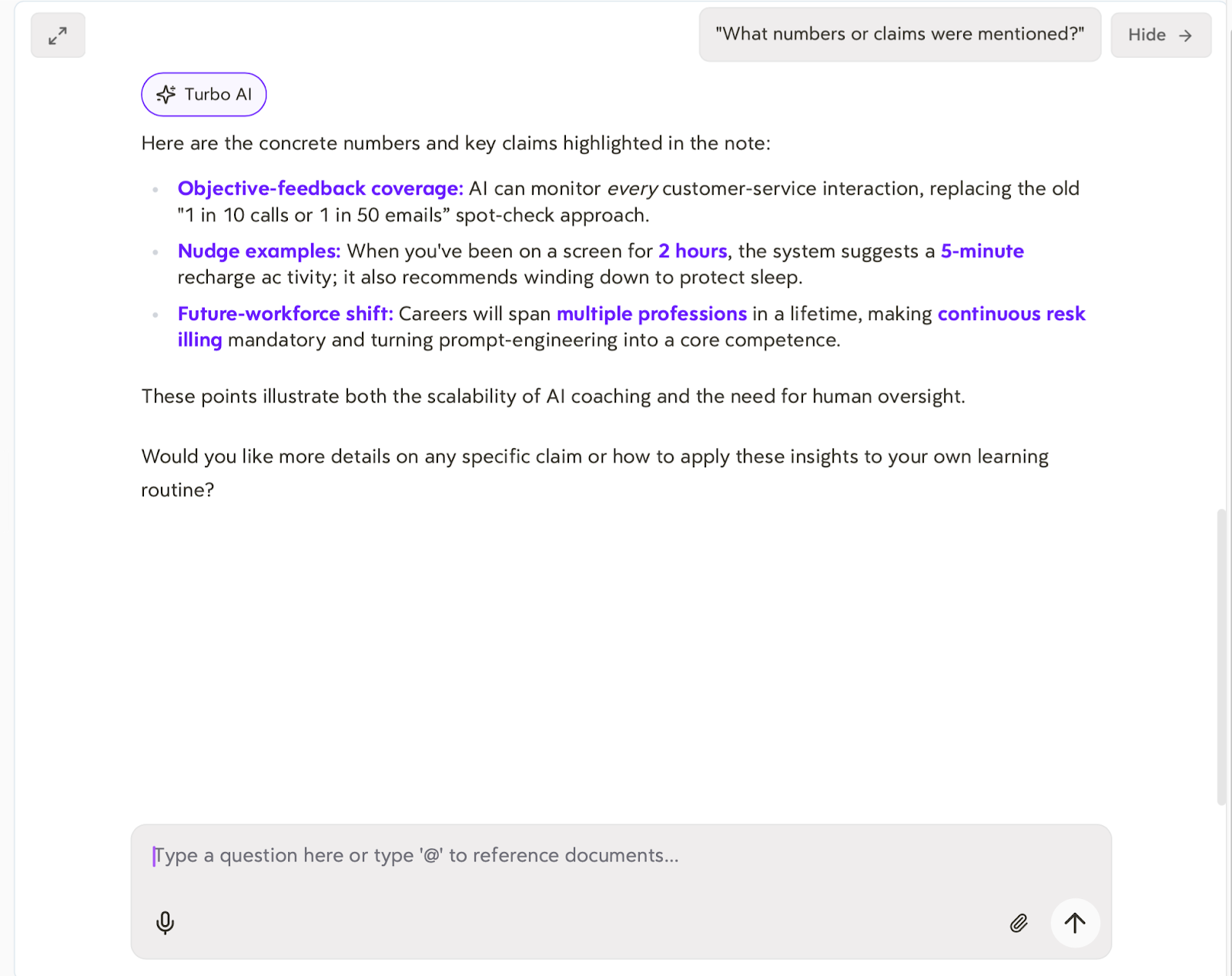
Turbo AI’s chat layer is where review gets faster. After the recap is generated, you can ask the questions your brain usually has later—when the details start slipping:
“What are the top 3 takeaways?”
“What did the speaker say about X?”
“What assumptions did they rely on?”
“What numbers or claims were mentioned?”
This is especially useful for learning: it turns passive listening into active recall. One important caveat, though: if you plan to share externally, treat chat answers as a first draft and double-check names, numbers, and quote-like lines.
Study Artifacts as an Optional Retention Boost
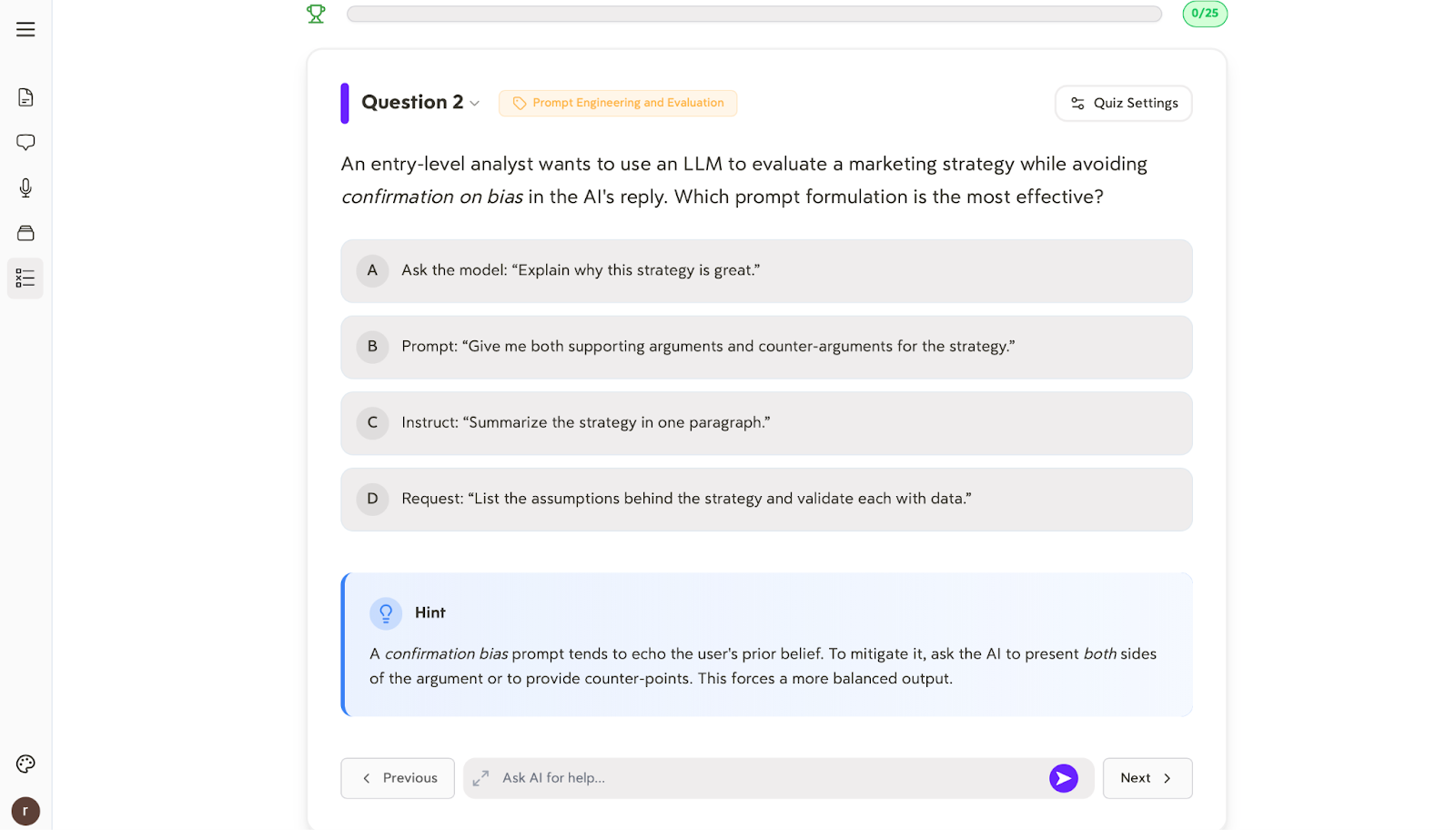
If you’re using Turbo AI primarily for study, this is where it stands out: it can generate flashcards and quizzes from your notes. Even outside school, that can help with professional training, certifications, internal education, or any talk you want to remember beyond “I think I’ve heard this before.”
The key is quality. Good study artifacts should capture real concepts from the talk . If the flashcards and quizzes feel specific—tied to the speaker’s actual framework, definitions, and examples—Turbo AI becomes more than a recap tool. It becomes a retention tool.
how to use turbo ai Turbo AI
If you’ve ever finished a talk, felt inspired, and then lost the thread the next day, this workflow is for you. The goal here isn’t perfect transcription—it’s to get to a clean recap you can review, search, and actually use in under a few minutes.
Step 1 — Create an Account and Open the Dashboard
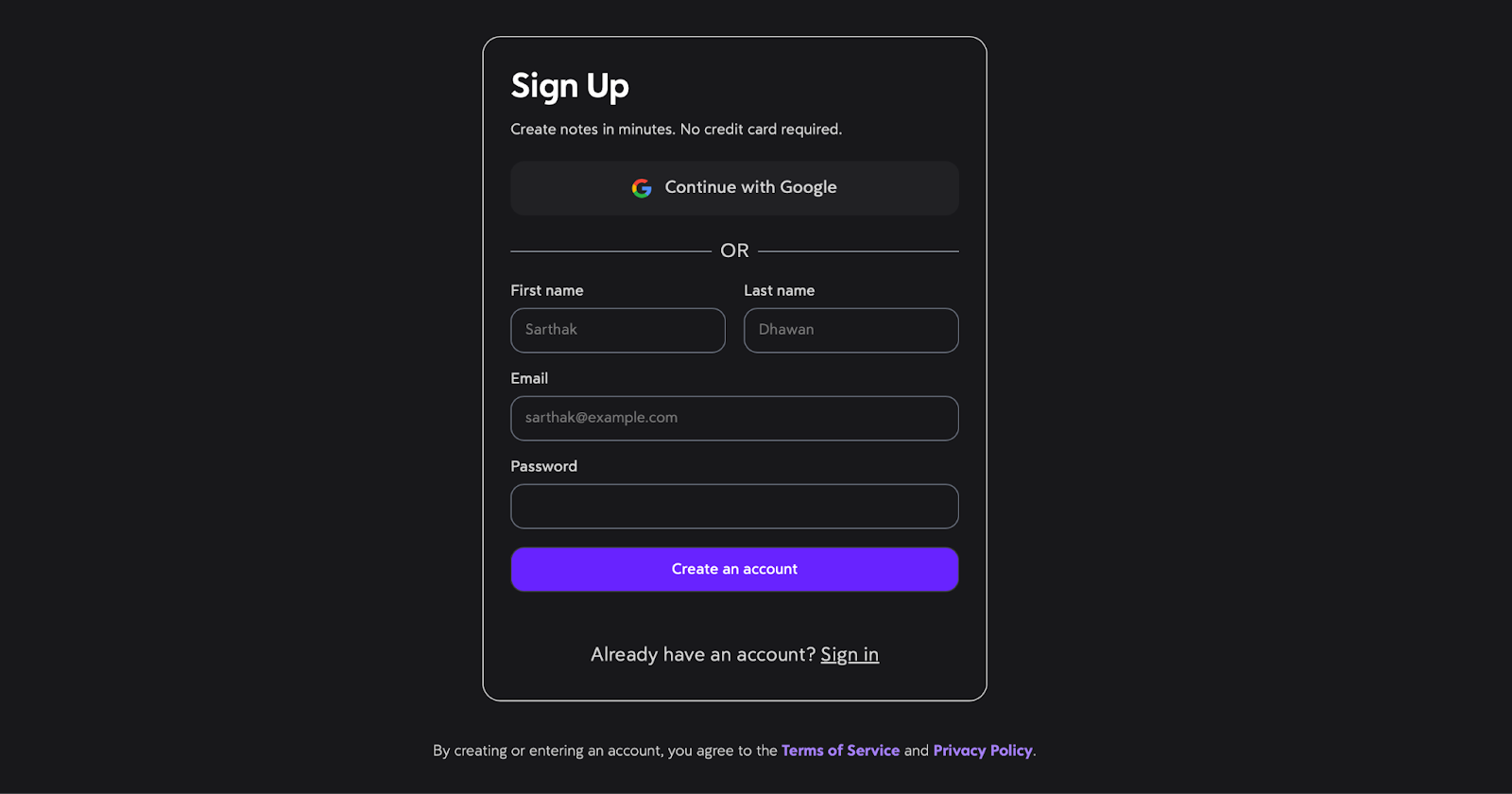
Turbo AI lets you sign in with a Google account or use any email address. After that, you’ll answer a few quick setup questions (think: basic preferences and what you’re using it for), and you’re ready to go—no complicated configuration.
Once setup is done, you’ll land on the dashboard, which is your “home base” for creating new notes and revisiting past recaps.
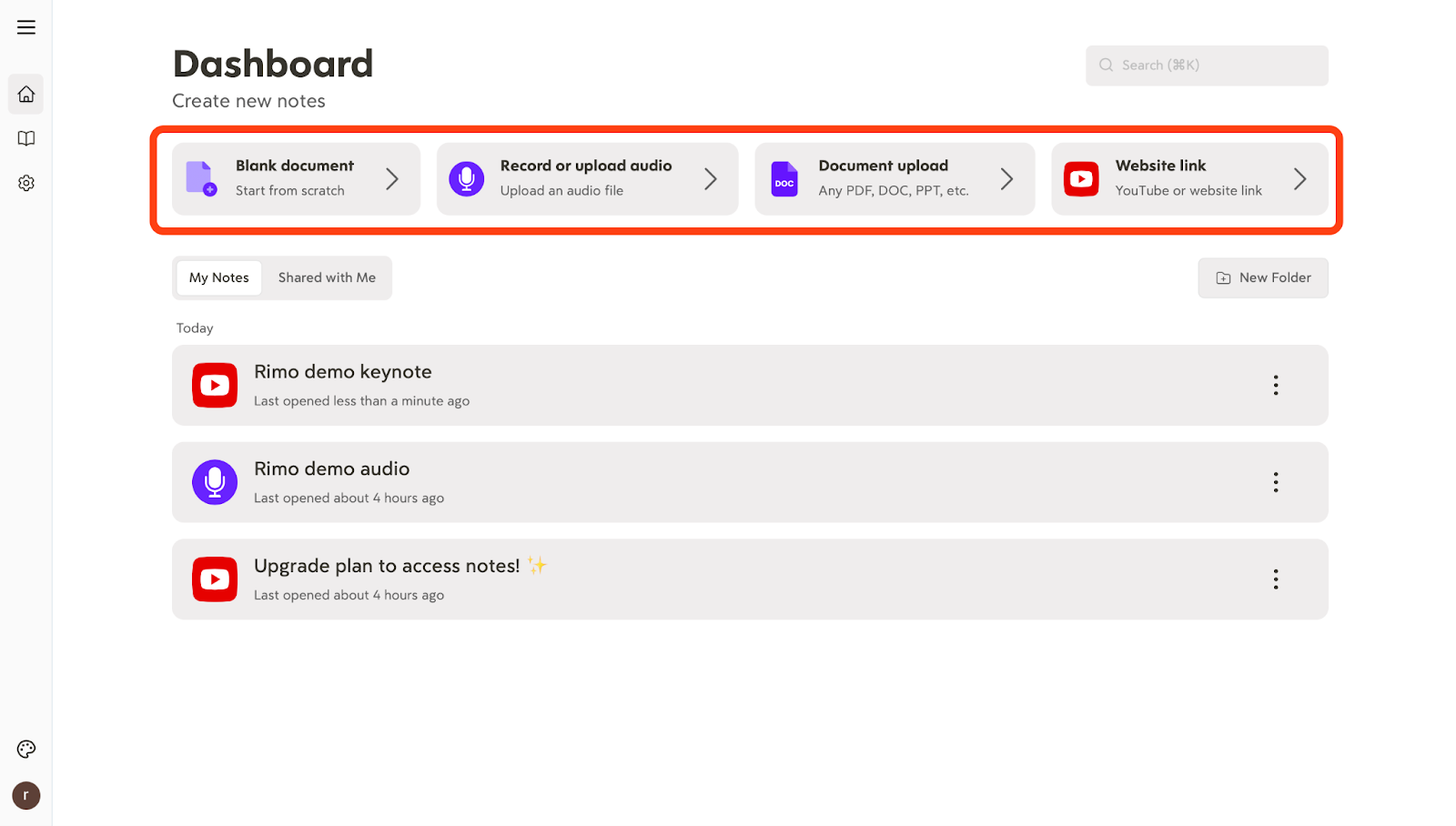
Step 2 — Start a New Note (Choose Audio / Upload / YouTube / PDF)
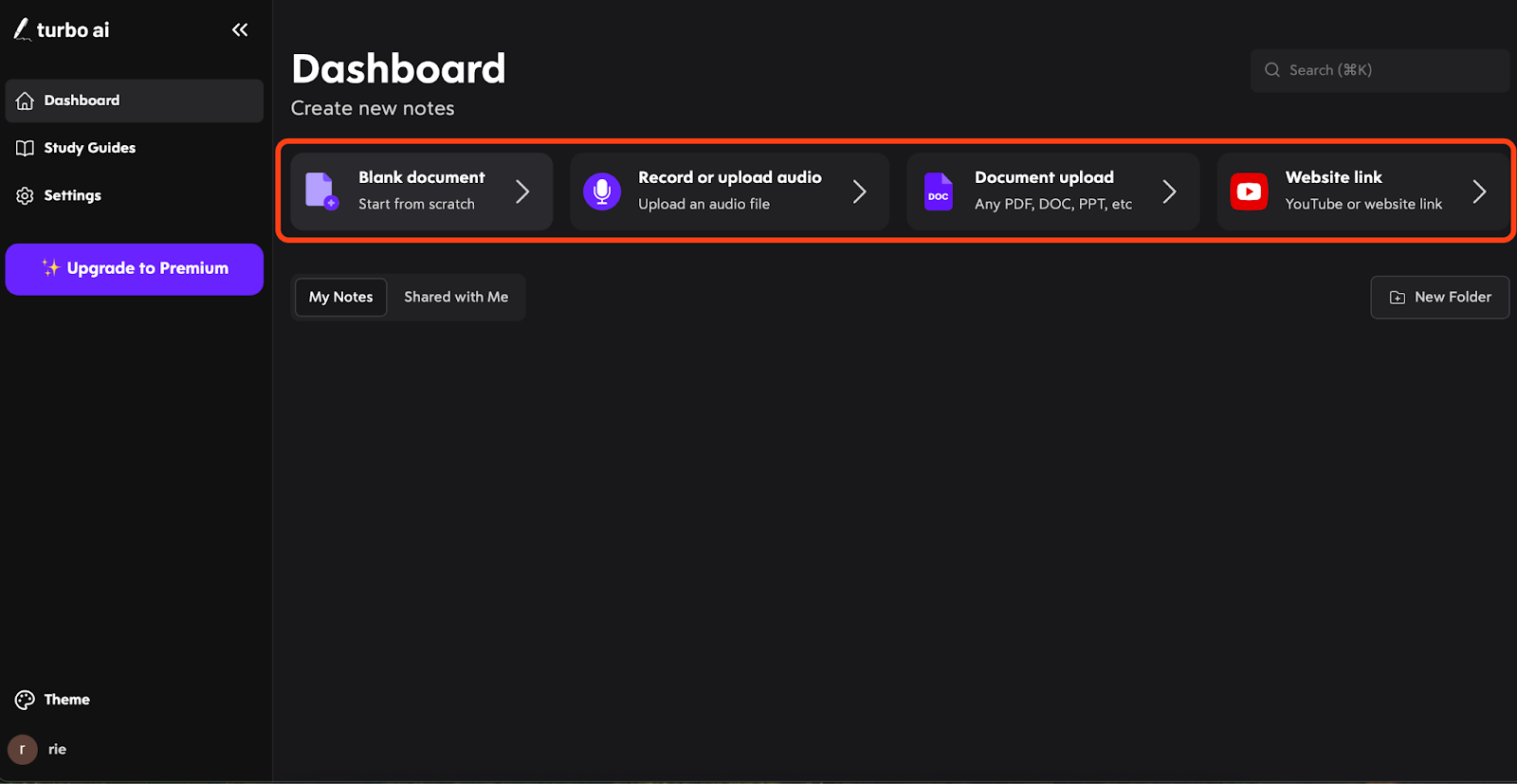
From the Create new notes area, you can start in four ways depending on what you have:
Blank document (start from scratch and write your own notes)
Record or upload audio (capture a talk live, or upload a recording afterward)
Document upload (upload slides or materials as a document, like a PDF)
Website link (paste a link—useful for online talk pages or hosted content)
This is the key “choose your input” step. If you have slides, it’s often worth trying Document upload as well—slide decks tend to have clear headings that can help keep the recap organized, especially for slide-heavy sessions.
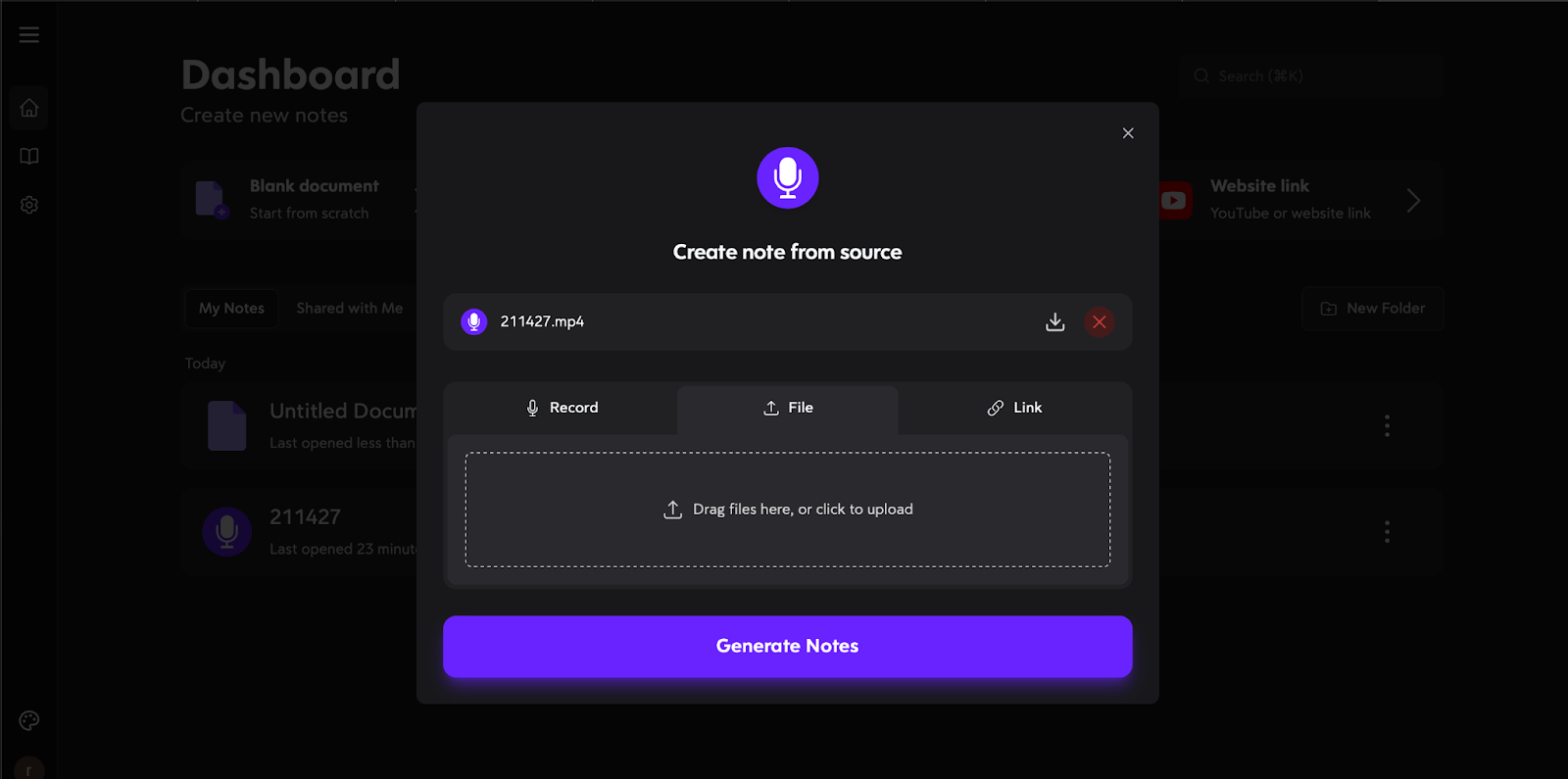
You can also add more materials anytime—just click Add more resource to attach another file or link (for example, add the slide PDF after uploading audio).
Step 3 — Generate the Recap]
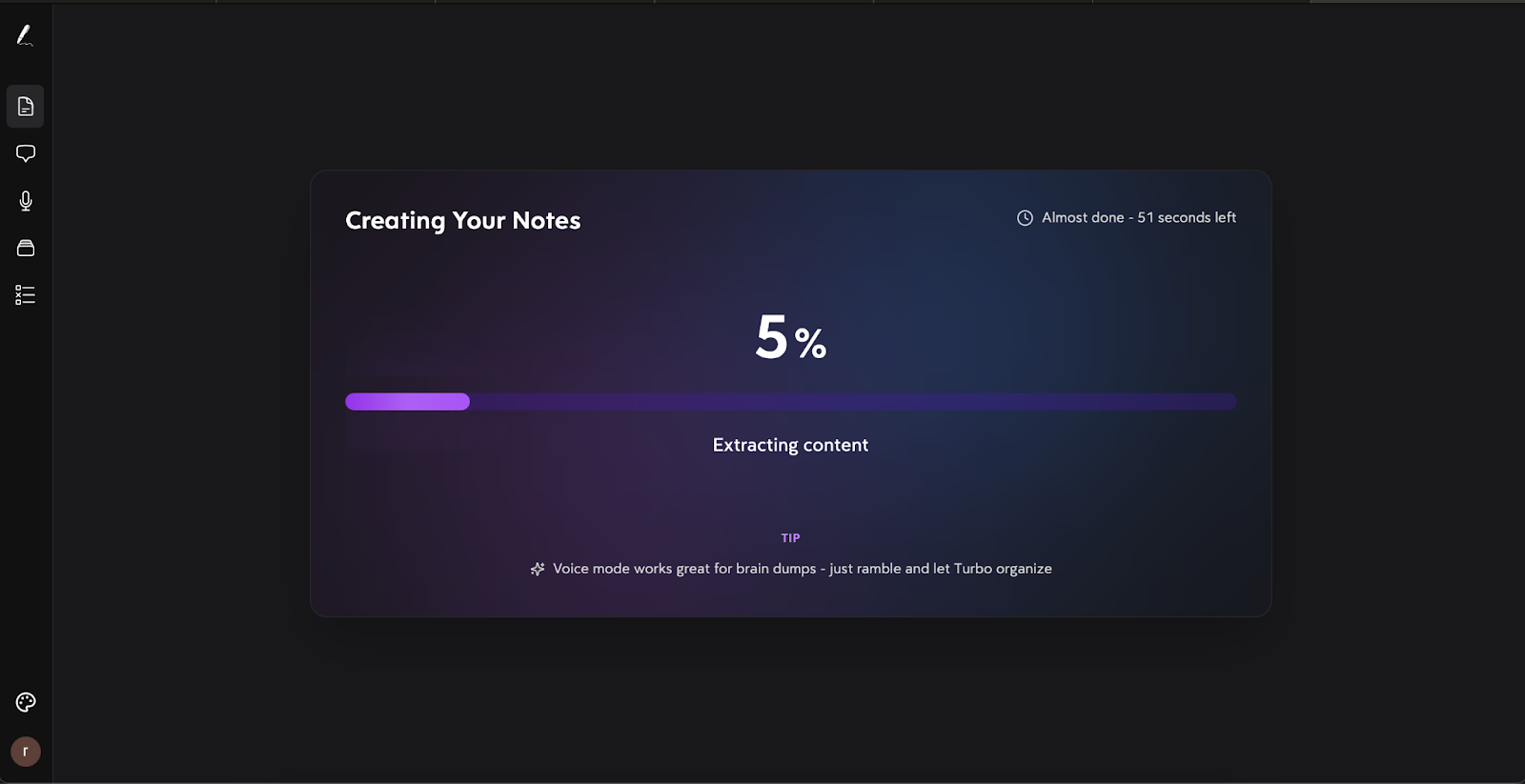
After you add your source (and any extra materials), click Generate note to create the recap. In my testing, a ~30-minute audio file typically generated in about 30 seconds—though timing can still vary depending on your connection and server load.
H3: Step 4 — Edit and Organize the Recap (Headings, Terms, Highlights)
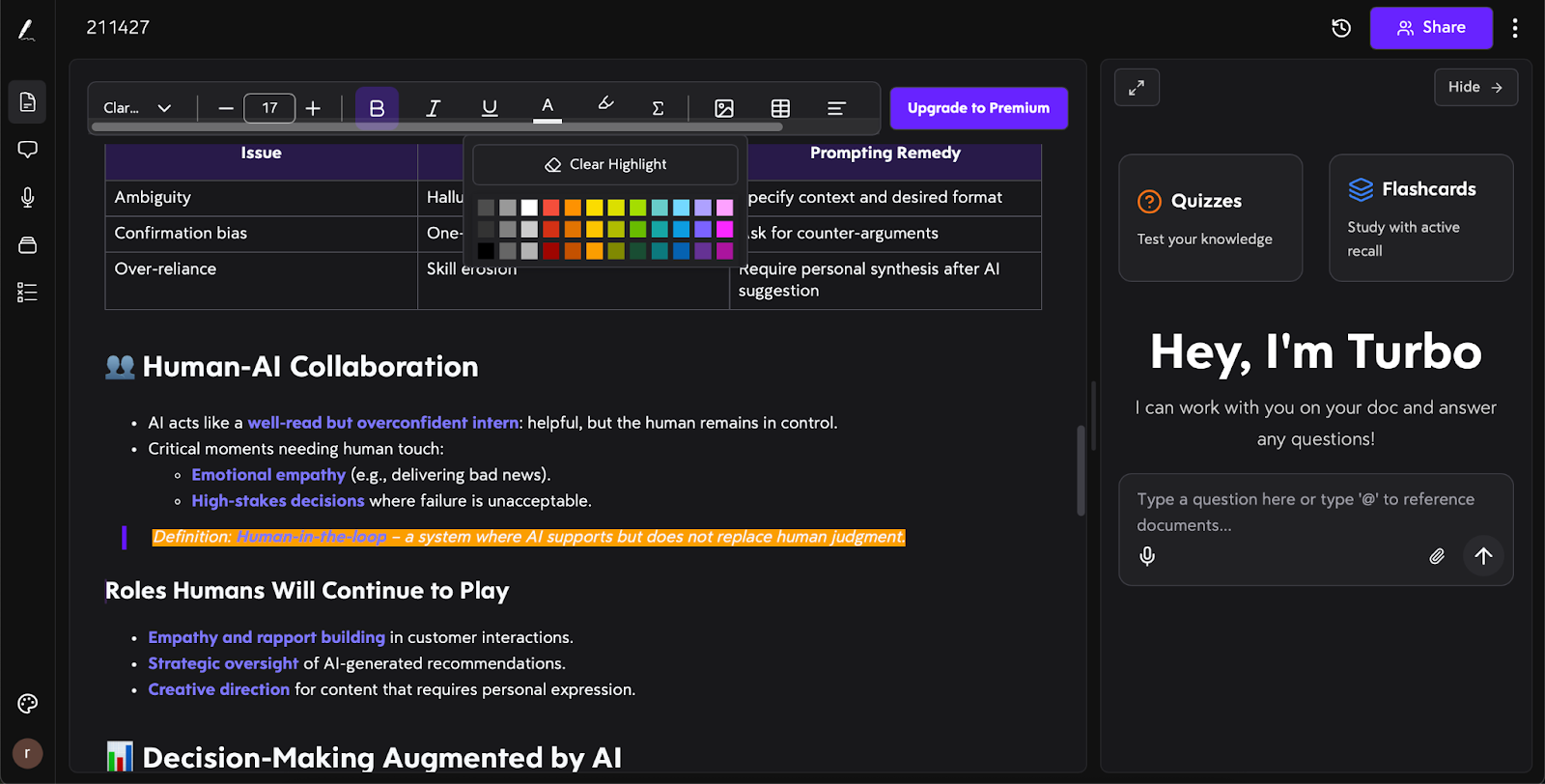
Once the recap is generated, treat it like a strong first draft. The editor feels familiar—closer to Word or Google Docs than a “technical tool”—so you can make quick improvements without friction.
The highest-impact edits usually take just a couple of minutes:
Tighten headings so the recap follows the talk’s flow
Fix terminology—names, acronyms, product terms, and any domain-specific wording
Highlight lines (key claims, frameworks, steps, and numbers)
Your goal isn’t perfect prose. It’s a recap you can open later and immediately understand—something that’s genuinely reviewable and reusable instead of a one-time summary.
H3: Step 5 — Ask Questions with Chat (Quick Review)
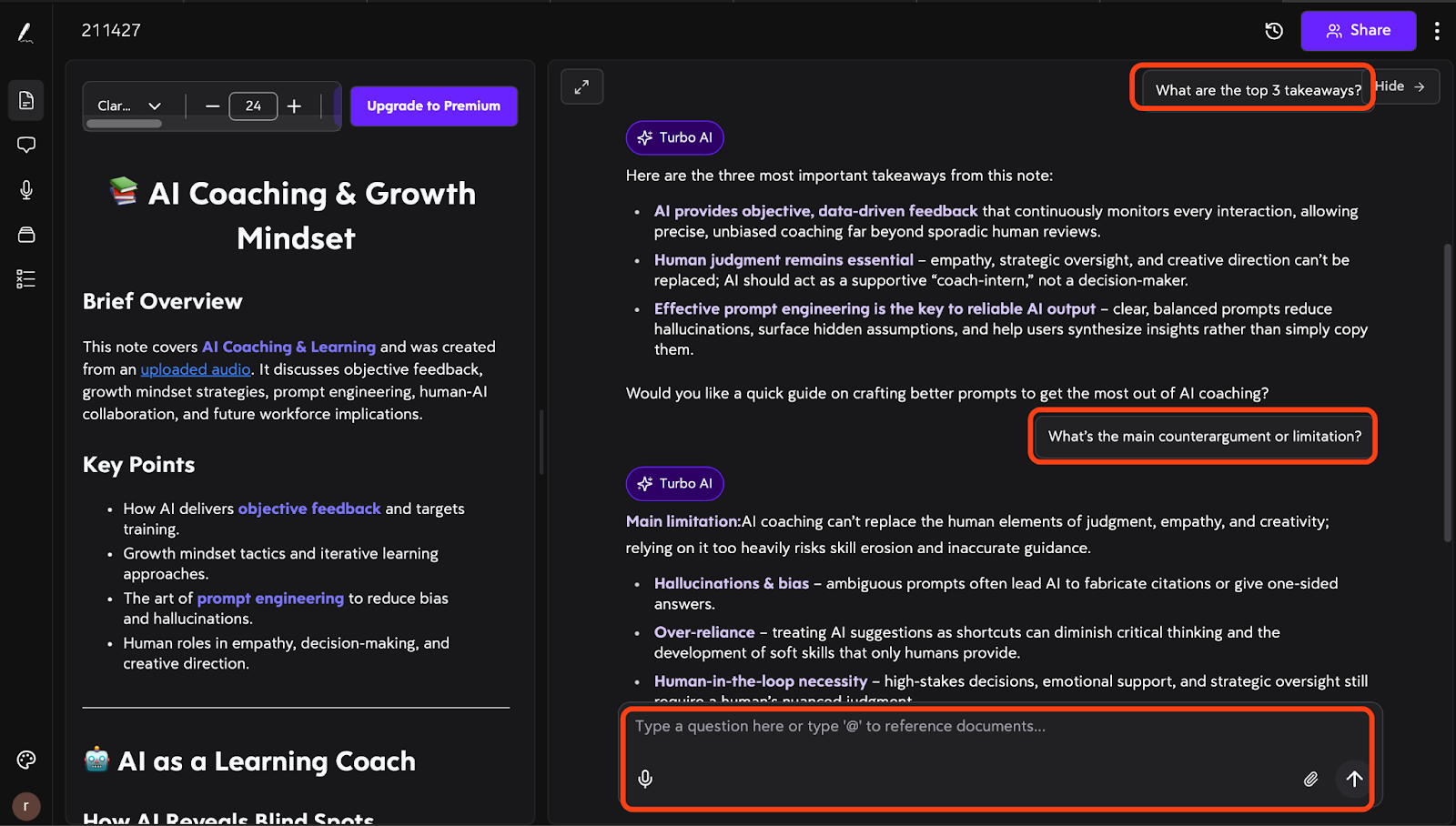
After you’ve skimmed the recap, use Chat for a fast review—this is where Turbo AI helps you pull out what you’ll actually want to remember later.
A few question prompts that work especially well after talks:
・What are the top 3 takeaways? ・What numbers, claims, or metrics were mentioned? ・What’s the main counterargument or limitation? ・What should I do next based on this talk? |
This turns passive listening into active review: instead of rereading everything, you can quickly confirm what mattered, what changed your thinking, and what needs a follow-up. If you plan to share the recap externally, it’s still smart to double-check names, numbers, and quote-like lines—chat is excellent for clarification, but it shouldn’t be treated as a source of record.
Step 6 — Create Study Boosts (Flashcards / Quizzes)
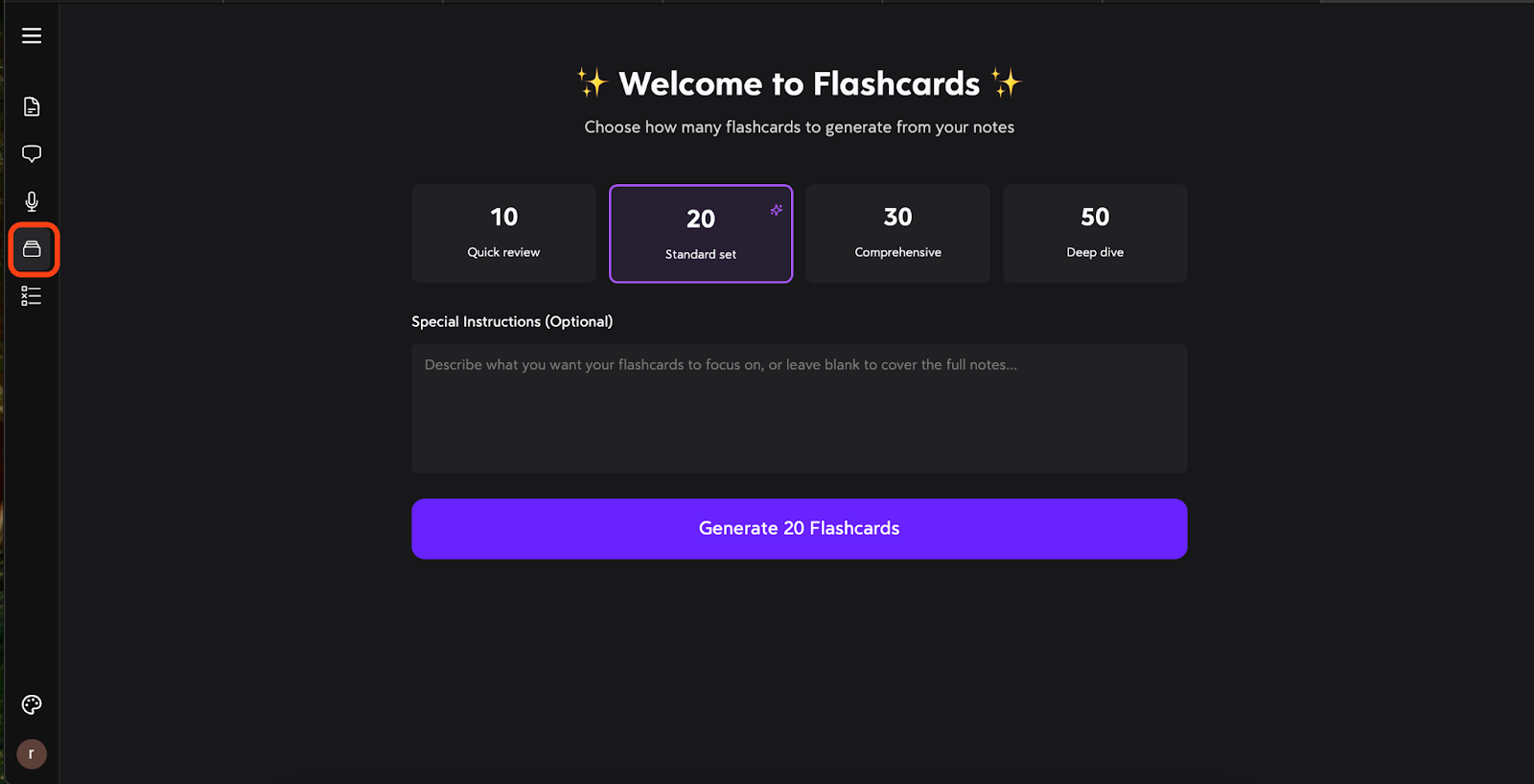
If the talk is something you need to remember—not just skim once—this is where Turbo AI can add real value. You can generate flashcards or quizzes from the recap to turn the content into active review.
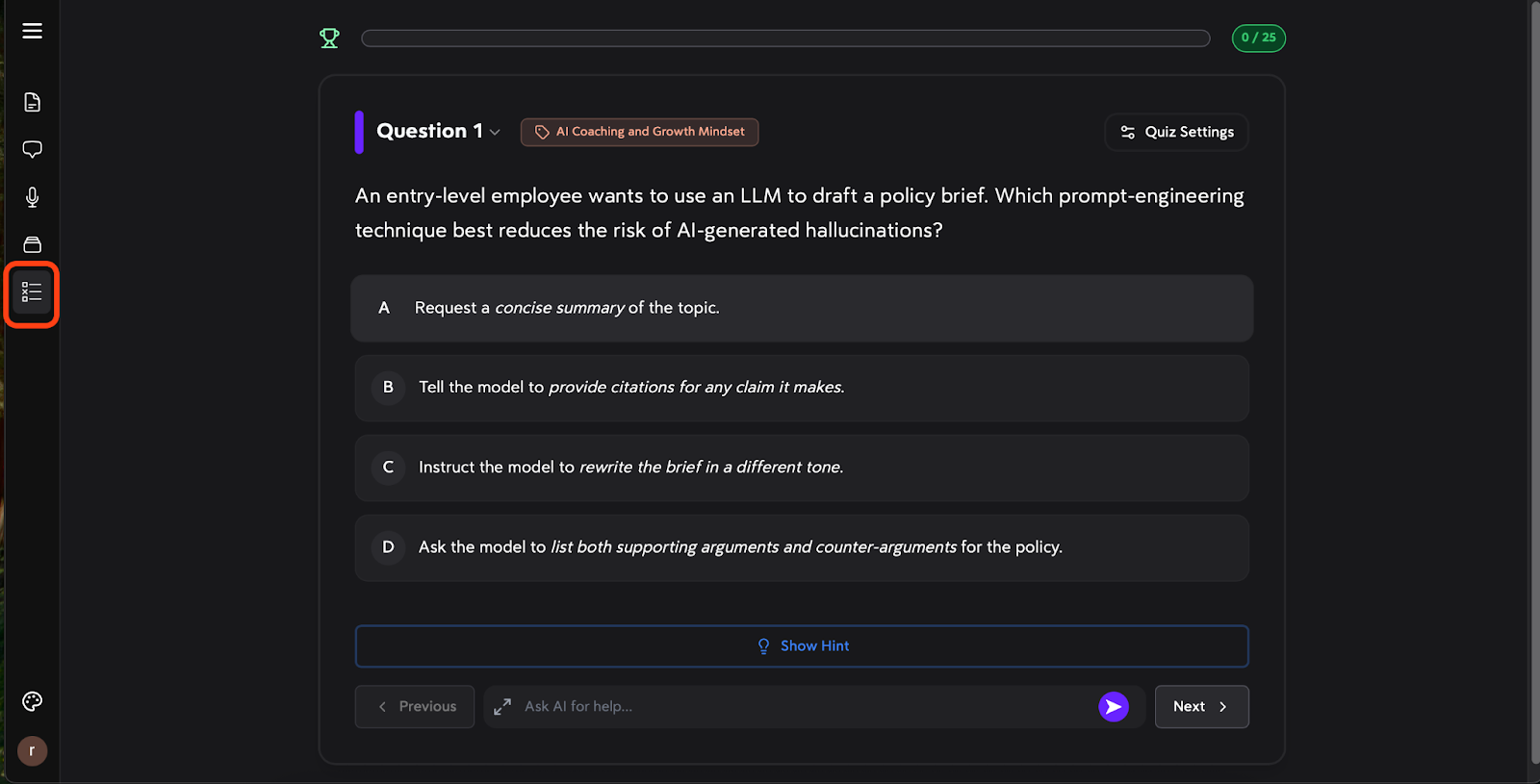
A 3–5 minute quiz can often stick to the key points better than a 20-minute reread, because it forces you to actively recall the content instead of passively scanning it. It also quickly exposes the parts you only thought you understood, so you know exactly what to review next. And with flashcards, you can revisit those concepts in spare moments—on a commute or between tasks—making it much easier to keep your review loop going.
【Turbo AI vs Alternatives】Talk Recap Review: Summary Quality, Usability, and Reuse-Readiness
After exploring what Turbo AI can do, the real question is: how does it actually perform compared to the heavyweights?
To find out, I put it through the ultimate test: an iconic 80-minute tech keynote. This session is a perfect benchmark because it blends high-level storytelling with dense technical specs—exactly the kind of talk where it’s easy to lose focus or miss the "so what" halfway through.
The goal wasn't just to see "who gets the words right," but "who creates the best asset for the next day." We focused on Reuse-Readiness—evaluating if the recap is structured enough to be used in a report or a study guide without a total rewrite.
Our Ranking Rule: Raw transcription accuracy is the baseline, but the Recap Quality is the tie-breaker. Does the tool help me re-experience the main points without re-watching the video?
Tool | Summary Quality (1–5) | Usability (1–5) | Study Boost (1–5) |
Turbo AI | 4 (Visual/Structured) | 5 (Instant/Edit-friendly) | 4 (High-quality Cards & Quizzes) |
Rimo Voice | 5 (Factual/Verifiable) | 5 (Best Audio Search) | 3 (Manual Chat Quizzes) |
Mindgrasp | 4 (Conceptual Deep-dive) | 3 (Split notes for long video) | 5 (Detailed Concept Quizzes) |
StudyFetch | 3 (Basic Outline) | 4 (Timestamp Links) | 5 (High Quiz Customization) |
Otter | 3 (Linear Summary) | 4 (Reliable Archive) | 3 (Manual Chat Quizzes) |
Summary Quality
When evaluating summary quality, I looked for Logical Flow (Claim/Evidence/Conclusion), the "So What?" factor, and concrete details (names/numbers). Here is how they handled our iconic tech keynote:
Turbo AI: The Architect. It delivers the fastest "So What?". By auto-generating comparison tables and definition blocks, it turns a complex talk into a visual study guide instantly.
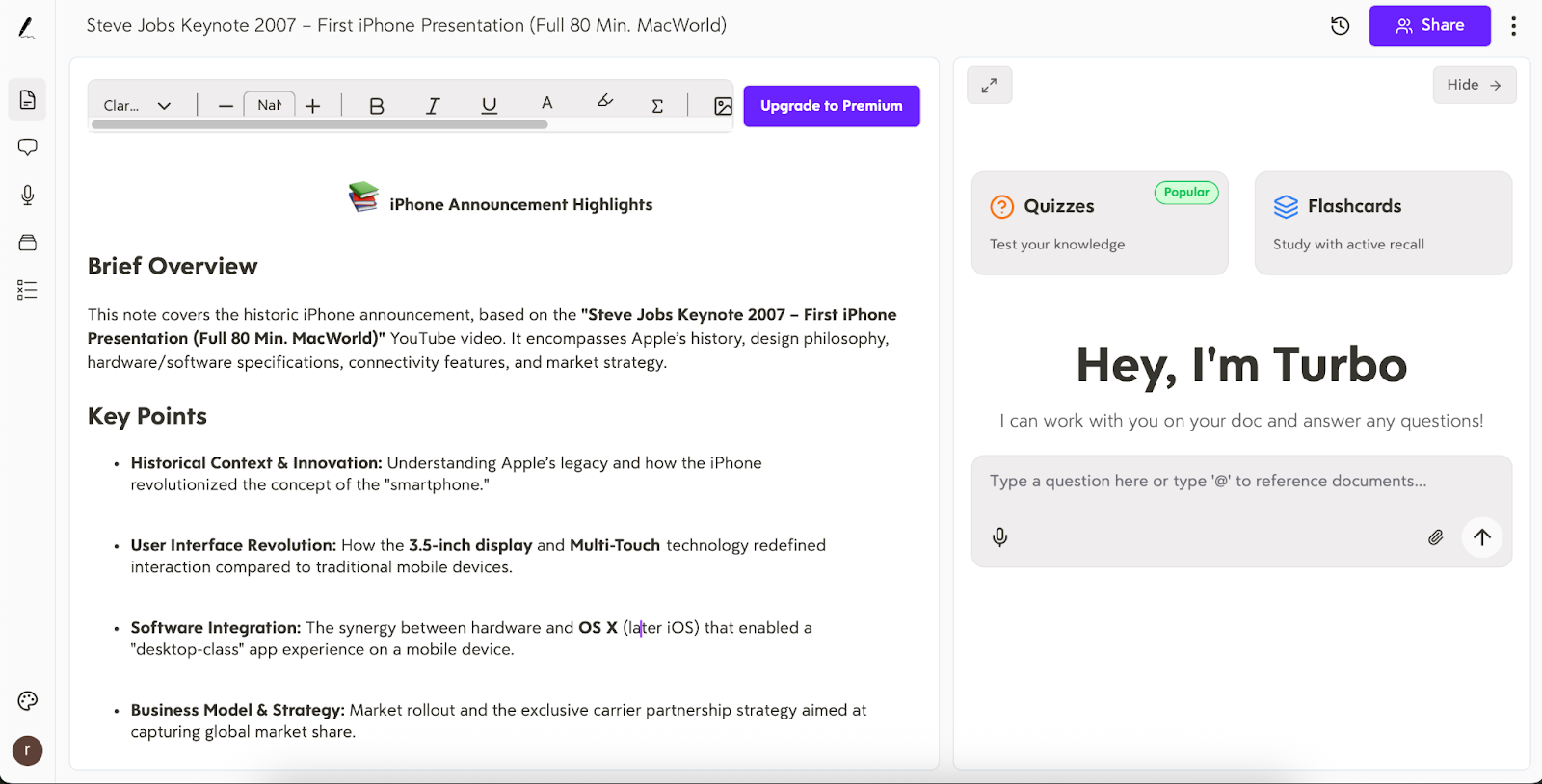
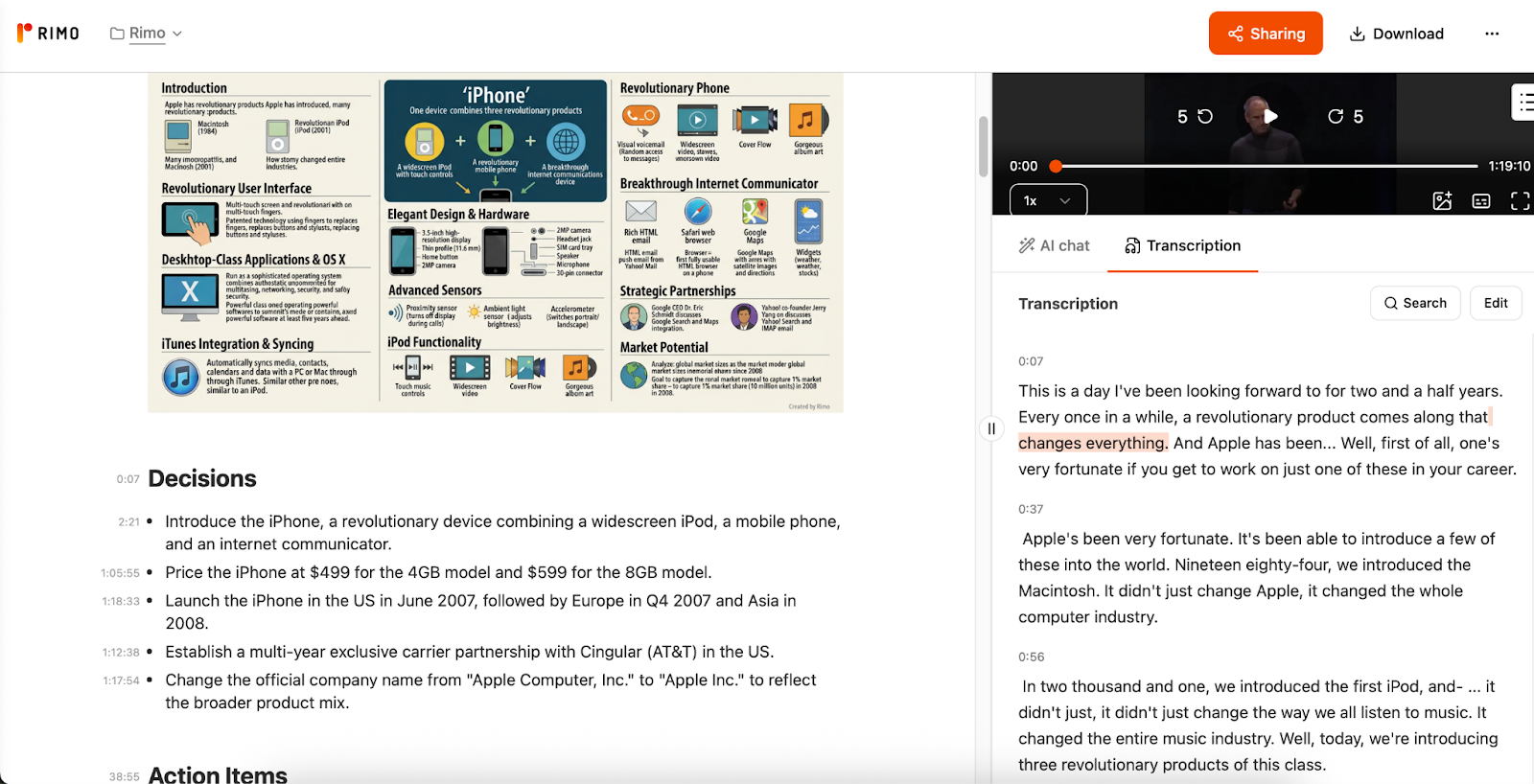
Rimo Voice: The Executive Brief. It treats the talk as a business record. It accurately captured partner names (Google, AT&T) and separated "Decisions" from "Action Items"—perfect for corporate use.
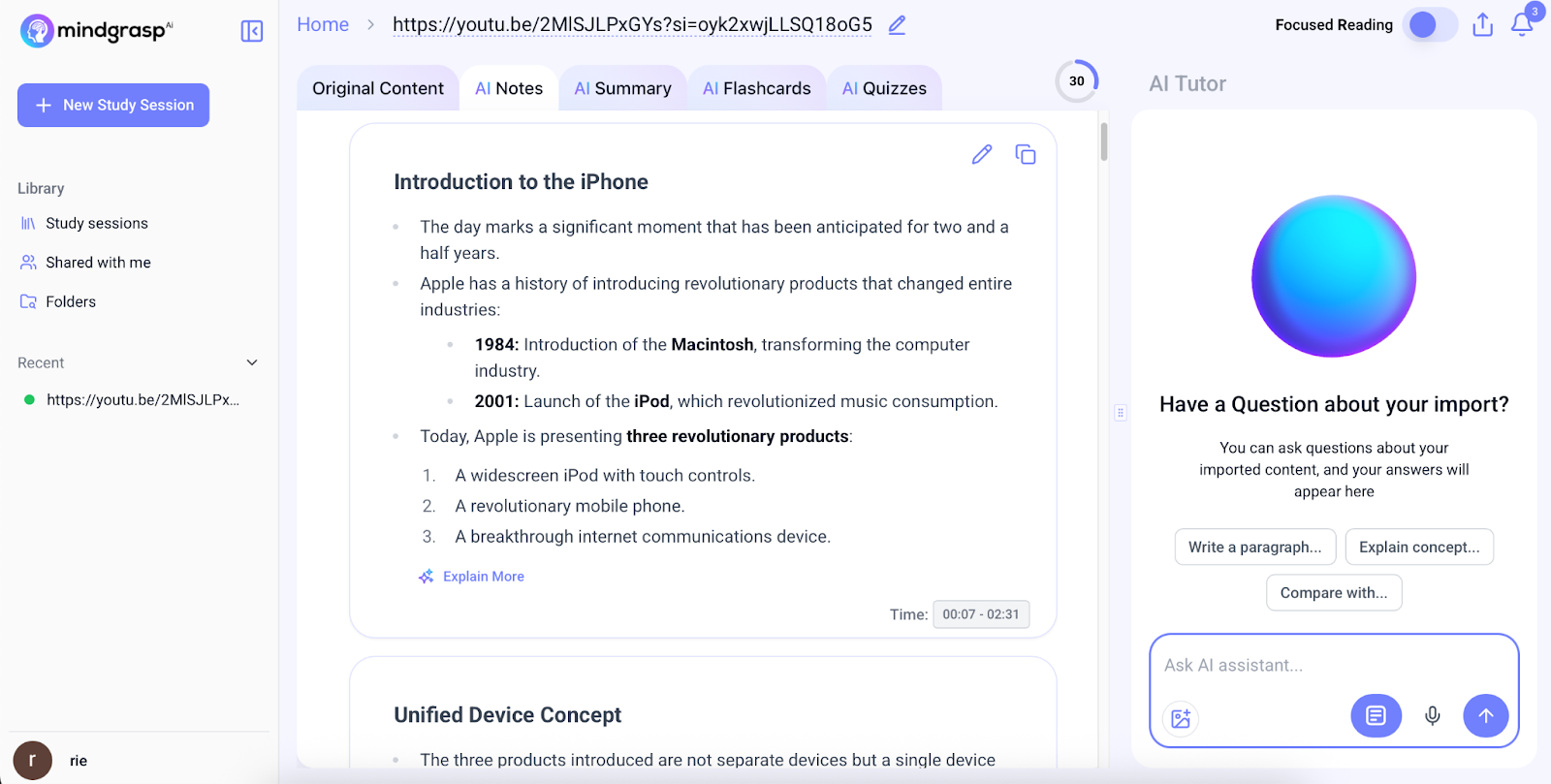
Mindgrasp: The Narrative Tutor. It excels at explaining the "why" behind the points. It provides a detailed chronological flow that helps you truly comprehend the speaker’s logic.
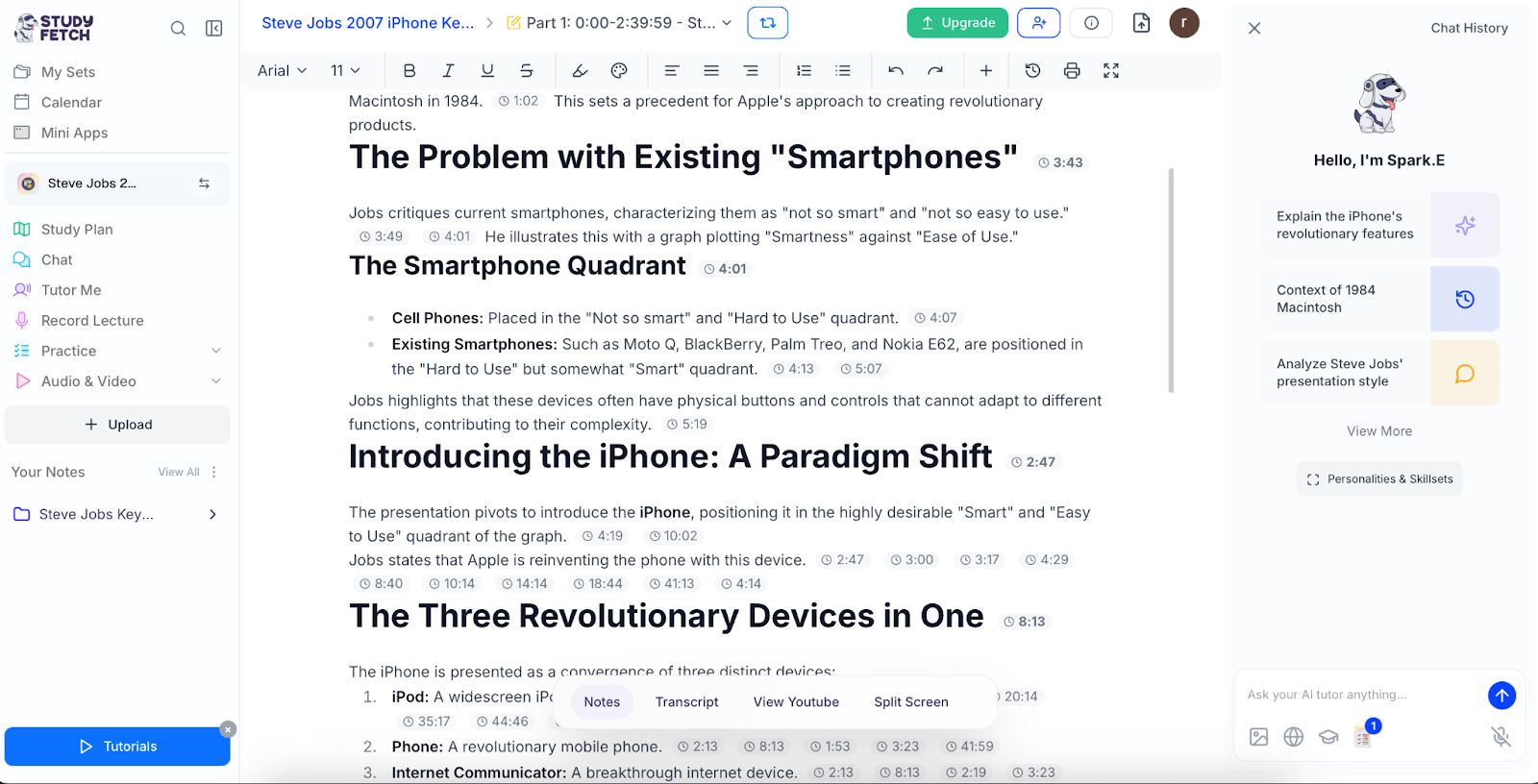
StudyFetch: The Verifier. Every summary point comes with a second-by-second timestamp. It provides an unbeatable audit trail for those who need to cite sources or memorize facts via quizzes.
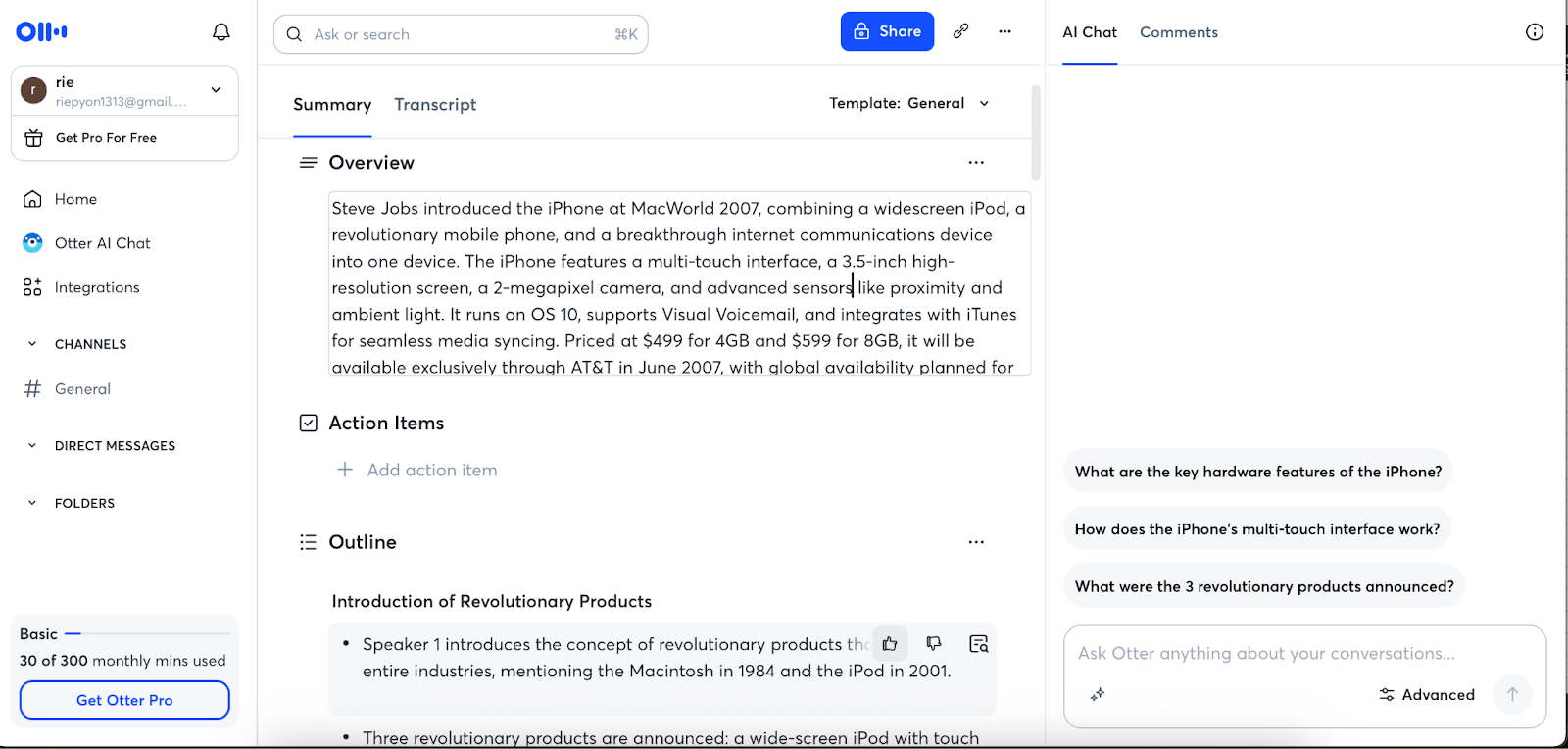
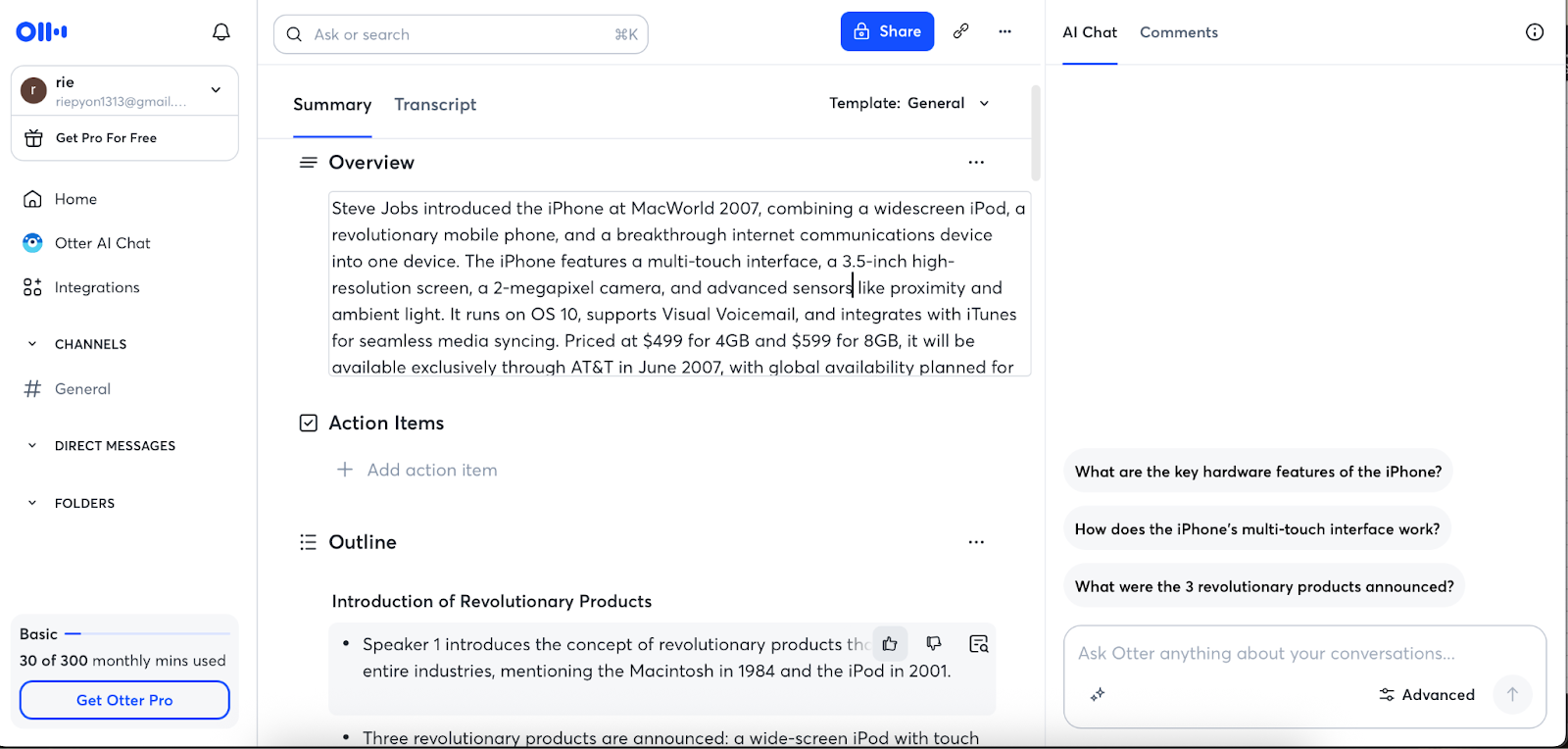
Otter: The Historian. It provides a solid linear outline. Its strength lies in being a high-level index for the full transcript rather than a redesigned summary asset.
The Bottom Line: Choose Turbo AI for an instantly "reusable" study guide; choose Rimo Voice for a "verifiable" professional record. |
Usability (Post-Talk Workflow)
A great summary is useless if you can't find it or edit it later. I evaluated how these tools handle the "Post-Talk" phase: Speed, Editability, Searchability, and Shareability.
Feature | Turbo AI | Rimo Voice | StudyFetch | Mindgrasp | Otter |
Generation Speed* | Instant (30s) | Average (2m) | Fast (45s) | Fast (45s) | Slow (13m+) |
Editing Style | High Block-based / Drag-and-drop. | Medium Text-editor style; syncs with audio. | Medium Focused on quiz/set creation. | Low Fixed AI layout. | Medium Transcript-focused. |
Search & Re-visit | Strong folder-based organization. | Best. Search & play specific audio instantly. | Strong. Granular timestamp links. | Basic library search. | Speaker-based meeting search. |
*Processing times are based on an approximately 80-minute video. Actual speeds may vary depending on server load, internet connection, and specific account plans.
Turbo AI (The Speed Demon): Generates in 30 seconds. It offers the best editing experience—allowing you to drag, drop, and refine blocks of info. Its folder-based organization keeps your library clean even after dozens of uploads.
Rimo Voice (The Search Master): Takes about 2 mins. Its "re-visitability" is unmatched. You can search for a keyword and click the text to hear the exact audio snippet instantly. It’s built for those who need to verify facts days later.
StudyFetch (The Auditor): Very fast. Its strength is the granular timestamp integration. If you need to jump back to a specific slide or claim to "prove" a point, the navigation is seamless.
Otter (The Archive): The slowest (13+ mins). While it's great for long-term storage and speaker ID, it lacks the agile editing tools found in Turbo AI.
Mindgrasp (The Locked-in Learner): Fast, but less flexible in terms of manual re-structuring. Best if you trust the AI’s first draft completely.
The Bottom Line: Choose Turbo AI for instant speed and flexible organization. Choose Rimo Voice if your workflow depends on searching and re-listening to specific moments. |
Study Boost
Feature | Turbo AI | Rimo Voice | StudyFetch | Mindgrasp | Otter |
AI Chat Utility | Excellent High structuring & formatting skills. | Best Factual answers with direct audio links. | Good Basic Q&A for general study. | Good Helpful for conceptual deep-dives. | Excellent Strong at extracting info across past logs. |
Learning Output | Good Swiftly generates quizzes & glossaries. | Fair Enhances visualization via structured summaries. | Best Specialized in flashcards & exam prep. | Excellent Effective for organizing lecture notes. | Fair Focuses more on synced recording/notes. |
Revision Loop | Good Reliable folder-based organization. | Best 0.5s jump-to-source for verification. | Best Spaced repetition for memorization. | Good Helps bridge comprehension gaps. | Excellent Long-term archival & bulk search. |
I evaluated how well these tools help you turn information into long-term memory. The focus was on AI Chat depth, Learning Outputs (quizzes/cards), and the Revision Loop.
Turbo AI : The Chat is remarkably structured—it can even respond in tables. It’s perfect for asking, "What are the 3 key takeaways?" or "Give me a counter-argument." Its ability to generate quizzes and glossaries makes it a powerhouse for knowledge organization.
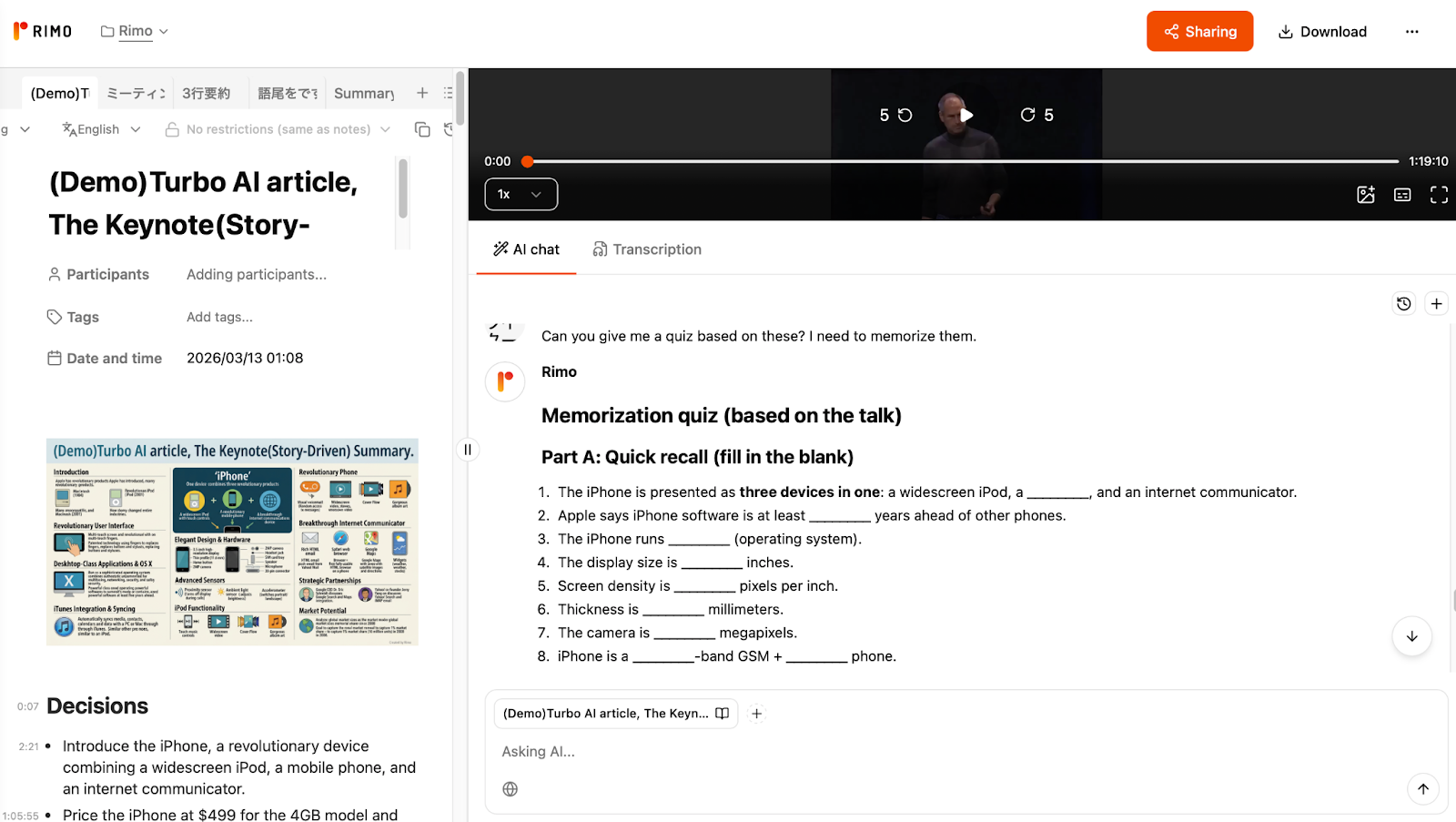
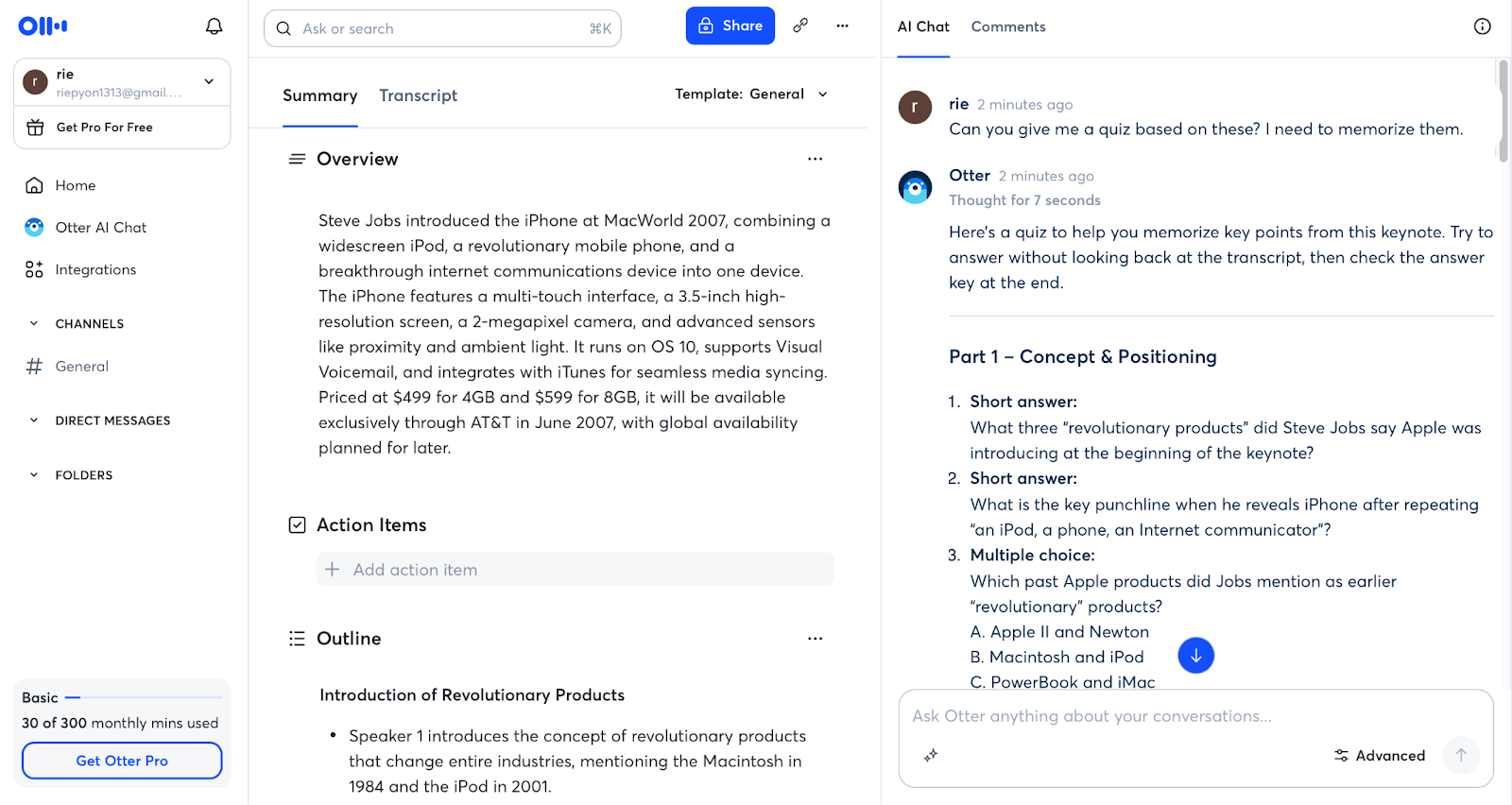
Rimo Voice : While it lacks a dedicated "quiz button," its Chat is highly reliable for verifying exactly what was said, linking every answer to audio evidence. For active learning, you can simply ask the AI Chat to "Create a quiz based on this talk," allowing for a customized and factual study session. Its structured visual blocks also help create a "mental map" for better retention.
StudyFetch : The king of output. It offers high flexibility in quiz generation, allowing you to transform notes into flashcards and practice tests instantly. Whether you need multiple-choice or fill-in-the-blank, its customizable format makes it easy to stay engaged. If your goal is to pass an exam or memorize every spec of a tech talk through repetitive testing, this is your tool.
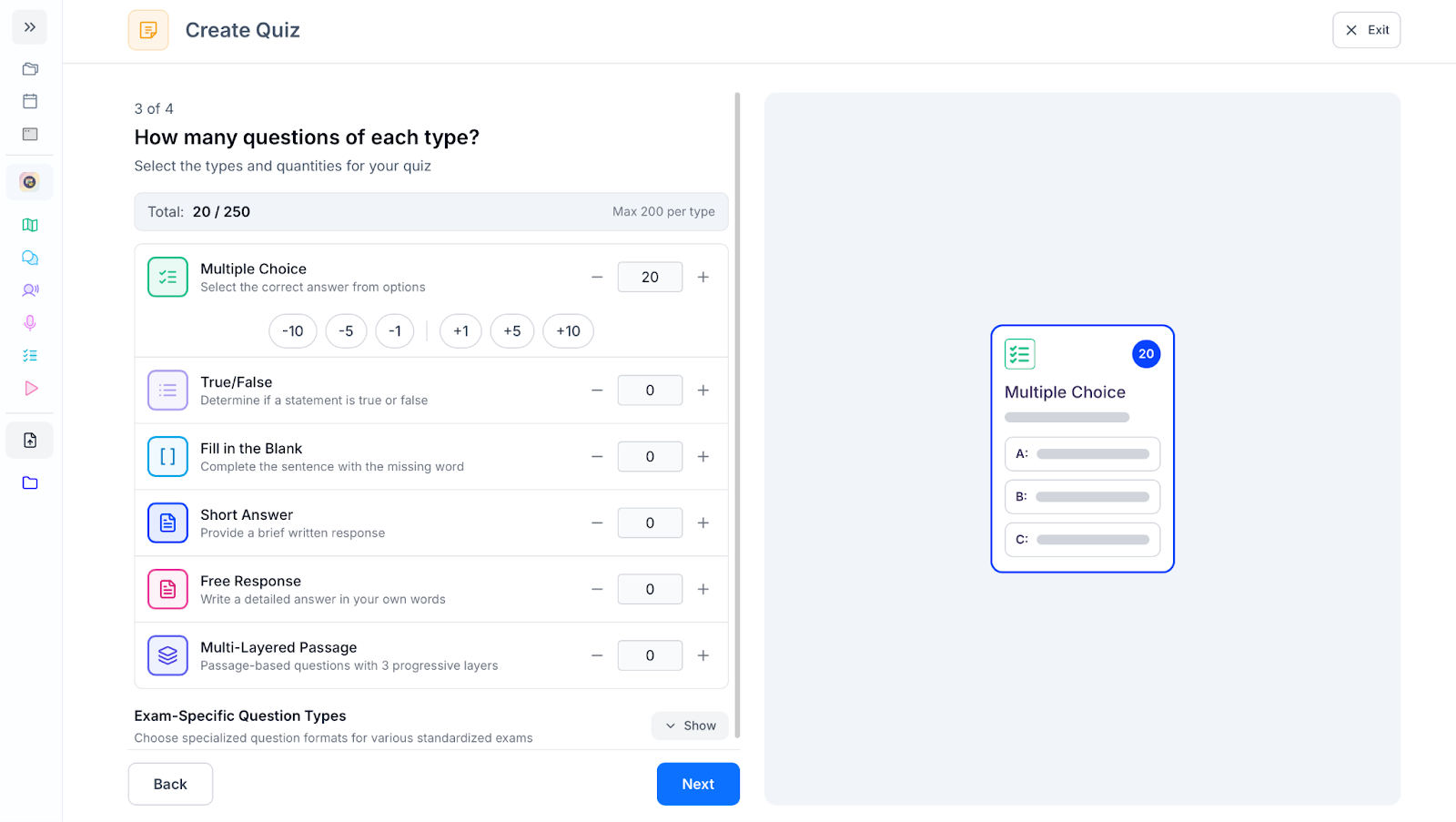
Mindgrasp : Focuses on comprehension by breaking down complex concepts into digestible explanations. It also provides surprisingly versatile quiz customization, making it more than just a passive summarizer. It’s a great companion for those who want to balance deep understanding with active self-testing.
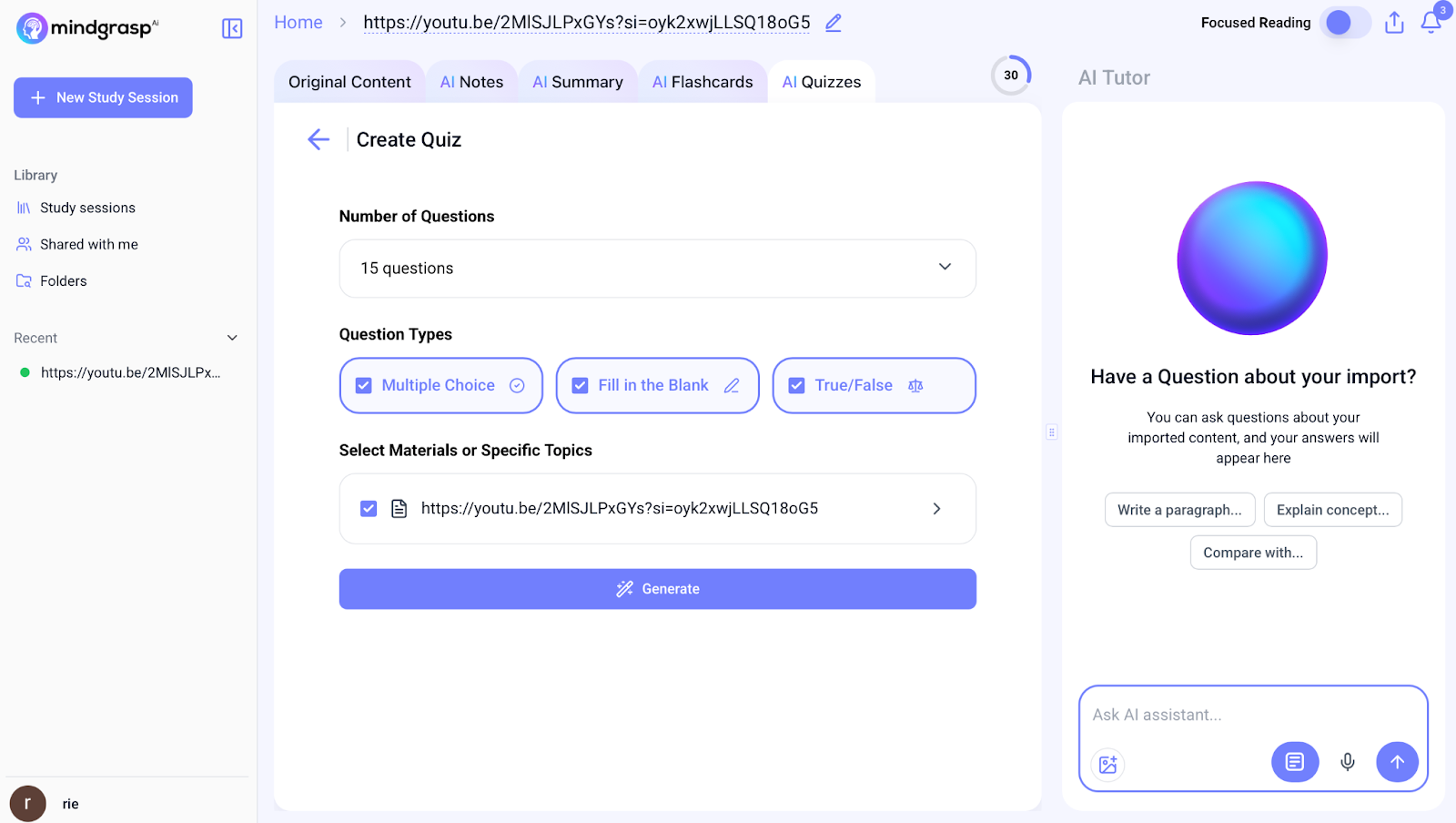
Otter : Functions as a highly reliable searchable archive with world-class stability. While it doesn't have automated flashcards, much like Rimo, you can leverage the Otter AI Chat to generate custom quizzes and summaries on demand. It excels at searching across months of past recordings to find specific discussions, making it an ideal "knowledge hub" for long-term learning.
The Bottom Line: Choose StudyFetch for intensive memorization and automated testing; choose Rimo Voice for fact-based learning where you can verify the "source voice" and create custom study prompts via Chat. |
Pricing — Is Turbo AI Free?
Turbo AI is very easy to try, but whether it’s worth paying for comes down to one question: how often do you need to turn a talk into something you’ll actually review later?
If Turbo saves you time after the talk (clean recap + fast Q&A + optional quizzes/flashcards), the price can make sense. If you only do this once in a while, the free tier may be enough to test your workflow.
Plan | Free | Premium |
Price | $0 | $9.99/month (Annual) $19.99/month (Monthly) |
What you get | - Recap notes + chat - Flashcards/quizzes (limited) - Usage limits apply | - Unlimited PDFs/audio/YouTube - Unlimited notes + chat - Faster AI edits - Better/unlimited flashcards, quizzes, podcasts |
*plans and limits can change—always confirm on the official site/app listing before you publish.
Free tier reality check
Turbo AI does have a Free plan, but it’s best viewed as a light-use tier. On Free, you can still experience the core workflow: create a recap note from your content, review it in a structured format, ask follow-up questions with Chat, and try study features like flashcards/quizzes—just within usage limits.
If you start processing lots of talks, long audio, or many documents and links, that’s when you’re more likely to hit limits and consider Premium.
Is turbo ai worth the cost?
Premium tends to make sense if you regularly:
write a post-talk recap for yourself or your team,
build a library of talks you’ll revisit later,
repurpose sessions into outlines, slides, or training materials,
or rely on study boosts (quizzes/flashcards) to retain what you learn.
On the other hand, Premium may be overkill if you only recap talks occasionally, your own quick notes are “good enough,” or your top priority is a verifiable record of exactly what was said.
Verdict
Turbo AI is strongest when you want to turn a talk into a clean, reviewable recap fast—structured headings, clear takeaways, and a study-friendly workflow (chat + optional quizzes/flashcards). It’s a great way to go from “I liked that talk” to “I can actually use it later.”
Turbo AI is a strong fit for people who regularly recap talks and want a quick path to reusable notes—whether that’s a personal study library, an internal memo, or an outline for follow-ups.
If your workflow involves frequent verification—jumping back to the exact moment, confirming wording, and building a searchable system of record for talks—Rimo Voice is often the safer long-term foundation. In other words: use Turbo AI to draft takeaways quickly, and choose Rimo Voice when you need reliable capture, search, and share-ready records you can trust over time.
FAQ
menu item. So if you want to fully delete your account (not just stop billing), the most reliable approach is to contact the support team and request account deletion.
What is Turbo AI ?
Turbo AI is an AI notetaker that turns talk materials—like audio recordings, slide PDFs, and links (e.g., YouTube/website pages)—into structured recap notes you can review later. It was previously known as TurboLearn(you may still see that name in searches), and it’s best for people who want to capture key takeaways after a talk and reuse them for review, follow-ups, or study.
Is Turbo AI free — and does Turbo AI cost money?
Yes—Turbo AI offers a Free plan, and it also has paid Premium plans. The Free tier is best for light use and trying the workflow (recap notes + chat + basic study features), but if you use it regularly—longer talks, more uploads, more study outputs—you’re more likely to run into limits and consider Premium. A simple rule: if you only recap a few talks per month, Free may be enough to start; if you recap talks weekly and actually review them, Premium is easier to justify.
Is turbo ai safe?
Turbo AI can be safe to use, but it depends on your content and how you share it. First, make sure recording is allowed—some events (especially internal trainings or closed sessions) require organizer/speaker consent. Second, avoid uploading sensitive data (personal information, confidential or unreleased materials) unless your organization has approved it. Finally, for content safety, don’t share AI-generated notes blindly: before sharing externally, quickly verify numbers, proper nouns, and quote-like lines. If you need enterprise-grade assurances (e.g., SOC 2 reports), those aren’t always publicly posted for every consumer tool—so it’s safest to confirm directly with the vendor for business use.
Does turbo ai actually help
I went digging into real-world impressions on Reddit and various influencer experience posts to see what holds up beyond polished demos. Here’s what I found: people tend to like Turbo AI when they use it for post-talk review (fast, structured recaps + quick follow-up questions in chat). The most common complaints are also consistent—occasional slips with names/numbers, flashcards/quizzes that can feel generic, and free-tier limits if you use it often. The good news is that most of these are fixable: add slides or supporting docs when you have them, do a quick edit pass, and spot-check key details before sharing.
how to delete turbo ai account?
menu item. So if you want to fully delete your account (not just stop billing), the most reliable approach is to contact the support team (contact@turbolearn.ai) and request account deletion.
Related articles
Return to List