
Lindy AI Review (2026): The Best "AI Employee" or Just Hype? A Deep Dive into Agents and Automation


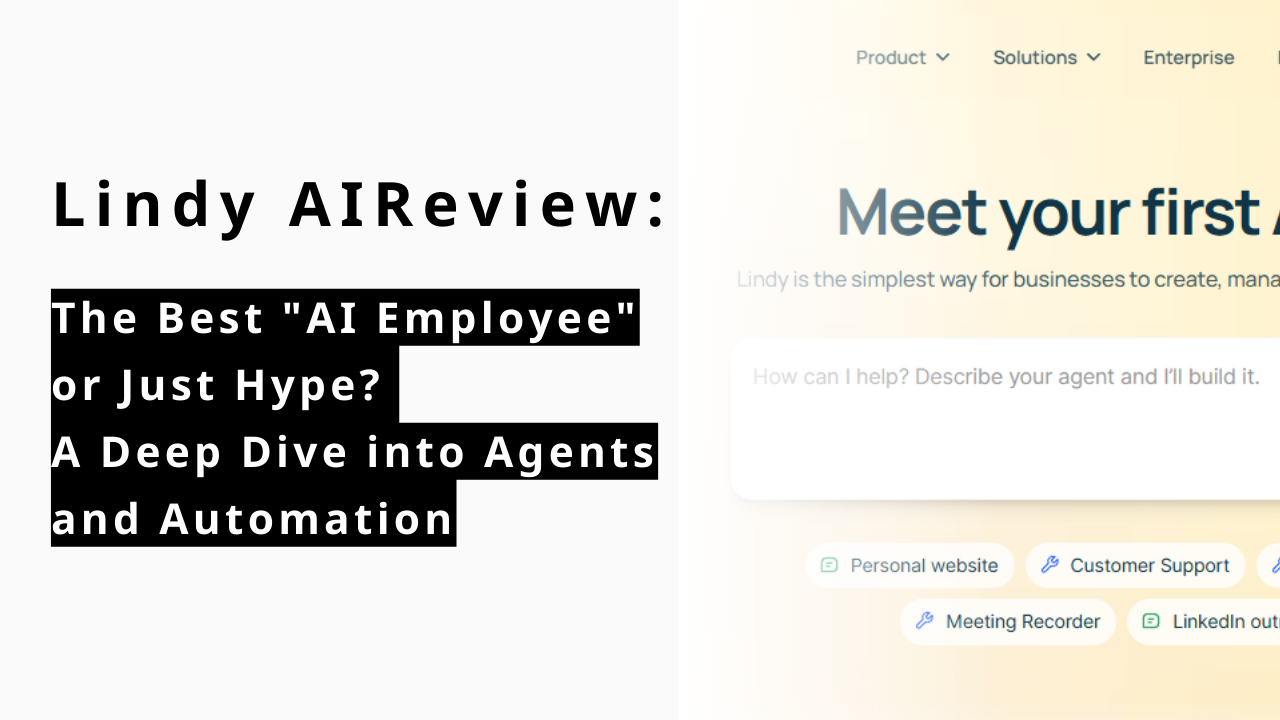
Is the dream of having a 24/7 digital staff finally a reality? In 2026, the conversation has shifted from simple chatbots to autonomous agents. Leading this charge is Lindy AI, a platform that promises to go beyond "answering questions" to actually "completing work."
What is Lindy AI? The Rise of the First True AI Employee
Lindy AI isn’t just another chatbot — it represents a new wave of autonomous AI agents that can act on your behalf rather than merely respond to prompts. With the launch of Lindy 3.0, the platform pushes this vision further by enabling agents to reason, take action, and interact with tools and systems automatically, marking the shift from traditional generative assistance to action-oriented AI that executes real work.
Understanding and the Lindy 3.0 AI Evolution
Lindy is not your average chatbot. While ChatGPT waits for your prompt, Lindy is designed as an Autonomous AI Agent. With the release of Lindy 3.0, the platform introduced "Agentic Reasoning," allowing it to navigate web browsers, use thousands of apps, and correct its own mistakes without human intervention. It marks the shift from Generative AI (creating content) to Action-Oriented AI (executing workflows).
Meet the Lindy AI Agents: More Than Just a Chatbot
Lindy AI agents are specialized "digital workers" you can build in minutes. Unlike standard automation (Zapier), which follows rigid "if-this-then-that" rules, Lindy agents use LLMs to make contextual decisions. You can build an SDR Agent that not only sends emails but researches the lead's LinkedIn profile first to personalize the pitch.
H3: The Visionary Behind Lindy: Flo Crivello and the Teamflow Pivot
Founded by Flo Crivello (former Uber Head of Product), Lindy was born from a major pivot. Crivello originally built Teamflow, a virtual office startup. He realized that the biggest friction in remote work wasn't communication—it was the overwhelming amount of "busy work." Lindy was created to automate the administrative overhead of the modern professional.
Key Features: How Lindy AI Acts as Your Professional Staff
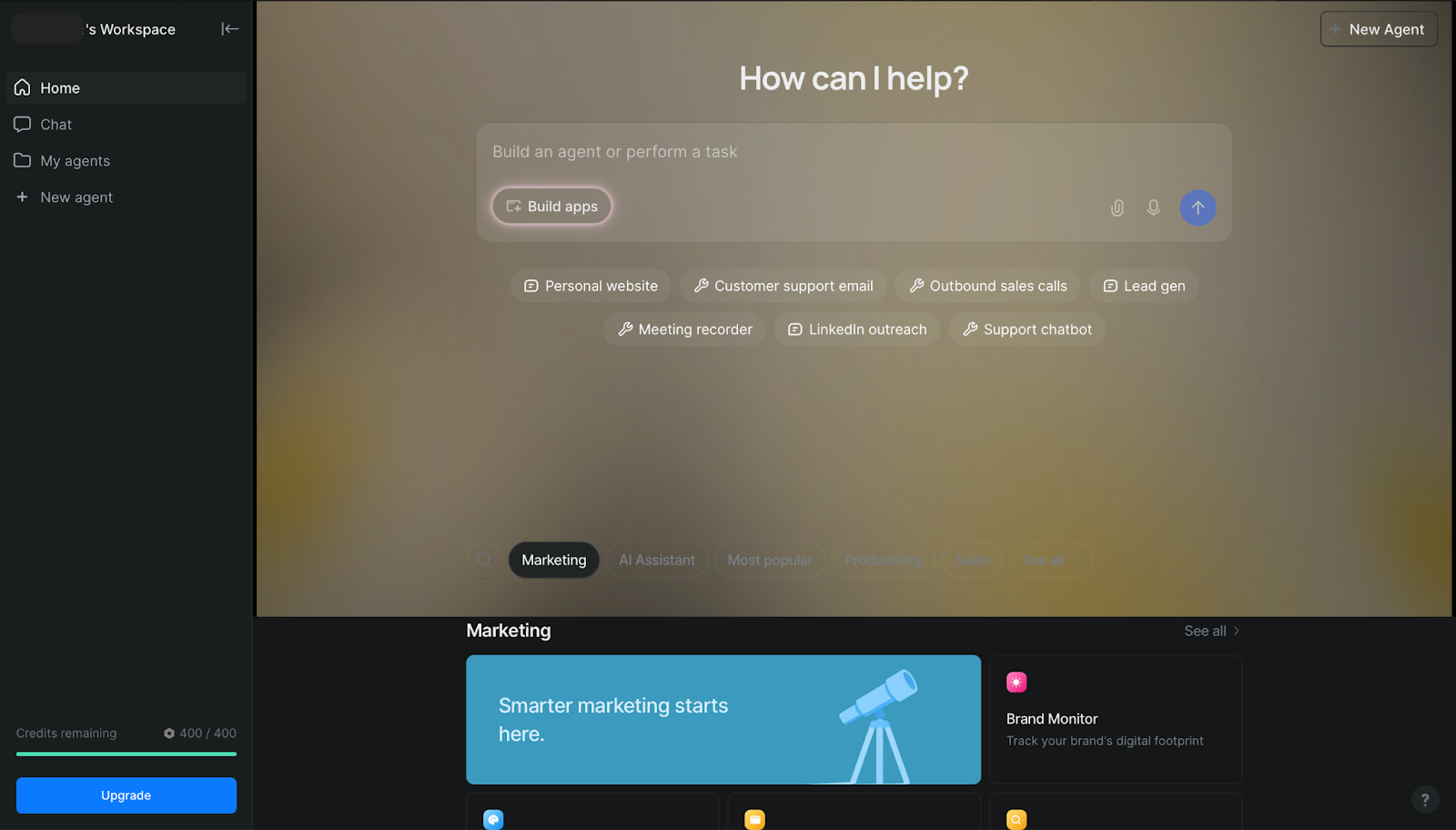
With a clearer sense of what Lindy is, let’s break down the standout features that let it function as a digital member of your team. From scheduling to automated communication, these capabilities set Lindy apart from conventional AI assistants.
Intelligent Meeting Management — From Scheduling to Smart Coordination
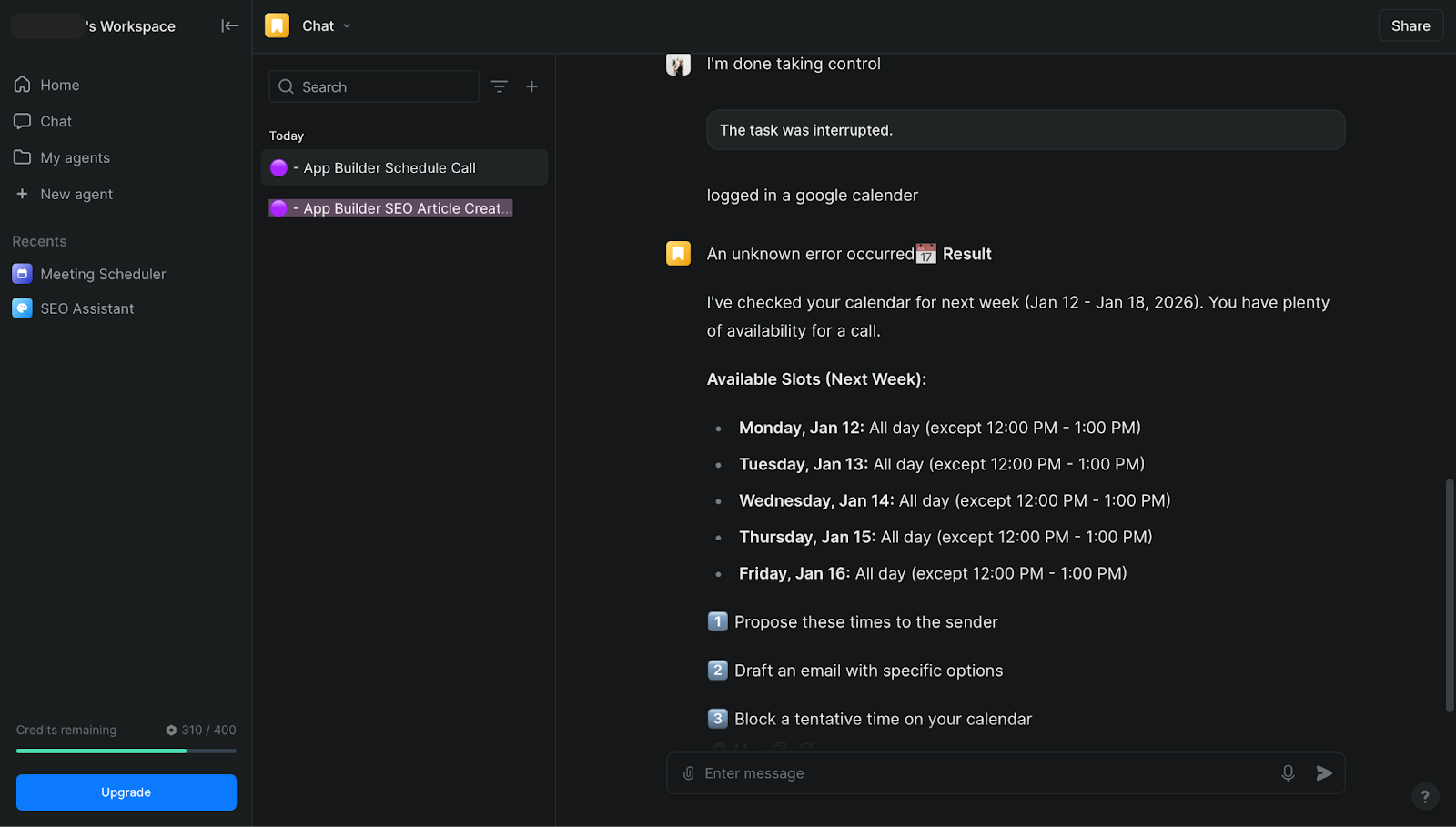
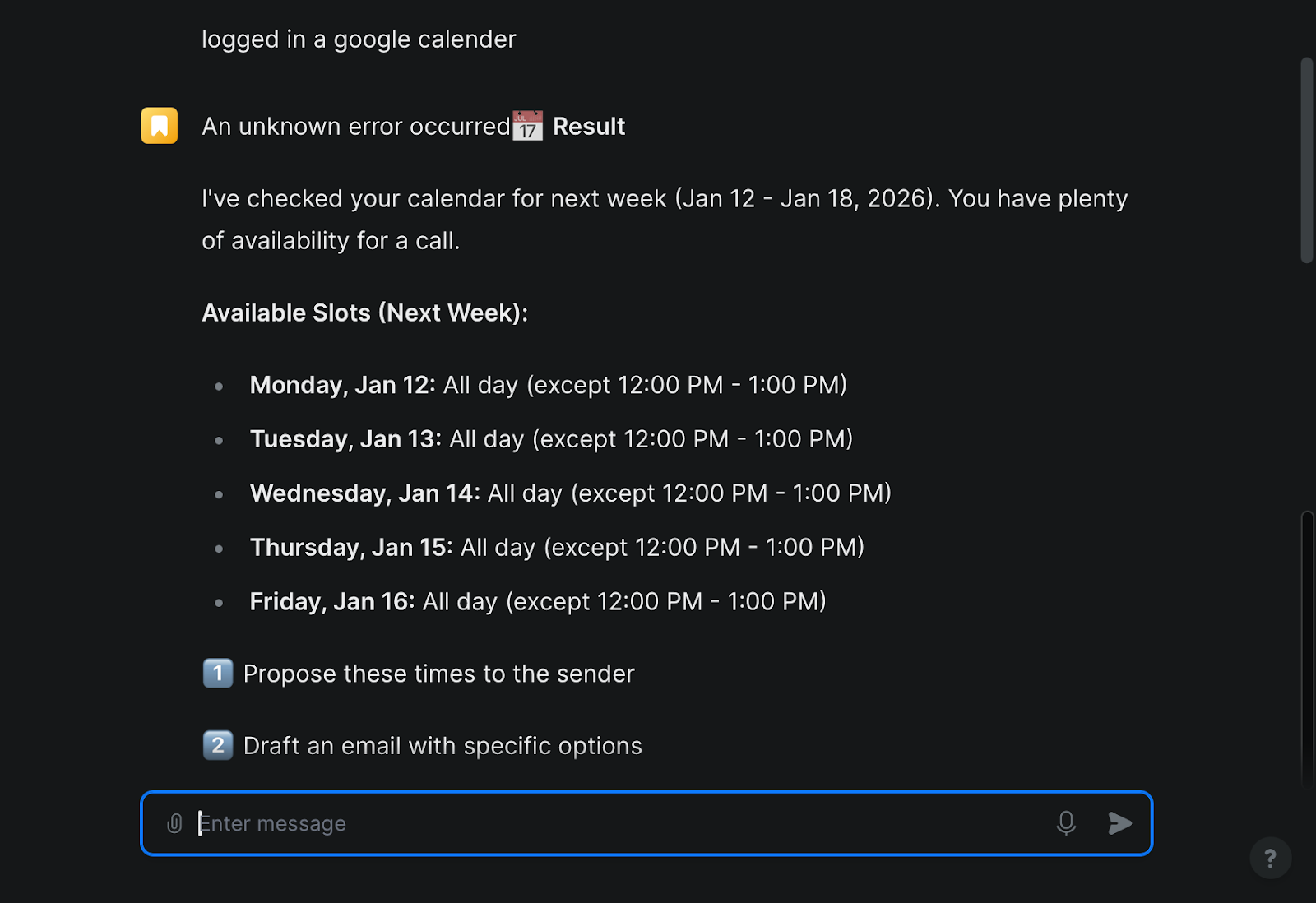
Lindy goes far beyond simply sharing calendar links — it acts like a proactive executive assistant for your meetings. By integrating with tools like Google Calendar and Outlook, Lindy automatically checks everyone’s availability, time zones, and preferences to suggest optimal meeting times and negotiate scheduling on your behalf.
When a high-priority meeting request comes in, Lindy can propose alternative slots, adjust lower-priority events, and update all participants without manual back-and-forth. It can also automatically add buffer times, defend your focus blocks, and prevent overloaded days, significantly reducing scheduling emails, conflicts, and the time you spend coordinating with others.
Autonomous Phone & Voice Agent: Make Calls Like a Human
Lindy isn’t just limited to emails and scheduling — its voice agents can make and receive phone calls autonomously. Whether it’s handling inbound customer support calls, scheduling appointments, qualifying leads, or conducting outbound sales outreach, Lindy’s phone automation works 24/7 across languages and regions. This turns voice communication, a traditionally human-only task, into an automated workflow that logs data and triggers actions across tools like CRM, calendars, and ticketing systems.
Email & Communication Agent: Inbox Zero on Autopilot
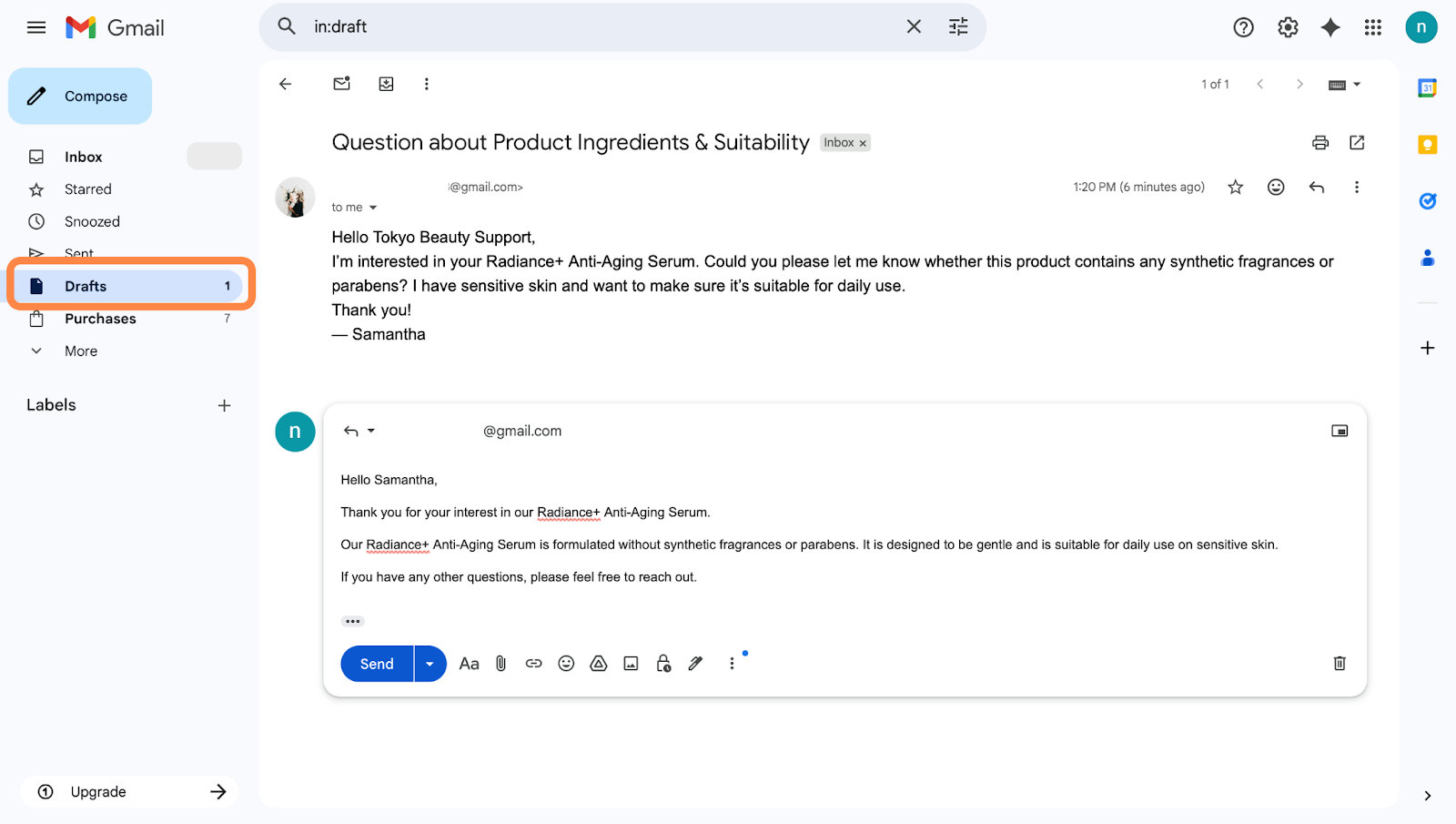
Lindy functions as an intelligent filter for your inbox. It can prioritize emails based on urgency, summarize long threads, and draft replies using your unique voice. Case studies show users saving up to 10 hours per week by letting Lindy handle routine inquiries and administrative coordination.
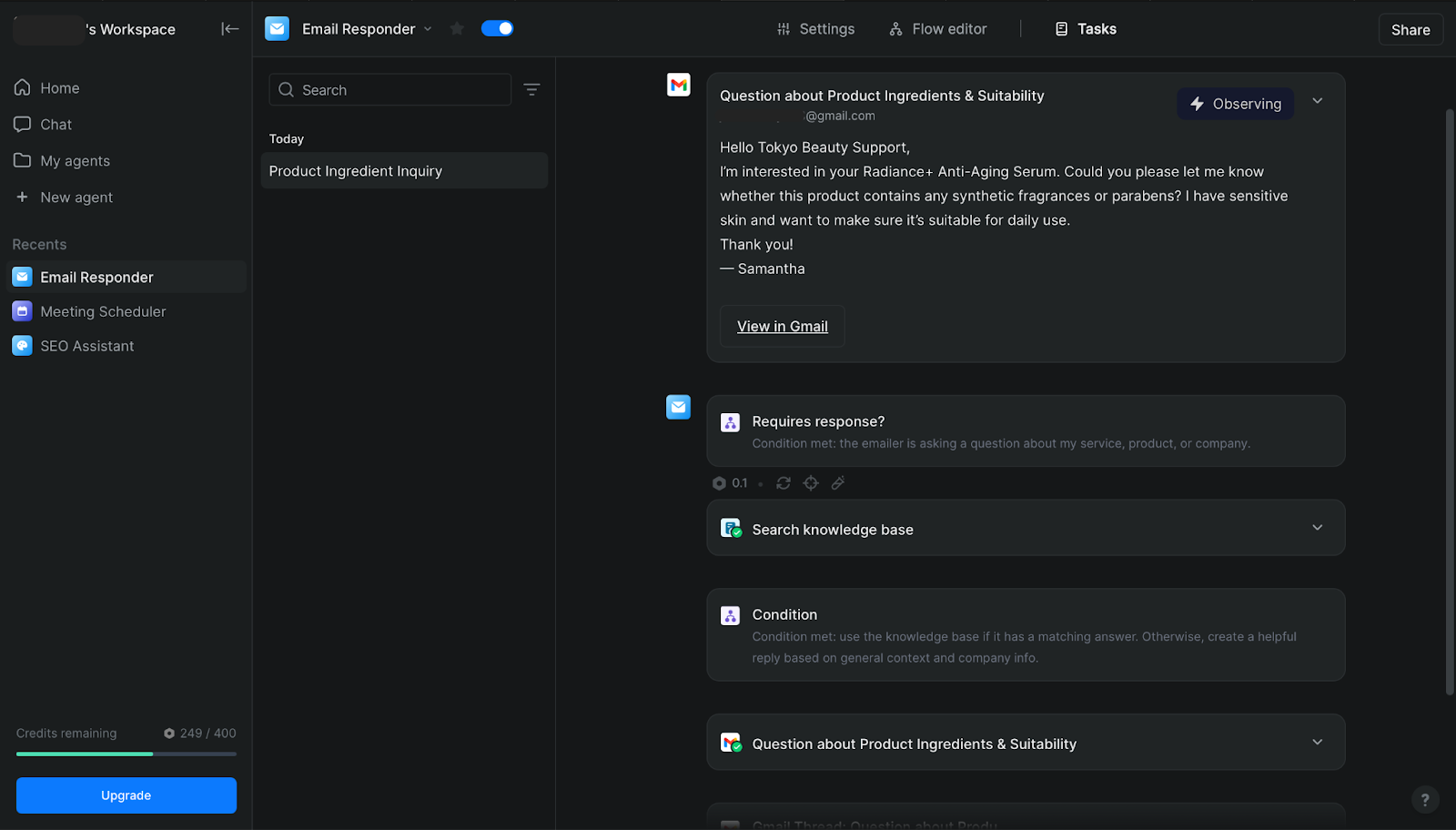
Custom Operations Agent: A No-Code Business Builder
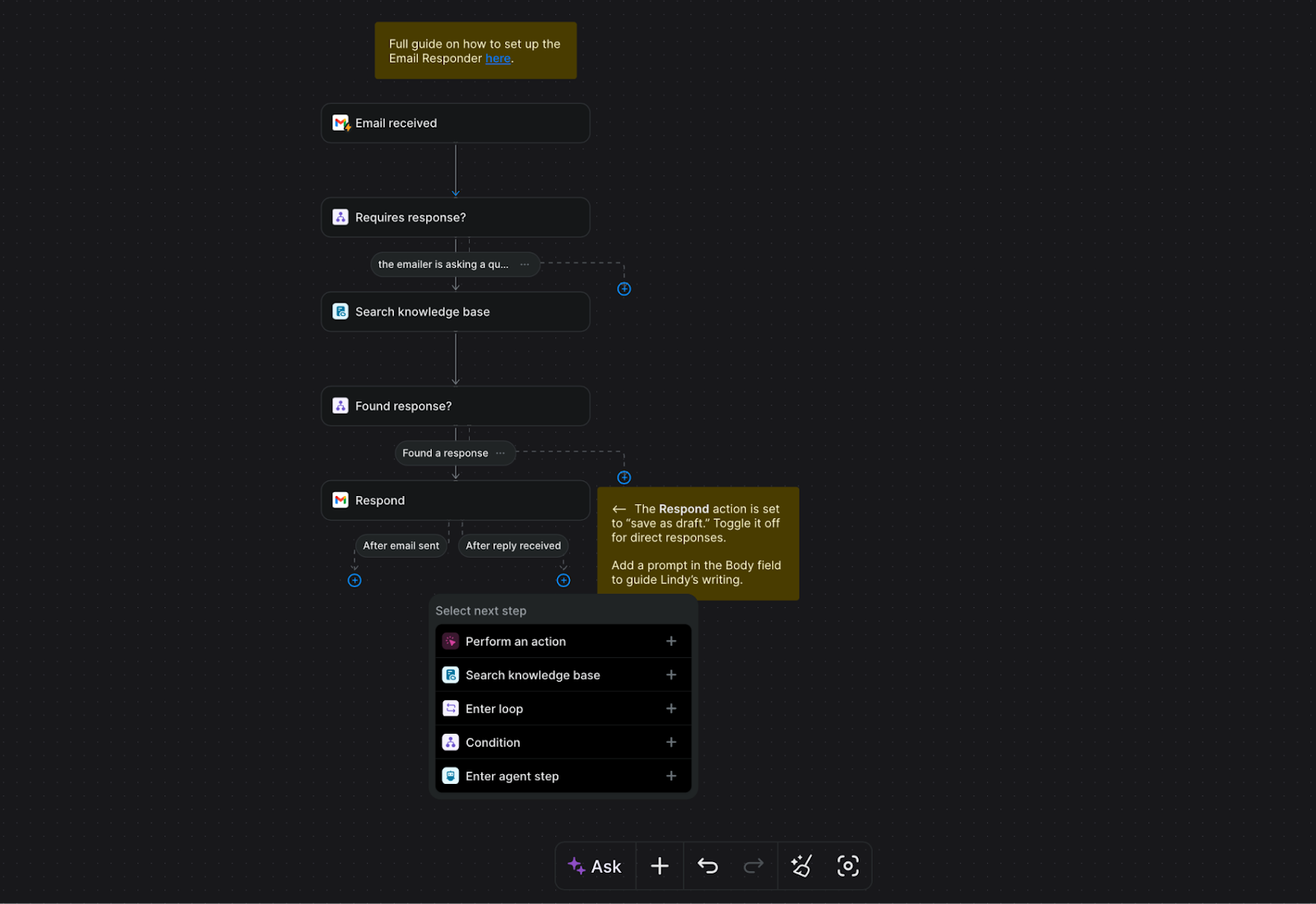
Using the Lindy Flow Editor, anyone can build a "Digital Employee." With zero coding knowledge, you can connect tools like Slack, Shopify, and Airtable. "Every time I get a 1-star review on Shopify, research the customer's order history, summarize the issue, and post it in the #urgent Slack channel." This is the power of a custom Ops Agent.
Lindy AI Pricing & Plans: Is It Worth the Investment?
Cost matters when you’re evaluating a productivity tool. Here’s a breakdown of Lindy’s pricing structure — including the free tier’s limitations and the value offered by paid plans — so you can decide whether it aligns with your workload and goals.
Breaking Down Lindy.ai Pricing and Credit System
Lindy AI uses a credit-based pricing model where every task you run consumes credits. You get a free tier with 400 credits per month to experiment, and paid plans scale up credits and features for heavier use. Below is a simple overview to help you compare cost and capacity.
Plan | Monthly Price | Credits / Capacity | ROI Analysis |
Free | $0 | 400 Credits | Good for testing 1 basic agent. |
Pro | $49.99~ | ~5,000 Credits | Pays for itself if it saves 2+ hours/month. |
Business | Custom | High Volume / Teams | Best for scaling Sales or Support teams. |
Key Notes:
Credits are the core billing unit — every task costs at least one, and more complex actions or advanced models use more.
The free plan lets you test Lindy’s core features without paying.
Paid plans dramatically increase monthly credits and capabilities, making them a better fit once you need consistent automation or run multiple agents.
Decision Guide: When to Move Beyond the Free Plan
The real question isn’t “Is the Pro plan expensive?”
It’s “What does staying on the free plan actually cost you?”
The moment your automation shifts from a fun experiment to something your work depends on, the free plan starts to show its limits.
If your agents suddenly stop running on the 20th of the month because you’ve hit a credit cap, that’s not a pricing issue—it’s a workflow failure.
Upgrading to Pro becomes the obvious choice when: ・You’re spending 30+ minutes every day replying to emails or copying data—time that could (and should) be automated. workflows. itself. |
On the other hand, the free plan is often enough if: ・You only want help with low-frequency tasks, like a weekly research job. |
If Lindy is already earning back more time than its monthly price—in real, hourly terms—you’re no longer trying automation. You’re running a system.
The Battle of AI Agents: Lindy vs. Competitors
Choosing an AI agent isn’t about checking boxes on a feature list.
It’s about answering a deeper question: What do you actually want the AI to be responsible for?
Lindy is often compared to a wide range of tools—but those comparisons usually miss the point.
Most alternatives are built around fundamentally different assumptions about who designs the work and who executes it.
Below, we break down the differences across three defining dimensions.
Category 1:Workflow Automation: "AI Delegator" vs. "Process Architect"
The biggest difference in automation tools comes down to one question.; Who is responsible for designing the workflow—you, or the AI?
Lindy AI (The Intuitive Delegator):
Lindy is built for delegation. You describe the outcome in plain language—“handle this,” “follow up,” “take care of it”—and the AI figures out the steps.
There’s no flowcharting, no logic trees, no mental overhead. It’s ideal if you want a digital teammate, not a system to babysit.
Gumloop & Relevance AI (The Process Architects):
These platforms shine when precision matters. You design the workflow node by node, controlling every data handoff and decision point.
They’re powerful—but they expect you to think like an engineer building an automation factory.
Relay.app (The Human-in-the-Loop Guardian):
Relay is designed for teams that want explicit checkpoints built into their automation.
Instead of maximizing full autonomy, it emphasizes controlled execution, where high-impact actions can pause for human confirmation.
This approach works well in environments where approvals, compliance, or brand tone matter—allowing AI to handle the heavy lifting while humans stay in the decision loop.
Category 2:Scheduling & Time Management: "The Social Negotiator" vs. "The Task Puzzle"
Scheduling tools often look similar—but they solve very different problems.
Lindy AI (The Social Negotiator):
Lindy doesn’t just rearrange your calendar. It talks to people.
Through email or chat, it negotiates schedules the way a human assistant would—making judgment calls like prioritizing a VIP meeting over a personal block.
Clockwise (Team Harmony):
Clockwise optimizes calendars at the team level. It automatically shifts flexible meetings to create uninterrupted focus time for everyone.
Motion & Reclaim.ai (The Task Puzzle Engines):
These tools treat your calendar like a puzzle to be solved. Tasks are reordered and rescheduled to ensure deadlines are met and focus time is protected.
The emphasis is inward: optimizing your time, not negotiating with others.
Category 3:The Sales Perspective: Lindy vs. Enterprise Sales Assistants
Sales-focused AI tools often look similar on the surface, but they’re built for very different sales motions.
Lindy AI — The Autonomous Sales Operator
Lindy approaches sales as an end-to-end operational flow.
Instead of optimizing a single touchpoint, it can handle outreach, follow-ups, data enrichment, and internal handoffs across the entire sales cycle.
Because it works across tools like Gmail, Slack, HubSpot, and LinkedIn, Lindy fits naturally into lean teams that want sales automation without committing to a heavyweight system.
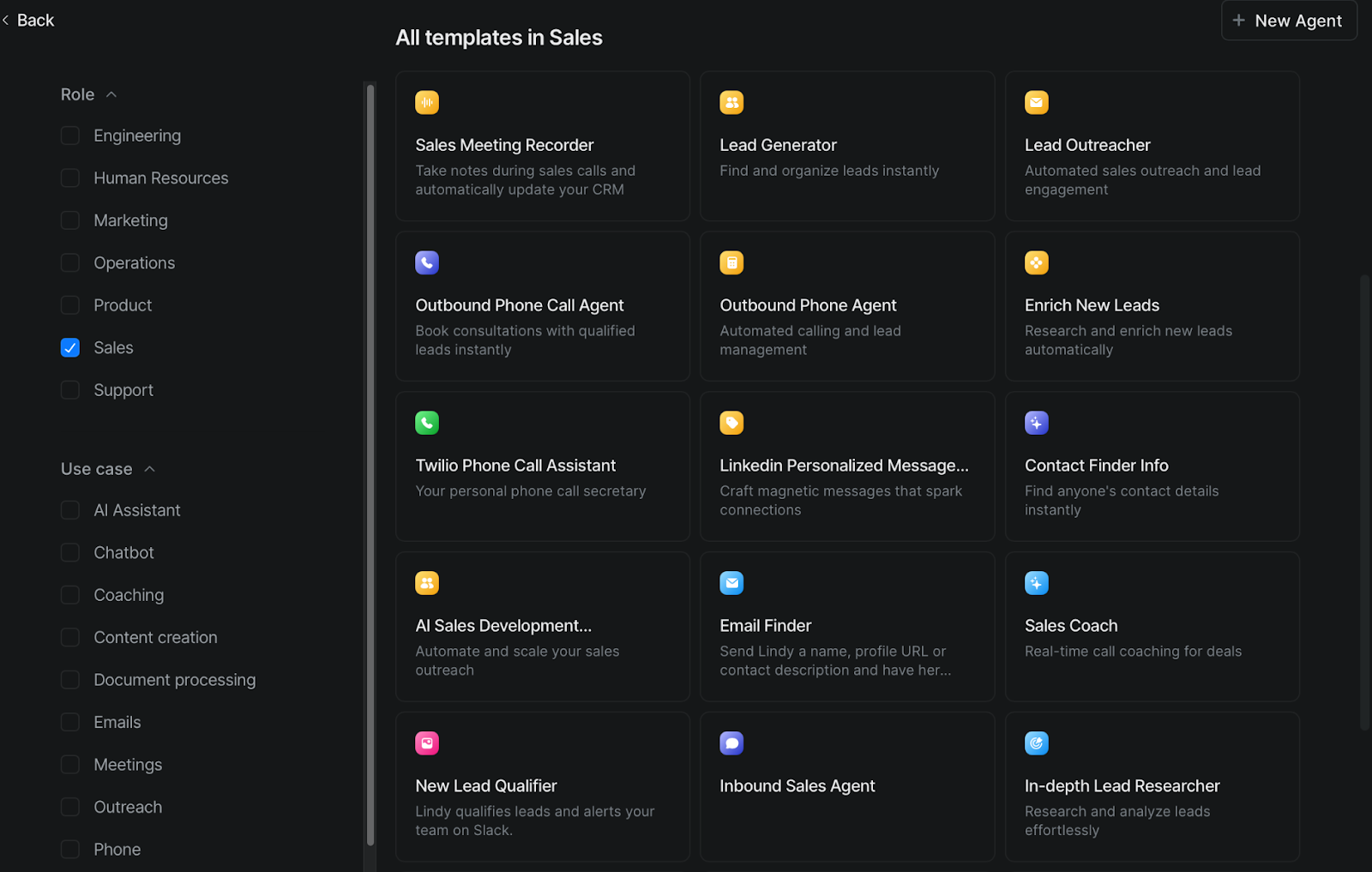
Salesforce Agentforce (The CRM Giant):
Agentforce is deeply embedded in the Salesforce ecosystem.
Its strength lies in advanced forecasting, analytics, and recommendations powered by large volumes of structured CRM data.
This model works best for organizations already standardized on Salesforce, where sales processes, data models, and reporting are tightly controlled.
Drift / Qualified (The Real-Time Conversationalists):
Drift and Qualified focus on one critical moment: the website visit.
They excel at turning inbound traffic into meetings through real-time chat and routing.
Their scope, however, is intentionally narrow. They optimize live engagement on-site, rather than managing longer-term outreach or multi-channel follow-ups.
How to Choose the Right Tool
After comparing AI tools across workflow automation, scheduling, and sales, one thing becomes clear:
there is no single “best” AI—only the right AI for how you work and what you’re trying to achieve.
Category | Tool | Primary Role | Philosophy | Key Strength |
Workflow Automation | Lindy AI | The Delegator | Autonomous / Multi-app | High flexibility; handles complex task chains. |
Gumloop | The Architect | Logical / Manual | Precise control over data-heavy workflows. | |
Relay.app | The Guardian | Safety / Collaborative | Human approval for critical external actions. | |
Scheduling & Calendar | Lindy AI | The Negotiator | Offensive / Proactive | Direct back-and-forth negotiation with others. |
Clockwise | Synchronizer | Team / Collaborative | The Moving internal meetings to create team Focus Time. | |
Motion | The Optimizer | Comprehensive / Fast | Dynamic reshuffling of tasks + project management. | |
Reclaim.ai | The Defender | Habit-First / Balance | Protecting routines (e.g., lunch) and deep work. | |
Sales & SDR | Lindy AI | The Agile SDR | Lightweight / Outreach | Multi-channel prospecting (LinkedIn + Email). |
Agentforce | The CRM Giant | Integrated / Massive | Deep Salesforce integration for large enterprises. | |
Drift/Qualified | The Receptionist | Site-centric | Real-time site conversion |
The key is to decide what role you want AI to play in your day-to-day work:
Do you want an AI you can delegate to?
Or one you carefully design and control?
Are you trying to protect your time—or actively grow the business?
Use the following three lenses to find your match.
1. By Instruction Style: How do you want to work with AI?
First, ask yourself how you want to interact with AI.
Do you see AI as a digital teammate you can talk to casually?
Or as a precision tool you configure step by step?
Choose Lindy AI (The Delegator) if:
You find “if-this-then-that” logic tedious.
You’d rather explain the goal in plain language and let AI figure out the steps.
You want AI to behave like a junior team member who just gets things done.
Choose Gumloop or Relay.app if:
You want full visibility and control over every automation step.
Accuracy matters more than speed (e.g., data transfers, scraping, compliance-heavy tasks).
You’re comfortable designing workflows rather than delegating outcomes.
2. By Goal: Is it for Internal Efficiency or External Growth?
Next, clarify why you want AI in the first place. Is your priority to defend your time—or to push growth forward?
Choose internal, defensive tools if:
You’re overwhelmed by tasks and constantly reacting.
You want AI to protect your focus time and daily routines.
・Motion: |
Choose Lindy AI (Offensive / External) if:
You want AI to negotiate schedules with people outside your organization.
You want follow-ups sent automatically when prospects go quiet.
Your goal is to increase meetings, leads, or revenue—not just reclaim hours.
3. By Market Focus: Global Scalability or Ecosystem Integration?
Finally, think about scale.
Do you want flexibility to operate globally across tools and regions?
Or deep power inside a single, established ecosystem?
Choose Lindy AI if you value agility:
You work with international clients and need multilingual communication.
You want to automate outreach across WhatsApp, email, and LinkedIn.
You prefer lightweight tools over heavy enterprise systems.
Choose ecosystem-first tools if:
Your entire customer database already lives in Salesforce.
Security, governance, and deep CRM integration matter most.
Your focus is capturing and converting on-site traffic.
・Salesforce Agentforce — deep CRM-driven automation |
How to Build Your First Lindy AI Agent (Step-by-Step)
Building your first Lindy AI agent may sound like something only developers can do—but with Lindy’s no-code interface, anyone can launch a fully autonomous AI worker in minutes. Thanks to templates, natural language instructions, and event triggers, Lindy brings automation to life without writing a single line of code.
Let’s walk through what it feels like to go from idea to agent—and how that agent can begin running tasks on its own.
Using the No-Code Lindy AI Builder
Step 1 — Open Your Dashboard
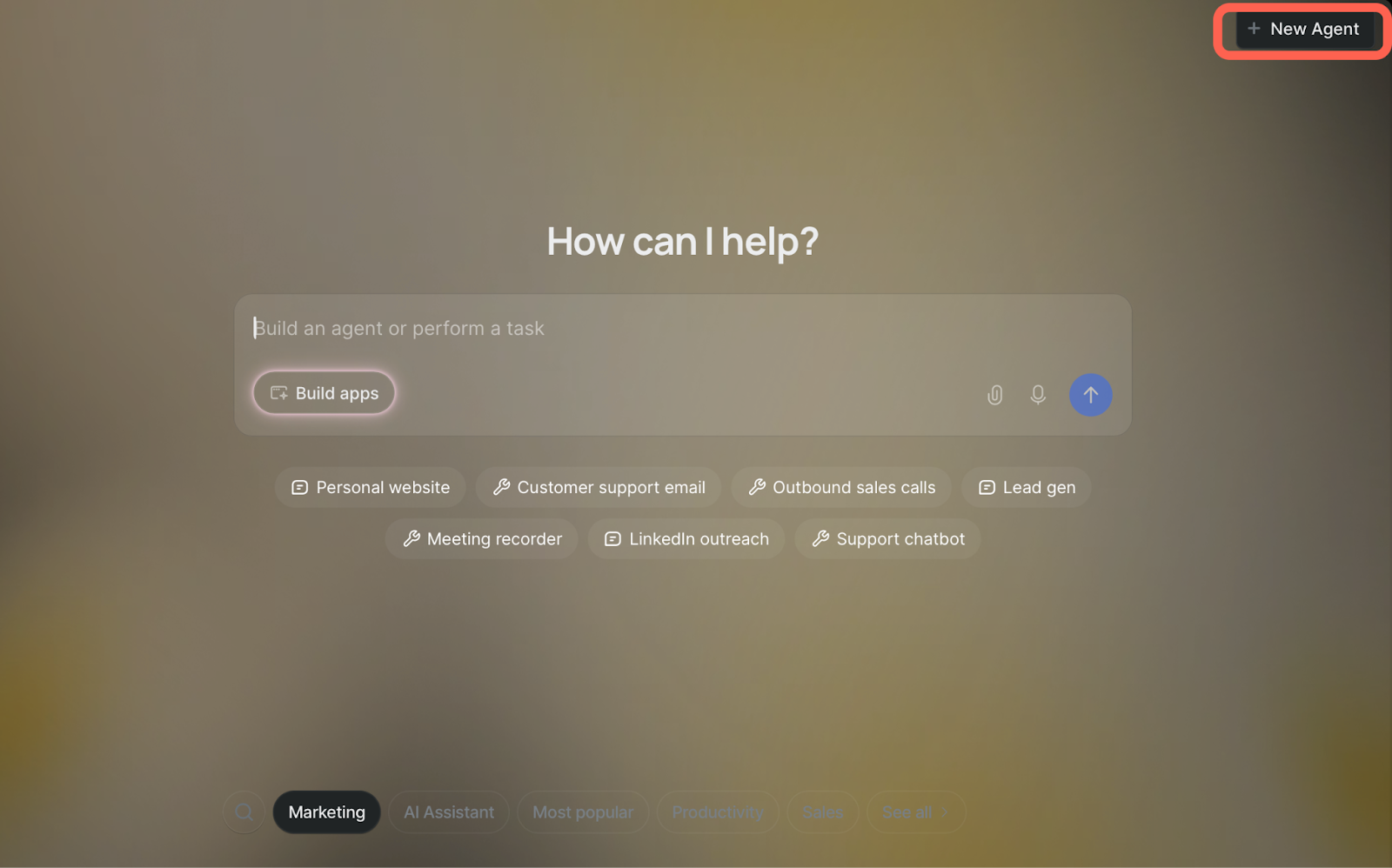
When you log into Lindy, the main dashboard displays your existing agents and a big “New Agent” button front and center.
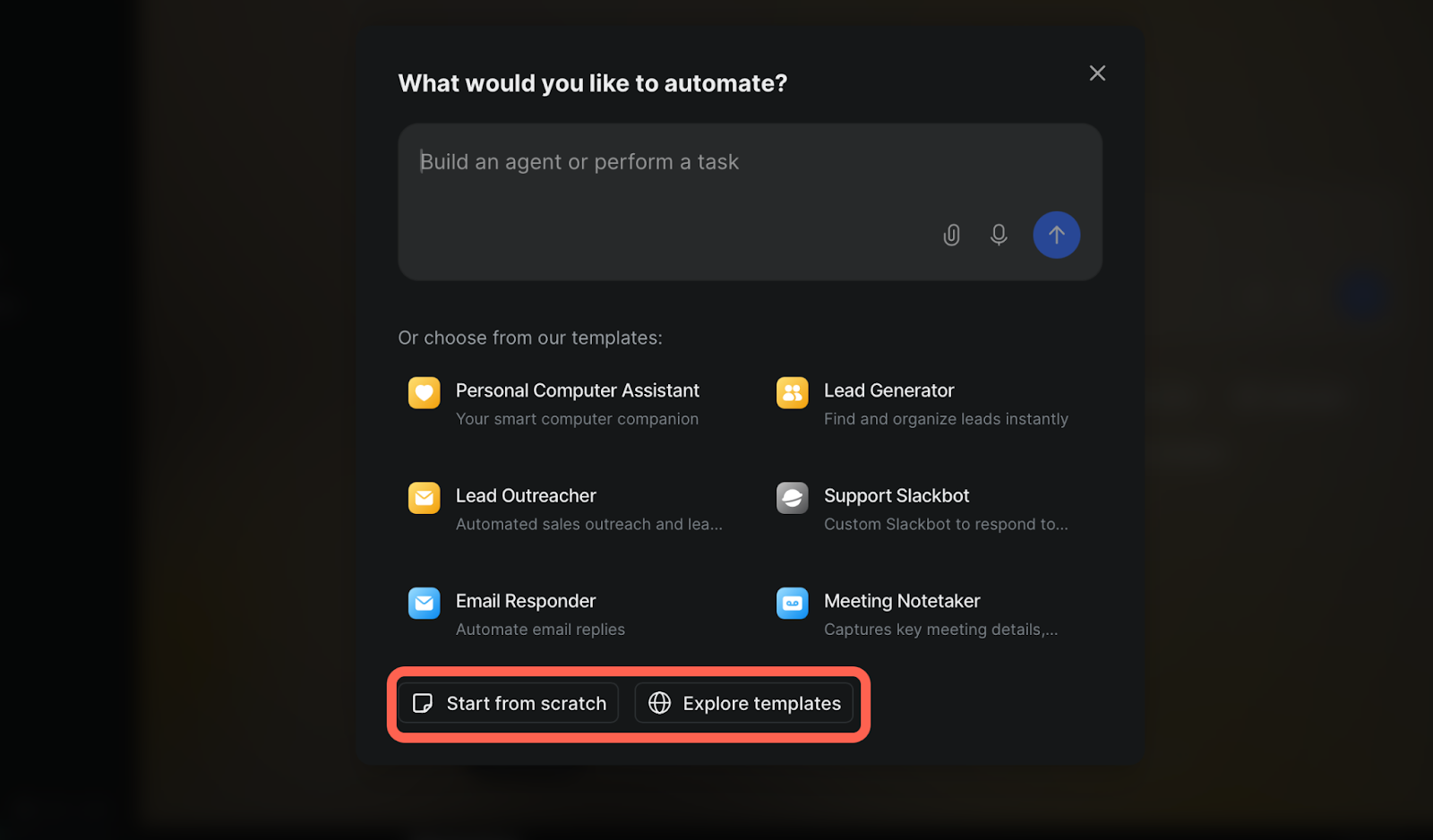
Step 2 — Choose a Template or Start from Scratch
Lindy shows prebuilt templates like “Email Follow-Up Agent” or “Lead Capture Assistant. If you want to jump in fast, pick one. To build fully custom, choose “Start from Scratch.
Step 3 — Describe Your Agent in Natural Language
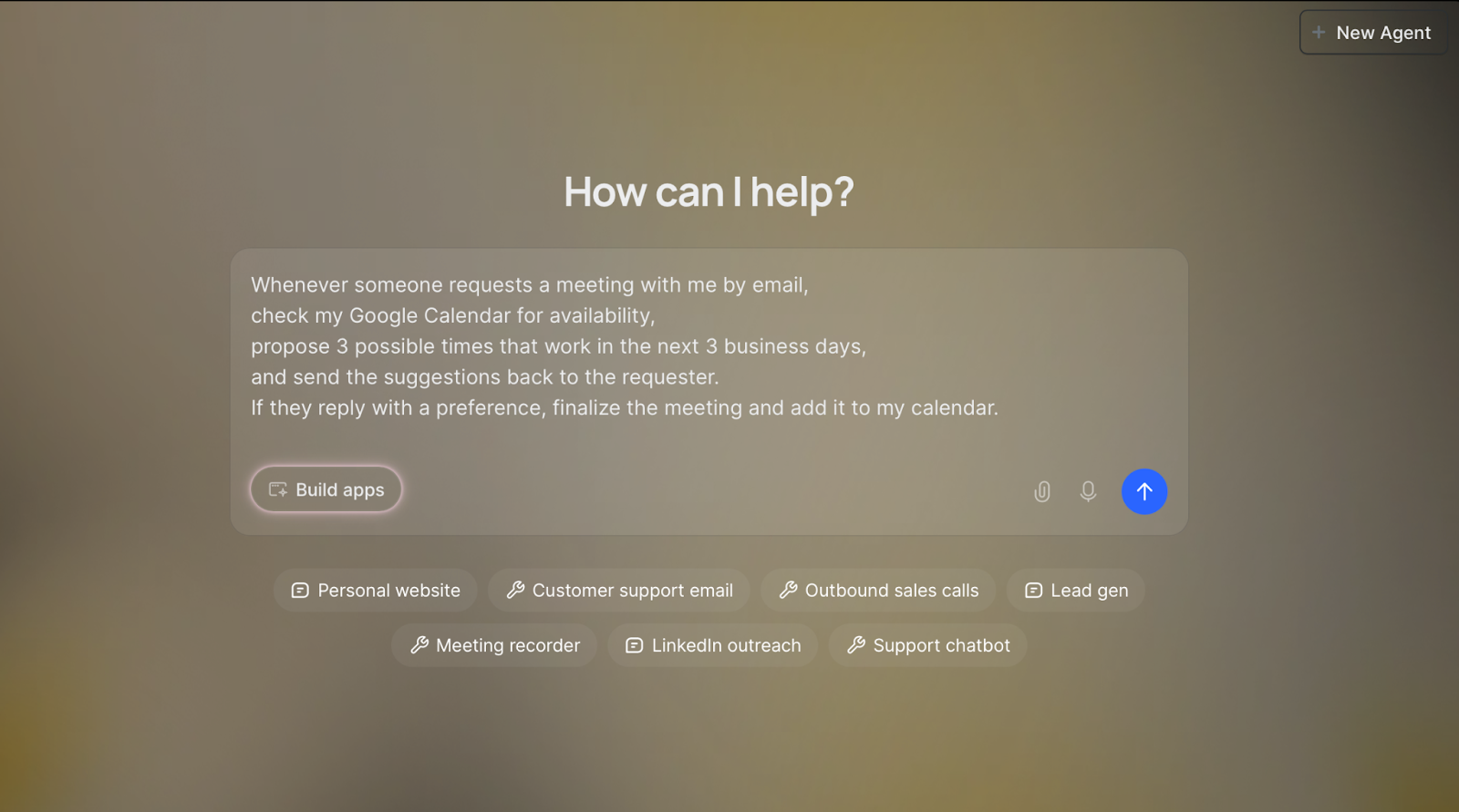
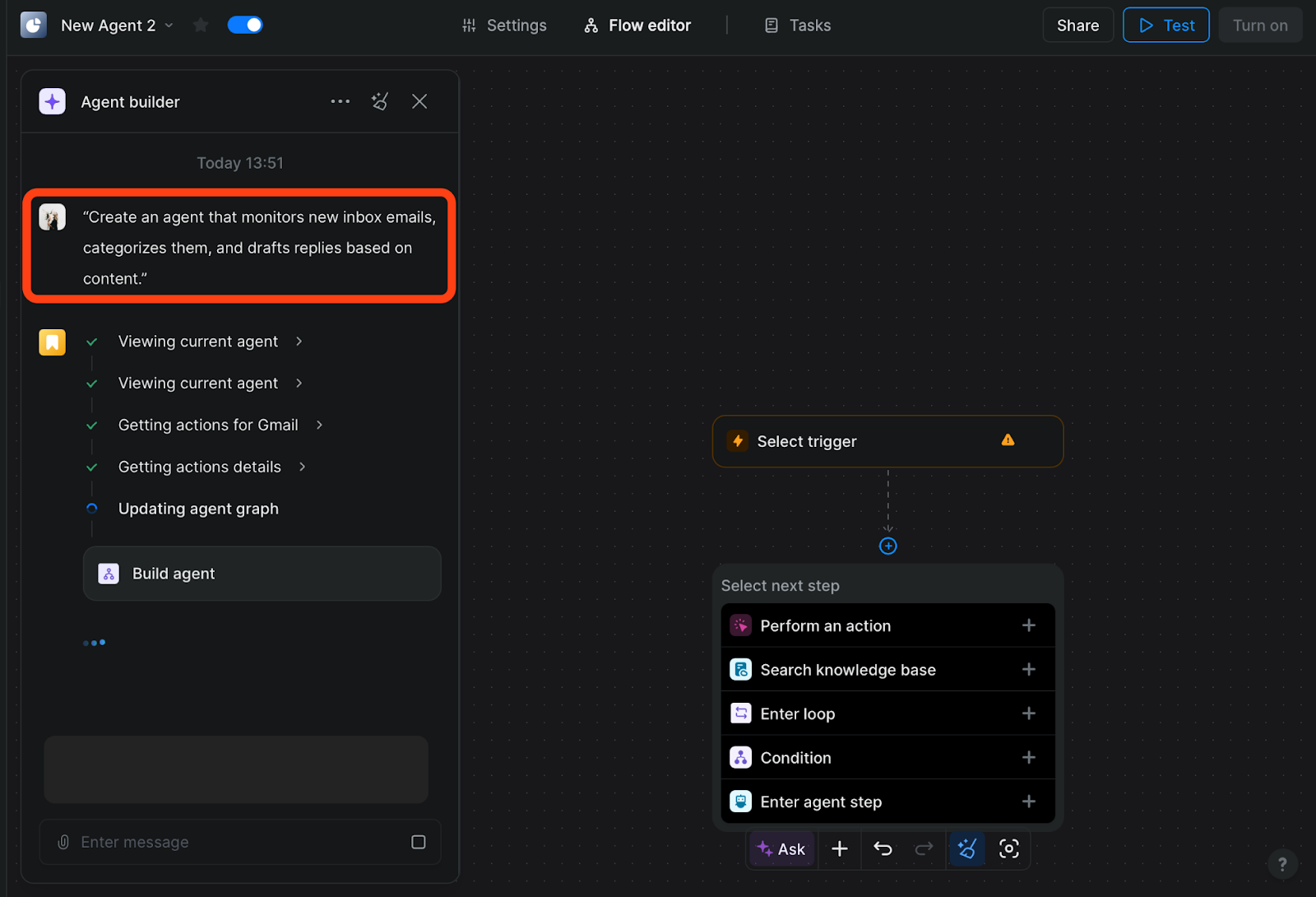
Here’s the magic: a plain-English input box. Tell Lindy what you want the agent to do, not how to do it.
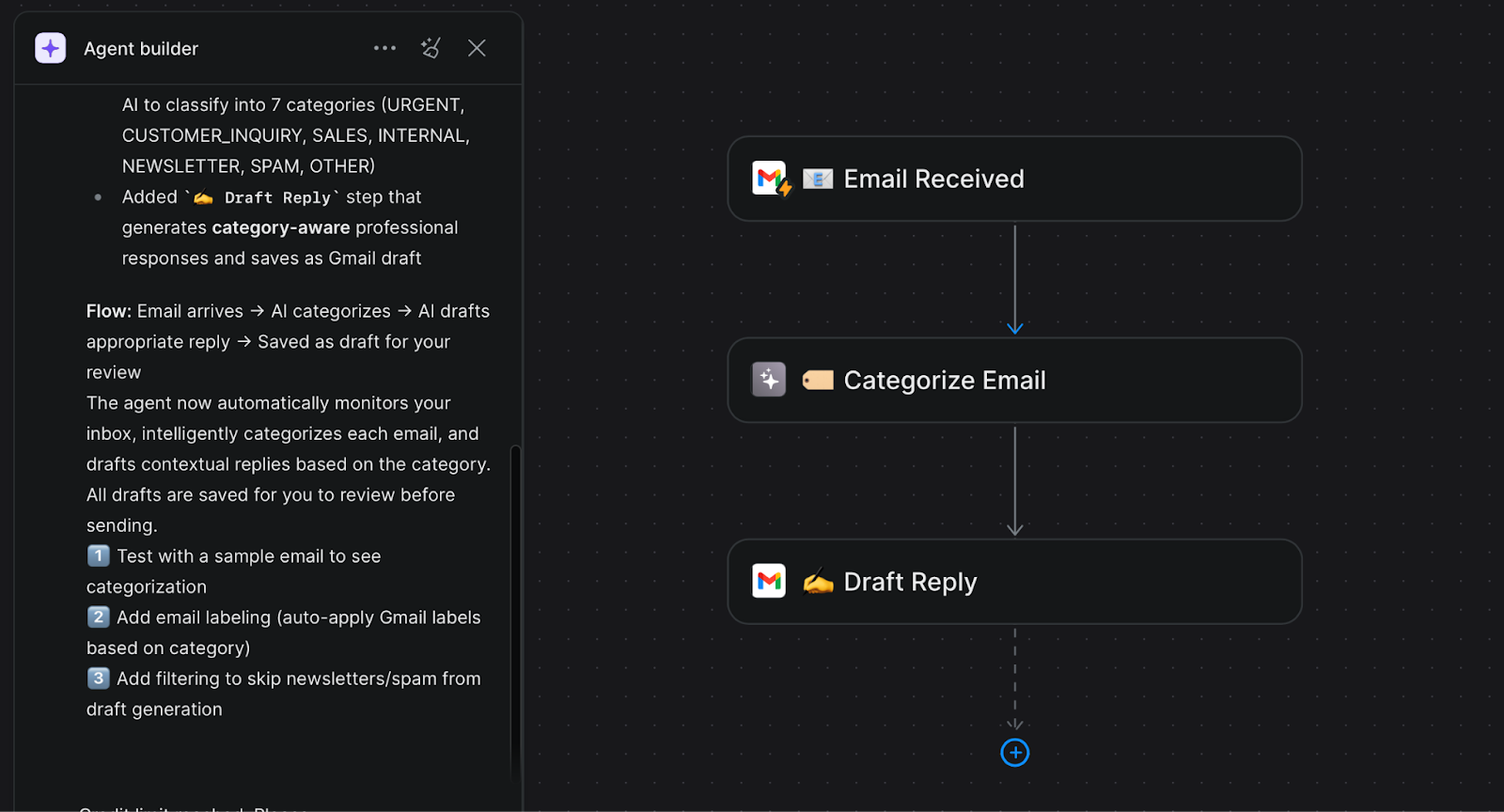
Example: “Create an agent that monitors new inbox emails, categorizes them, and drafts replies based on content.” |
Lindy will interpret this and auto-generate the internal workflow steps. No coding, no syntax. It’s like telling a teammate what you want done.
Step 4 — Adjust Your Workflow Visually
Once the agent outline appears, you’ll see a flow editor: triggers, actions, conditions laid out in a visual canvas. You can drag to rearrange, add new actions, or tweak conditions.
Setting Up Event-Based Triggers and Workflows
Once the backbone is built, it’s time to connect triggers so your agent knows when to act. Lindy supports event-based triggers that automatically kick your agent into motion.
Common triggers include:
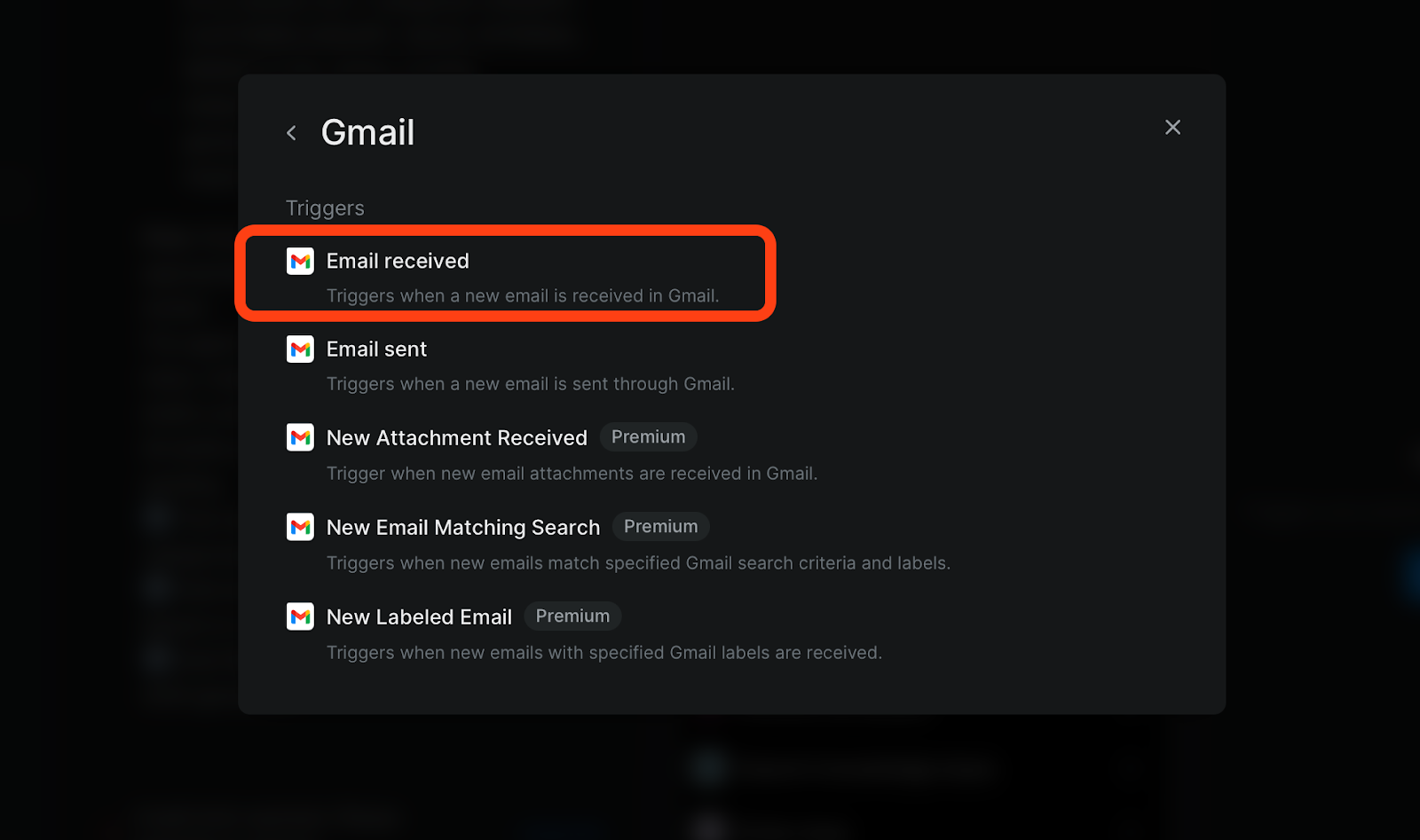
📬 A new email arrives
⏰ A scheduled time of day
📇 New contact added to CRM
📝 Form submission on your site
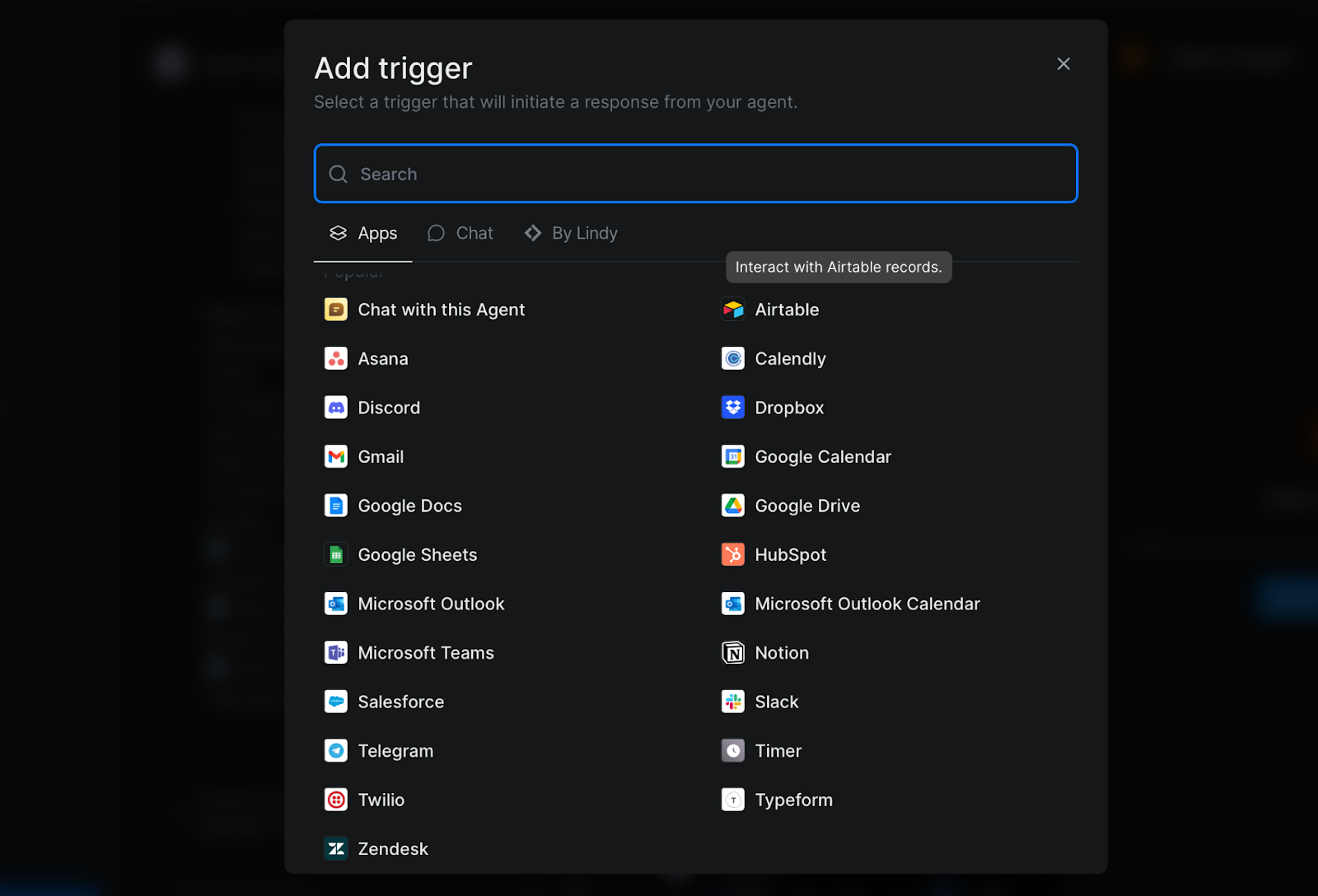
When you select a trigger, Lindy will automatically attach it to your workflow and highlight where the agent should begin. From there, the agent watches for that event and responds with the actions you defined earlier.
Case Study: Automating Lead Generation with Lindy AI YouTube Tutorials
Here’s a step-by-step example of real business automation using Lindy: lead generation from content.
Trigger: Lindy watches for new comments on a YouTube video.
Action: It extracts commenter names and handles.
Follow-up: It enriches lead information and sends it to Slack or CRM.
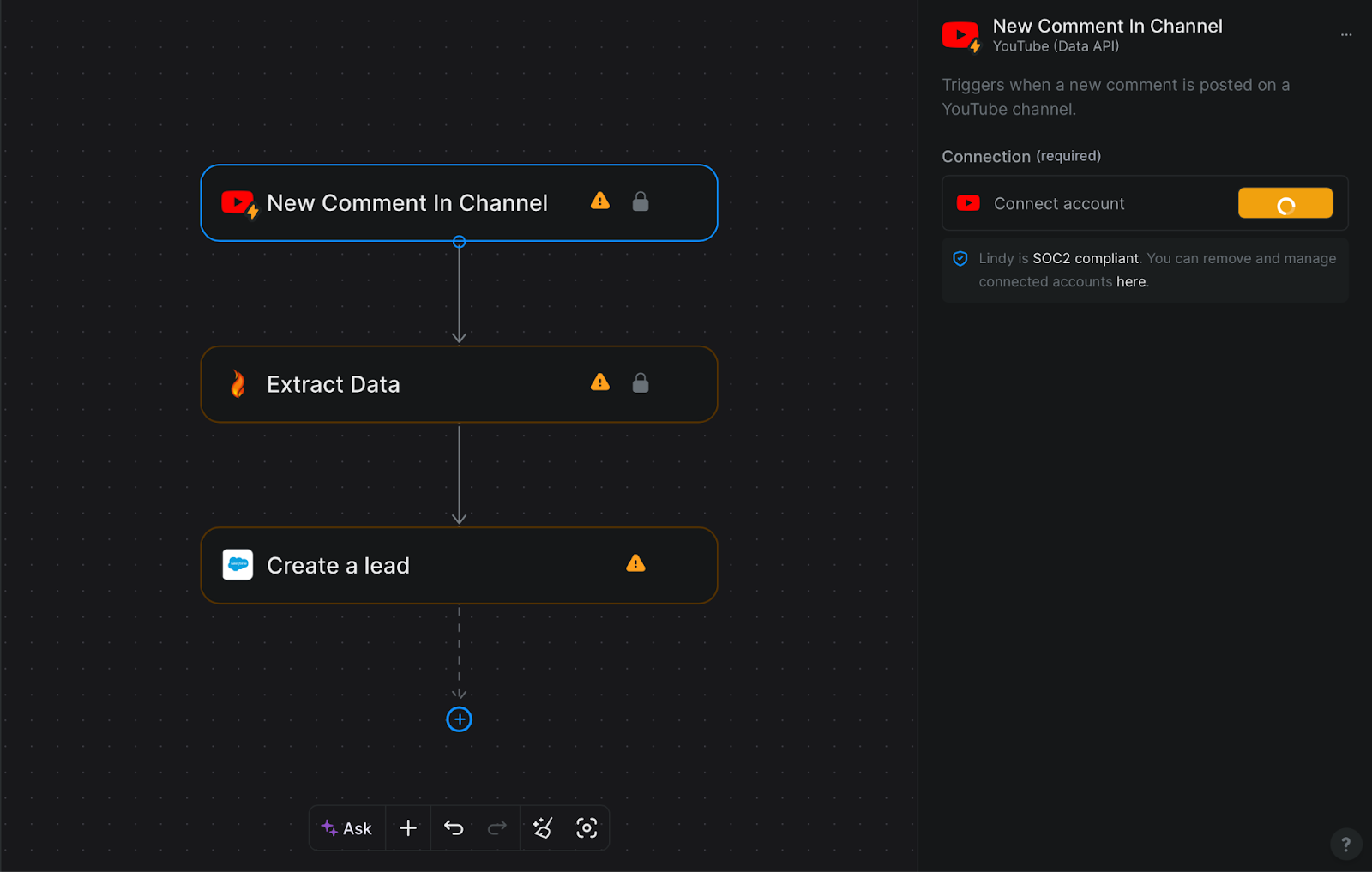
This agent runs without you lifting a finger: discover, extract, and push actions happen automatically as they occur.
Final Verdict: The Best Use Cases for Lindy AI
Lindy AI is the gold standard for "Offensive Productivity." If you need an agent that communicates with the outside world, negotiates meetings, and handles multi-app workflows without touching code, Lindy is the best investment you can make in 2026.
Frequently Asked Questions About Lindy AI
Here are answers to the questions people most often ask about Lindy — from pricing and spelling confusion to data security and comparison with leading AI assistants.
Is Lindy AI free to use?
Yes — Lindy AI has a free plan that lets you start building and testing AI agents at no cost. The free tier provides a monthly task/credit limit (e.g., ~400 tasks) good for basic workflows and experimentation. If you need more frequent automation or multiple agents, paid plans expand those limits.
What is "Lindi AI"? Is it the same as Lindy.ai?
No — “Lindi AI” is just a common misspelling or typo. The correct service name and official site is Lindy.ai. To avoid phishing or unrelated sites, always check that you’re on the official domain before entering your login or data.
What does Lindi AI do?
Lindy AI lets you build autonomous AI agents without coding. These agents can automate tasks like email handling, meeting scheduling, CRM updates, and more by connecting with your apps (e.g., Gmail, Slack). Once set up, an agent runs workflows on its own based on triggers you define.
Is my data safe with Lindy AI?
Yes — Lindy AI is designed with business-grade security in mind. Integrations are encrypted and the platform follows common enterprise security practices used by modern AI automation services. That said, it’s always best to pair any tool with your own security policies (like access controls and monitoring).
How does Lindy AI compare to ChatGPT or Claude?
They serve different purposes:
ChatGPT / Claude are AI assistants for generating text, answering questions, and helping with thinking or writing.
Lindy AI is an AI automation platform — once an agent is built, it can take actions automatically across apps (e.g., follow up emails, update records, schedule meetings) without repeated prompts.
In simple terms, ChatGPT/Claude help create or think, while Lindy helps do tasks automatically.
Related articles

Return to List